

Subscription includes
Support
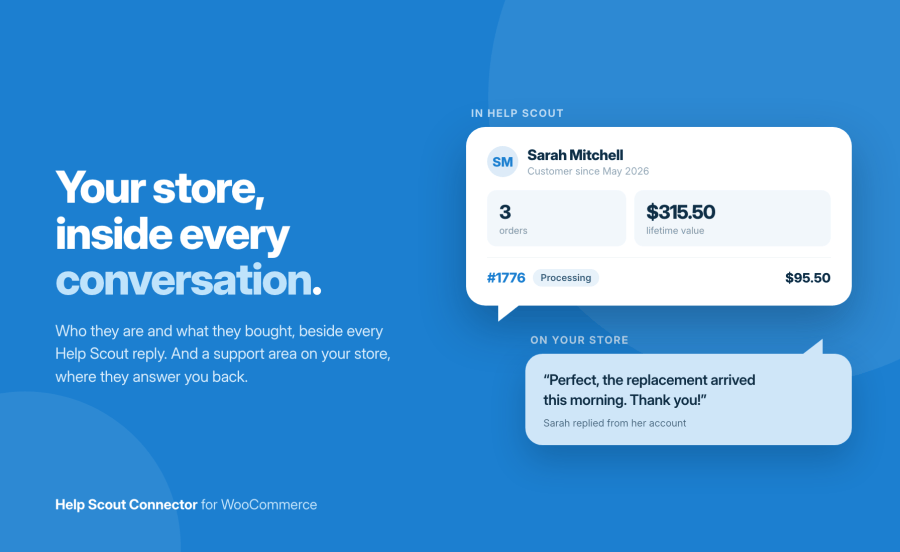
Help Scout Connector for WooCommerce links your store and your Help Scout account in both directions. Inside Help Scout, your agents see who the customer is: order count, lifetime value, and their recent orders, with the full order one click away in a side panel. Inside your store, customers get a real support area in My Account where they open requests, read the whole exchange, and reply without touching their email client. Between the two, conversations start from order screens, order notes mirror into Help Scout, and the Beacon runs on your storefront.
Support tickets about orders are answered faster when the order is already on the screen. That is the whole idea, applied in both directions.
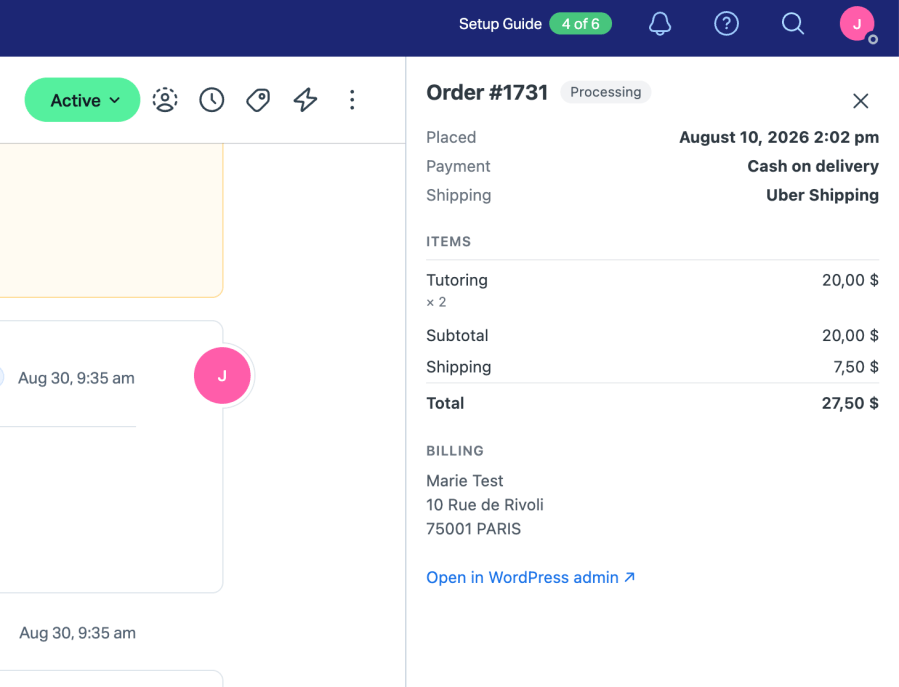
The sidebar app answers the first three questions an agent asks: who is this, what did they buy, and which order is this about. The summary and recent orders sit next to the conversation, and the order number opens a side panel with items, totals and addresses, plus a link to the order in your admin for the cases that need editing. Sidebar loads are signature-verified and order links are signed and expire, so this surface adds no door into your store.
Most integrations stop at a contact form. Here, My Account gains a Support page where customers see every conversation with its status, open any of them to read the full exchange, and reply in place. Internal notes and status changes are stripped on the server before anything reaches a customer page, and a customer can only ever open conversations belonging to their own email address.
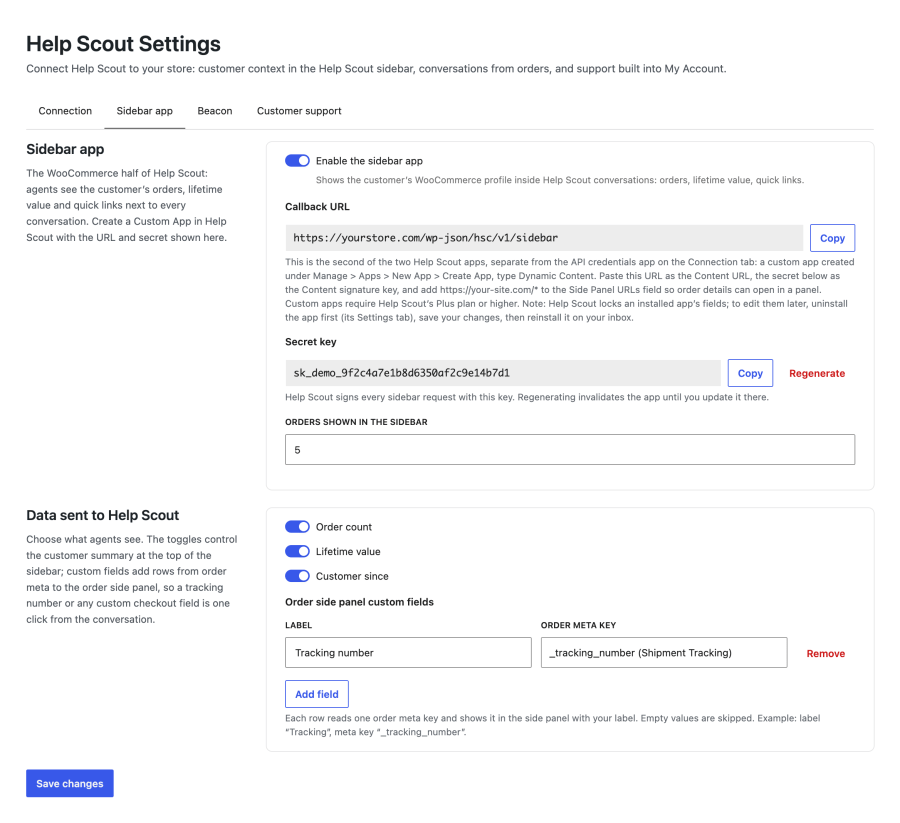
Three toggles control the customer summary in the sidebar. A custom fields list reads any order meta you name, a tracking number, a delivery date, a checkout field, and shows it in the side panel under your label. What you would rather express in code has a filter at every point where data leaves for Help Scout.
The extension registers eight tools with the WordPress Abilities API, the discovery layer MCP connectors use. An assistant connected to your store can pull a customer’s history, read a conversation, open a ticket from an order or leave an internal note, each call gated by the same WooCommerce permissions as the screens. No separate server, nothing to configure, and nothing runs unless a connector asks.
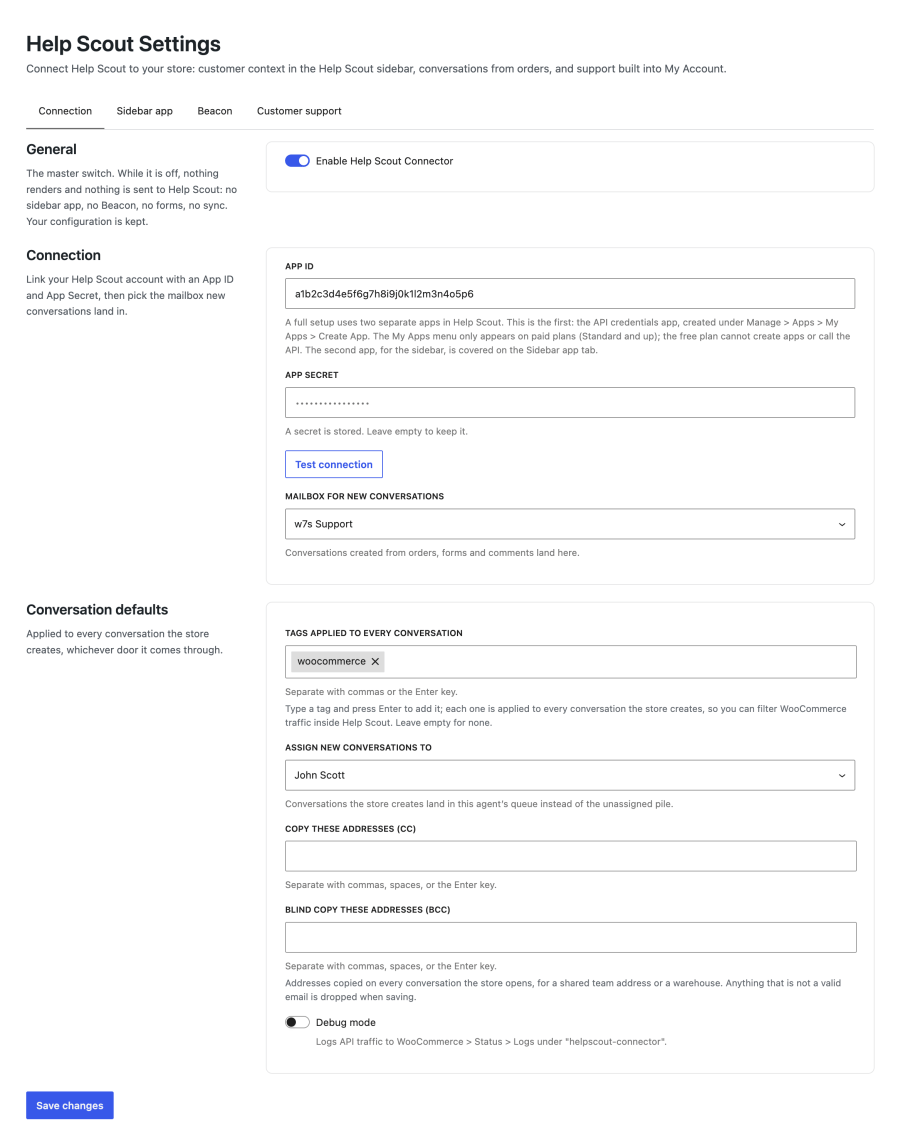
The connection to your Help Scout account is made super easy with our connector:
You can customize the data you want to be displayed within the app on Help Scout:
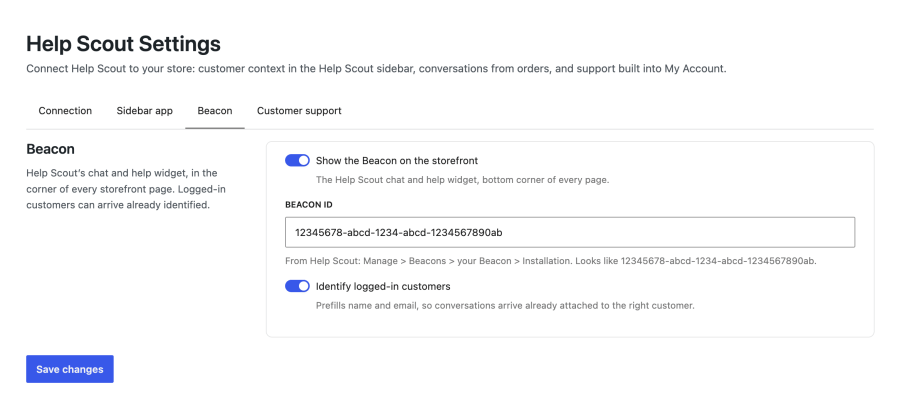
Choose to enable live chat on your site via the Help Scout beacon:
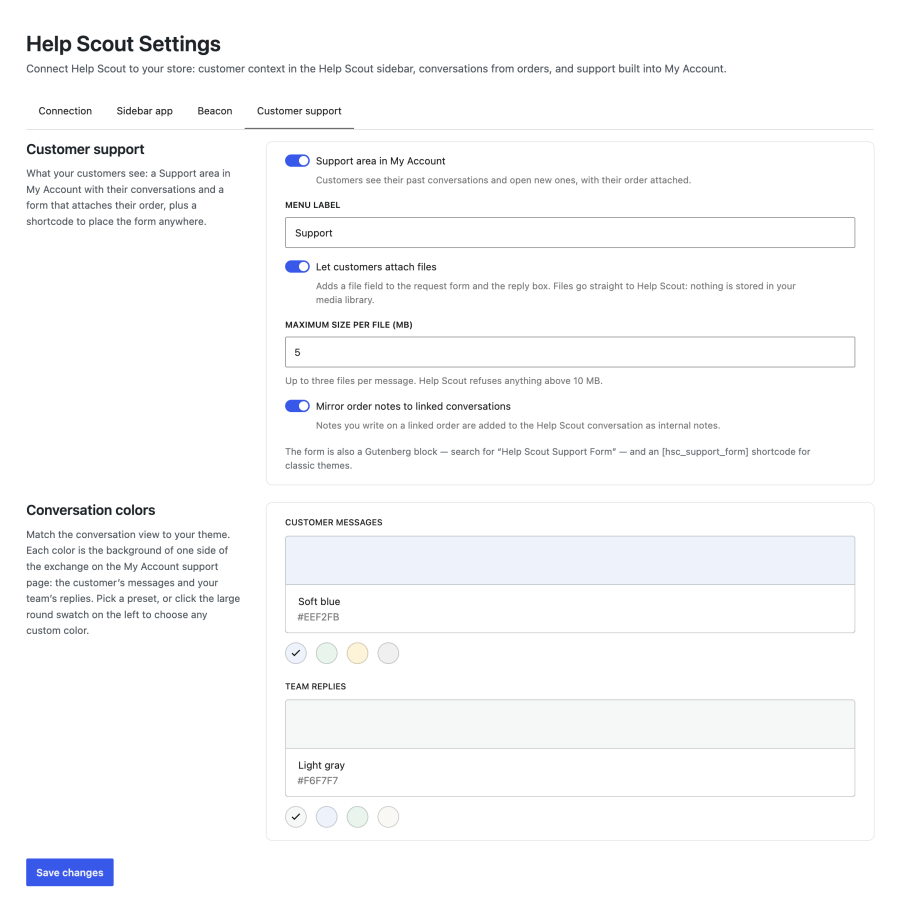
Your customers can see their conversations you handle in Help Scout in their My Account page, and you can customize how they look:
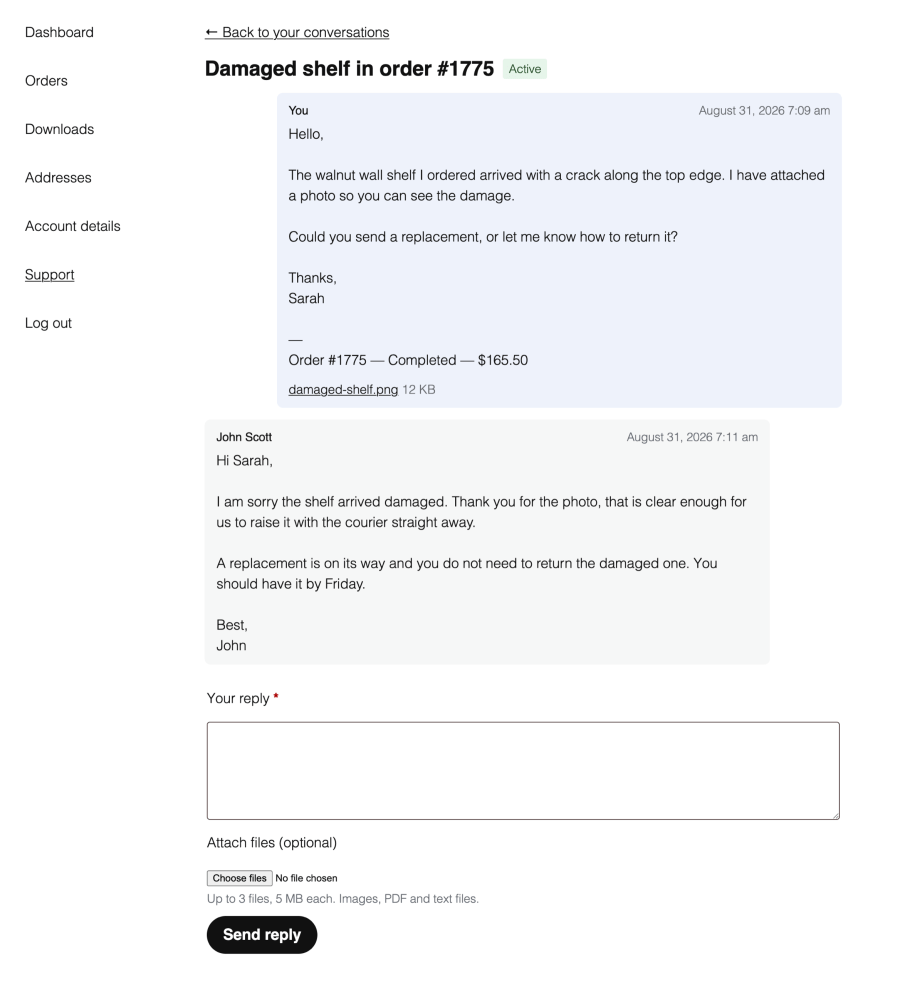
Your customers can reply to you without leaving their account on your store, they can also send you attachments:
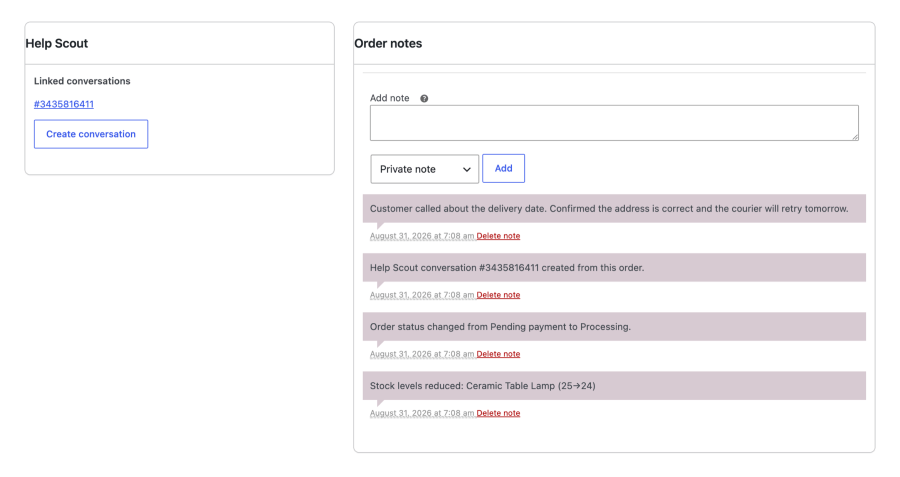
Get a quick overview of what’s happening to an order via order notes:
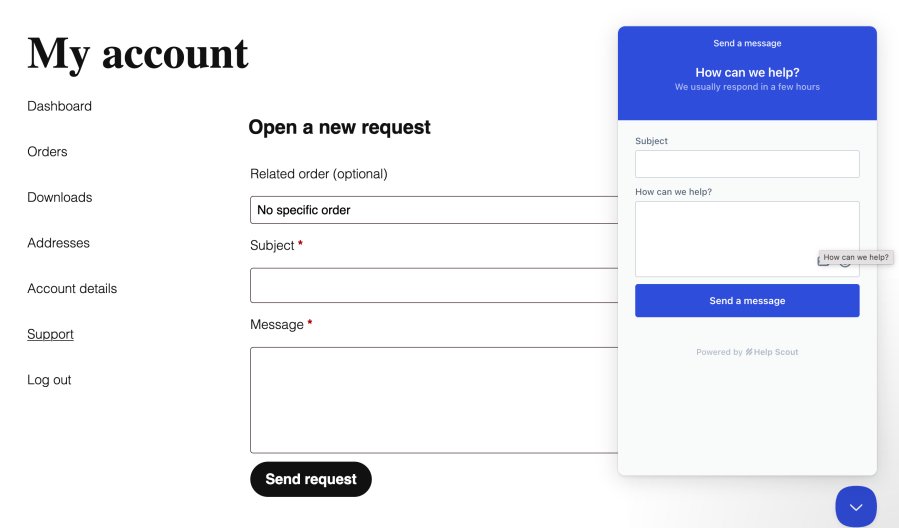
Choose to enable/disable live chat:
You can see all the details you want in Help Scout sidebar (even custom fields!):
Help Scout integrations for WordPress fall into three groups: the free official plugin that embeds the Beacon widget, general WordPress helpdesk portals with WooCommerce support, and integrations built for WooCommerce. Help Scout Connector is in the third group. The real differences are whether the integration works inside Help Scout as well as inside the store, how much the customer can do without email, and how the plugin holds up on a current WooCommerce stack.
| Help Scout Connector for WooCommerce | Help Scout Integration (OPMC) | Help Scout Desk (Sprout Apps) | Help Scout (official, free) | |
|---|---|---|---|---|
| Sidebar app inside Help Scout | Yes: customer summary, recent orders, and an order side panel | No | No | No |
| Customer portal in My Account | List, read the full thread, and reply | View conversations | List, read and reply, with attachments | No |
| Conversation from an order | Yes, tagged and linked, with order note sync | Yes | Not stated for orders specifically | No |
| Beacon widget | Yes, with logged-in customers identified | Not stated | Not stated | Yes |
| Customer file attachments | Request form and replies, type checked by content | No | Yes | Contact form, but the upload code fails on PHP 8 [VERIFY: read from version 1.2.4 of the plugin] |
| Imports the other plugin’s settings | Yes, one click from the settings screen | Not applicable | No | No |
| AI assistant tools (Abilities API / MCP) | Eight tools | No | No | No |
| HPOS compatibility | Declared and built on the order CRUD layer | Not stated on the listing; reviews report HPOS issues | Not stated | Not applicable |
| Tested up to | WooCommerce 11.0 | WooCommerce 10.9.4 | Not stated | Not applicable |
| Rating | New extension | 2.5 out of 5 from 11 reviews | Not listed on a marketplace | WordPress.org listing |
Where the others are stronger, plainly: Help Scout Desk covers WP eCommerce and Easy Digital Downloads as well as WooCommerce, which Help Scout Connector does not. OPMC’s integration can start a conversation from a blog comment; Help Scout Connector links conversations to orders and comment-reported issues would go through the form instead. The official free plugin is all you need if the Beacon widget is your only requirement.
If your support runs on Help Scout and your store runs on WooCommerce, the case for Help Scout Connector is the two surfaces the others do not have: the sidebar app that puts the order in front of the agent, and a My Account portal where the customer answers you instead of emailing again.
Help Scout Connector for WooCommerce, with updates and support through your WooCommerce.com account.
Before you buy, check these:
It depends on the features you want. The Beacon widget works on every Help Scout plan, including the free one. The API connection, which powers conversations from orders, the My Account support area and note sync, requires the Standard plan or higher, because Help Scout only offers API credentials on paid plans. The sidebar app and its order side panel require the Plus plan or higher, because Help Scout gates custom apps to that plan. The settings screen names the plan next to each feature so there are no surprises.
Never. Internal notes and status changes are filtered out on the server before anything reaches a customer page. Customers only see their own messages and your agents' replies. Note sync works in the other direction too: order notes you write in WooCommerce arrive in Help Scout as internal notes, visible to agents only.
Yes. The Support page in My Account lists their conversations; opening one shows the full exchange as a thread with a reply box underneath. A reply lands in Help Scout as an ordinary customer message, so your team works in Help Scout exactly as before. The reply box disappears once a conversation is closed.
No. A conversation only opens for the logged-in customer whose email address matches the customer on the Help Scout side, both for reading and for replying.
Next to every conversation, the sidebar app shows the customer's order count, lifetime value, customer-since date and recent orders with status and total. Clicking an order number opens a side panel with the items, totals, billing and shipping addresses, the customer note, and a link to the order in your WordPress admin. Toggles in the settings choose which summary rows appear, and a custom fields list can add any order meta, such as a tracking number, to the side panel.
Yes. Every sidebar load is verified against the signature Help Scout computes with your secret key, and order side panel links are individually signed and expire after six hours. A guessed or tampered URL returns nothing.
Yes. The extension declares HPOS compatibility, reads orders through the WooCommerce CRUD layer, and the order screen integration appears on both the HPOS and legacy screens. Cart and Checkout blocks compatibility is declared as well, and the support form ships as a Gutenberg block alongside the classic shortcode.
Both. The My Account page is for logged-in customers, with their recent orders offered as an attachment. The same form placed anywhere via the block or the [hsc_support_form] shortcode asks guests for their name and email and files the request into your inbox.
Yes, on both the request form and the reply box, up to three files per message with a size limit you set. This is what a customer reporting a damaged item needs. Files go straight to Help Scout and are never stored in your media library, so a support screenshot never ends up on a public URL. Accepted types are images, PDF and text files, and the real type is read from each file's contents rather than trusted from the browser, so a renamed file is rejected. Files your agents attach are visible to the customer too, served only to the account the conversation belongs to.
The extension registers eight tools with the WordPress Abilities API, the discovery layer MCP connector plugins use. An AI assistant connected to your store can look up a customer's order history, list and read conversations, open a conversation from an order or add an internal note, each call gated by the shop manager capability. No MCP server is included and nothing runs unless a connector asks; without one, the tools are simply dormant.
Every surface disappears at once: the My Account entry, the Beacon, the sidebar responses, the order screen button and note sync. Your settings are kept, and nothing is deleted on the Help Scout side. Conversations live in Help Scout, so no support history is ever stored only in your store.
Yes, and there is an importer for it. If the OPMC "Help Scout Integration" extension is configured on your site, a notice on the Connection tab offers to copy its settings across in one click: App ID, App Secret, mailbox, assignee, and the CC and BCC lists. Anything you have already filled in is left alone, and nothing changes in your Help Scout account. Conversations themselves live in Help Scout rather than in either plugin, so nothing is migrated and nothing is lost: the My Account page lists each customer's existing conversations by their email address as soon as you connect. The only thing that cannot be carried over is which conversation belonged to which order, because the previous extension never recorded it.
Categories
Quality Checks
Countries







