

Subscription includes
Support
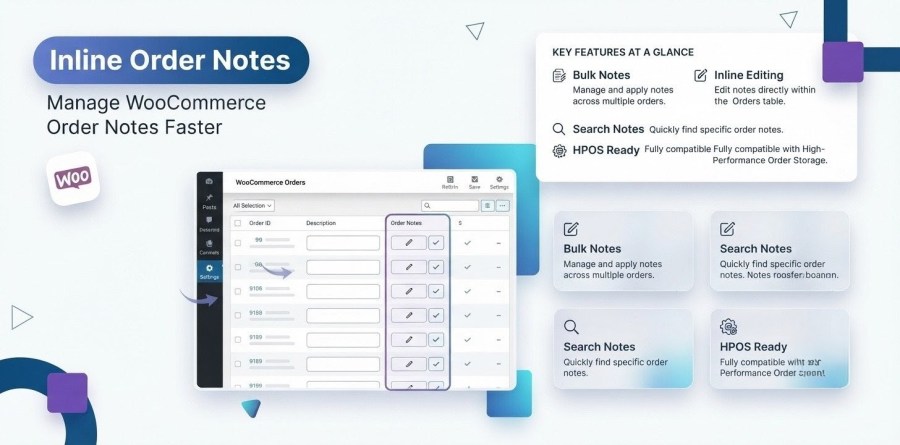
Inline Order Notes for WooCommerce is a professional WooCommerce order management plugin that helps online store owners organize customer orders using internal order notes, reusable templates, staff assignments, reminders, due dates, workflow tracking, and team collaboration directly from the WooCommerce Orders screen.
Built for modern WooCommerce stores, the plugin transforms the default WooCommerce order notes system into a complete order workflow management solution for administrators, warehouse teams, fulfillment staff, customer support representatives, and shop managers.
Whether you process 20 orders per day or thousands of WooCommerce orders each week, Inline Order Notes improves productivity, reduces manual work, and ensures every order moves smoothly through your fulfillment process.
The plugin fully supports both WooCommerce High-Performance Order Storage (HPOS) and Legacy Order Storage, providing fast performance and complete compatibility with current and future WooCommerce versions.
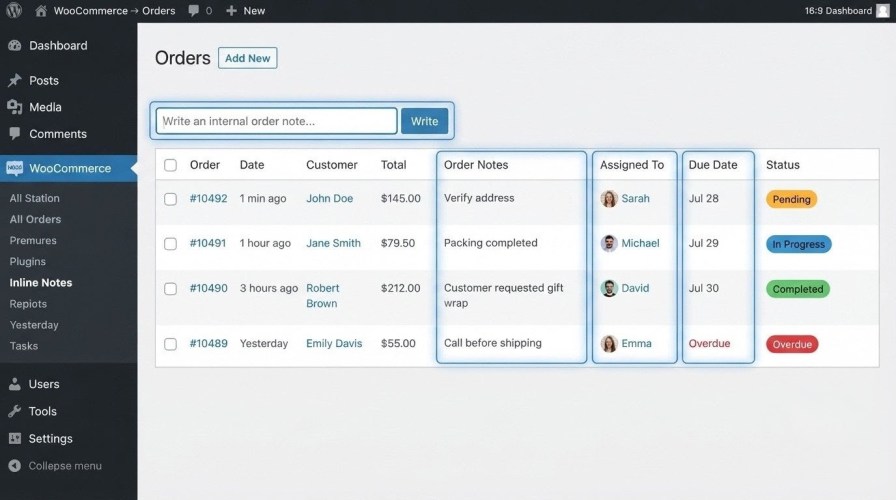
Create private internal order notes that are only visible to store staff.
Keep important processing information organized without exposing it to customers.
Organize notes using custom categories.
Examples include:
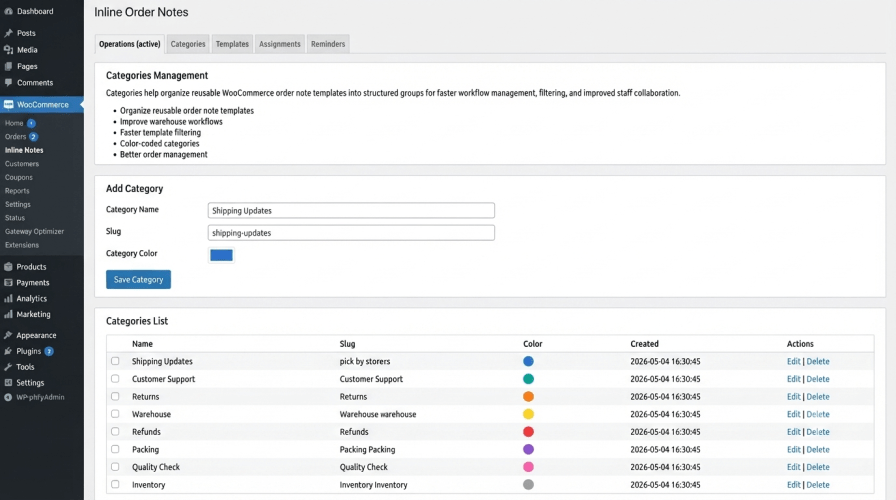
Categories make searching and filtering significantly easier.
Assign WooCommerce orders to specific users or team members.
Clearly identify responsibility for every task, reducing confusion and duplicate work.
Create templates for frequently used notes such as:
Templates eliminate repetitive typing and help maintain consistency across your organization.
Assign due dates to important order tasks.
Never miss critical shipping deadlines or customer follow-ups again.
Schedule reminders for pending actions.
Receive visual notifications to help your team stay on schedule.
Track every assignment using built-in status indicators.
Supported statuses include:
Managers can quickly identify bottlenecks in the fulfillment process.
Save time by applying actions to multiple WooCommerce orders simultaneously.
Bulk operations include:
Perfect for stores processing hundreds of orders every day.
Additional columns provide important order information without opening individual orders.
Available columns include:
Everything is visible directly from the Orders list.
Inline Order Notes is fully optimized for WooCommerce High-Performance Order Storage (HPOS).
The plugin delivers excellent performance on large WooCommerce databases while remaining fully compatible with legacy order storage.
Using Inline Order Notes helps your business:
Store owners use Inline Order Notes for many different workflows.
Assign packing staff, add packing instructions, and track shipping progress.
Leave internal notes about customer conversations, replacement requests, refunds, and follow-up actions.
Flag orders requiring manual inspection before shipping.
Assign return requests to support agents and monitor completion.
Coordinate large orders across sales, warehouse, and logistics teams.
Track supplier communication and shipment confirmations using internal notes.
Allow administrators, managers, warehouse staff, and support representatives to collaborate without leaving WooCommerce.
Managing WooCommerce orders often requires communication between multiple team members.
The default WooCommerce order notes feature is useful for basic comments, but it lacks advanced workflow management capabilities such as:
Inline Order Notes fills these gaps by providing a centralized order management system designed specifically for WooCommerce stores.
Instead of relying on spreadsheets, sticky notes, or third-party project management software, your team can manage every order directly inside WooCommerce.
| Without Plugin | With Plugin |
| Basic notes | Workflow management |
| No assignments | Staff assignments |
| No reminders | Due dates |
| No templates | Reusable templates |
| No tracking | Status management |
Inline Order Notes is ideal for:
Extension information
Quality Checks
Countries







