

Subscription includes
Support
Pre-Orders are an efficient way to create excitement and FOMO (Fear of Missing Out) in your customers. The pre-order and backorder plugin allows customers to order products before they are available. The extension provides a powerful system that allows customers to pre-order and manage backorders more efficiently.
The Pre-Order and Backorder extension gives you complete control over how pre-orders work in your store. Put any product on pre-order, set an availability date, badges, multiple payment options: pay later or upfront payment, and offer different discounts.
Keep customers updated on pre-order status and availability dates with custom messages and email notifications. Prevent mixing pre-orders with regular items, automate pre-order status, and provide an advanced analytics dashboard for keeping track of all pre-orders and backorders.
Easily manage backorders with more options. Set product availability dates, customize the Add to Cart button, and cap the maximum order quantity to stay in control of your inventory.
The pre-order and backorder extension allows store owners to offer pre-orders on upcoming or old products. Create excitement and grab customers’ attention by offering to buy products before their launch. The preorder extension for WooCommerce offers extensive customization when setting up pre-orders for products. You can customize the following:
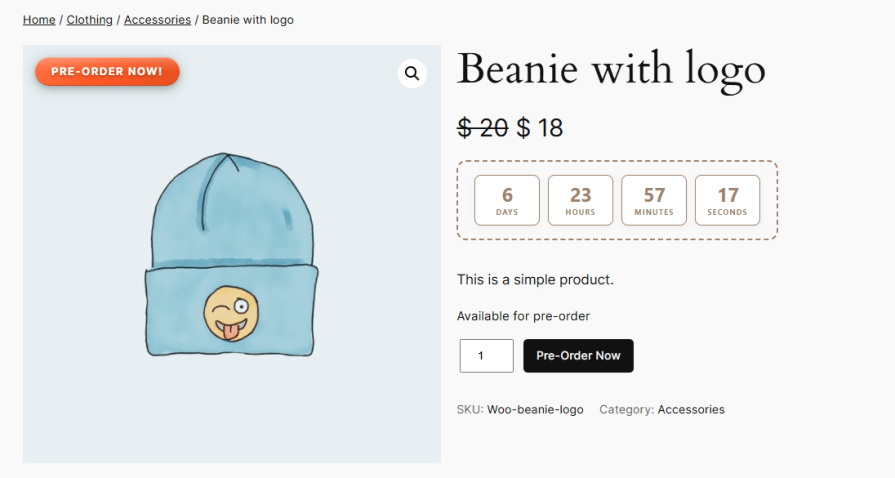
Specify the expected launch date and time for the product. Once this scheduled period is reached, the pre-order status will be automatically disabled.

Control who can access pre-orders by enabling the feature for all customers or limiting it to specific user roles.
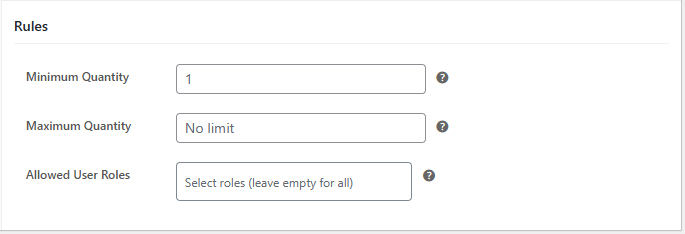
Set the minimum and maximum quantity limits allowed for pre-orders to control how many units a customer can purchase.
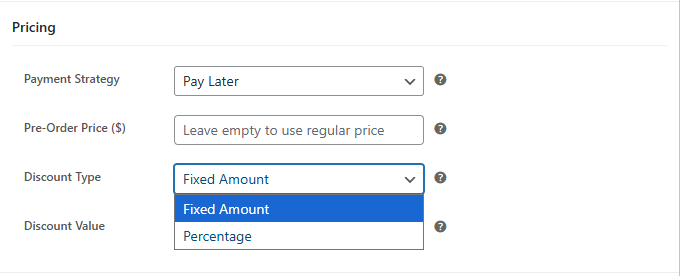
Define how the product price should be handled during pre-orders. You can either keep the original price unchanged or apply a custom pricing strategy, such as setting a fixed price, offering a fixed discount, or applying a percentage-based discount.
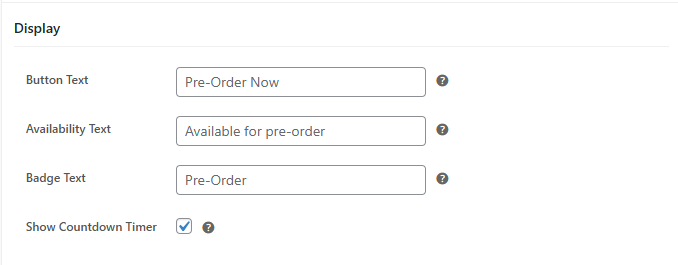
Customize the default “Add to Cart” button text for pre-orders by using the built-in label or replacing it with a custom message of your choice, such as “Pre Order Now.”
Display a custom message to inform customers about the pre-order status, including details about product availability and the expected release date and time.
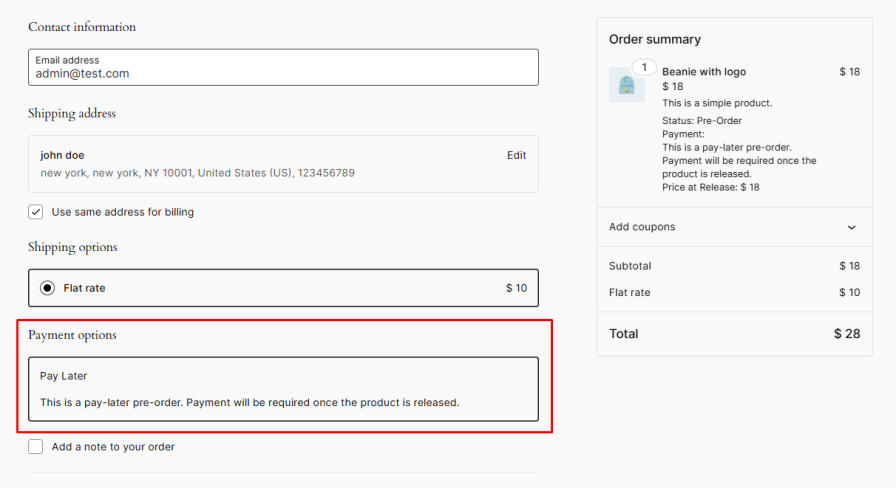
By default, pre-order products require upfront payment. Enable the Pay Later option to let customers place orders without immediate payment by using a custom payment method. Once the product becomes available, customers will receive an email with instructions to complete their payment.
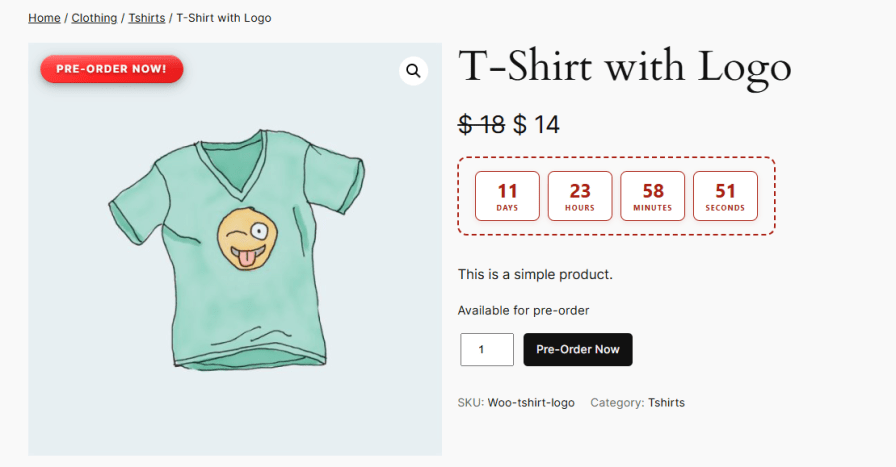
Show badges on product listing and product pages to highlight items available for pre-order. These badges can be text- or image-based, and you can fully customize the labels and availability text for both pre-orders and backorders to make them more engaging and informative.
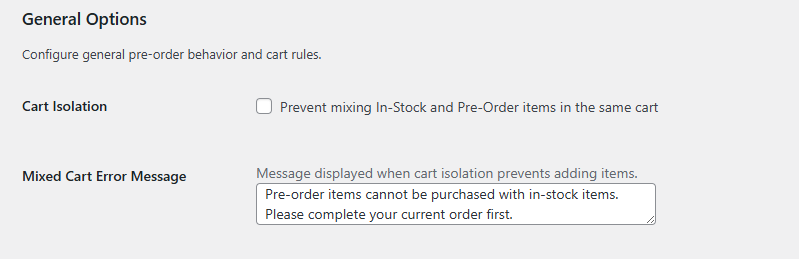
The pre-order and backorder extension for WooCommerce restricts customers from combining in-stock and pre-order products within the same cart, ensuring better order management and preventing mixed-order scenarios. It helps maintain clear order processing and avoids potential fulfillment conflicts.
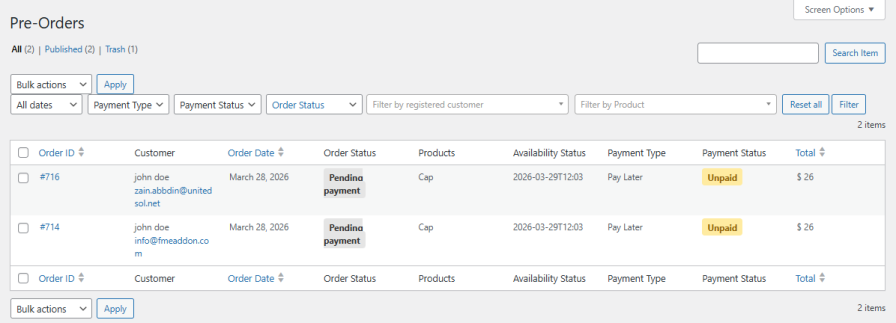
The extension maintains a separate listing page for all pre-order products, allowing you to easily access key details, including order ID, customer information, payment status, order status, and the expected availability date and time. With this centralized view of pre-order data, you can efficiently manage orders and ensure timely and accurate fulfillment.
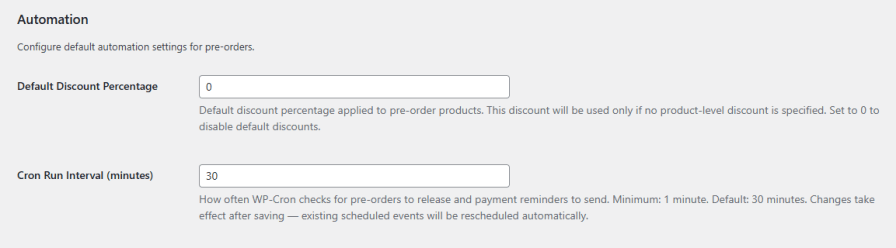
Configure default automation settings to streamline your pre-order workflow. Set a default discount percentage that applies when no product-level discount is specified, or disable it by setting the value to 0. You can also define the cron run interval to control how frequently the system checks for pre-orders, releases products, and sends payment reminders, ensuring smooth and timely management.
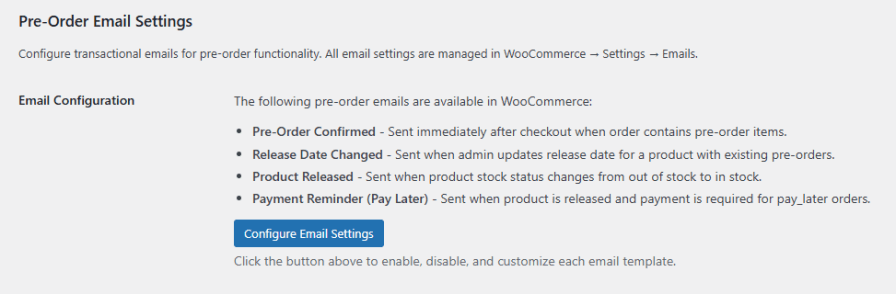
Keep both customers and store admins informed with automated email notifications for pre-order activity. You can fully customize email templates and content, just like standard WooCommerce emails, to match your store’s branding.
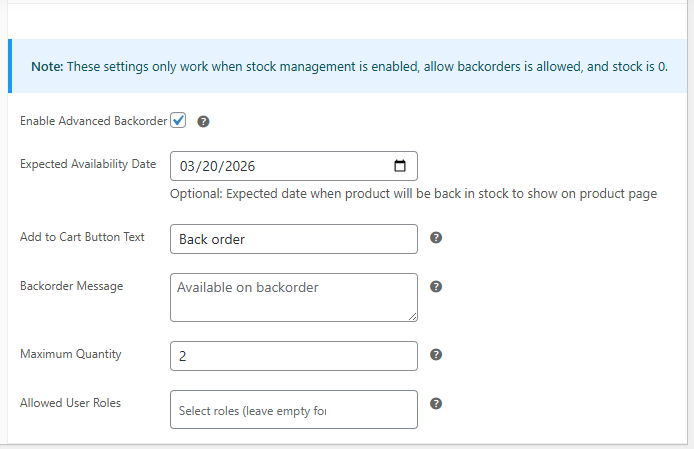
Gain better control over your backorders with flexible options designed to streamline availability, improve communication, and manage demand efficiently.
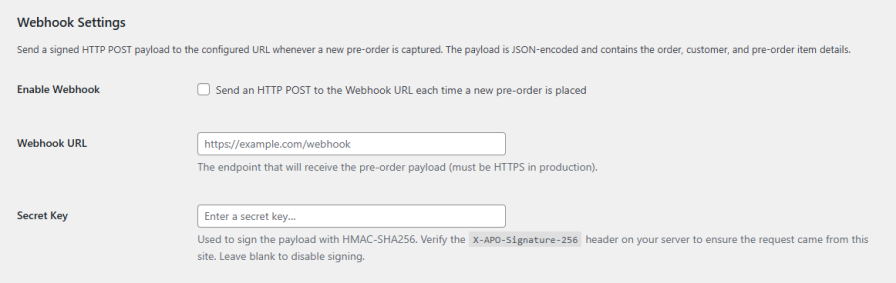
Easily connect your store with external systems by receiving instant updates whenever a pre-order is placed. The extension sends a secure, JSON-encoded payload with order, customer, and product details to your configured endpoint.
Enable webhooks to automate workflows and sync data in real time, with optional request signing using a secret key to ensure secure and verified communication.
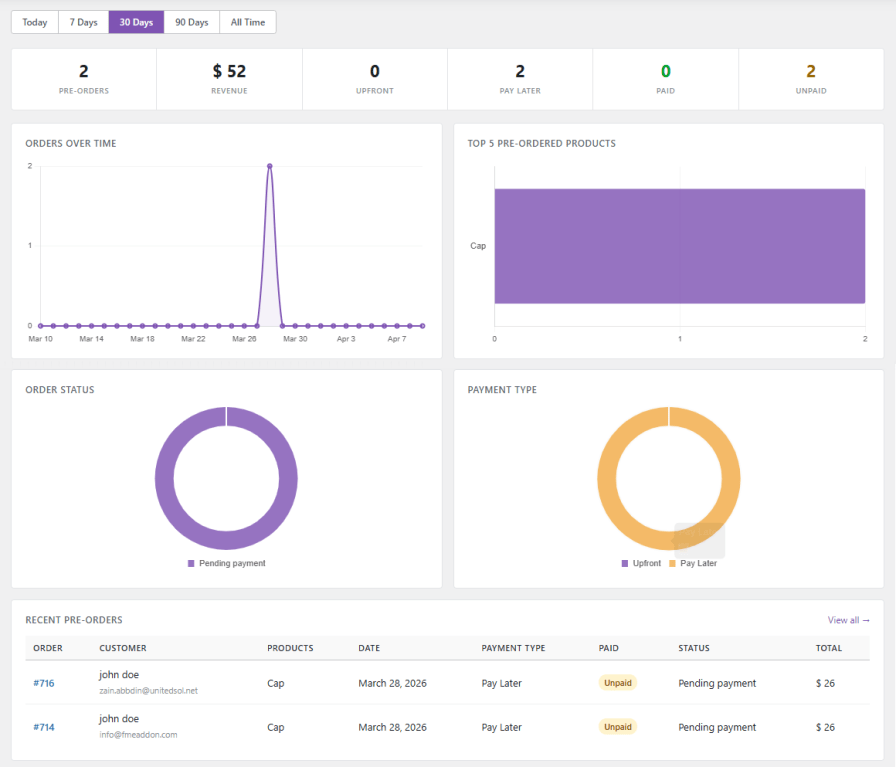
Track and analyze the performance of your pre-orders and backorders with a comprehensive analytics view. Gain insights into total orders, revenue, upfront payments, and pay-later transactions, all in one place. Easily monitor paid and outstanding amounts to stay informed and make smarter decisions for inventory planning and sales growth.
Yes, the extension allows you to set any product—whether new, upcoming, or existing—on pre-order. You can define release dates, custom messages, and pricing strategies for each product individually.
You can limit pre-order access based on WooCommerce user roles. This allows you to offer pre-orders to specific customer groups while keeping them hidden from others.
Yes, you can apply either a fixed amount or a percentage-based discount for pre-orders. You can also set a default discount that applies automatically if no product-level discount is defined.
Absolutely. The Pay Later option enables customers to place orders without upfront payment. Once the product is available, they will receive an email with instructions to complete their payment.
The extension restricts the cart to prevent combining pre-order and in-stock products. This ensures smooth order management and avoids fulfillment conflicts.
You can manage backorders by setting expected stock availability dates, customizing messages and Add to Cart buttons, restricting by user roles, and limiting the maximum order quantity. This helps you control inventory and communicate clearly with customers.
Yes, automated emails notify both customers and store admins for pre-order confirmations, release date changes, product releases, and payment reminders for Pay Later orders. You can customize the email templates to match your store’s branding.
Yes, the extension supports real-time webhooks. It sends a secure, JSON-encoded payload with order, customer, and product details to your configured endpoint.
The plugin includes an advanced analytics dashboard that tracks total pre-orders, revenue, upfront payments, and Pay Later transactions. You can monitor paid vs. unpaid amounts and use this data for better inventory and sales planning.
Categories
Extension information
Quality Checks
Countries







