

Product comparison
Subscription includes
Support
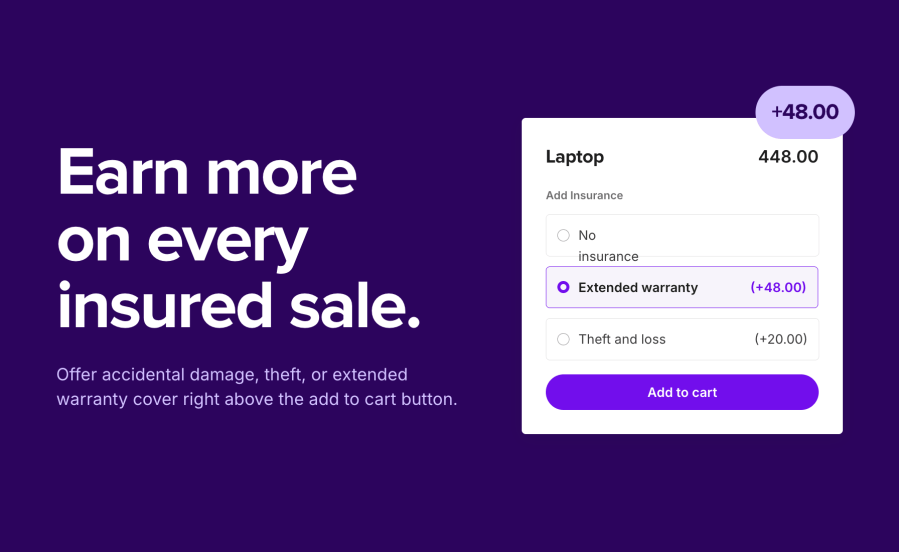
Product Insurance for WooCommerce is a WooCommerce product insurance plugin that adds a choice of cover, such as accidental damage, theft, or an extended warranty, right above the add to cart button. You set the packages and their prices. Your customers pick one, or no insurance, and the price on the page updates before they add the item to the cart. Every insured sale adds extra revenue to the order, and buyers of expensive or fragile items get the reassurance they need to complete the purchase. 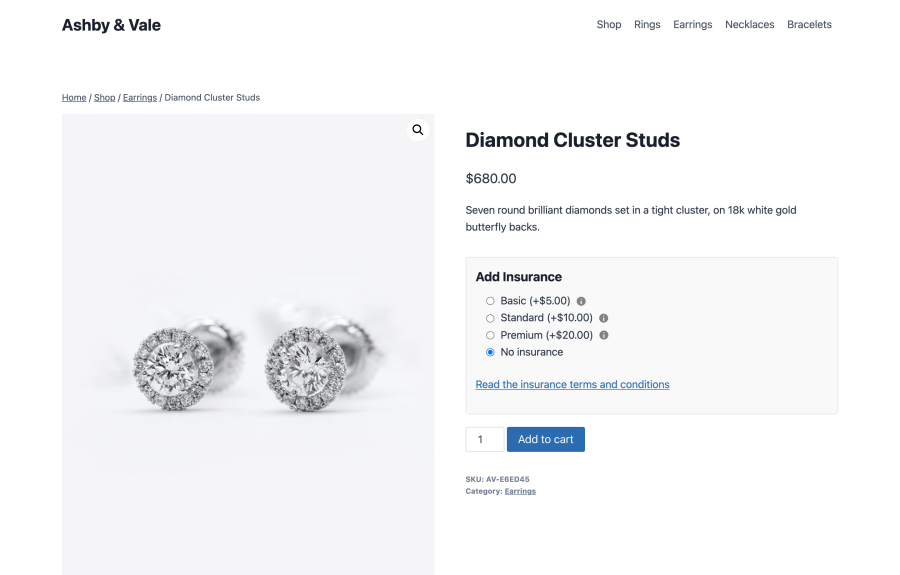
Create as many packages as you need, such as Basic, Standard, and Premium. Each package has a name, a fixed or percentage cost, and an on or off switch, so you can prepare new cover before you offer it. Drag packages into the order you want customers to see them. Three sample packages are created on activation to get you started, switched off until you are ready.
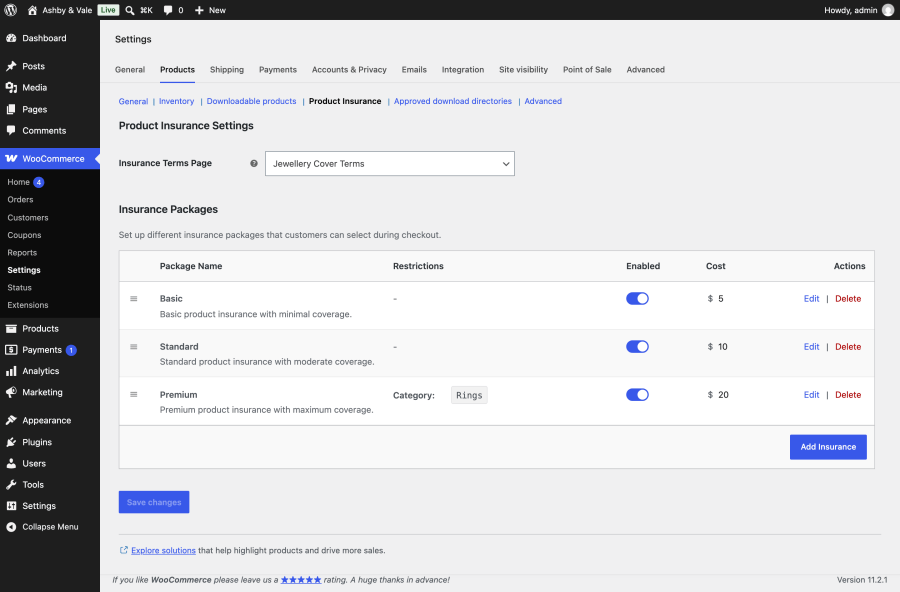
Choose a flat fee, such as 9.99 for a year of cover, or a percentage of the product’s price, such as 10 percent. Fees are charged per item, so three insured items cost three times the cover. On variable products, percentage cover is worked out from the price of the variation the customer picks.
Your default packages apply across the store. Limit any package to one product category, one tag, one product type, or a mix of these. Category limits include subcategories, so cover set for Electronics also reaches Phones and Laptops.
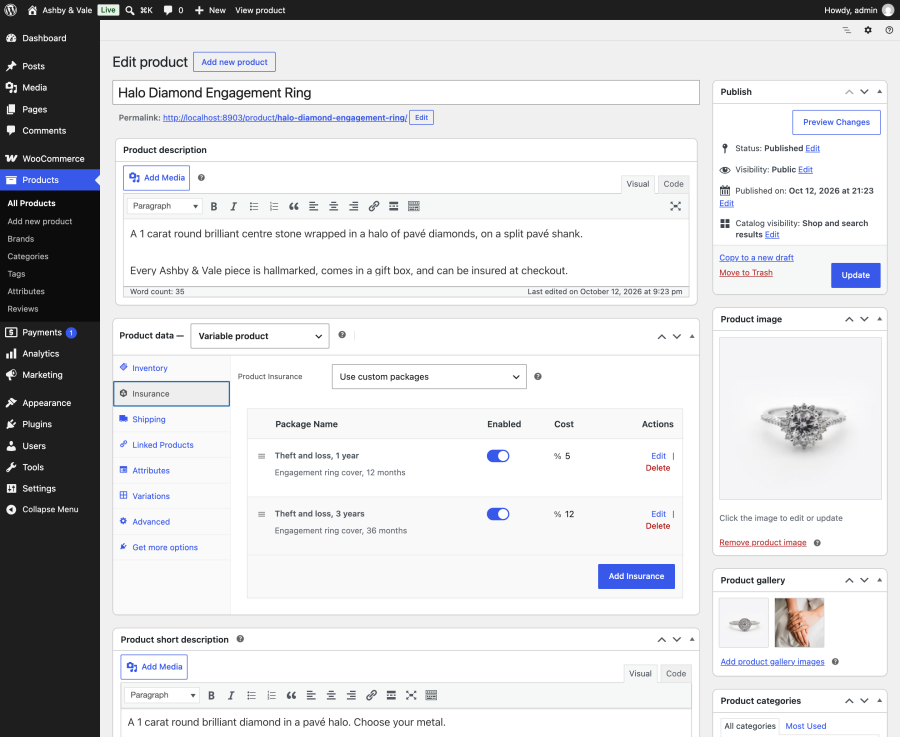
Every simple, variable, and bookable product has an Insurance tab. Use the store defaults, give the product its own custom packages, or turn insurance off. This lets your best-selling watch carry premium tiers while a gift card offers none.
The insurance options sit just above the add to cart button. Each package can have a full description with formatting and links, which customers open in a popup from an info icon. Add your terms and conditions page in the settings, and a link to it appears below the options. The product price on the page updates as customers pick a package or change the quantity, in classic and block themes.
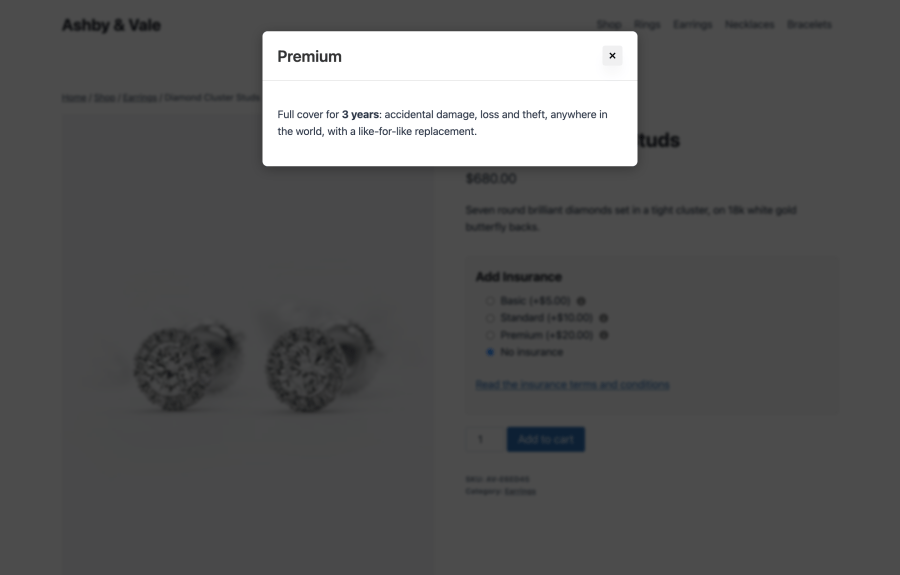
The cover is added to the product’s line price, with an “Insurance” line under the product that names the package and its cost. Customers who decline see “No insurance”. The package name is saved on each order item, so it shows on the order screen and in order emails. 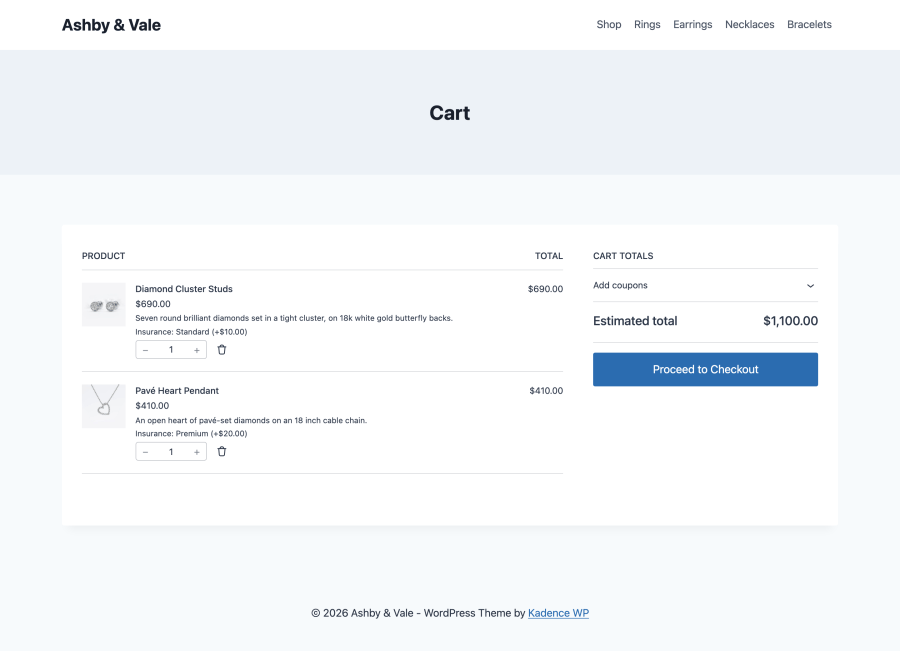
The extension ships with translations for 19 languages. With Polylang, you can reword or translate every customer-facing string, and customers reach the terms page in their own language. With the CURCY multi-currency plugin, fixed fees are converted to the shopper’s currency and shown with the right symbol.
On WordPress 6.9 or higher, the extension registers six tools with the WordPress Abilities API. Connect them through MCP for WooCommerce to ask Claude, ChatGPT, or another MCP client questions like “Which products have custom insurance?” or “What would Premium cover cost on two Oak Desks?”, or to turn packages on and off without opening WP Admin.
Electronics and gadget stores. Offer accidental damage or extended warranty cover on phones, laptops, and cameras. A percentage package keeps the price of cover in line with the price of the device.
Jewelry, watch, and art sellers. Give high-value pieces their own theft and loss tiers with custom packages, and explain each tier in a popup so buyers know exactly what they are paying for.
Furniture and fragile homeware shops. Restrict a breakage package to the category that needs it, such as Glassware, and leave the rest of the catalog untouched.
Rental and booking businesses. Add a damage waiver to equipment hire or experiences sold with WooCommerce Bookings, limited to bookable products only.
Store owners looking to sell insurance usually weigh three other routes: a general product options extension, a warranty and returns extension, or a third-party protection plan provider. Each is built for a different job. This table compares them on what matters when the job is selling cover, as of October 2026.
| Product Insurance for WooCommerce | Product Add-Ons for WooCommerce | Returns and Warranty Requests for WooCommerce | Extend Protection For WooCommerce | |
|---|---|---|---|---|
| Built for | Selling insurance and protection cover on product pages | Adding general product options, such as text fields, checkboxes, and file uploads | Managing returns, RMA, and warranty claims | Selling protection plans provided by Extend |
| Store-wide cover limited by category, tag, or product type | Yes | Category only | No, one store-wide default or per product | Plans come from Extend |
| Custom cover per product, or switch it off | Yes | Per-product add-ons | Yes | Plans come from Extend |
| Percentage of the product price, charged per item | Yes | Yes | No, fixed price per warranty term | Plans come from Extend |
| Cover details popup and terms page link | Yes | No, a text description under the option | No | Plan details come from Extend |
| Claims handling | No, handled by you or your insurer | No | Yes, warranty and return request management | Yes, Extend repairs or replaces covered products |
| Third-party account needed | No | No | No | Yes, an Extend account and API key |
| AI assistant tools (Abilities API) | Yes, six tools | No | No | No |
| Block cart and checkout | Yes | Yes | No | Yes |
| HPOS | Yes | Yes | No | No |
Product Add-Ons for WooCommerce is a general options builder for things like engraving text, gift wrap, and file uploads. You can price an option as insurance, but it limits options by category only, and it has no cover popup or terms link. Returns and Warranty Requests for WooCommerce is the pick if your main need is a claims and RMA workflow. Extend suits stores that want an outside provider to price the plans and handle repairs and replacements. Product Insurance for WooCommerce is built for one job: selling your own insurance packages, at your own prices and on your own terms, set up once for the whole store and explained clearly on the product page.
Extension information
Quality Checks
Compatibility
Countries
Languages







