

Subscription includes
Support
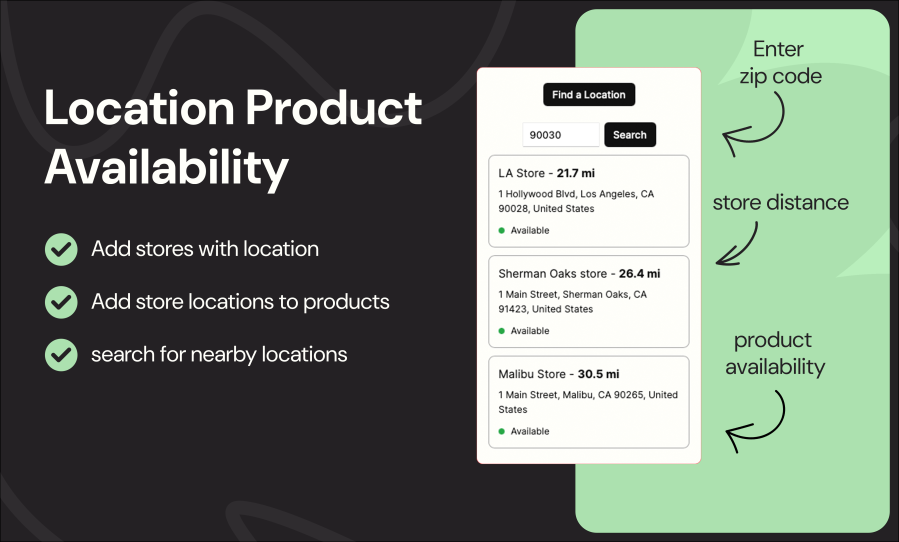
Make it easy for customers to see which nearby store has a product in stock.
Location Product Availability for WooCommerce lets buyers search by zip code, city, or radius to instantly check stock in your physical stores, helping you reduce support requests, prevent overselling, and increase store pickup orders.
Perfect for multi-store retailers, franchises, warehouses, and merchants offering local pickup or same-day availability.
Improve customer experience — shoppers instantly know where an item is available
Boost conversions — eliminate doubt and reduce “Where is this in stock?” messages
Reduce overselling — assign accurate per-location inventory
Drive store traffic — highlight nearby locations with available products
Support local pickup workflows — customers choose the store that has stock before adding to cart
Add your physical store locations
Assign product inventory to each location
Customers enter their zip code.
The plugin shows the closest stores with real-time availability
Location Product Availability for WooCommerce is a powerful extension that lets store owners display product availability across multiple physical locations. Add a “Find Location” field to product pages, allowing customers to enter their ZIP code and instantly see nearby stores that carry the item. Easily set up store locations, assign locations per product, and enhance the local shopping experience.
Easily add and manage your shop addresses so customers can pinpoint exactly where your products are in stock.
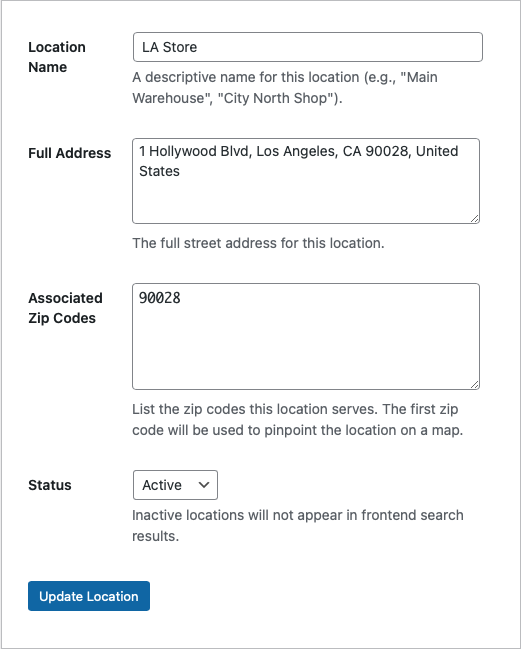
Let shoppers see, at a glance, which nearby outlets carry each item before they head out.
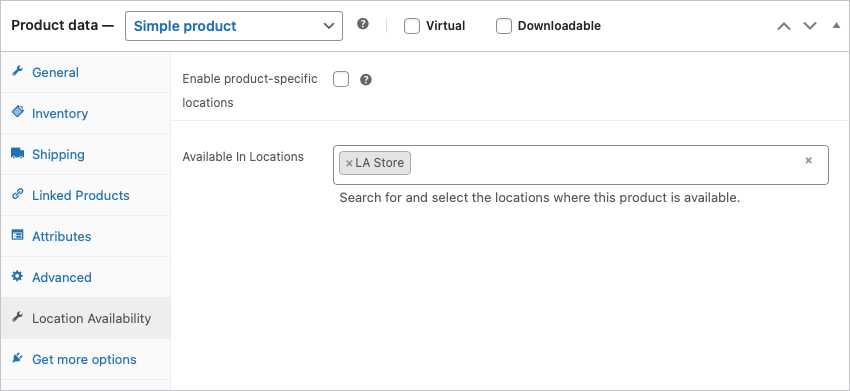
To add a "find location" search field to WooCommerce, you first have to activate "Location Product Availability". After that you can turn on the global settings in the extensions settings or on a per product basis. Once you turned on the settings, you will start to see the field on the product page.
You can add a physical location by opening the extension settings and clicking on add location. It is important that you enter the zipcode correctly here and enter your country code in the main settings page. Otherwise the distance calculation will have errors.
Categories
Extension information
Quality Checks
Countries








