

Subscription includes
Support
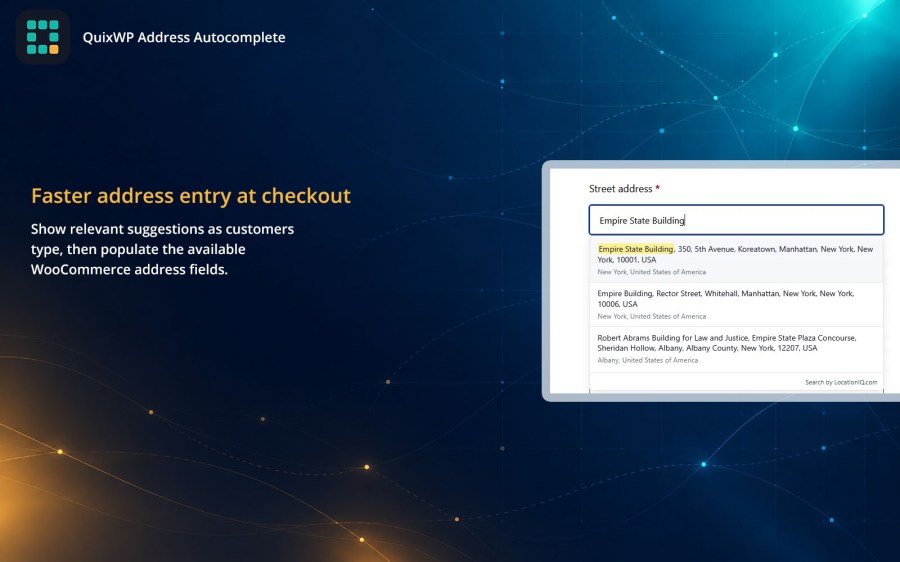
QuixWP Address Autocomplete displays address suggestions as customers type during checkout. After a customer selects a suggestion, it automatically fills the available street, city, state or province, postcode, and country fields.
Select Google Places New, Google Places Legacy, Mapbox Search, HERE Geocoding and Search, TomTom, Loqate, LocationIQ, or Geoapify. This range is useful for international stores and merchants who want control over provider coverage, pricing, quotas, or regional availability.
You supply the API key for the provider you choose. You can keep keys for inactive providers saved, making it easier to test or switch services.
QuixWP formats street names and house numbers according to the selected address’s country. For example, a German address can be entered as “Unter den Linden 77,” while a US address can use “350 Fifth Avenue.”
The provider matches state and province values to WooCommerce’s recognized codes when it supplies enough structured information.
QuixWP integrates with WooCommerce’s native address autocomplete framework while respecting the merchant’s predictive address search setting and selected provider. It also includes compatibility support for older supported WooCommerce versions.
Address suggestions automatically follow the selling and shipping countries configured in WooCommerce. You can also adjust the minimum number of typed characters, request delay, daily request allowance, and light or dark dropdown appearance.
Store-wide and per-visitor request controls help protect provider quotas. If a provider is unavailable, customers can continue entering their address manually.
Provider requests are sent through the store’s server, so API keys are not exposed in the customer’s browser. Selected provider and place identifiers can be stored privately with the order to support troubleshooting.
QuixWP includes eight provider options across seven services: Google Places New, Google Places Legacy, Mapbox Search, HERE Geocoding & Search, TomTom, Loqate, LocationIQ, and Geoapify.
Yes. You need an API key for the provider you select. Provider accounts, pricing, usage allowances, and country coverage are managed separately by each provider.
Yes. QuixWP supports billing and shipping addresses in both classic checkout and the WooCommerce Checkout block.
Yes. One provider is active at a time, and you can switch by selecting another configured provider. API keys for inactive providers can remain saved but are not used.
No. Provider requests are made through your WordPress server, so the API key is not included in the checkout page or frontend JavaScript.
Yes, subject to the selected provider’s coverage. QuixWP follows your WooCommerce selling and shipping countries and formats street numbers according to the destination country when sufficient address data is available.
Yes. Autocomplete enhances WooCommerce’s existing address fields without replacing them. Customers can continue typing their address manually if they prefer or if a provider is unavailable.
No. QuixWP focuses on address suggestions and field autofill. It does not add map-based location selection or provide a separate deliverability or postal-address verification service.
QuixWP fills the structured information supplied by the provider and normalizes supported state or province values for WooCommerce. It does not invent missing city, state, or postcode information.
No. QuixWP connects WooCommerce to your chosen address provider using your own API key and does not require WooPayments.
Yes. QuixWP supports Google Places API (New) as a separate provider option. It also includes a Legacy option for stores whose existing Google Cloud project still has access to the legacy Places API. New Google Cloud projects should use Google Places API (New).
Categories
Quality Checks
Countries







