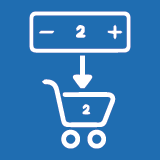
Product Icon

Shop Page Quantity Manager for WooCommerce

Add a quantity input field on the WooCommerce shop page, allowing customers to select product quantity before clicking Add to Cart.
Choose a billing option
USD $29
Save 20%
USD $58 USD $46.40

Subscription includes

  • Product updates and improvements
  • Customer support
  • 30-day money-back guarantee

Shop Page Quantity Manager is a lightweight WooCommerce plugin that adds a quantity (Qty) field directly to the shop, category, and archive pages.

This allows customers to choose the desired quantity without visiting the single product page, improving usability and conversion rates.

The plugin is optimized for WooCommerce block themes (FSE) and classic themes, ensuring correct placement, clean styling, and seamless integration.

  • Show quantity field on WooCommerce shop & category pages
  • Display qty field before the Add to Cart button
  • Fully compatible with Block Themes (Full Site Editing)
  • Works perfectly with Classic WooCommerce themes
  • Clean and lightweight (no performance impact)
  • Compatible with the PCP (Product Conditional Pricing) plugin

Why Use This Plugin?

By default, WooCommerce does not allow customers to select quantity on the shop page.

This plugin solves that limitation by:

  • Reducing extra clicks
  • Improving the shopping experience
  • Increasing bulk purchases
  • Making quantity selection intuitive and visible

Compatibility

  • WooCommerce
  • Block Themes (FSE)
  • Classic Themes
  • Ajax Add to Cart
  • PCP Plugin

Frequently asked questions

Can customers select quantity before clicking “Add to Cart”?

Yes. This plugin allows customers to choose the product quantity before clicking the Add to Cart button directly on the shop and category pages.

Does this plugin work with WooCommerce block themes?

Yes. The plugin is fully compatible with WooCommerce Block (FSE) themes and ensures the quantity field is placed correctly by default.

Where does the quantity field appear on the shop page?

The quantity field appears after the product price and before the Add to Cart button, providing a clean and intuitive user experience.

Can I enable the quantity field for specific products or categories?

Yes. You can show the quantity field for:

  • All products

  • Selected products

  • Selected categories

Customer reviews

Related Products

Price USD $79 annually
Rated 3.4 out of 5 stars
Price USD $59 annually
Rated 3.1 out of 5 stars
Price USD $109 annually
Rated 3.1 out of 5 stars
Price USD $49 annually
Rated 4.1 out of 5 stars
Price USD $109 annually
Rated 2 out of 5 stars
Price USD $109 annually
Rated 2.3 out of 5 stars
Price USD $109 annually
Rated 2.6 out of 5 stars
Free download
Rated 2.4 out of 5 stars
Price USD $109 annually
Rated 2.3 out of 5 stars




