
Shop Page Quantity Manager allows store owners to display a quantity input field directly on WooCommerce shop and category pages — including support for variable products — so customers can pick a quantity (and variation) before adding to cart, without opening the single product page. It also includes bulk quantity discounts, a fully customizable field style, and store-wide appearance controls.
Installation
↑ Back to topTo start using a product from WooCommerce.com, you can use the “Add to store” functionality on the order confirmation page or the My subscriptions section in your account.
- Navigate to My subscriptions.
- Find the Add to store button next to the product you’re planning to install.
- Follow the instructions on the screen, and the product will be automatically added to your store.
Alternative options and more information at:
Managing WooCommerce.com subscriptions.

Setup and Configuration
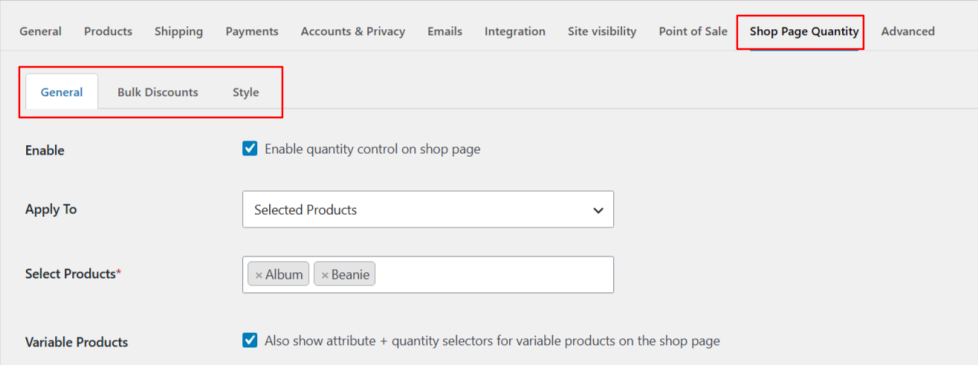
↑ Back to topAll settings live under WooCommerce → Settings → Shop Page Quantity, organized into three tabs: General, Bulk Discounts, and Style.
General Tab
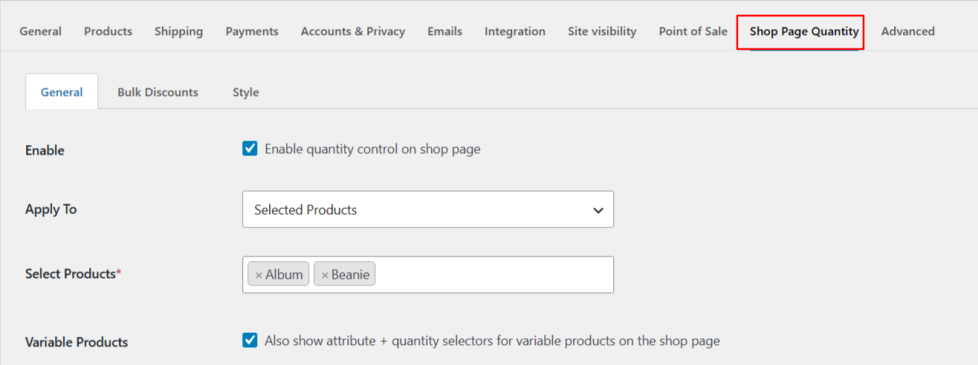
↑ Back to topEnable turns on the quantity field for your shop and category pages. With Apply To, you can choose where the quantity field should appear, such as across the Whole Shop, for Selected Products, or within Selected Categories. When Variable Products is enabled, variable products will also display attribute selectors, such as size and color, along with the quantity selector directly on the shop page, with live updates for price and stock.
Quantity Field Behavior
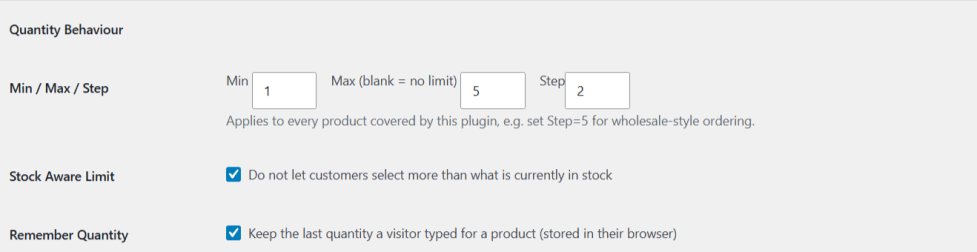
↑ Back to topMin / Max / Step allows you to set a minimum order quantity, an optional maximum quantity, and a step value, such as selling products only in multiples of 5. Stock Aware Limit ensures that customers cannot select a quantity greater than the product’s available stock. Remember Quantity saves the last quantity selected by a visitor for each product in their browser, so it remains available when they return.
Cart Feedback:
Added To Cart Message shows a small confirmation next to the button when an item is added. Floating Mini Cart shows a floating summary (item count + total) while a customer browses the shop.

Bulk Discounts Tab
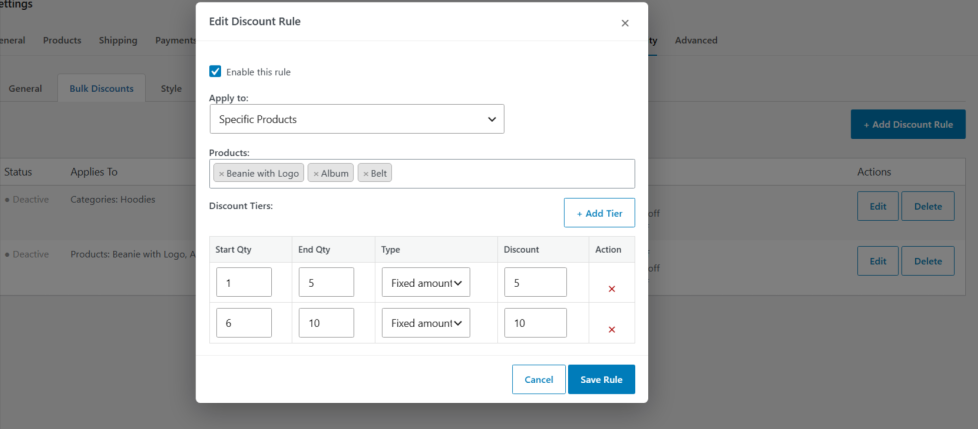
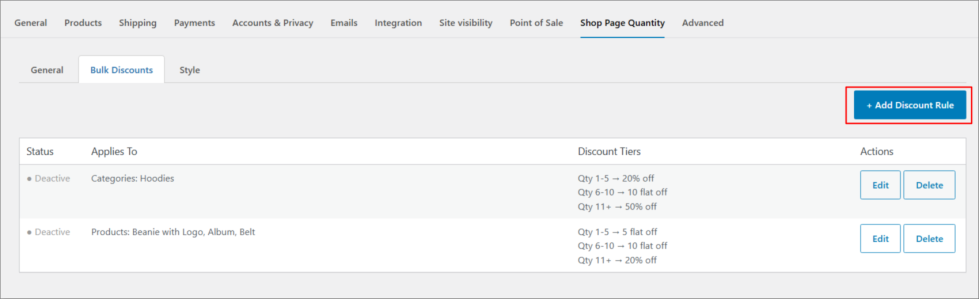
↑ Back to topReward larger orders automatically. This tab lets you build one or more discount rules, each with its own quantity tiers.
Adding a rule:
- Click + Add Discount Rule.
- Choose who the rule applies to:
- Whole Shop
- Specific Products
- Specific Categories
- Add one or more Discount Tiers, each with:
- Start Qty and End Qty (leave End Qty blank for “and above”)
- Type — Percentage or Fixed Amount
If a product matches more than one rule (e.g. it’s in a category with a rule, and also individually targeted by a product-specific rule), the most specific rule wins: product rule → category rule → whole-shop rule.
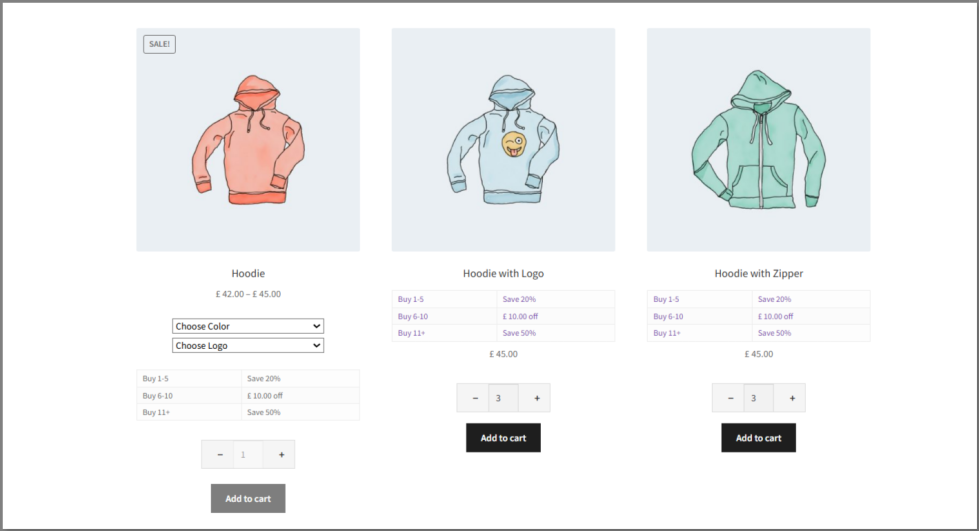
Customers see a savings table right under the quantity field on the shop page, and the discount is applied automatically in the cart.
Style Tab
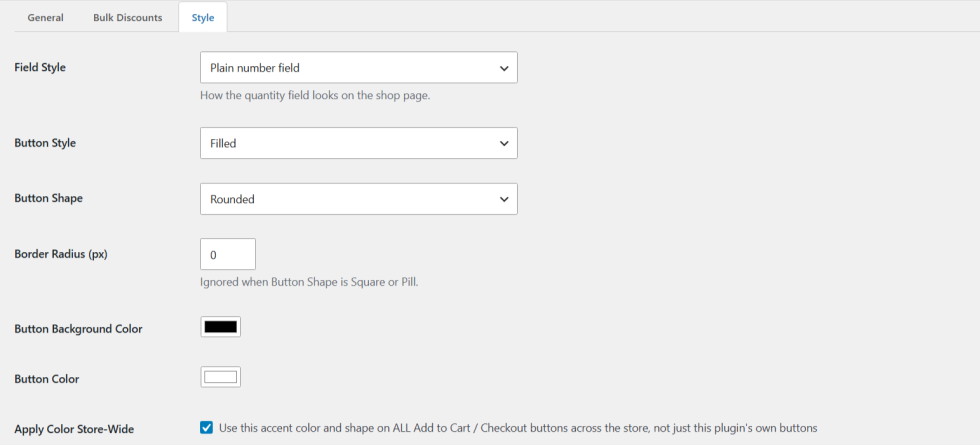
↑ Back to topMatch the plugin’s look to your theme without writing CSS:
- Field Style — choose how the quantity field looks:
- Plain number field
- Plus / Minus stepper
- Select dropdown
- Button Style — Filled or Outline
- Button Shape — Square, Rounded, or Pill
- Border Radius — fine-tune corner rounding
- Background Color and Text Color
- Apply Color Store-Wide — when enabled, extends your chosen colors and shape to your store’s other Add to Cart / Checkout buttons, not just this plugin’s own elements.
Variable Product Support
↑ Back to topUnlike most quantity-field plugins, Shop Page Quantity Manager fully supports variable products:
- Customers select an attribute (size, color, etc.) directly from the shop/category grid.
- Price and stock update live as a variation is selected.
- The quantity field only becomes active once a valid, in-stock variation is chosen.
- All quantity rules (Min/Max/Step, Stock Aware Limit) and bulk discounts apply to variable products the same way they do to simple products.
FAQs
↑ Back to topHelp customers by answering commonly asked questions.
Does this work with variable products?
Yes. Turn on Variable Products in the General tab to show attribute and quantity selectors for variable products directly on the shop page.
Can I offer different discounts for different products or categories?
Yes. The Bulk Discounts tab supports unlimited rules, each targeting the whole shop, specific products, or specific categories, with its own quantity tiers.
Can discounts be a flat amount instead of a percentage?
Yes. Each discount tier can be either a Percentage or a Fixed Amount off.
Will this let customers order more than I have in stock?
No, not if Stock Aware Limit is enabled — the quantity field automatically caps at your available stock (including per-variation stock for variable products).

