

Subscription includes
Support
Migrate your Shopify store to WooCommerce with Shopify Data Migrator. Import products, categories, customers, orders, coupons, blogs, pages, and reviews directly from Shopify to WooCommerce. Preserve your SEO with automatic 301 redirects and keep products, inventory, orders, and customers in sync during cutover.
Shopify Data Migrator lets you migrate your Shopify store to WooCommerce and import products, customers, orders, coupons, pages, blog posts, and reviews directly into your WooCommerce store. Choose between a full migration or selective imports using filters, and preview the migration with a dry run before importing your data.
Migrate your Shopify store data in batches or selectively from your WooCommerce settings, without manually recreating your catalog and customer data. A dry-run preview lets you review the import before committing the migration.
Migrate Shopify data directly to WooCommerce through the Shopify API
Choose a full or selective Shopify to WooCommerce migration
Configure and manage migration from WooCommerce settings
Preview imports with a dry-run before migration
Preserve existing Shopify URLs with 301 redirects
Keep products, inventory, orders, and customers synchronized during cutover
Shopify Data Migrator connects directly to your Shopify store through the Shopify Admin API and imports your store data into WooCommerce. This direct connection avoids third-party data hops and keeps your Shopify credentials on your WordPress site, encrypted at rest when OpenSSL is available.
Connect with:
Enter your Shopify store URL, API key (Client ID), and API Secret Key, then Test connection.
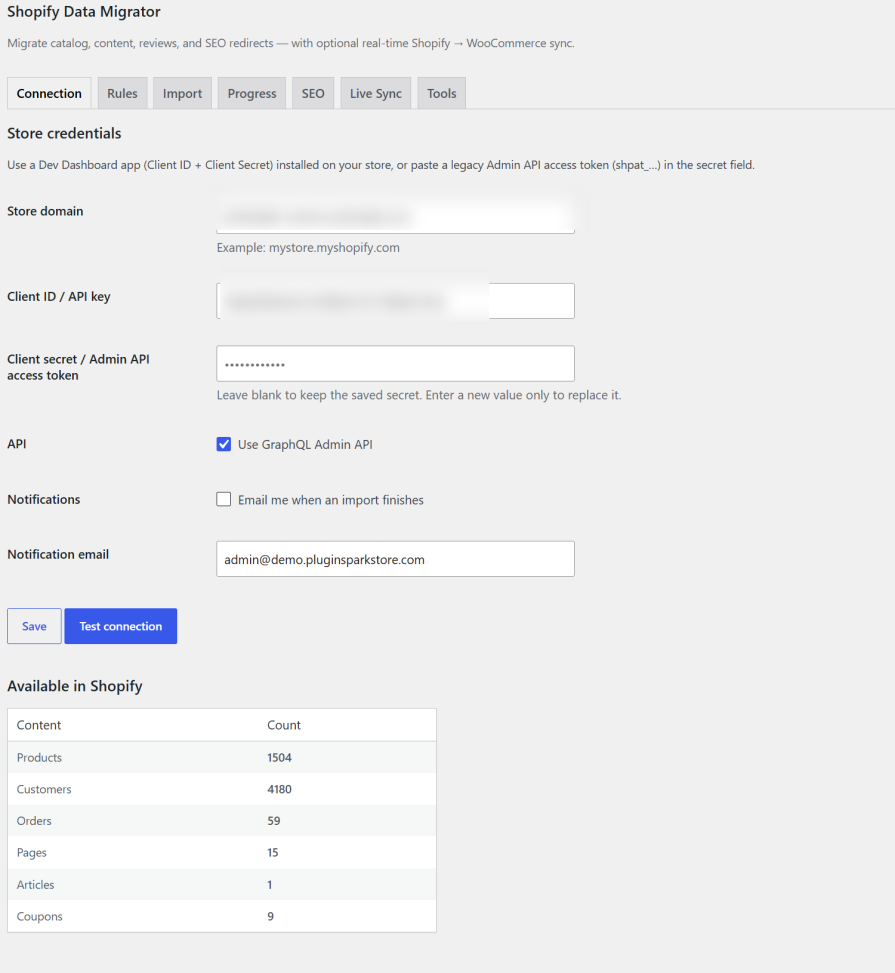
Shopify Data Migrator supports seven data types: products, customers, orders, pages, blog posts, coupons, and product reviews.
Import all Shopify products or select specific products using filters for title, product type, vendor, publishing date, and status. You can update existing WooCommerce products linked by Shopify ID or import Shopify products as new WooCommerce products. Map Shopify product types, tags, or collections to WooCommerce categories during product import.
Variable products are imported with their images, titles, stock, and SKUs.
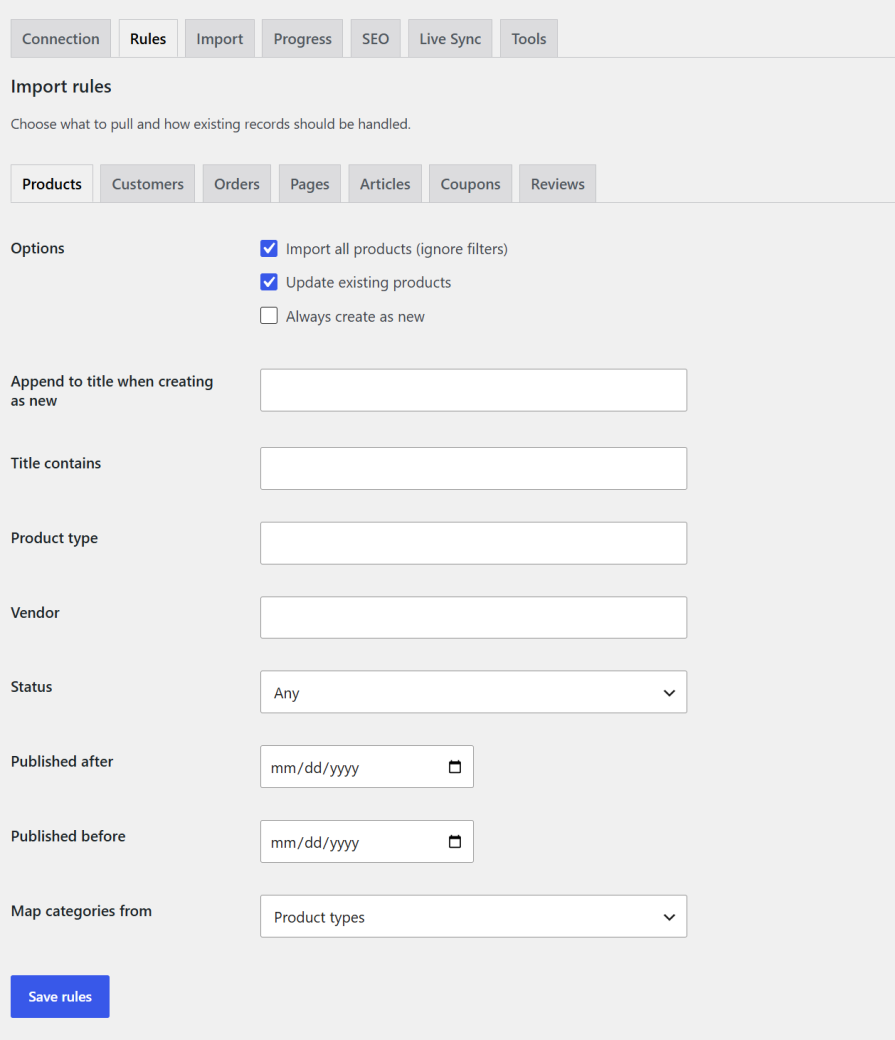
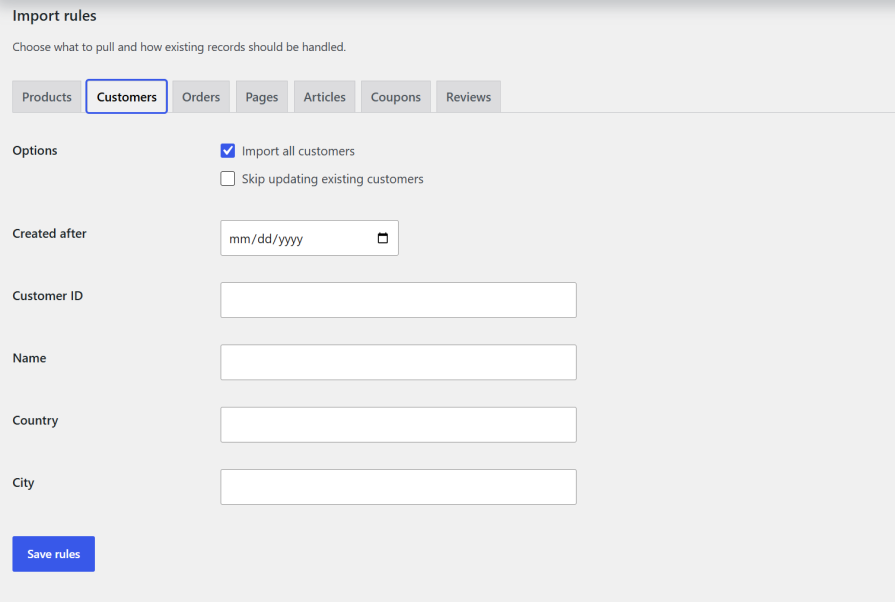
Import Shopify orders into WooCommerce and filter orders by creation date, financial status, or fulfillment status.
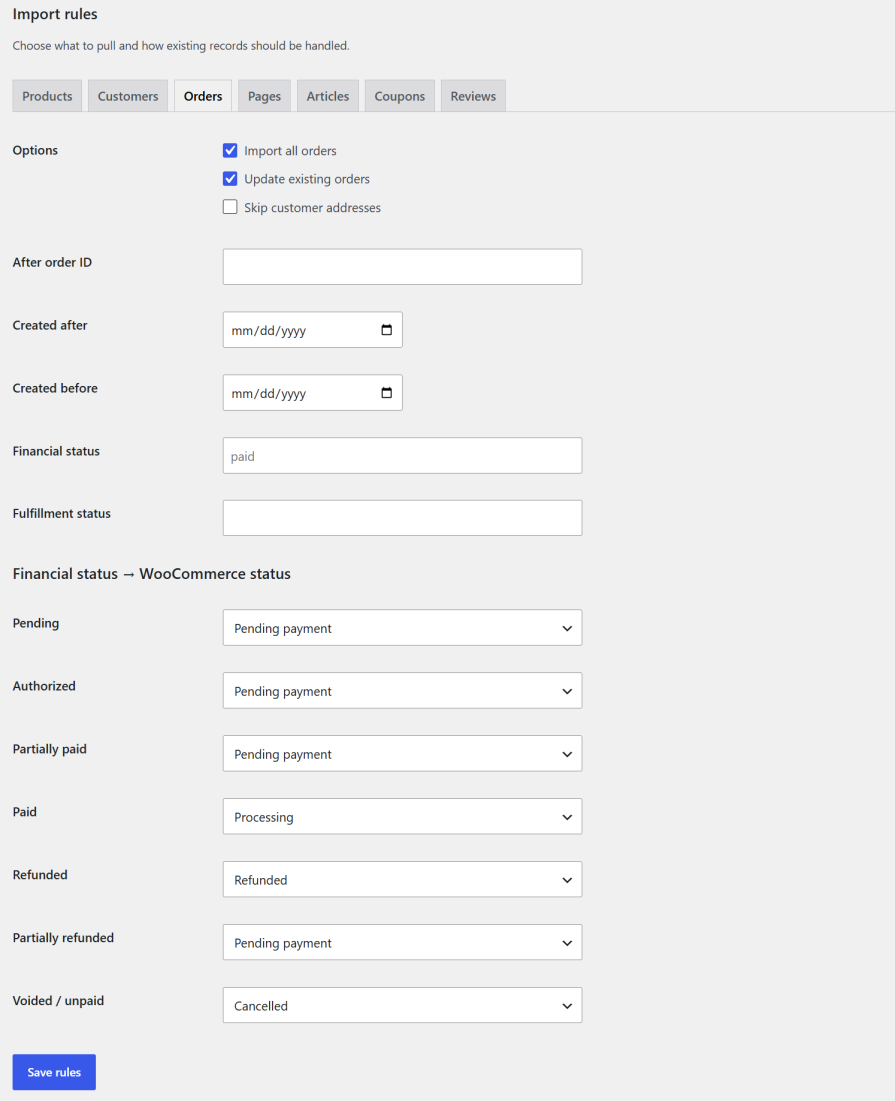
Import all Shopify coupons or select coupons by start or end date. Existing coupon codes can be imported as new WooCommerce coupons.
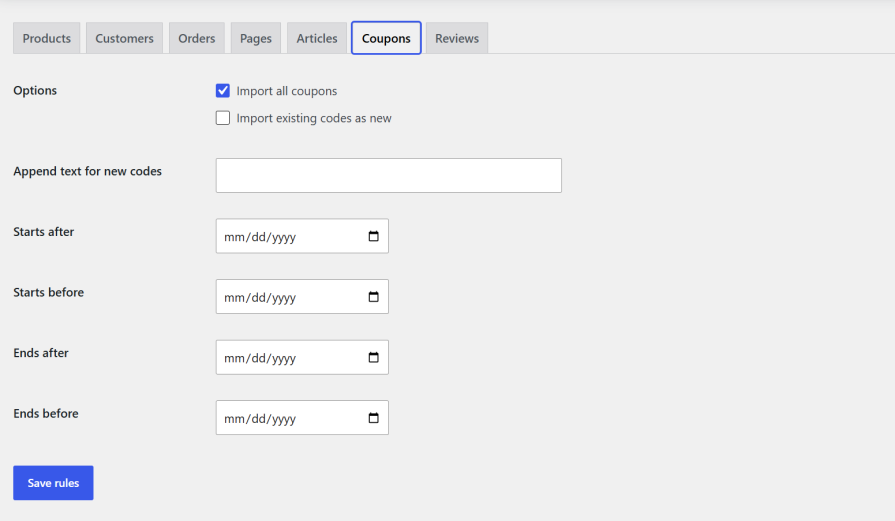
Choose to import CMS pages, blog posts, and your customers list. This imports page title and content; blog post title, content, tags, and featured image; and customer first name, last name, phone, and addresses.
Product reviews import from a CSV (Judge.me / Shopify Product Reviews style), matched to products by Shopify ID, handle, or SKU.
Can Shopify customer passwords be migrated?
Customer passwords cannot be imported because Shopify APIs do not provide password data.
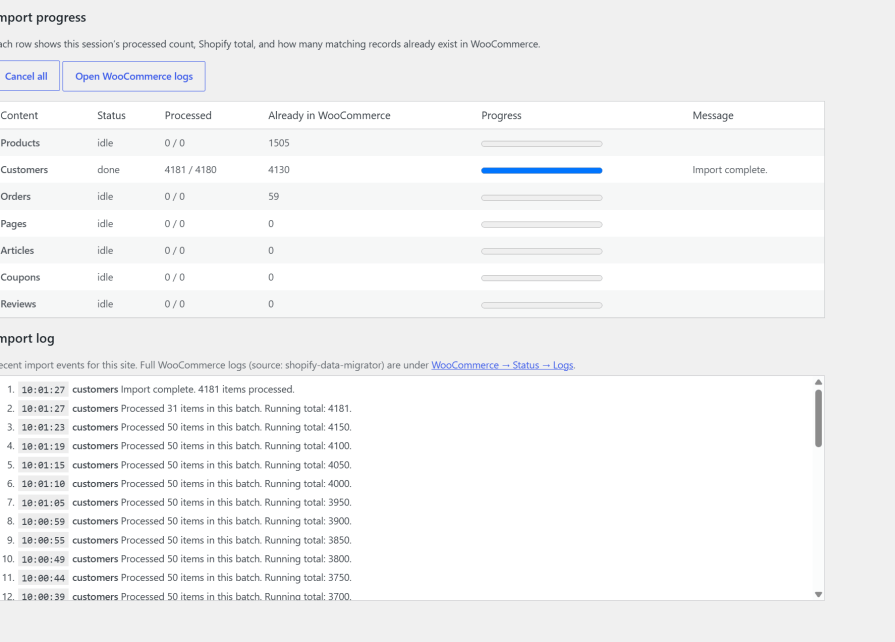
Monitor each migration with a progress bar for products, customers, orders, pages, blogs, coupons, and reviews. You can cancel a running job at any time, while detailed logs are available under WooCommerce → Status → Logs.
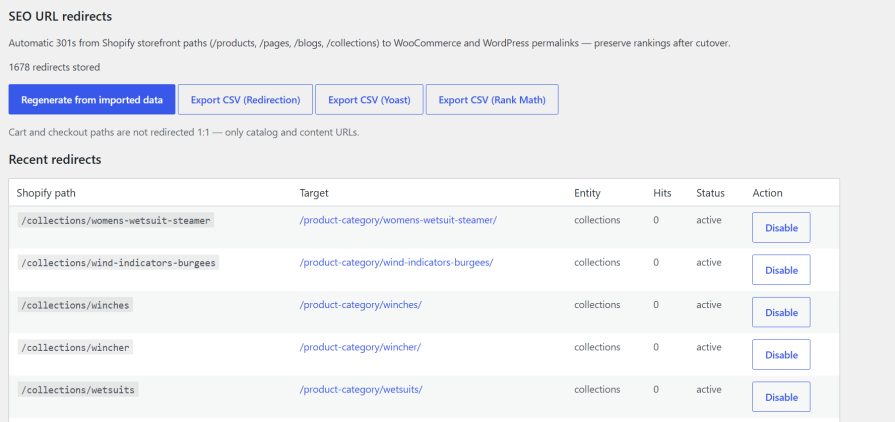
Shopify Data Migrator creates 301 redirects from supported Shopify storefront URLs to their new WooCommerce or WordPress permalinks during migration. This helps preserve existing URL paths and provides a redirect path for search engines and visitors after your store moves to WooCommerce.
Export redirects for Redirection, Yoast, or Rank Math. Cart and checkout paths are not redirected 1:1.
Use one-way live sync from Shopify to WooCommerce while you complete your store migration. Live Sync uses Shopify webhooks to synchronize products, inventory, orders, and customers during the cutover period.
The plugin is simple to configure. Put your Shopify API key and secret on the Connection tab, save your import rules, then run a full or selective migration.
Shopify Data Migrator is built specifically for WooCommerce and handles store data migration without modifying your WooCommerce cart or checkout.
Migrating to WooCommerce gives you more control over your store, reduces platform fees, and allows for better customization. Shopify Data Migrator transfers Shopify data (products, customers, orders, blogs, pages, coupons, and reviews) without relying on a third-party migration agency. SEO 301 redirects help maintain catalog and content rankings after cutover.
Yes. Filtering options let you import specific products, orders, customers, or coupons. You can filter by title, type, vendor, date, ID, financial status, and more or run a full migration in one go.
Yes. The plugin imports titles, descriptions, prices, images, categories, SKUs, and stock. Variable products include images, title, stock, and SKU. You can map WooCommerce categories from Shopify product types, tags, or collections.
Yes. You can skip customer addresses when migrating orders. You can also filter orders by creation date, financial status, and fulfillment status, and map Shopify payment states to WooCommerce order statuses.
Yes. You can import all or specific coupons from Shopify to WooCommerce, filter by start or end dates, and import existing codes as new coupons.
Open Live Sync, enable live sync, select topics (products, inventory, orders, customers), then Save and register webhooks. The site must be publicly reachable over HTTPS. Unregister all when cutover is finished.
Quality Checks
Countries







