

Product comparison
Subscription includes
Support
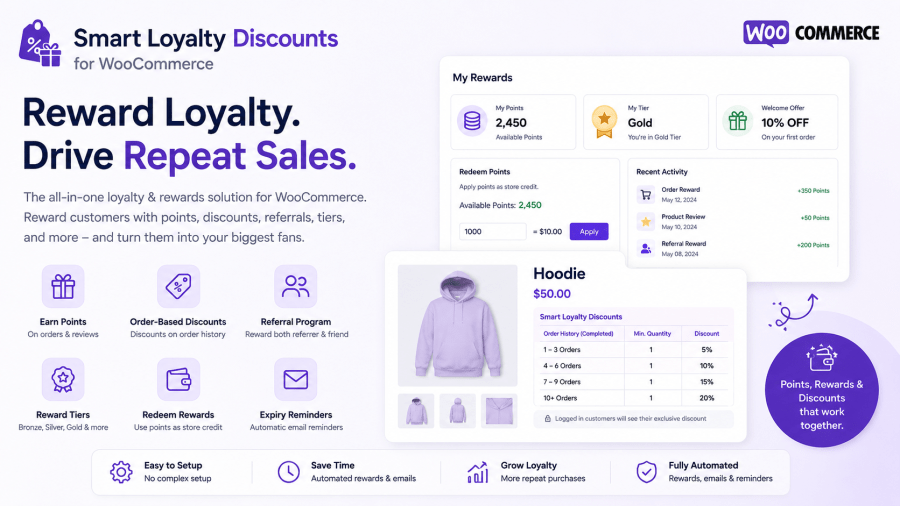
The Smart Loyalty Discounts for WooCommerce is a complete customer loyalty and rewards solution for WooCommerce. Instead of relying on one-off coupon codes, it helps you build an ongoing relationship with your customers rewarding them automatically for coming back, referring friends, and leaving reviews.
At its core, the plugin lets you set discount rules based on how many orders a customer has completed. On top of that, it adds a full points program, a two-sided referral system, reward tiers, points expiry, and store-credit redemption everything you’d normally need several separate plugins for, in one place.
Whether you run a subscription-style store where repeat purchases matter, or you simply want to reward your best customers without manually tracking who’s ordered how many times, this plugin handles it automatically in the background.
Advanced Rule-Based Discount Engine
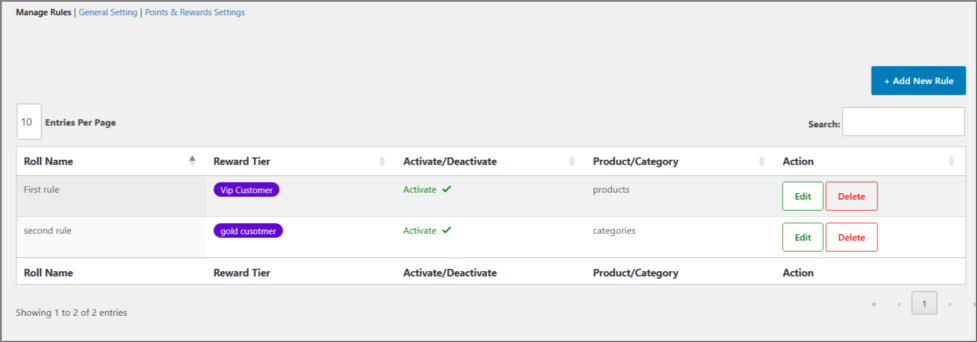
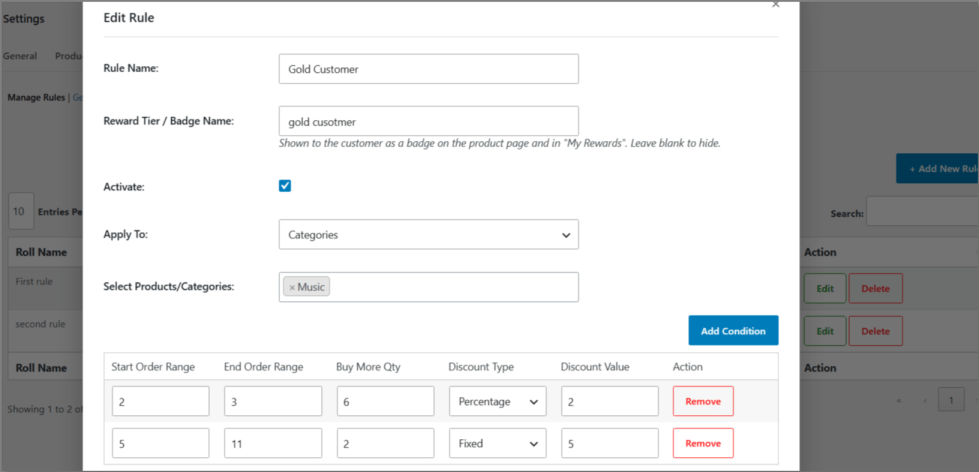
Create discount rules tied to how many orders a customer has completed by product or by category. For example: customers with 3–5 completed orders get 15% off Category X. You control exactly which order statuses count toward that history (Completed, Processing, or On Hold), so stores that leave orders in Processing for a while aren’t unfairly excluding real customers.
Easy Visual Rule Builder
Adding or editing a rule opens in a clean popup. Add as many order-range conditions as you like, assign a discount type and value to each, and save. Editing an existing rule pre-fills the same popup with that rule’s data, so adjustments take seconds.
Points Program
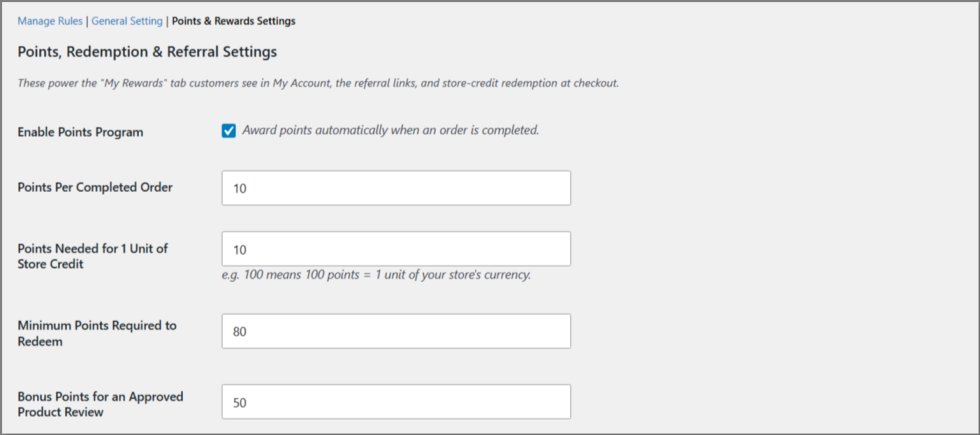
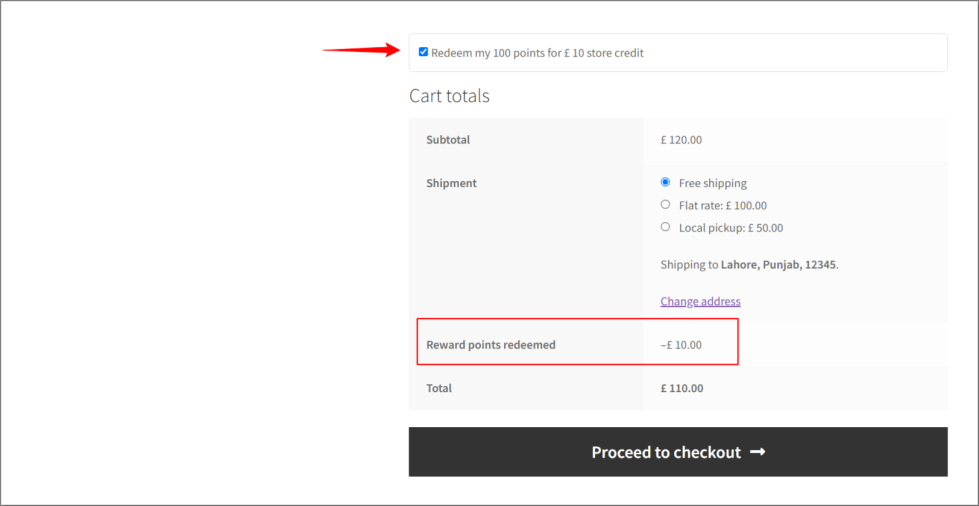
Customers earn points automatically every time an order is completed, and again when a product review they left gets approved. You control how many points per order, and the ratio at which points convert to store credit. Customers can then redeem their points for store credit directly at checkout with a simple opt-in checkbox on the cart page.
Points Expiry & Reminder Emails
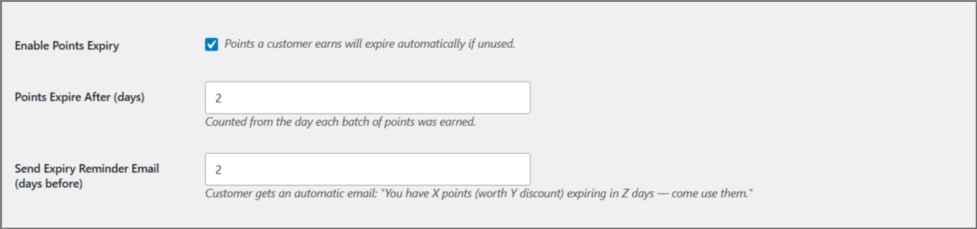
Keep customers coming back by giving their points a shelf life. If a customer’s points are about to expire, they automatically receive a reminder email telling them exactly how many points they have, what it’s worth in store credit, and how many days are left to use it — a gentle nudge that turns into a purchase.
Referral Program
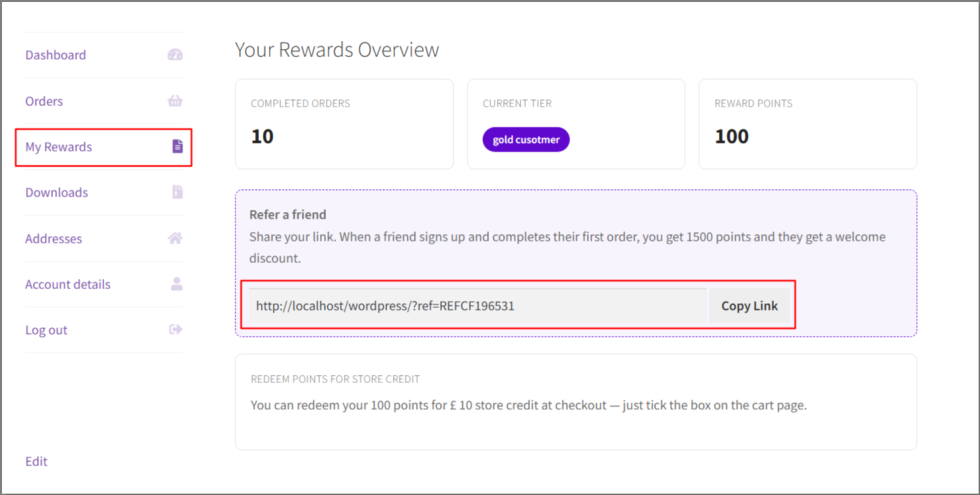
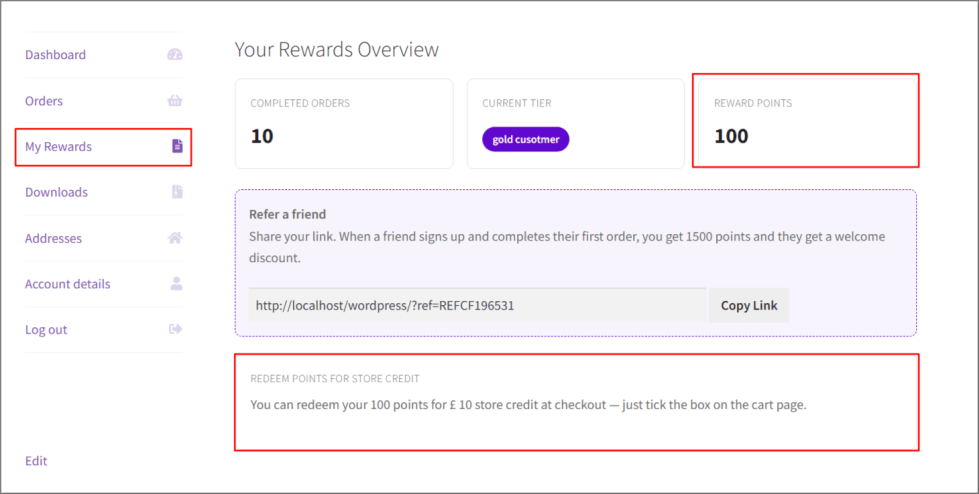
Every customer gets a personal, shareable referral link from their My Rewards dashboard. When someone signs up using that link and completes their first order, the referrer earns bonus points and the new customer receives a one-time welcome discount coupon for their next order. Turns your existing customers into a word-of-mouth growth channel — no separate referral plugin needed.
First-Order Welcome Bonus
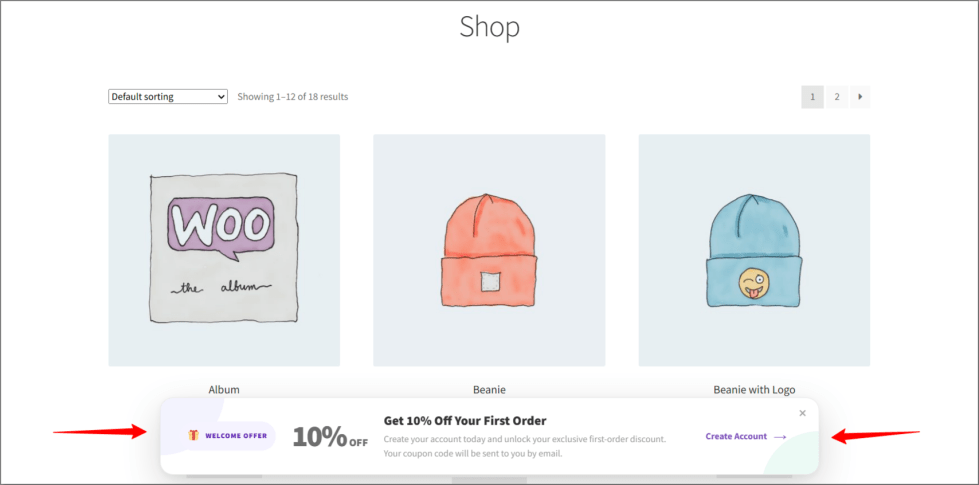
Not every visitor arrives through a referral so new customers who sign up on their own also get a one-time welcome discount, helping convert cold traffic into a first purchase rather than rewarding only repeat buyers.
Reward Tiers & Badges
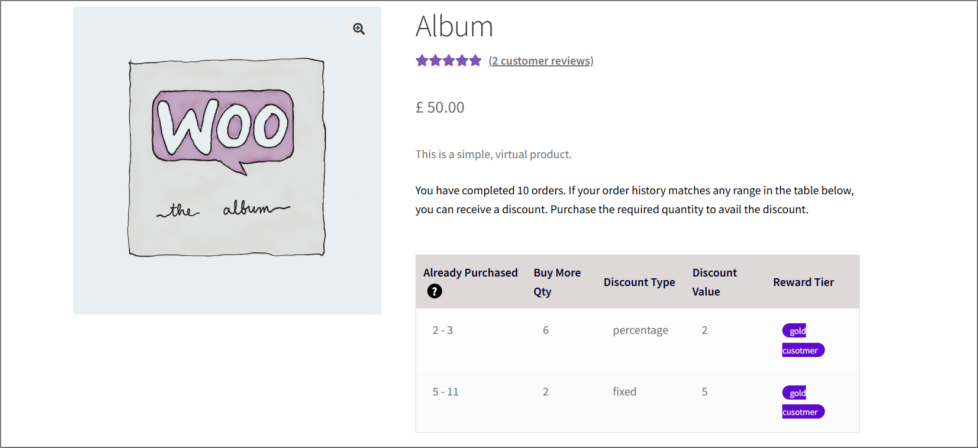
Give each discount rule a tier name Bronze, Silver, Gold, VIP, or whatever fits your brand. Customers see their current tier as a visible badge on the product page and in their My Rewards dashboard, adding a sense of status and progress.
My Rewards Customer Dashboard
A dedicated tab inside My Account where customers can see, at a glance: their completed order count, current reward tier, points balance, and their personal referral link all without contacting support to ask what discount am I eligible for?
Points aren’t just numbers sitting in an account customers can turn them straight into money off their order. A simple checkbox appears right on the cart page showing exactly how many points they have and exactly what it’s worth (e.g. “Redeem my 100 points for £10 store credit”). One click, and the discount is applied instantly as a line item in Cart Totals.
Order-history discounts, points, referrals, and the My Rewards dashboard all require a registered customer account, since the plugin needs to track a customer's history and identity across visits. Guest checkouts won't earn or see rewards.
Yes. From Points & Rewards Settings you can include Completed, Processing, and/or On Hold orders — useful if your store leaves orders in Processing for a while and you don't want to exclude real customers.
Expiry is optional and off by default. If you turn it on and set a number of days, customers get an automatic email reminder before their points expire, telling them exactly how many points they have and what it's worth.
No — points are redeemed for store credit, applied as a discount directly on the cart page, not paid out as cash.
Every customer gets a personal referral link/code from their My Rewards tab. A new customer can also just type in a friend's code manually at signup or checkout. Once the referred customer completes their first order, the referrer gets bonus points and the new customer gets a one-time welcome coupon.
No. To avoid stacking discounts, a customer who signs up via a referral gets the referral welcome coupon; customers who sign up without a referral code get the standard first-order welcome bonus instead (if enabled).
Yes. Each discount rule has its own custom tier/badge name field — call it Bronze, Silver, Gold, VIP, or anything else that fits your store.
Everything beyond the core order-history discount rules is optional. Points, referrals, points expiry, and the welcome bonus can each be turned on or off independently from Points & Rewards Settings.
No. Discounts are calculated using WooCommerce's standard cart/order hooks, and points expiry checks run once a day in the background — not on every page load.
Extension information
Quality Checks
Countries







