
Product comparison
Subscription includes
Support
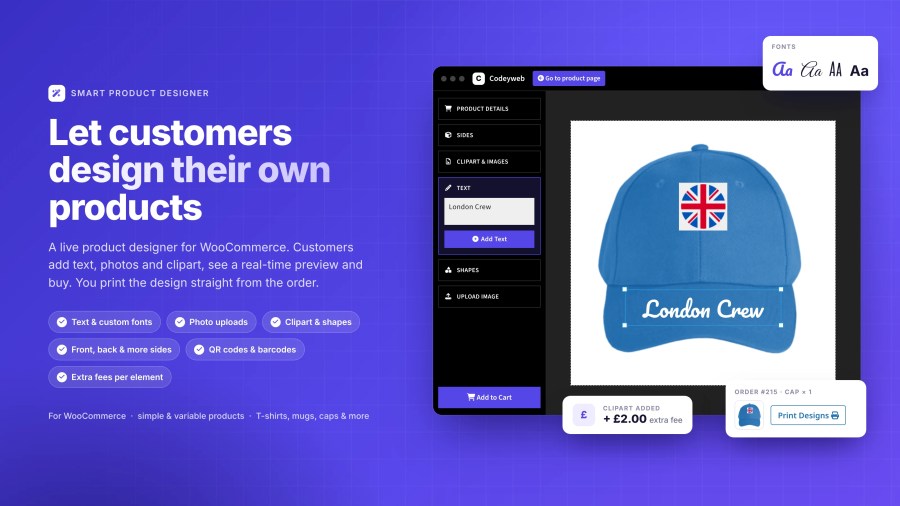
Shoppers don’t just want to buy – they want to create. Smart Product Designer lets customers design their own products directly on your store: add text, upload photos, place cliparts, and preview exactly what they’re getting before they buy.
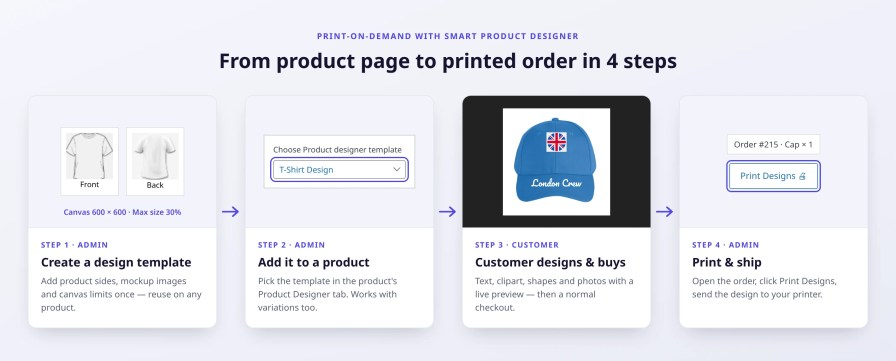
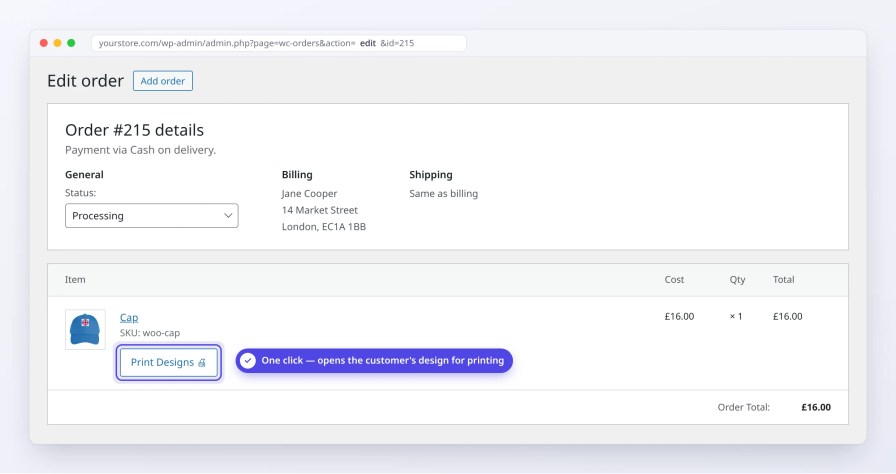
You get a print-ready file with every order. No manual file prep. No back-and-forth. Just click, print, and ship.
Works with any product in your store – simple or variable. Popular use cases include:
Design front, back, and sleeves independently. Perfect for apparel and items with multiple customizable areas.
Every design appears print-ready on the order screen. Click, print, ship, it’s that simple.
Let customers upload their photos in common formats like JPG, PNG, and GIF for truly personal products.
Let customers personalize with names, messages, and custom text. Choose from built-in fonts or upload your own branded fonts as an admin, total control over typography for both you and your customers.
Pre-made design elements make customization simple, even for customers with no design experience.
Generate QR codes and barcodes for business cards, promotional items, or any product that needs them.
Smart Product Designer gives you full control over how products are presented, designed, and fulfilled, all from your WordPress admin.
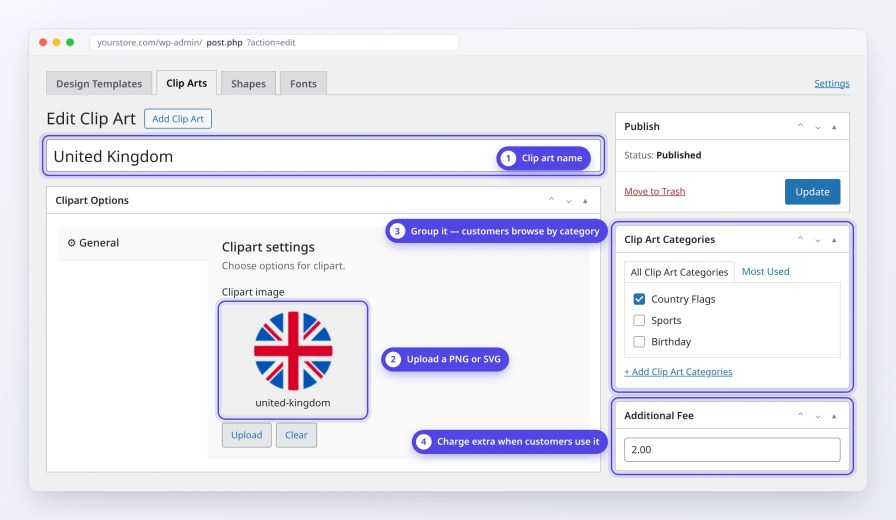
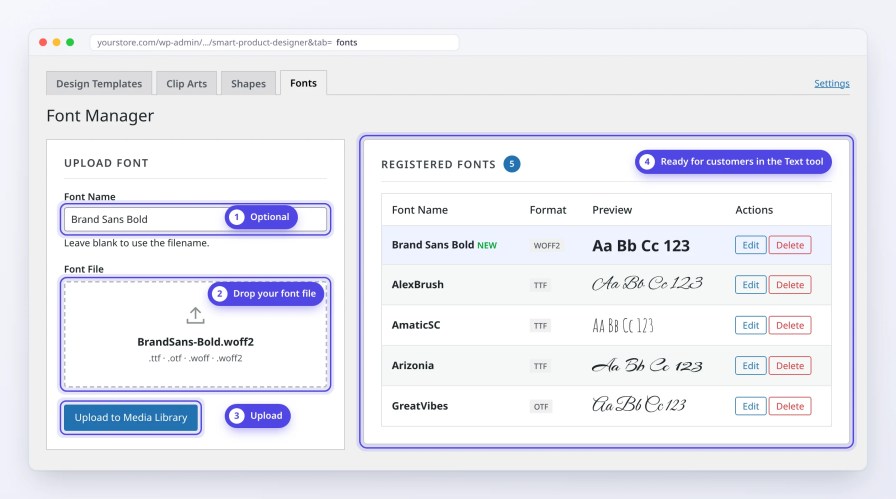
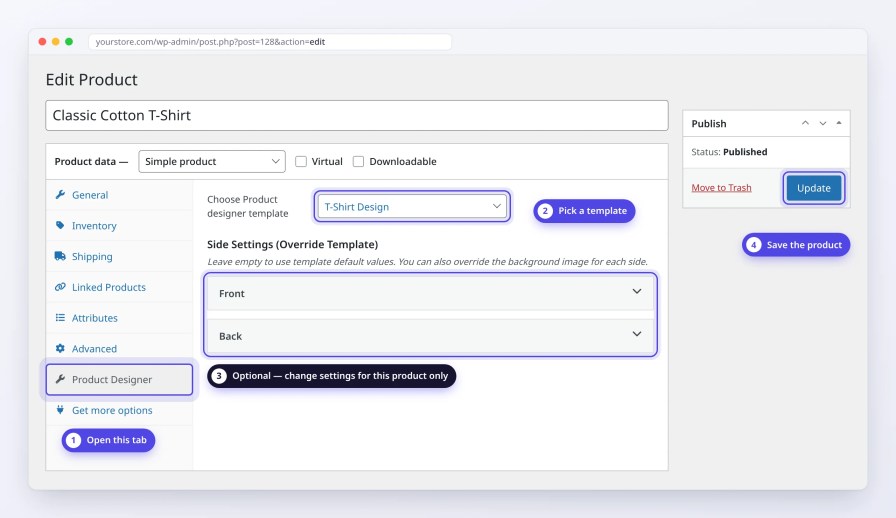
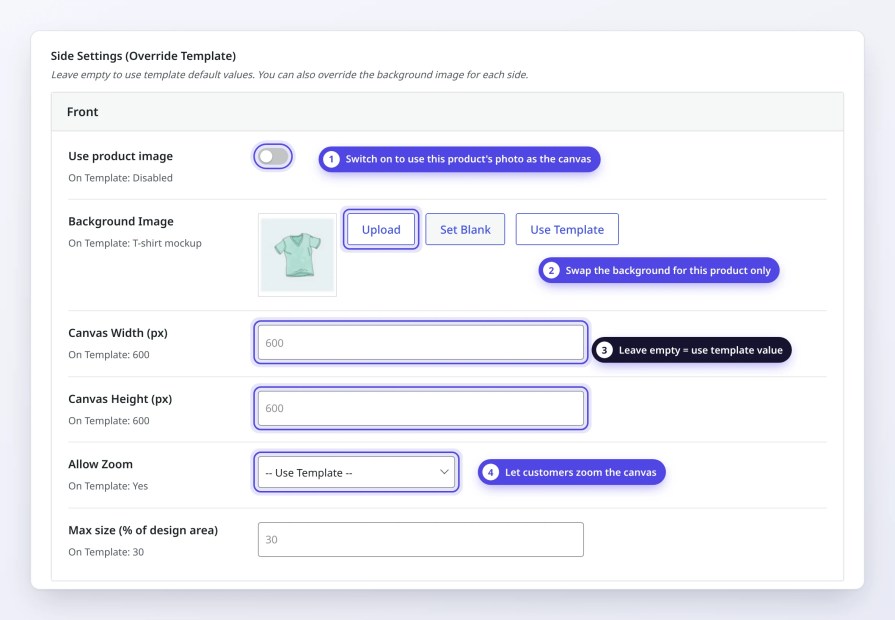
Smart Product Designer is built for store owners who want to offer product personalization without complexity, whether you run a print-on-demand store, a local print shop, a corporate merchandise store, or sell custom gifts and event merchandise.
If you sell products people want to make their own, this plugin is for you.
We are actively building new features based on real store owner needs. Here’s what’s coming next:
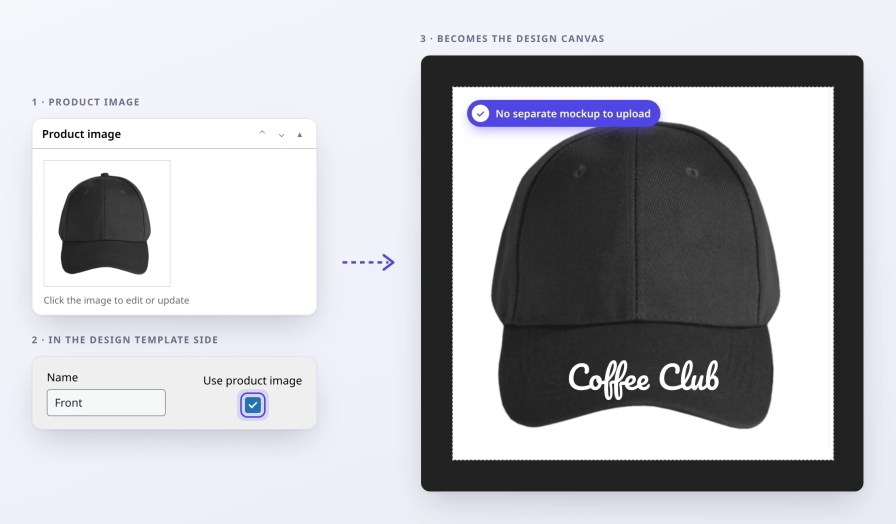
Yes. Smart Product Designer lets you use the product's own image or the variation image for variable products as the canvas background. No separate mockup upload needed. This keeps your product images and design canvas always in sync.
The plugin works with any WooCommerce product type including T-shirts, mugs, phone cases, business cards, caps, posters, and more. It supports both simple and variable products.
Yes, you can view and print customer designs directly from the WooCommerce order edit screen.
Yes. For example, you can enable the designer only on your "Custom Design" t-shirt product, while your other t-shirt products stay as regular, you decide which ones get it.
Extension information
Quality Checks
Countries







