

Subscription includes
Support
Your WooCommerce store depends on emails — from order confirmations to customer notifications. But when these emails fail to send or end up in spam, it can disrupt your entire sales process and hurt customer trust.
SMTP and Email Logs for WooCommerce helps ensure every store email—from order confirmations to shipping updates—is delivered securely through trusted SMTP services and recorded in a centralized email log.
Configure multiple fallback SMTP connections to maintain email delivery if the primary mailer becomes unavailable, resend failed emails with one click, and review detailed delivery logs to troubleshoot issues faster.
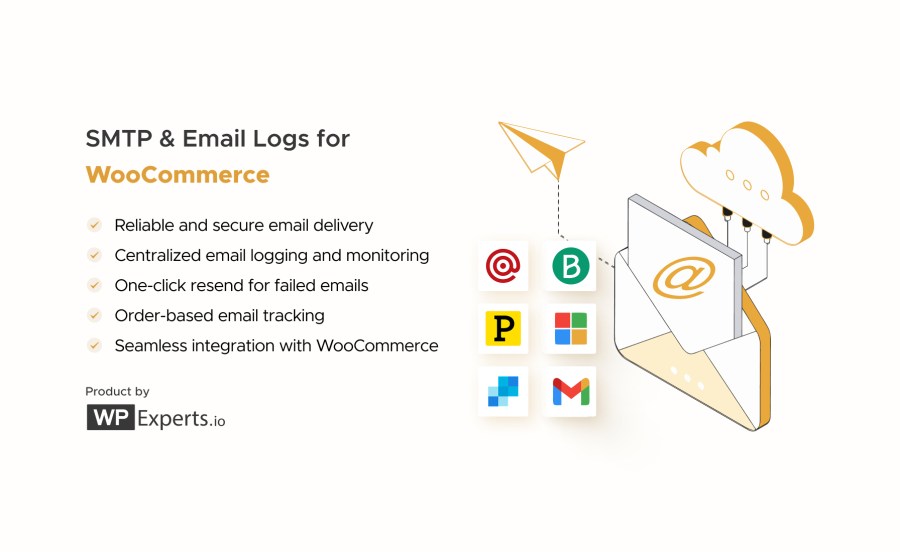
With built-in integrations for Brevo, Gmail, Microsoft 365, Mailgun, Postmark, and SendGrid, you can connect your WooCommerce store to trusted transactional email providers in minutes.
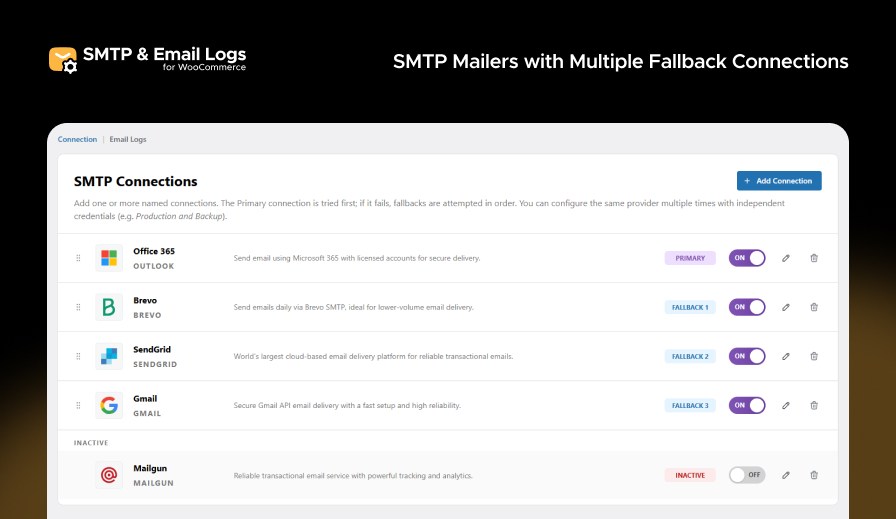
Email delivery issues aren’t always caused by your website. SMTP providers can experience temporary outages, authentication failures, or connection errors. Multiple fallback SMTP connections help keep WooCommerce emails flowing by automatically switching to another configured mailer whenever the primary connection cannot deliver an email.
Connect with leading SMTP and transactional email providers, including Brevo, Gmail, Microsoft 365, Mailgun, Postmark, Mailjet, SendGrid, Amazon SES, and custom SMTP servers. Configure multiple SMTP connections and assign fallback mailers to maintain reliable email delivery if your primary connection encounters an issue. This added redundancy helps reduce failed email deliveries for critical WooCommerce notifications.
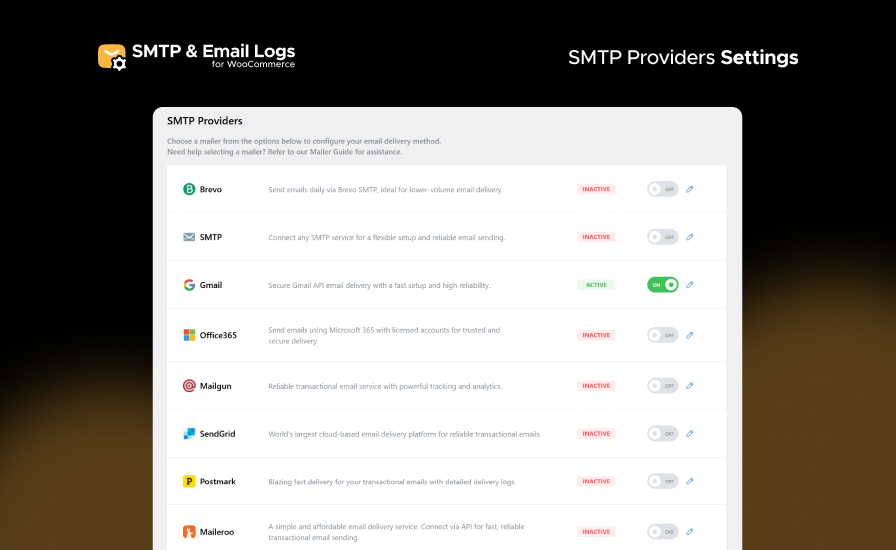
Test your SMTP configuration directly from the mailer setup screen before sending live WooCommerce emails. Send a test message to verify your connection and quickly identify configuration or authentication issues.
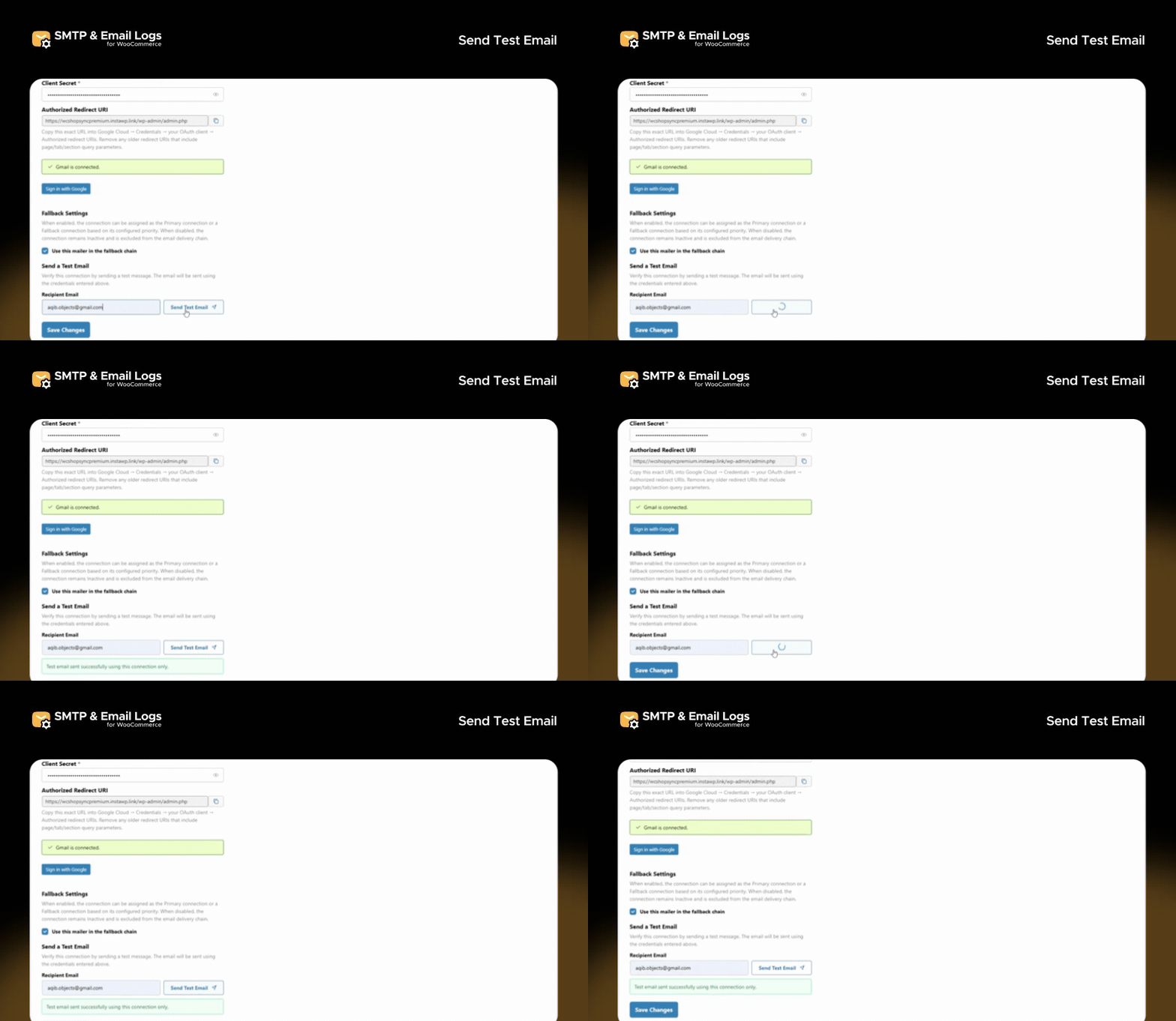
Configure multiple SMTP mailers or connections from the plugin settings and manage them from a single place. Set up your connections in advance and select the appropriate mailer as your primary or secondary connection for reliable email delivery.
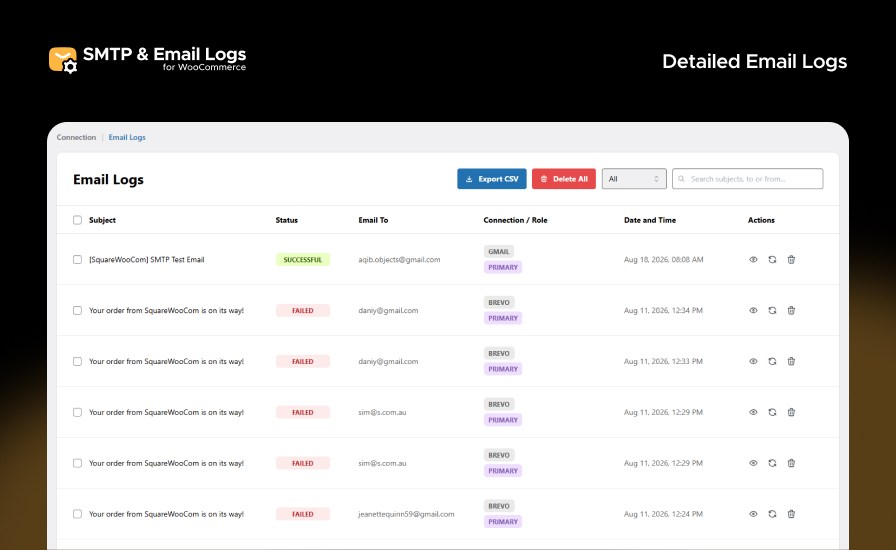
All WooCommerce emails are stored in a centralized log with useful delivery details, including subject, recipient, timestamp, SMTP connection, delivery status, and server error messages for failed emails. Quickly identify delivery issues without leaving your WordPress dashboard.
Keep a complete record of all WooCommerce emails, including subjects, recipients, timestamps, delivery status and server error response directly in your admin dashboard.
Resend failed WooCommerce emails directly from the email logs after reviewing the delivery status and SMTP server error response. Restore important customer notifications without manually recreating emails.
Access a detailed view of every WooCommerce email, including subject, recipient, delivery status, connection used, and timestamp. Open any email log to see full email content, headers, and attachments, with options to resend or delete instantly.
Download your WooCommerce email logs as CSV files for offline analysis, compliance records, or team reporting. Filter by date, status, or recipient, then export with one click.
This extension supports all major SMTP and transactional email providers, including:
Each mailer is simple to install, integrates flawlessly with WooCommerce, and provides encrypted, authenticated email delivery.
No code needed — configure once and forget it.
Need help setting up? Visit our documentation or contact our Support Team for quick assistance.
Stop wondering whether important WooCommerce emails reached your customers. SMTP and Email Logs for WooCommerce combines reliable SMTP delivery, configurable multiple fallback connections, detailed email logs, and built-in troubleshooting tools to help keep every customer notification moving.
Install SMTP and Email Logs for WooCommerce today and improve your WooCommerce email deliverability with confidence!
This extension connects your WooCommerce store to trusted SMTP providers to ensure that all outgoing order emails are delivered successfully. It also maintains detailed logs of every email sent, allowing you to track, monitor, and resend messages directly from your WooCommerce orders section.
Absolutely. The extension includes a one-click resend feature that lets you resend any failed or missed emails directly from your email log without reconfiguring your SMTP settings.
No. This extension is lightweight and optimized for performance. It runs efficiently in the background without adding noticeable load to your WooCommerce store.
If an email fails to send, check the error details shown in the email log. Common causes include incorrect SMTP credentials, blocked ports, or authentication issues. Adjust your SMTP settings and use the Resend option once fixed.
Yes. You can export any filtered set of email logs as a CSV file directly from the email logs screen. Perfect for audits, client reports, or backup records.
Categories
Extension information
Quality Checks
Countries







