

Product comparison
Subscription includes
Support
Product Addons and Custom Fields Manager lets you add custom fields and extra options to any product so that customers can personalize their order right on the product page. Let them add a name, pick extra toppings, upload a logo, or include a matching accessory, without contacting you first.
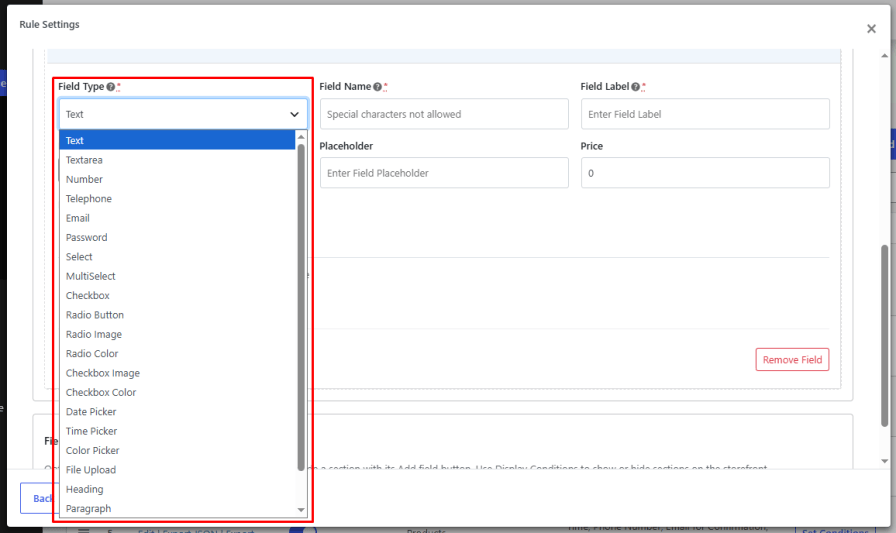
Choose from 22 field types, from simple text boxes to image swatches and file uploads, and charge extra for any option. A live price breakdown updates as customers make their choices, so the total never comes as a surprise at checkout.
Product pages stay clean too. Group related fields into sections, and use conditional logic to show each field only when it applies. Create a rule once and apply it to specific products, variations, categories, or tags, or add fields to a single product.
A bakery, for example, can ask for the cake flavor and filling, charge extra for decorations, and let customers upload a photo to print on top. The customer sees the final price before adding the cake to the cart.
Build all your product addons for WooCommerce from one place. Create a rule, give it a name, and add the fields and options customers should see on the product page. Each rule can hold multiple fields and sections, and you can turn a rule on or off at any time without deleting it.
Create separate rules for different types of products, or add fields directly to a single product when it needs its own options. Manage all your rules from one list in the back office.
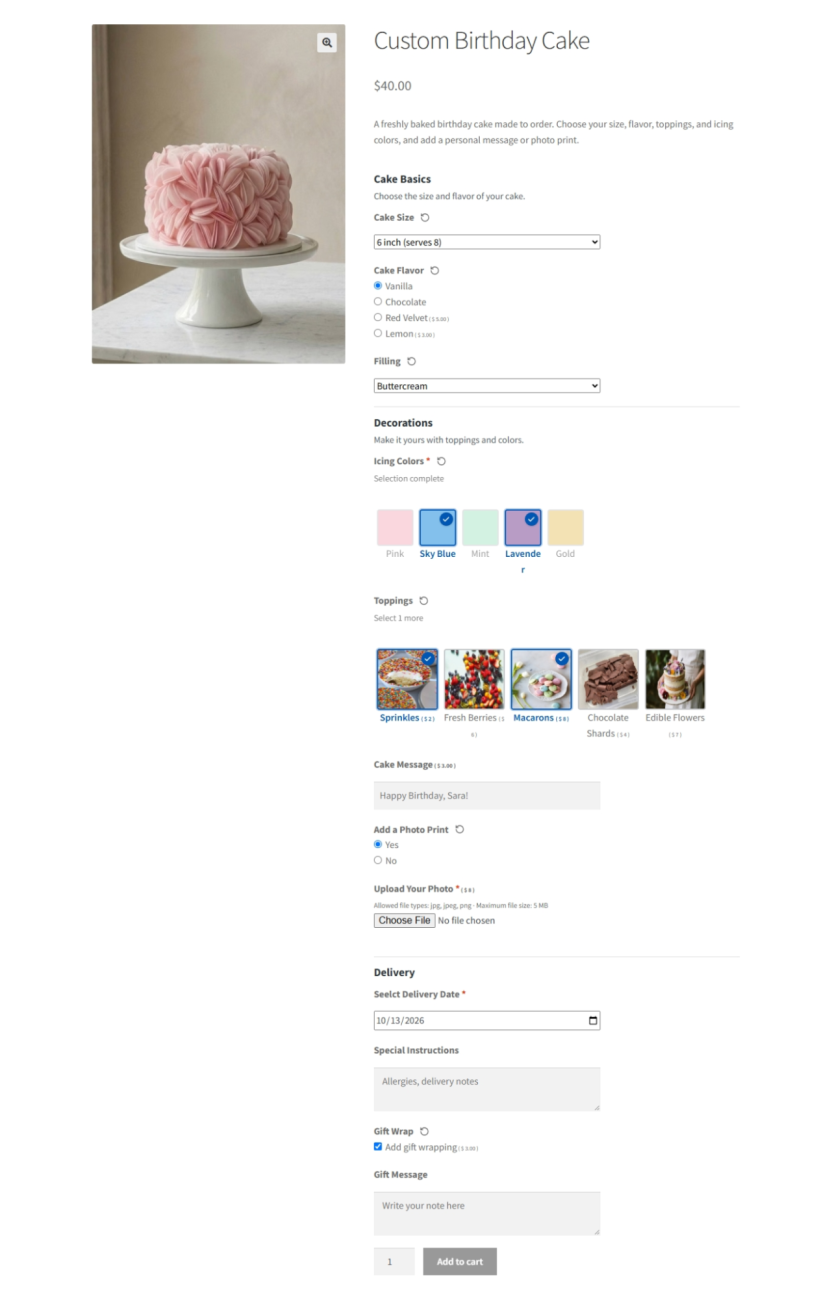
Build the exact product options you need with 22 field types. This custom field product WooCommerce plugin covers everything from simple text inputs to image swatches and products sold as add-ons.
Customers can clear their choices on select, multi-select, checkbox, radio, and swatch fields without reloading the page.
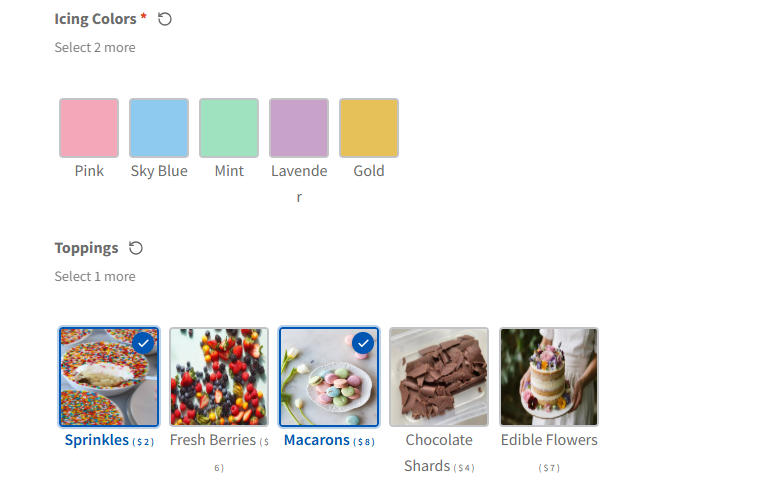
Let customers pick options visually instead of reading through a dropdown. Use Radio Image and Radio Color fields for single choices, or the new Checkbox Image and Checkbox Color fields when customers can select more than one swatch. Each swatch option can have its own label, price, and default selection.
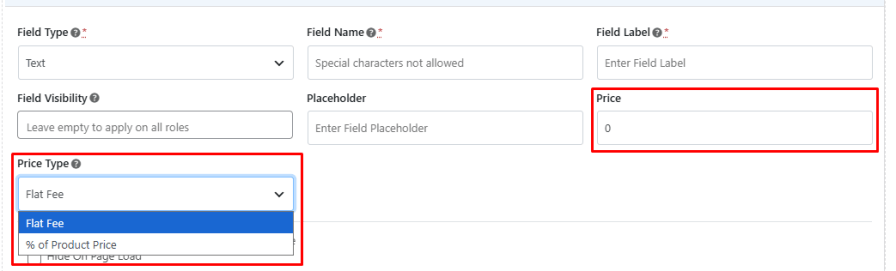
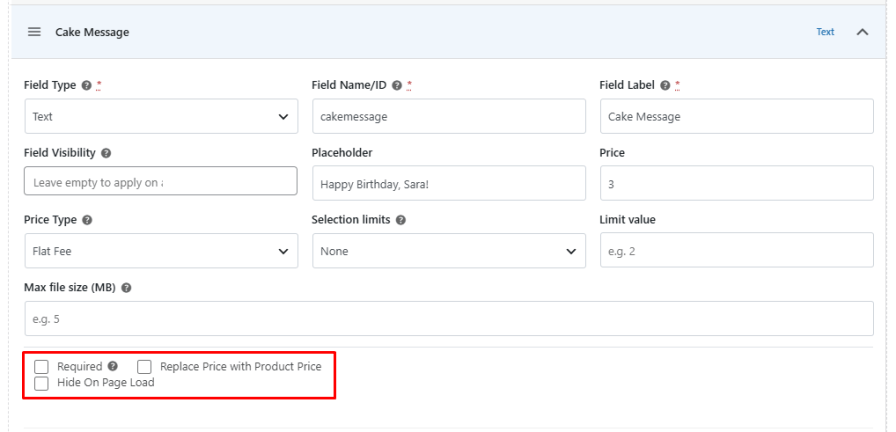
Keep extra product options free or charge for them. These custom product addons for WooCommerce let you set a flat fee or a percentage of the product price for each field, and a separate price for each option inside select, checkbox, radio, and swatch fields. You can also replace the field price with the product price to avoid confusion.
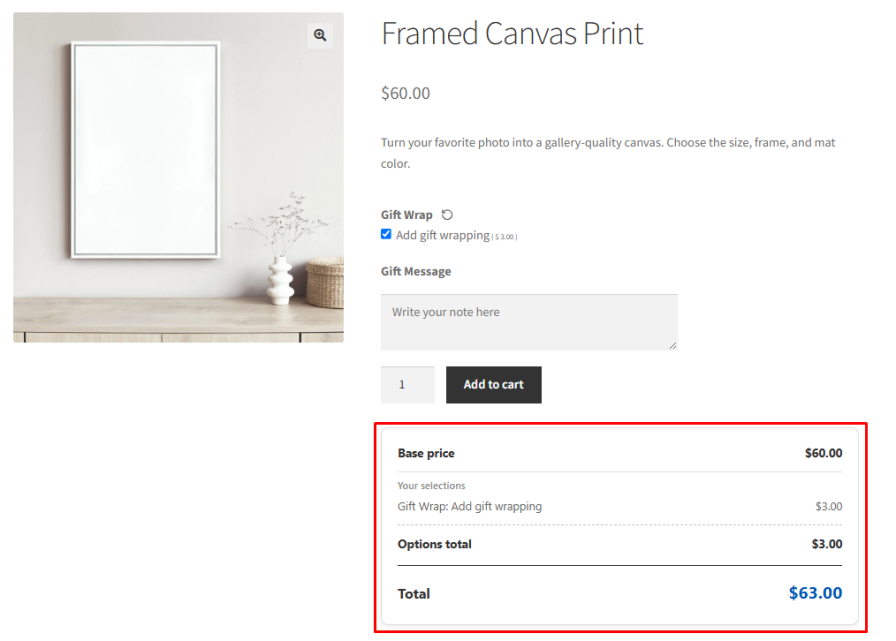
Show customers exactly what they are paying for before they add to cart. The live price breakdown lists the base product price, the price of each selected option, and the total, and updates as customers make their choices.
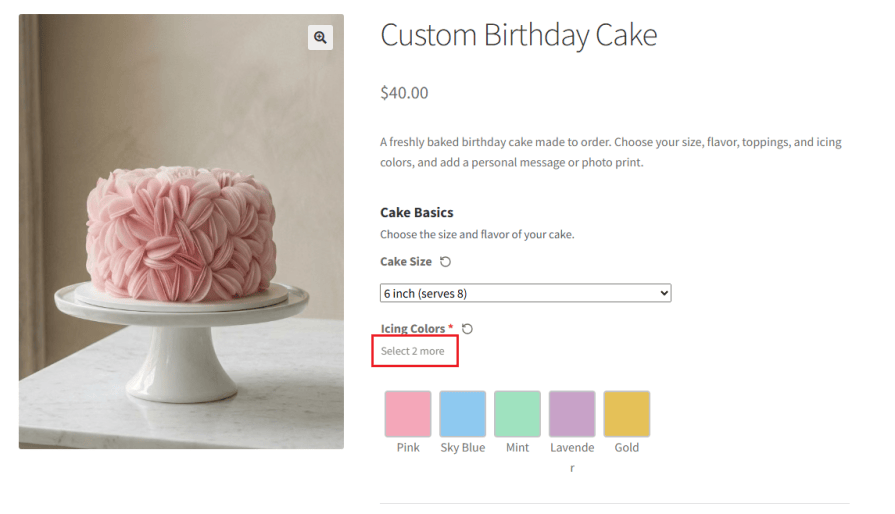
Control choices on checkbox and multi-select fields with selection limits. Set a minimum, a maximum, or an exact number of options, for example, “choose exactly 3 toppings” or “pick up to 2 gift wraps.”
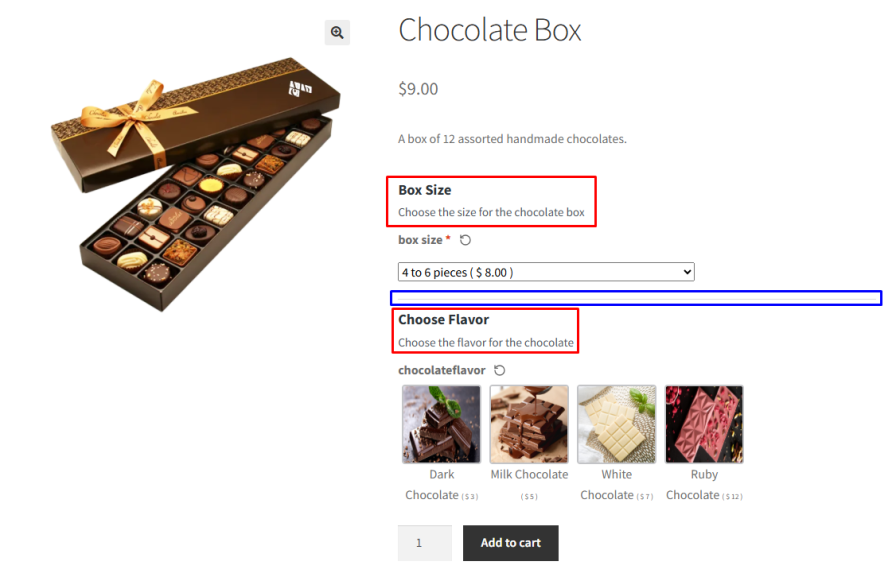
Organize long forms into clear groups so product pages stay easy to scan, even when you use a lot of custom fields for WooCommerce products. Create sections with their own title and description, choose whether the section label shows on the storefront, and limit each section to specific user roles. Sections work on global rules and on individual products.
Keep product pages clean by showing fields only when they are needed. Conditional logic keeps product add ons WooCommerce shoppers don’t need out of sight until a matching choice is made. Show or hide any field or section based on what the customer enters or selects in another field. Combine conditions with AND logic within a group and OR logic between groups to build dependent product add-ons.

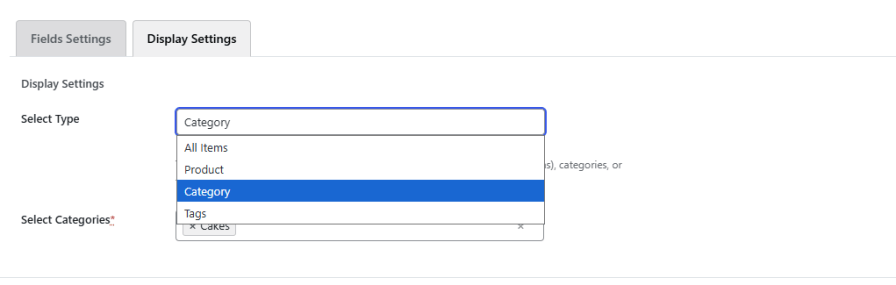
The custom product fields WooCommerce plugin saves time with global rules. Create one rule and apply it to all products or to specific products, categories, or tags. You can also target individual variations of variable products, so fields appear only when the customer picks that variation.
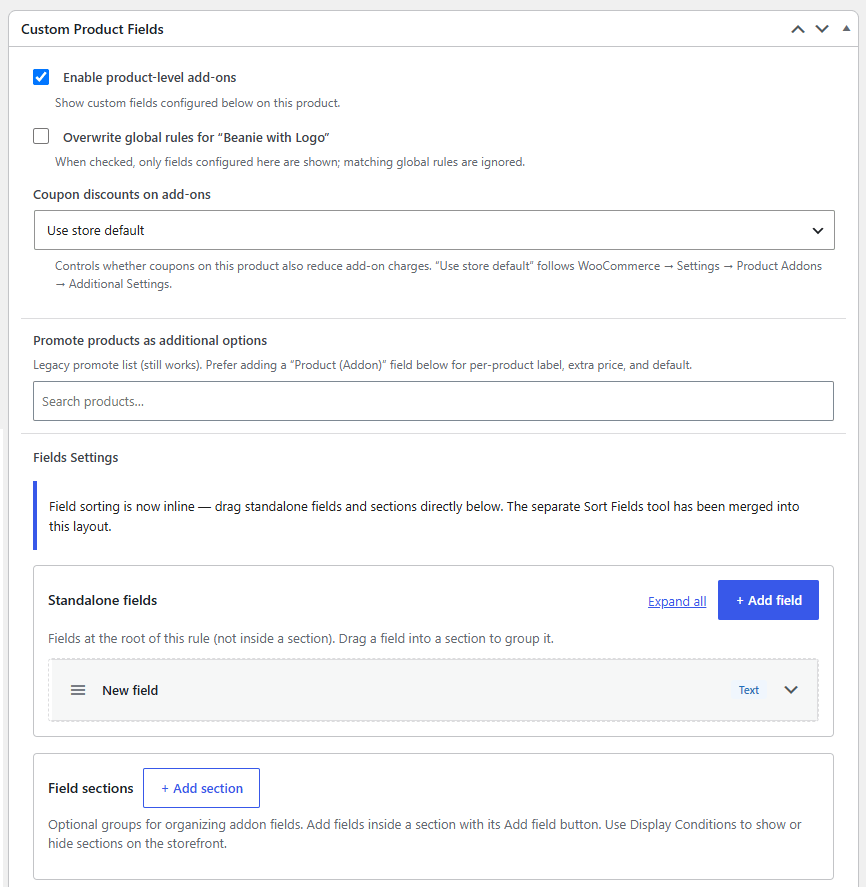
Need options for just one product? Add product custom fields in WooCommerce directly from the product edit page. Use product-level fields alongside global rules, or override the global rules so only the product’s own fields show.
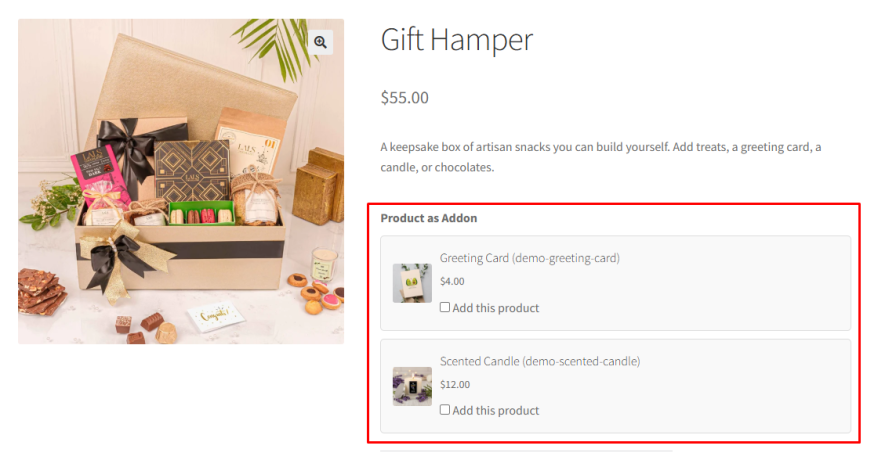
Turn existing products into add-ons with the Product (Addon) field. Show related items such as gift wrap, batteries, or accessories on the product page, set an add-on price, and choose whether each one is selected by default.
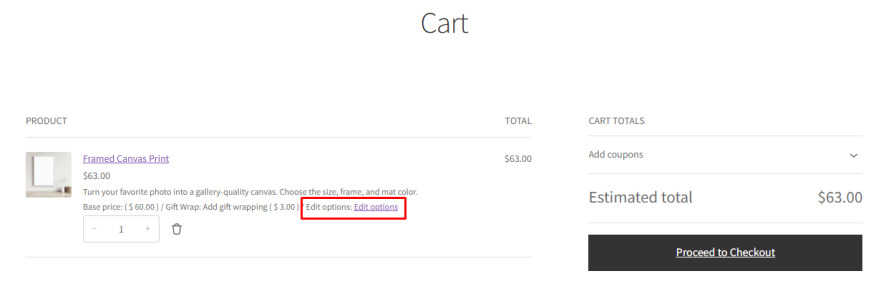
Customers can change their add-on choices from the cart without removing the product and starting over. Store admins can also edit add-on values from orders in the back office.
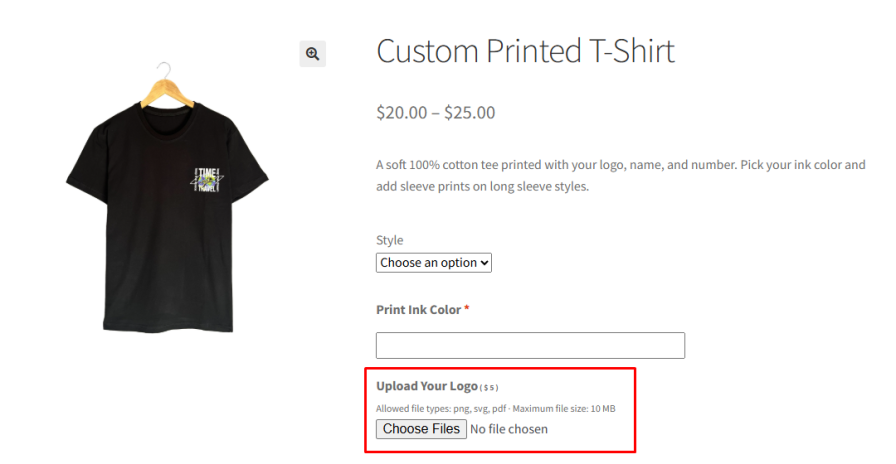
Collect logos, photos, and design files with the File Upload field. Set the allowed file types, maximum file size, and whether customers can upload multiple files. You can also multiply the field price by the number of files uploaded.
Make sure customers provide the details you need to fulfill the order. Mark any field as required so customers must fill it in or make a selection before they add the product to the cart. You can also show fields only to specific user roles.
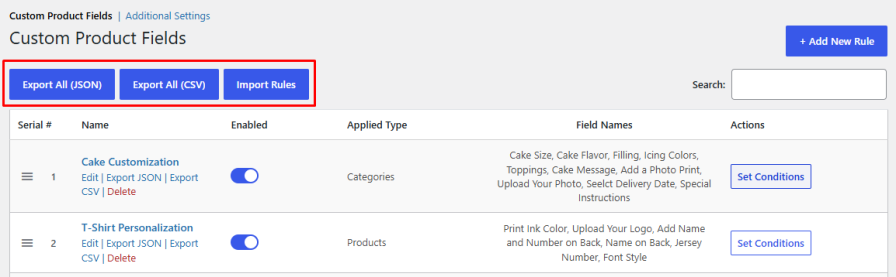
Move rules between stores or keep a backup. Export all rules in JSON or CSV format and import them in a few clicks. When an imported rule already exists, choose whether to ignore it or override the existing one.
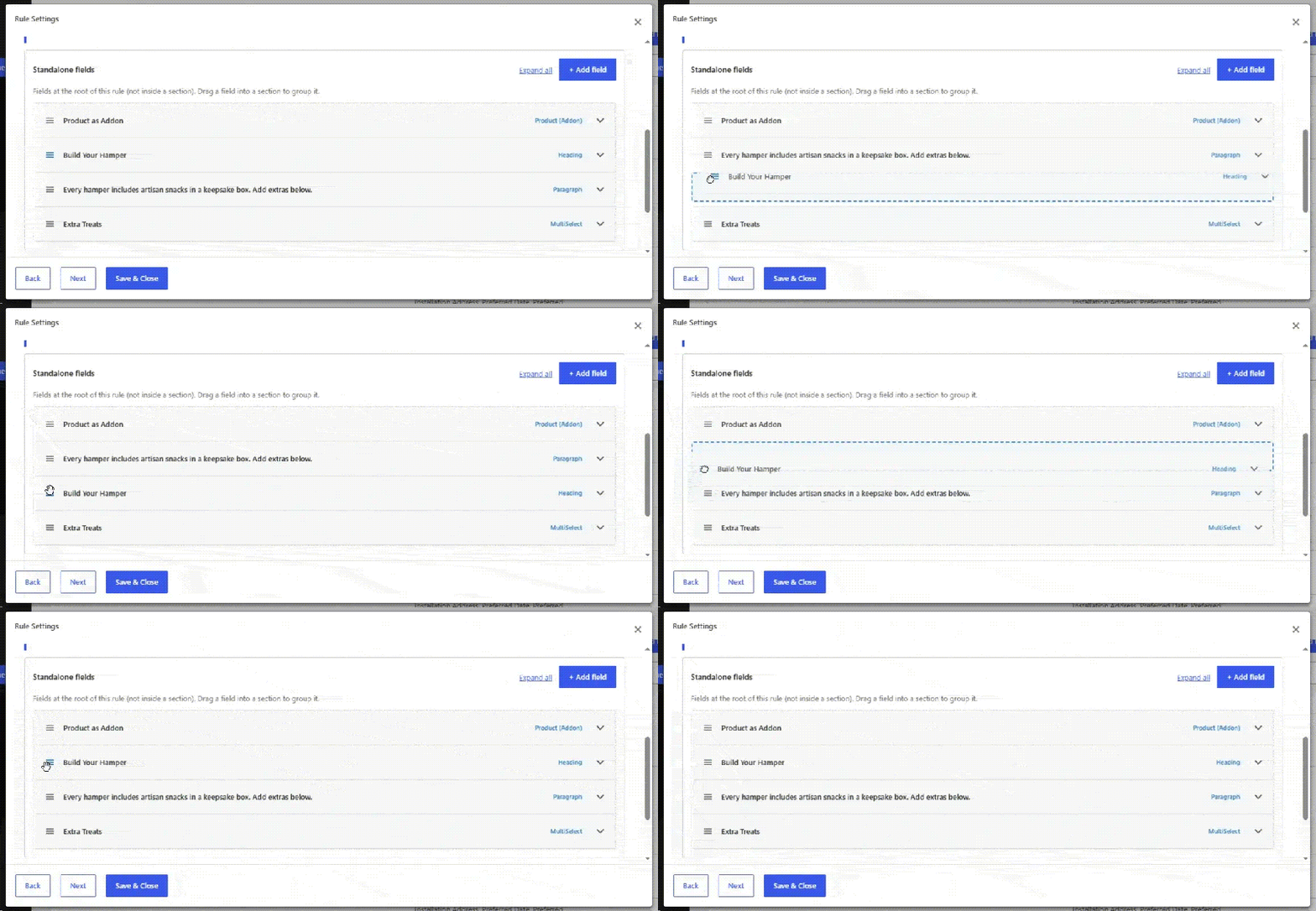
Arrange fields and sections in the order that makes sense for your customers. Drag and drop to change the order or to move a field into a section, on both global rules and individual products.
It supports 22 field types, including text, select, checkbox, radio, image and color swatches, date and time pickers, file upload, Google Map, and products sold as add-ons.
Yes. You can set a flat fee or a percentage of the product price for each field, and a separate price for each option.
Yes. When you apply a global rule to products, you can select individual variations. The fields show only when the customer picks that variation.
Yes. You can add fields directly from the product edit page and choose whether they replace or appear alongside the global rules.
Yes. You can exclude add-on charges from coupon discounts for the whole store, then change the setting for individual products if needed.
Yes. When enabled, customers can edit their add-on choices from the cart, and admins can edit add-on values from orders.
Yes. Checkbox and multi-select fields support minimum, maximum, and exact selection limits.
Yes. Export your rules in JSON or CSV format and import them into the other store. You can choose to ignore or override rules that already exist.
Categories
Extension information
Quality Checks
Countries







