

Subscription includes
Support
Your WooCommerce order count keeps growing, but paid sales do not. Checkout-draft records remain after shoppers leave checkout. Old failed and pending-payment attempts from a campaign, gateway issue, or unwanted checkout traffic keep piling up. That is the moment Ultimate Draft Order Cleanup Manager is built for.
Find, preview, and safely clean old checkout-draft, failed, pending-payment, canceled, and on-hold orders without targeting processing, completed, or refunded orders. Turn repeated WooCommerce order cleanup into a controlled retention policy instead of a risky manual purge.
Safety default: Automatic cleanup is disabled when the extension is activated. Nothing is scheduled until you review the rules and enable it.
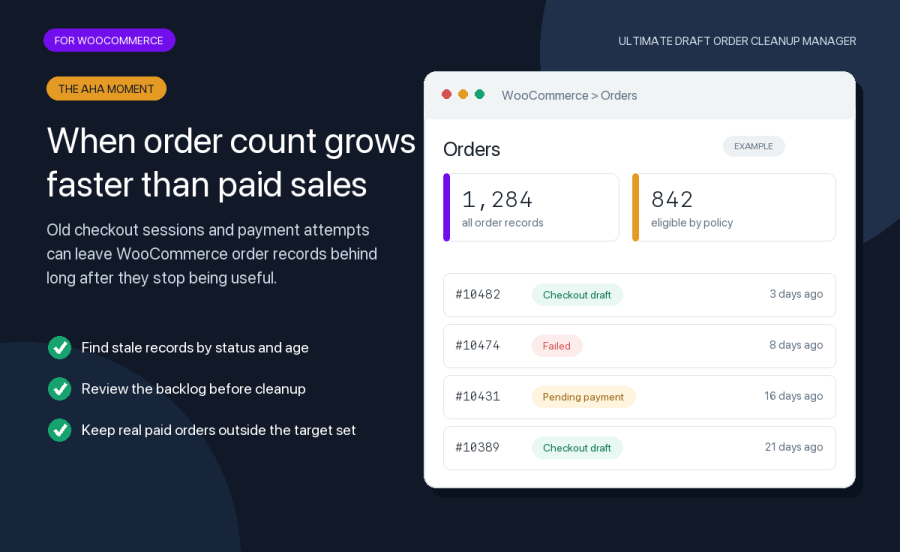
Most stores do not search for an order cleanup plugin until stale records become impossible to ignore. The Orders screen fills with abandoned checkout drafts. Failed attempts obscure payment problems that still need attention. Pending-payment records remain long after the gateway issue is resolved. A migration, backup review, or retention audit exposes data the store no longer needs.
This extension handles stale WooCommerce order records. It does not send abandoned-cart recovery emails or replace a cart recovery service. Its job is to help you decide what no longer has operational value, review the target set, and clean it according to your policy.
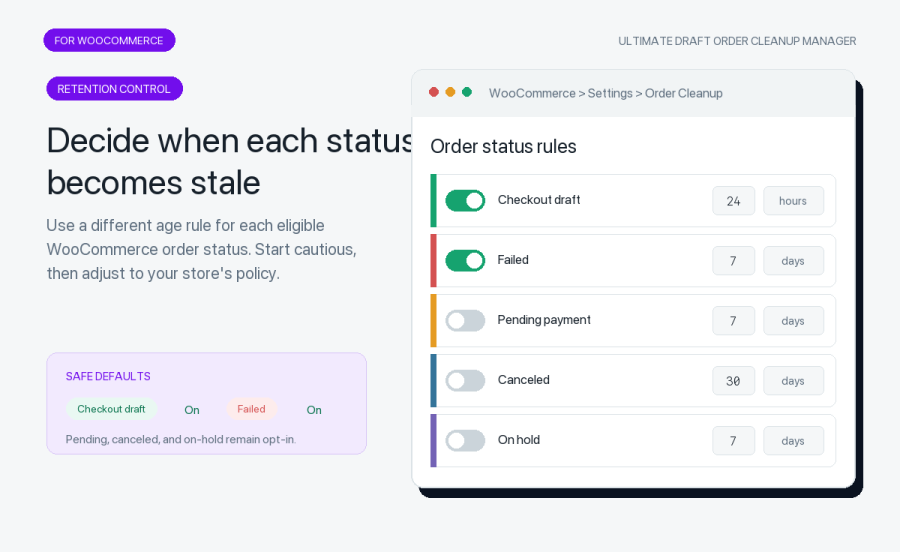
A checkout draft may become irrelevant sooner than a failed or pending-payment order. Give each eligible status its own retention period in minutes, hours, or days. Checkout-draft and failed-order cleanup are enabled by default. Pending-payment, canceled, and on-hold cleanup remain opt-in so you can apply a more cautious store-specific policy.
Fresh orders also stay outside the cleanup target through the grace-period guard. This gives your team room to investigate recent payment and checkout behavior before an order can become eligible.
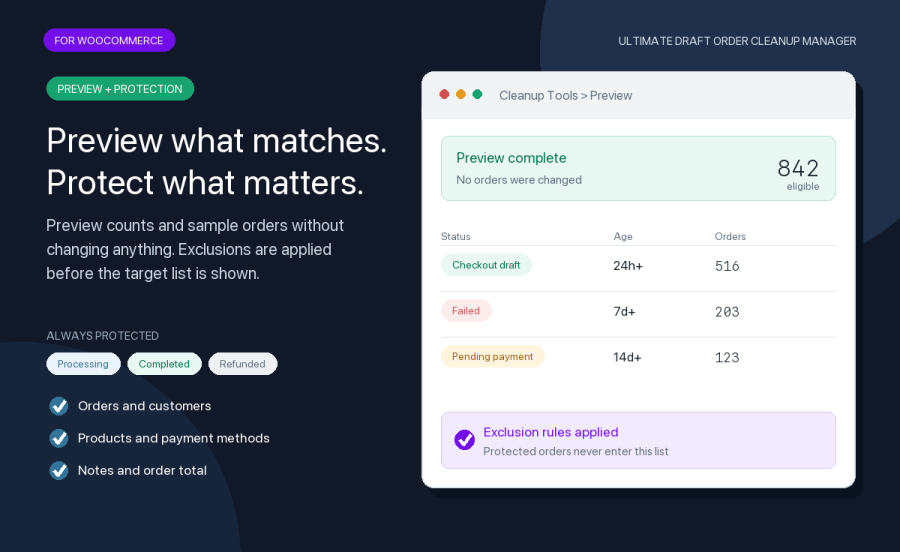
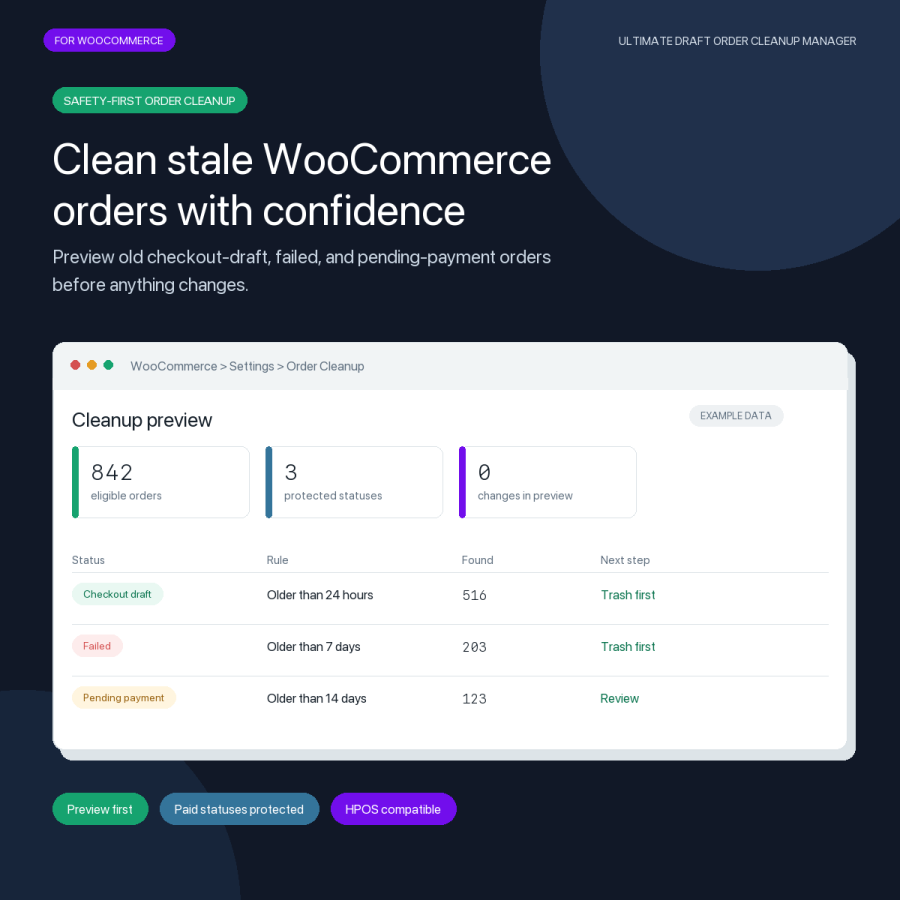
Run a preview to see matching counts by status and a sample of eligible orders without changing anything. Processing, completed, and refunded orders are always protected. Add exclusions for individual order IDs, registered customers, customer email addresses, products, payment methods, orders with notes, or orders above a chosen total.
This preview-first workflow helps store owners and agencies review the actual target set before running WooCommerce order cleanup. It also makes it easier to explain and document the retention policy for other people who manage the store.

Use the action that fits your retention requirements. Export the matching orders to CSV for an audit record. Move orders to trash first and keep a configurable restoration window. Anonymize selected billing and shipping fields while preserving the order record. Permanently delete only when your policy requires it.
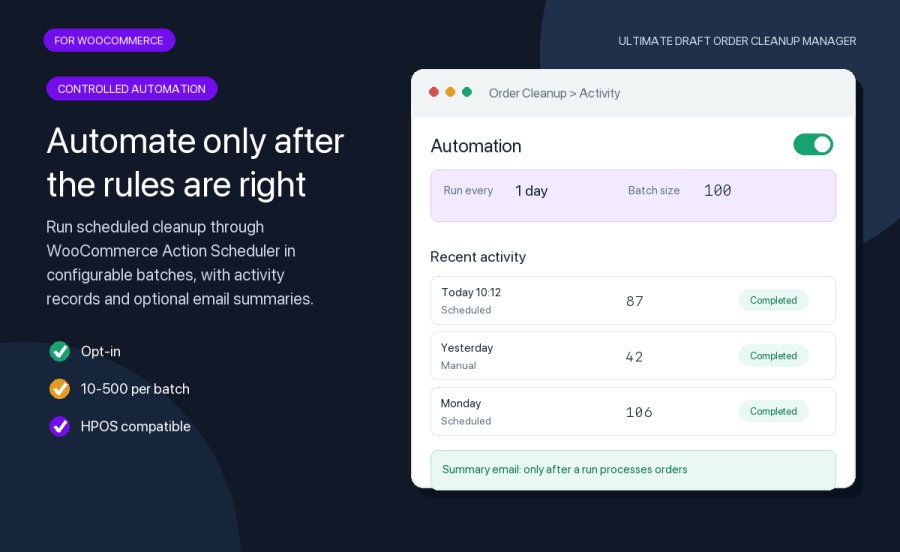
Once the preview matches your store policy, enable automatic WooCommerce order cleanup and choose how often it runs. WooCommerce Action Scheduler processes eligible orders in configurable batches. Optional summary emails are sent after a scheduled run processes orders.
Statistics show eligible-order counts, cleanup totals, recent activity, database size information, and HPOS status. The activity log records processed, successful, and failed counts for each cleanup run, giving your team a practical history for operations and support.
Ultimate Draft Order Cleanup Manager declares High-Performance Order Storage compatibility and uses WooCommerce order APIs. It requires WooCommerce 7.0 or newer, WordPress 6.2 or newer, and PHP 8.1 or newer. Cleanup runs inside WordPress and WooCommerce, with no external account or API key required.
Stop treating stale orders as a one-time database emergency. Preview what matches, protect what matters, and turn repeated cleanup into a retention process your team can understand and control.
Set the checkout-draft retention period, preview the matching orders, and choose the cleanup action. Run cleanup manually or enable scheduled cleanup after the preview matches your policy.
Yes. Enable the failed-order rule, choose how old an order must be, and turn on scheduled cleanup. Automatic cleanup is opt-in and runs in configurable batches.
Yes. Pending-payment cleanup is disabled by default. When enabled, it has its own retention period and can exclude orders by customer, product, payment method, notes, total, or order ID.
No. Automatic cleanup is disabled by default. Review the retention and protection rules, run a preview, and enable scheduled cleanup only when the results match your store policy.
It can target checkout-draft, pending-payment, failed, canceled, and on-hold orders. Checkout drafts and failed orders are enabled by default; the other eligible statuses are opt-in.
No. Processing, completed, and refunded orders are always protected. Additional rules can protect specific orders, customers, products, payment methods, notes, and order totals.
Yes. Preview shows matching counts and sample eligible orders without changing them. You can also create a CSV audit record before deletion.
No. It cleans eligible WooCommerce order records, including checkout drafts left by incomplete checkouts. It does not send abandoned-cart recovery campaigns.
Not by default. Trash-first mode moves eligible orders to trash and keeps them for the configured grace period. Orders can be restored during that window.
Yes. The extension declares HPOS compatibility and uses WooCommerce order APIs for order lookup and cleanup.
Quality Checks
Countries







