

Product comparison
Subscription includes
Support
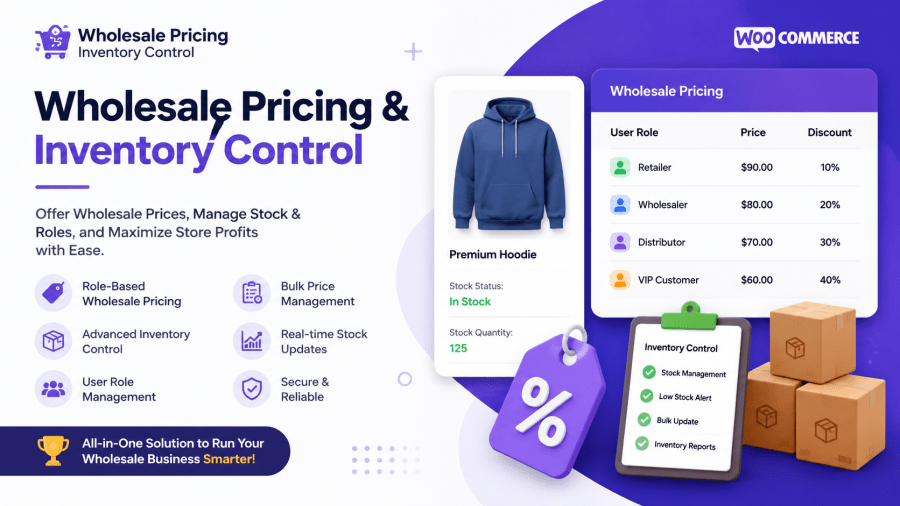
Take full control of your WooCommerce store’s pricing with Wholesale Pricing & Inventory Control. Set custom prices by user role, by individual customer, or for guests — complete with minimum and maximum order quantities, a bulk pricing editor for managing large catalogs, and the ability to create your own custom user roles, all without touching code.
It’s the complete solution for wholesale, B2B, membership-based, and multi-tier pricing stores that need flexible, granular control over who sees what price — and how much they’re allowed to buy.
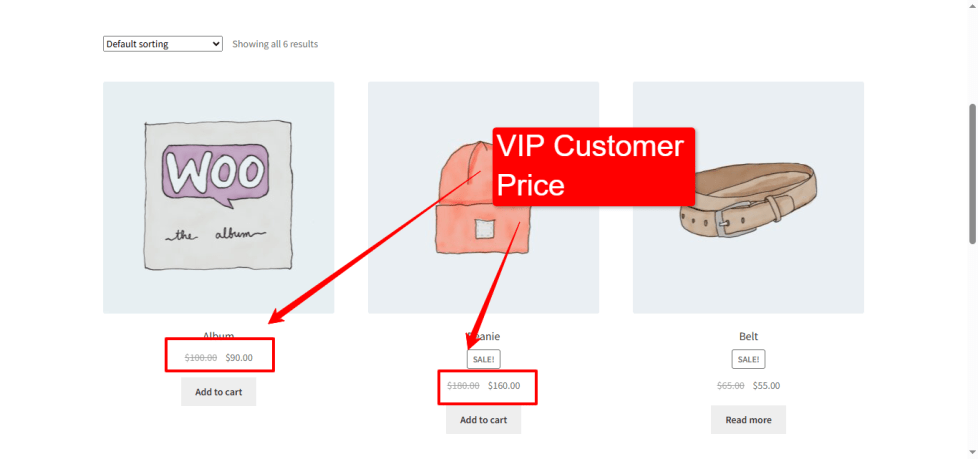
Go beyond simple role-based discounts. Set a special price for one specific customer — useful for VIP accounts, long-term wholesale partners, or negotiated one-off deals — alongside standard pricing for roles like Wholesale, Customer, or Guest.
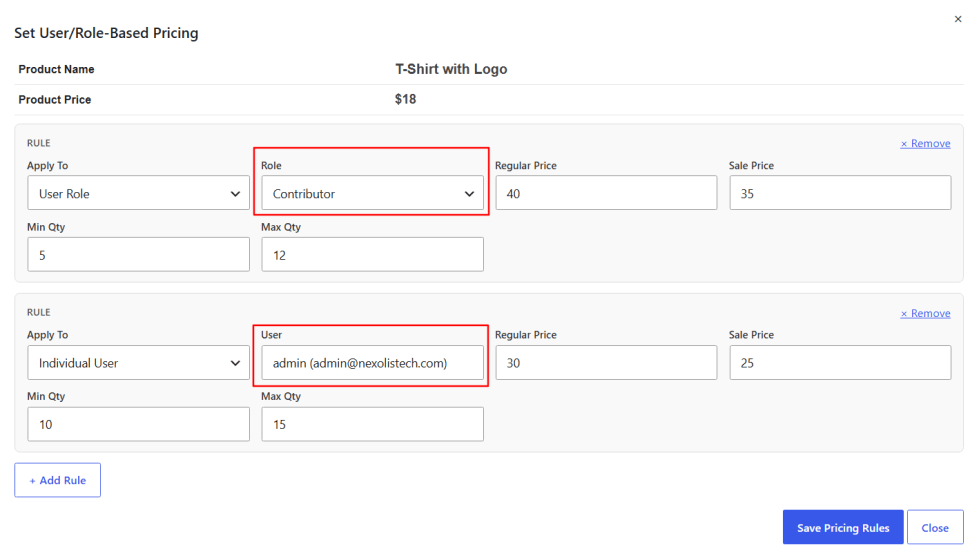
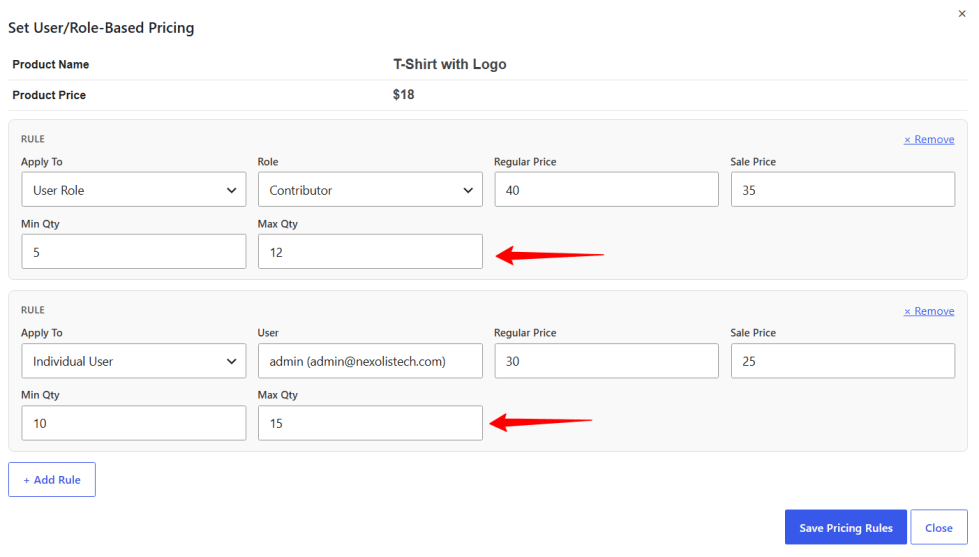
Set minimum and maximum order quantities per role or per customer, directly within the same pricing rule. Require wholesale buyers to order in case quantities, cap how much a single customer can buy during a promotion, or set different limits for different customer tiers — all enforced automatically at checkout.
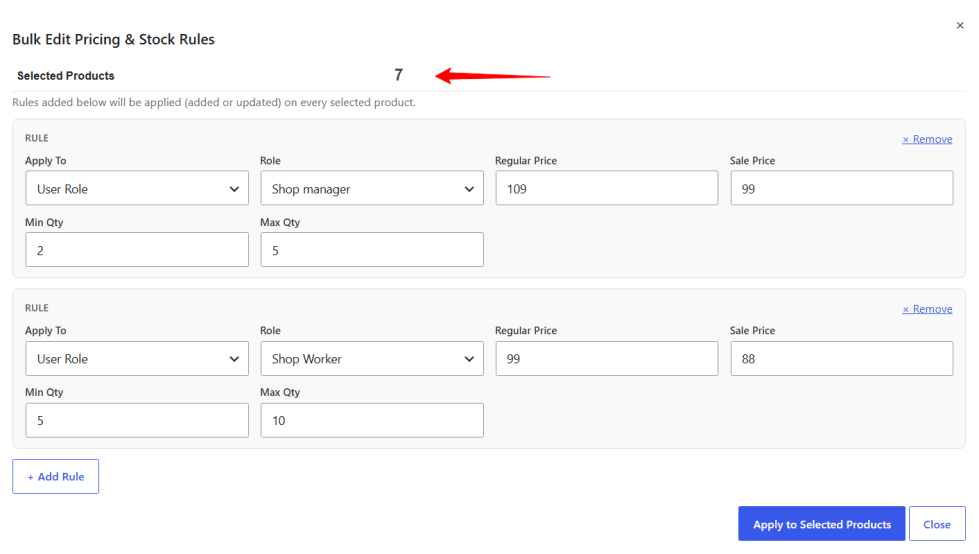
Managing pricing across hundreds of products no longer means opening each one individually. Select any number of products from your product list, open the Bulk Editor, and apply a pricing rule — price, quantity limits, and all — to every selected product in one save. Existing rules are updated automatically, so re-running a bulk update never creates duplicates.
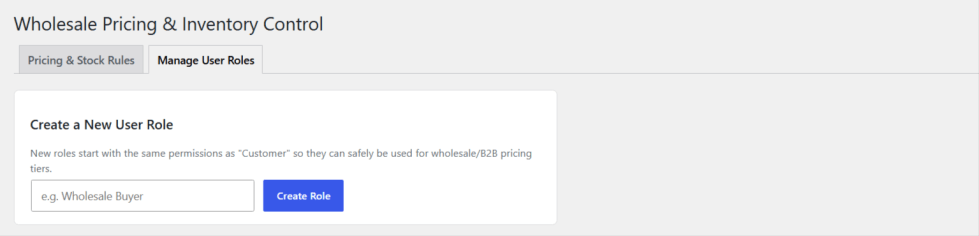
Build the exact customer segments your business needs. From the plugin’s Manage User Roles screen, create new roles — Wholesale Buyer, VIP Reseller, Distributor, and so on — and immediately start assigning pricing rules to them. No need to install a separate roles/permissions plugin
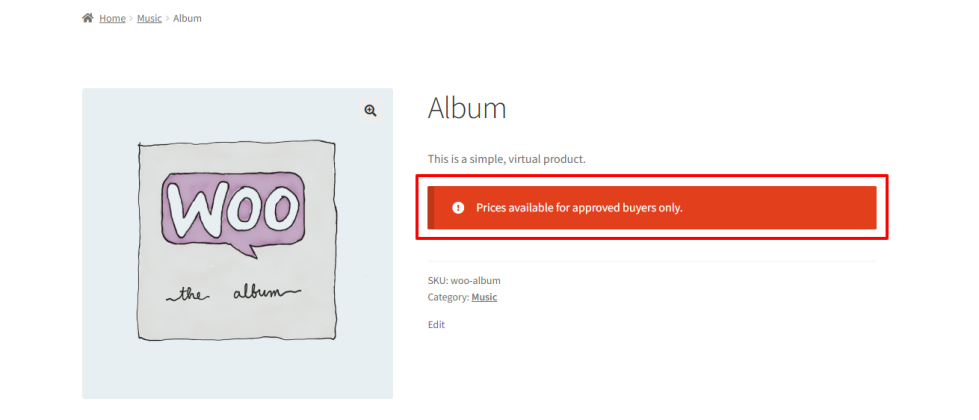
Keep pricing private from visitors who haven’t logged in. Hide the price, hide the Add-to-Cart button, or both — and show a custom message (like “Log in to see wholesale pricing”) to guide guests toward creating an account.
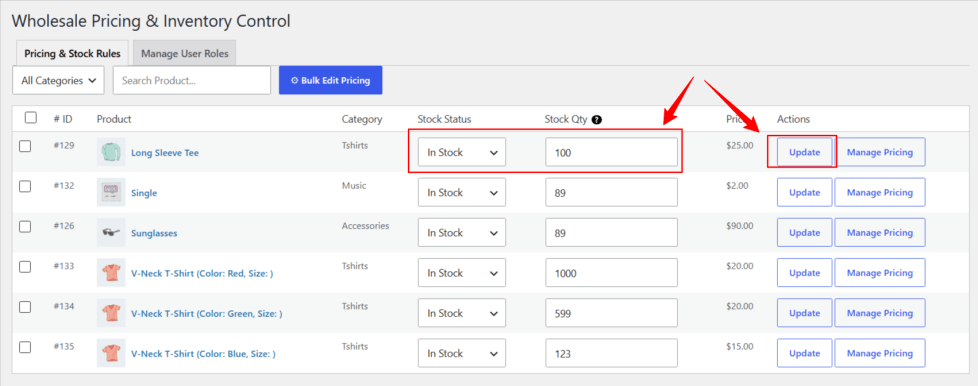
Manage and update stock levels for each product and variation individually. The plugin supports global stock tracking while providing flexible inventory control per product and per variation, ensuring accurate availability for all user roles in your WooCommerce store.
Prices, quantity limits, and messages update instantly and automatically across your shop, category, and single product pages. Every shopper sees pricing and purchase rules tailored exactly to their account — with no caching issues or page reloads required.
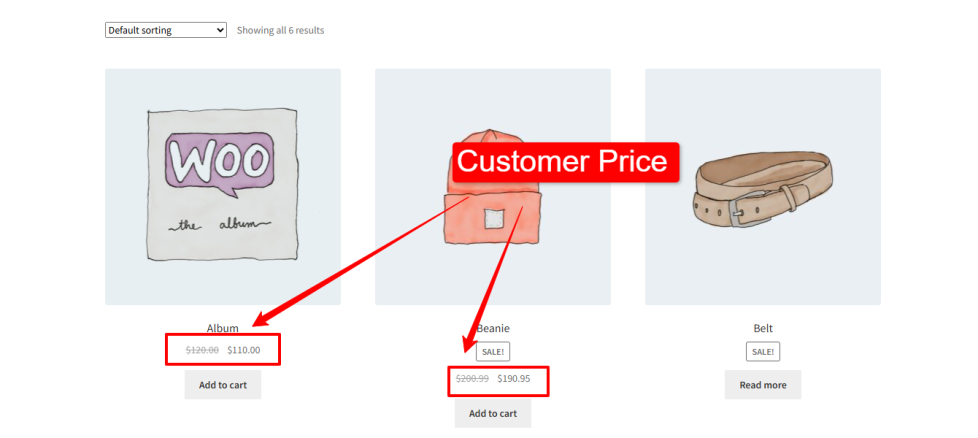
Whether you’re running a pure wholesale operation, a hybrid B2B/B2C store, or a membership site with tiered pricing, Wholesale Pricing & Inventory Control gives you the tools to manage pricing, quantity rules, and customer segments — all from one place.
Yes! In addition to role-based pricing, you can create a rule that targets a single individual customer by searching their name or email — ideal for VIP accounts or custom negotiated pricing.
Yes. Each pricing rule can include a minimum and/or maximum order quantity, enforced automatically at checkout for that role or customer.
Yes — the built-in Bulk Editor lets you select multiple products and apply one pricing rule to all of them in a single action, saving hours on large catalogs.
No. Wholesale Pricing & Inventory Control includes its own Manage User Roles screen, so you can create and assign custom roles (e.g. "Wholesale Buyer") without installing anything extra.
Yes! You can set specific prices for guest users (not logged in), hide the Add-to-Cart button if needed, and display a custom message — giving you full control over pricing visibility for all store visitors.
Yes! Wholesale Pricing & Inventory Control fully supports variable products, allowing you to set custom prices, quantity limits, and rules for each variation individually.
Absolutely! You can hide product prices or the Add-to-Cart button for guests and display a custom message to explain why a product isn't available.
Categories
Extension information
Quality Checks
Countries







