Product Icon

Print Invoices & Delivery Notes for WooCommerce

Create PDF invoices and delivery notes for your WooCommerce orders and let customers download them. Easily customize your invoices with a live preview to look professional.

Subscription includes

  • Free updates
  • Free customer support

Key Features

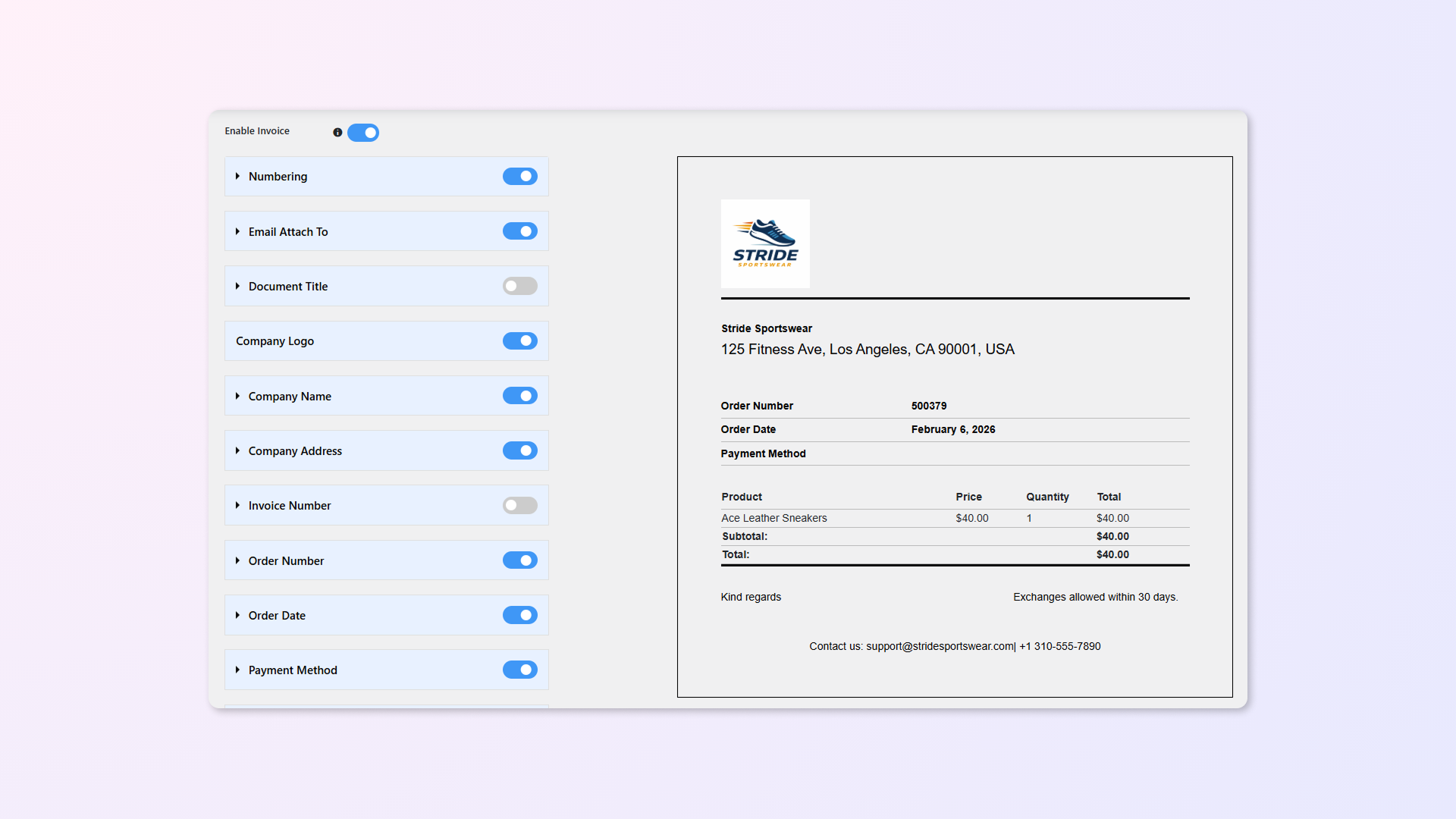
  • Live Preview: Stop guessing. Customize your invoice and delivery note templates with a real-time visual editor. See exactly how your colors, logo, and layout look before you print—no coding required.
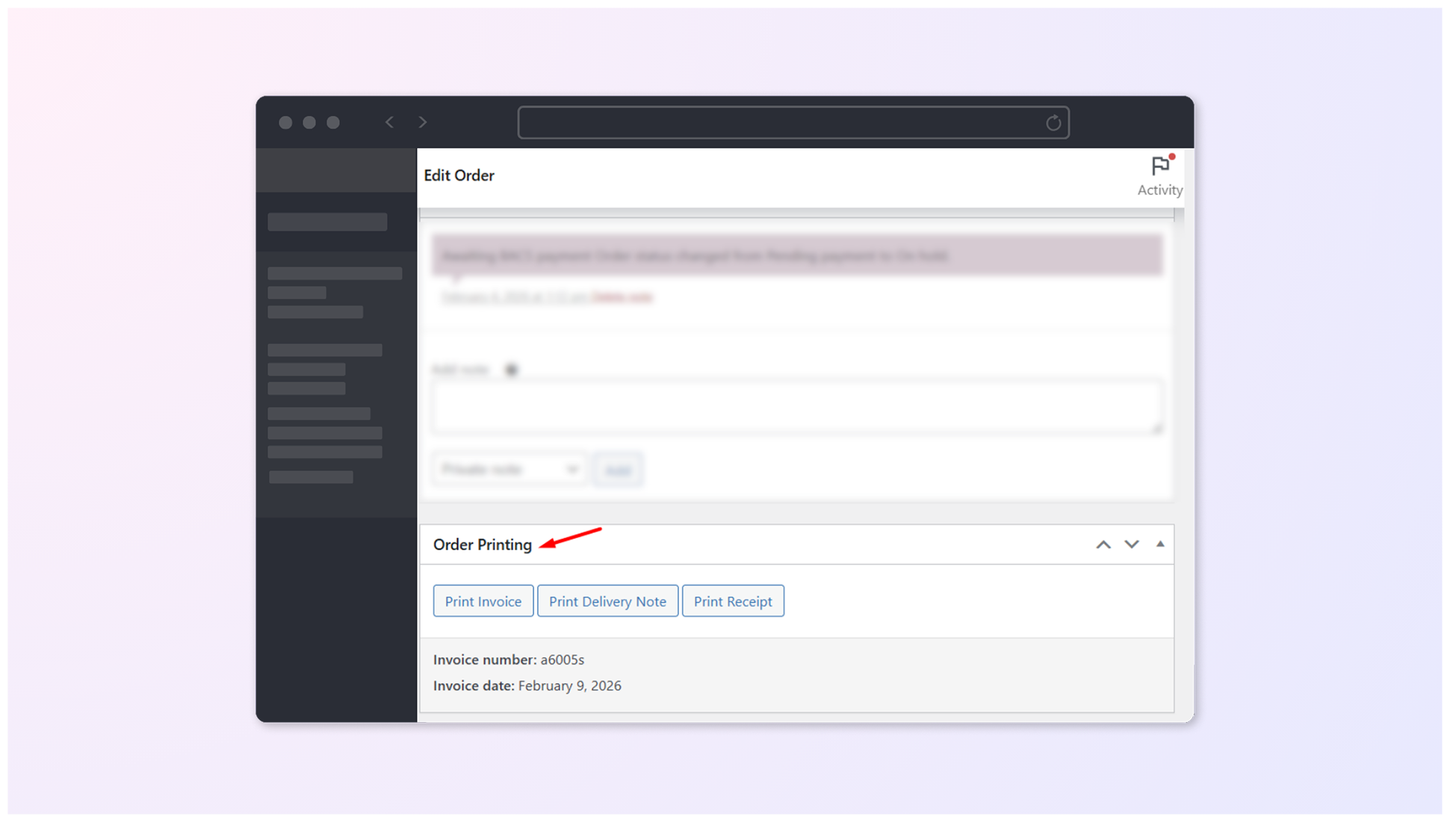
  • One-Click Printing: Streamline your workflow by printing Invoices, Delivery Notes, and Receipts directly from the “Order Edit” side panel. No extra clicks, no page reloads.
    Example: While checking the details of an order, click “Print Delivery Note” in the side panel to instantly generate the invoice for your packing team.
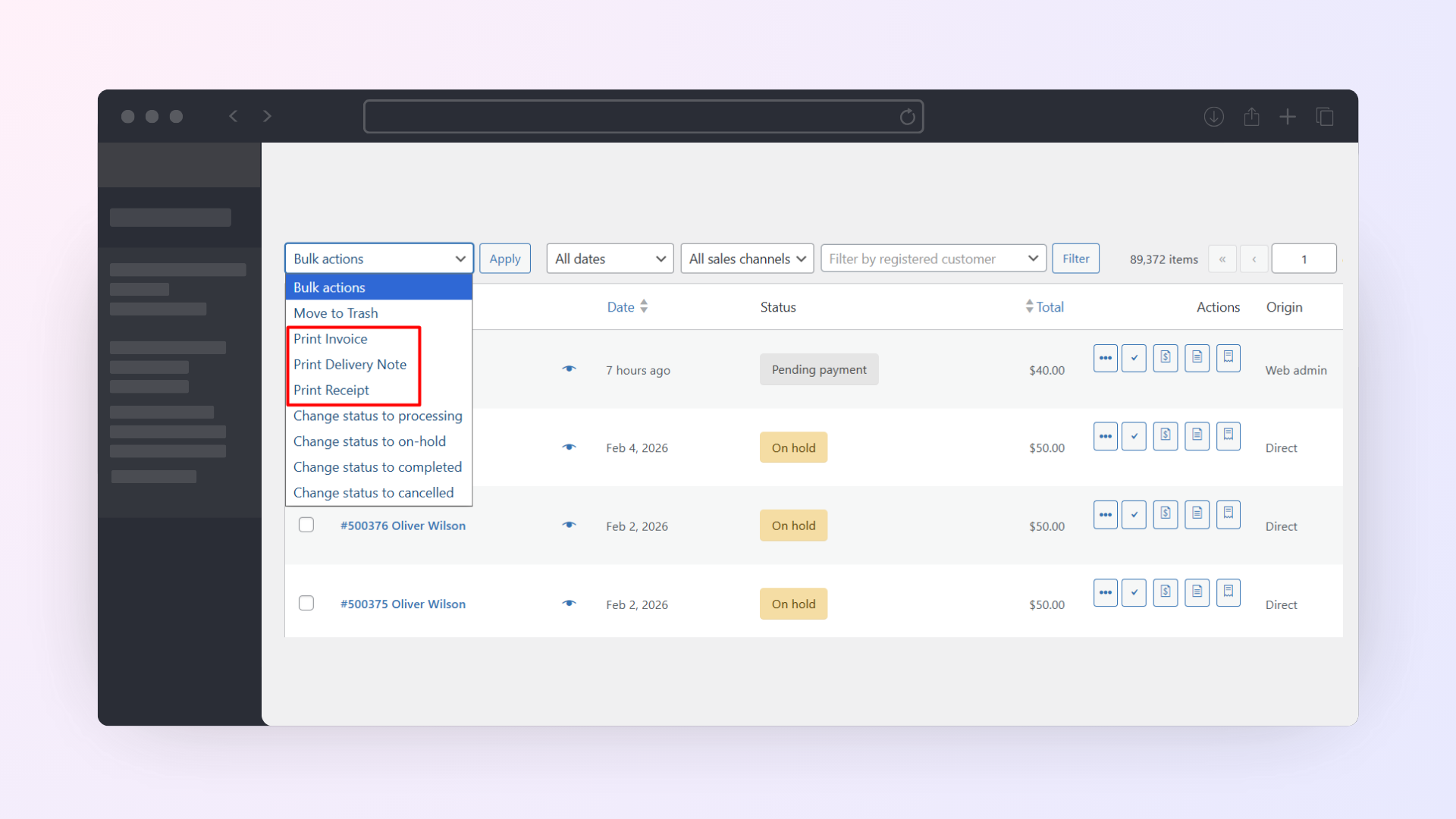
  • Bulk Actions: Save hours on high-volume days. Select 50+ orders from the main “Orders” page and print all their documents in a single batch.
    Example: Select all 50 orders marked as “Processing” and print their Delivery Notes in one click.

Professional Invoice Branding & Customization Made Simple
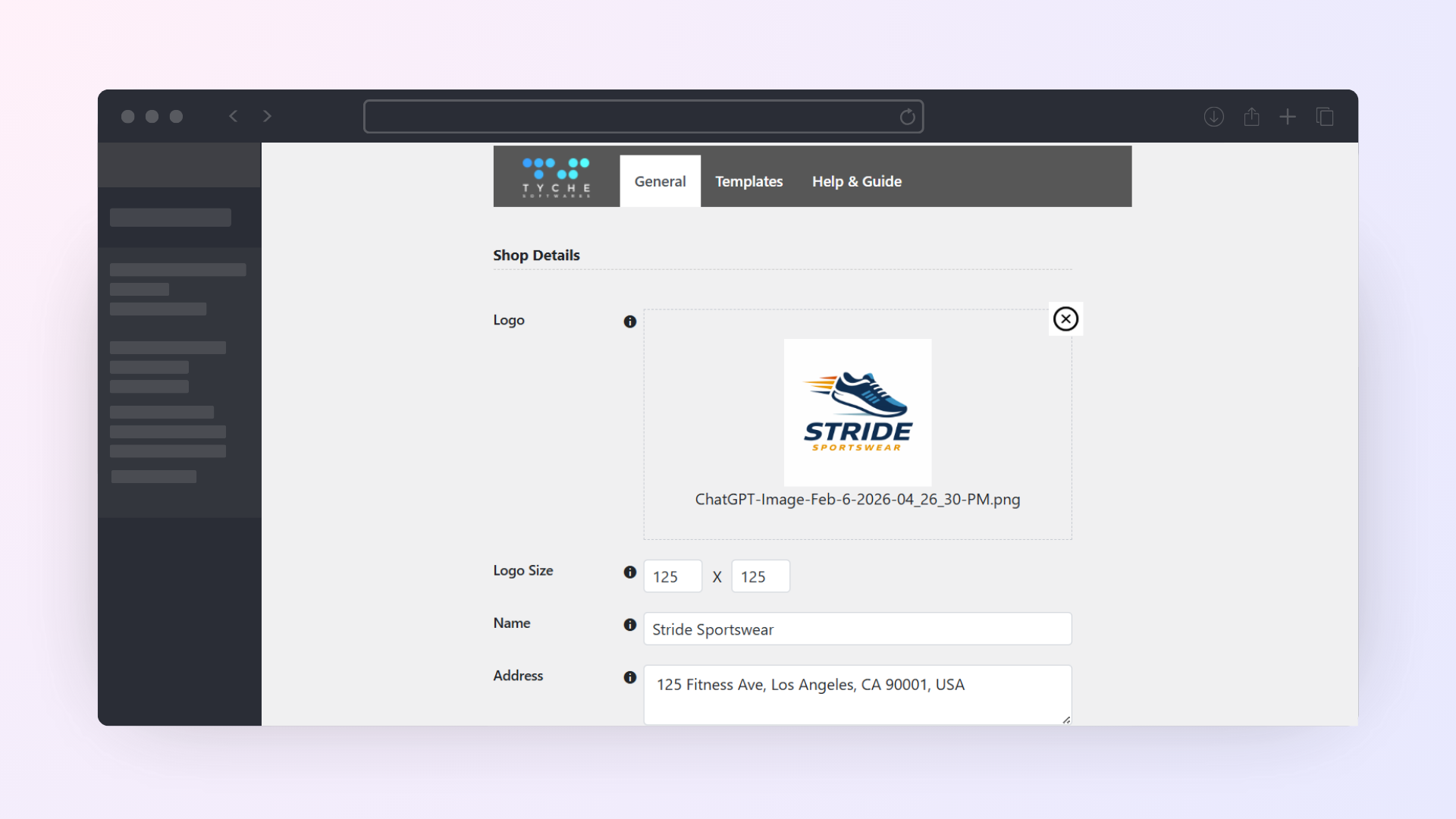
  • Your Brand, Front & Center: Easily upload your logo, adjust its size, and configure your shop address. Two pre-built, professional layouts ensure your documents look crisp out of the box.
    Example: Add your logo to the top-left corner and your shop address in the footer to ensure your brand looks established and trustworthy.
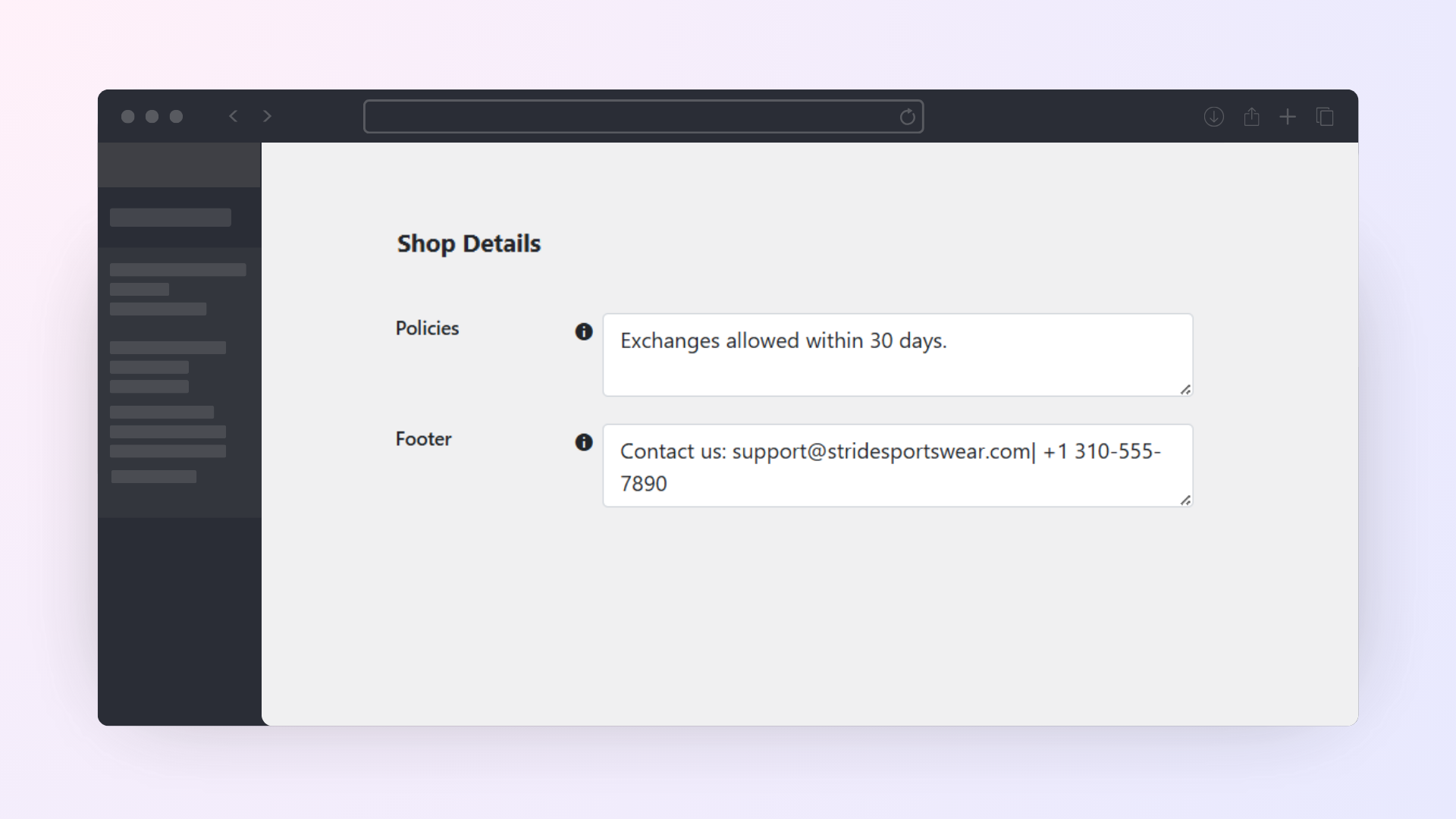
  • Communication that Counts: Reduce post-purchase anxiety by adding refund policies, personal “Thank You” notes, and custom footer imprints directly onto your invoices.
    Example: Automatically add a footer note saying, “Thank you for supporting our family business! Returns accepted within 30 days of purchase.”
  • Physical Store Ready (POS): Print Invoice and Delivery notes plugin helps you generate dedicated Receipts — perfect for physical stores, pop-up shops, or over-the-counter pickups.
    Example: When a customer selects “Local Pickup,” print a receipt to hand to them along with their bag.

A Smoother Customer Experience

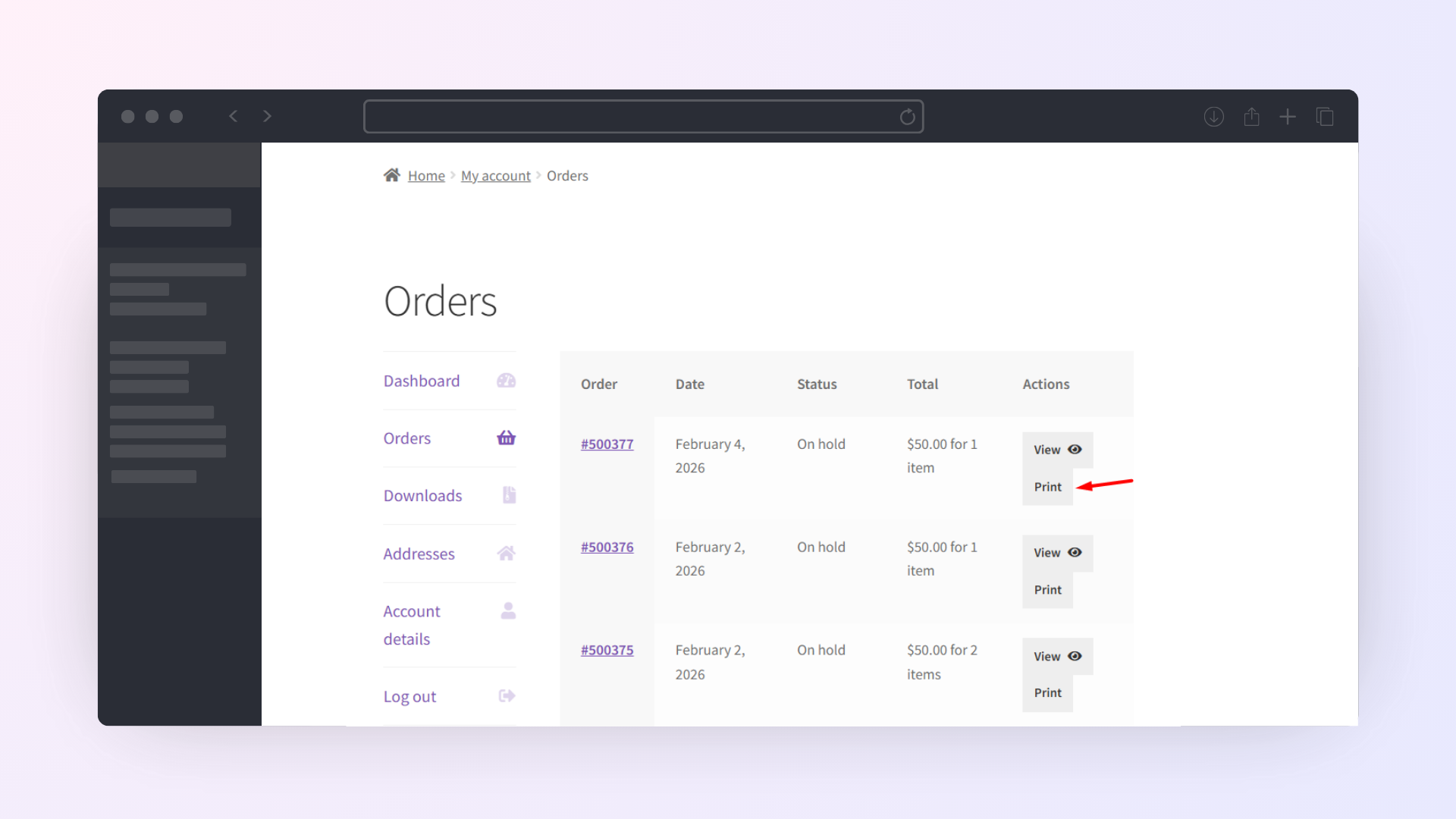
  • Customer Self-Service Invoice Downloads: Reduce “Where is my invoice?” support tickets. Registered customers can download their own historical invoices directly from their “My Account” page.
  • Automated Email Attachments: Set it and forget it. Automatically attach invoice links to your “Order Completed” emails, ensuring your customers receive their records instantly. You can also attach the invoice PDFs to the admin emails for internal purposes.
    Example: Configure the plugin to automatically attach an Invoice link to the “Order Completed” email, ensuring the customer gets their receipt the moment the item ships.
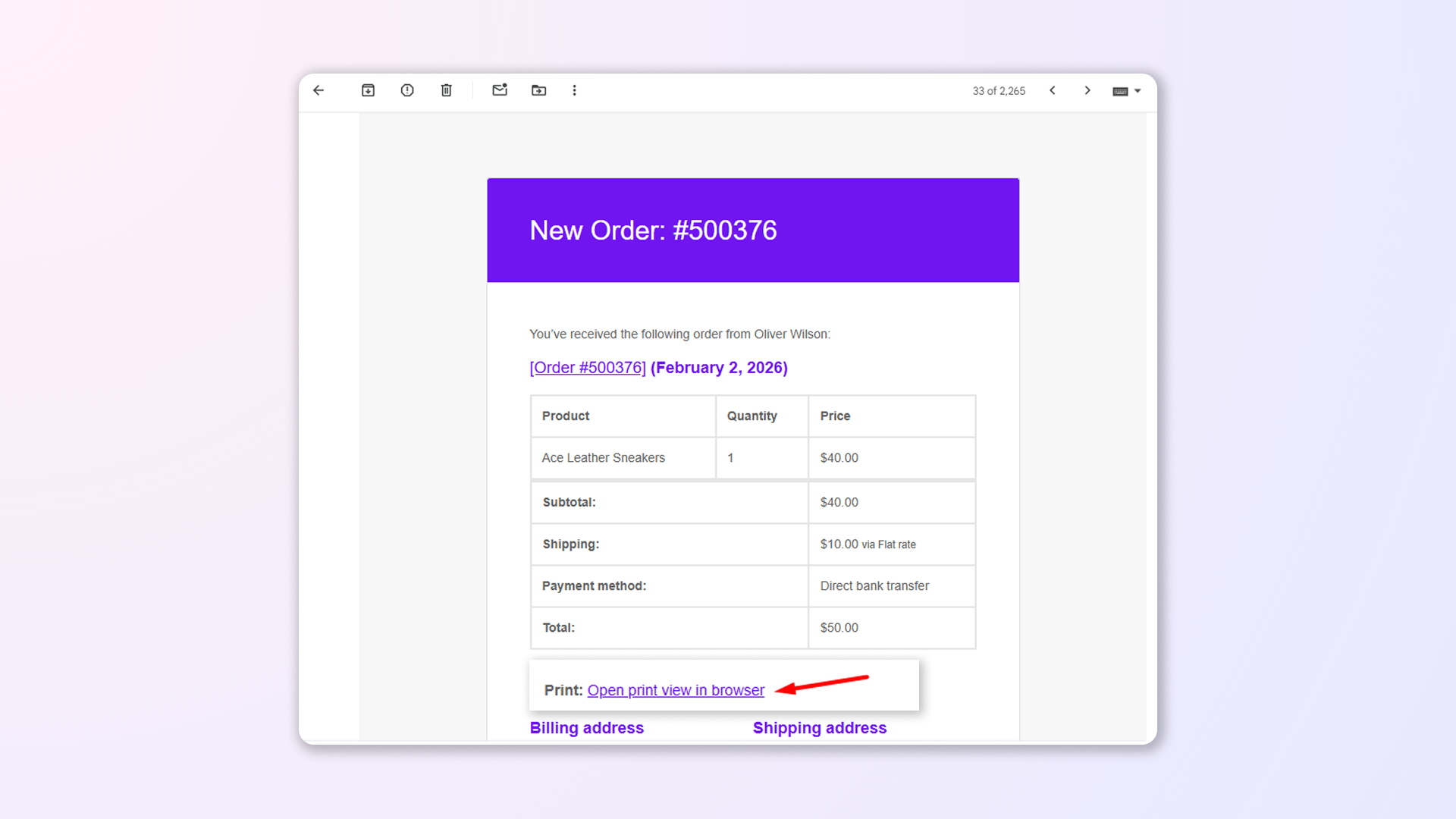
  • Guest-Friendly: Users who purchased on your store without creating an account (Guest Users) can simply click the “Print Invoice” link inside their Order Confirmation email to download their receipt, without ever needing to create a store account.

Smart Invoice Management & Compatibility
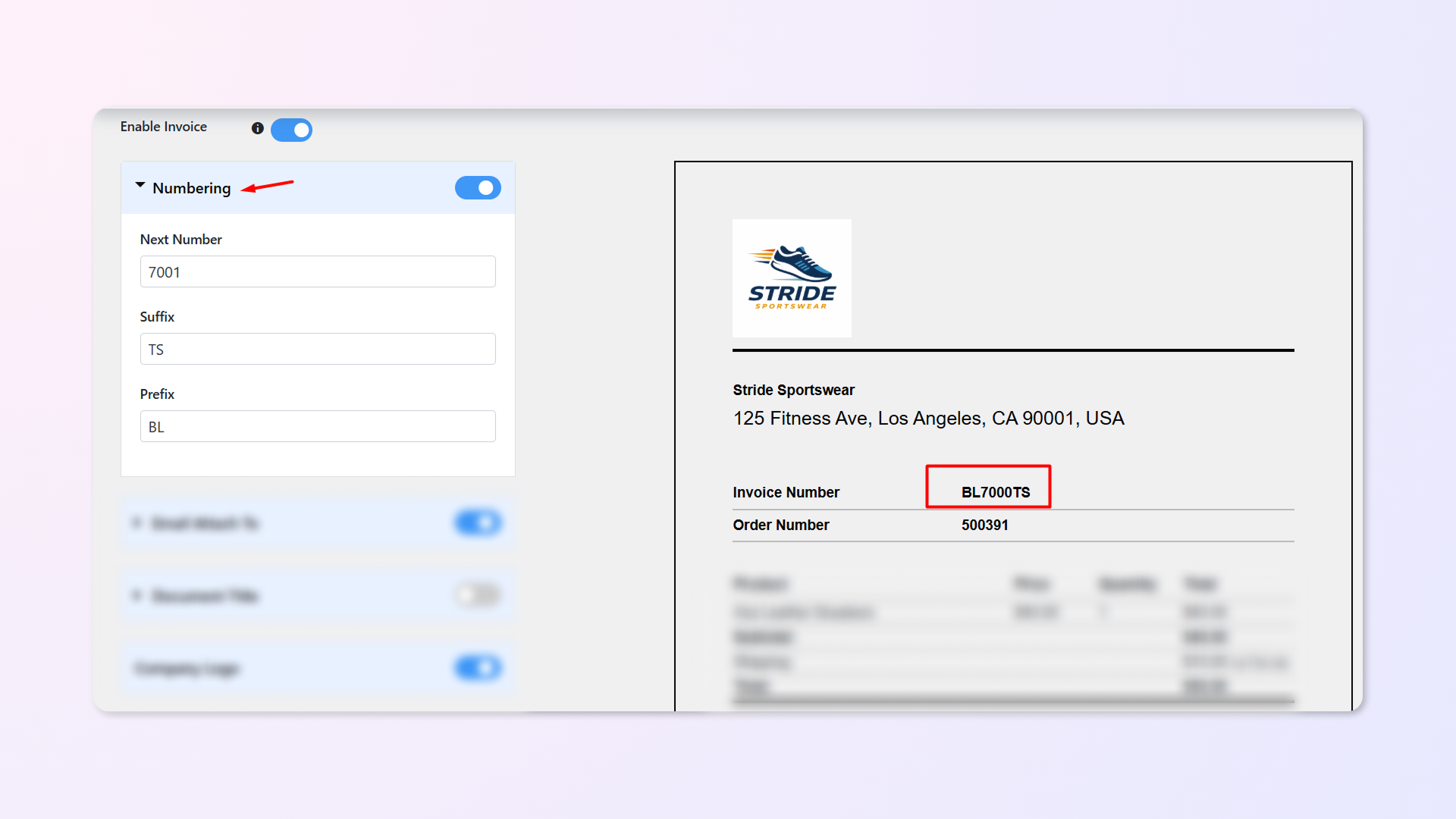
  • Supports Sequential & Custom Order Numbers: Seamlessly handles your existing numbering structures. The plugin fully supports sequential order numbers and allows you to add custom prefixes and suffixes to match your branding.
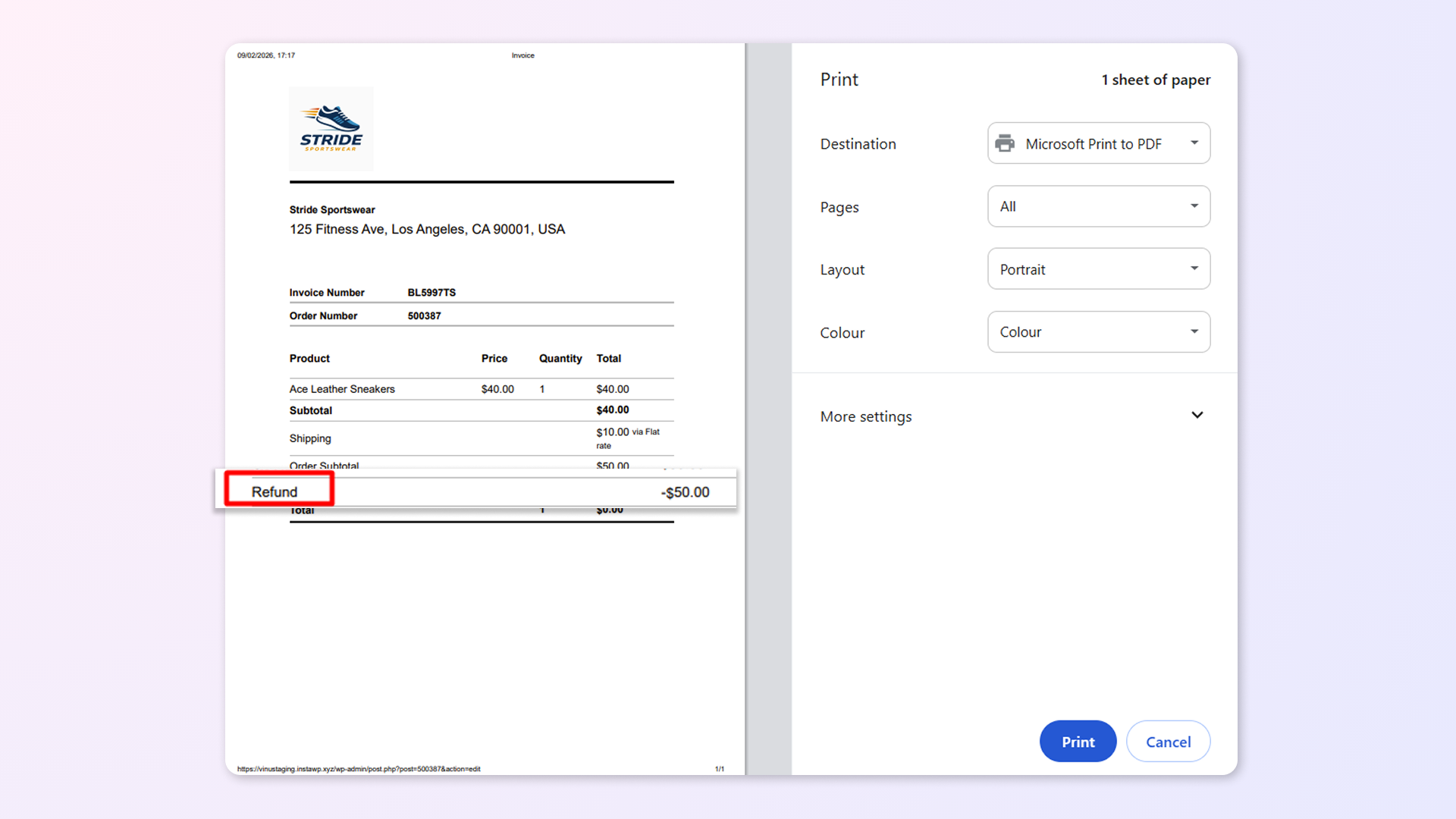
  • Full WooCommerce refund system support: Never worry about unbalanced books when returns happen. The Print Invoice and Delivery Notes plugin fully supports the WooCommerce refund system, ensuring your documents reflect accurate financial data.
    Example: If a customer returns a $50 shirt from a $200 order, the printed invoice or credit note will automatically reflect the refunded amount and the new total, keeping your financial records accurate.
  • Developer Support & Extensibility: Built for flexibility. Developers can utilize a robust set of hooks and filters to deeply customize templates, modify invoice numbering logic, and control data output without breaking core functionality.
    Example: Use a filter to programmatically change the invoice number format specifically for wholesale orders, or use a hook to inject custom CSS for a completely unique brand layout.

Frequently asked questions

Can invoices be generated and downloaded as PDFs?

Yes. When you print an invoice, delivery note, or receipt, it opens in PDF format in the browser. You can print it directly or save it as a PDF on your device.

Are invoices automatically sent to customers after an order is placed?

The plugin can automatically include a print invoice link in WooCommerce order emails sent to customers after an order is placed or when the order status changes. Customers can open the link to view and print the invoice.

Can customers download invoices from the My Account page?

Yes. Customers can access and print their invoices and receipts from My Account → Orders. You can show print buttons on both the My Account page and the individual View Order page.

Can admins print invoices directly from the WooCommerce Orders page?

Yes. Admins can print invoices, delivery notes, and receipts directly from the WooCommerce Orders page using the Print buttons or from inside the individual edit order page.

Can I bulk print invoices or delivery notes for multiple orders?

Yes. The plugin supports printing order invoices in bulk. You can select multiple orders from the WooCommerce Orders page and use Bulk Actions to print invoices, delivery notes, or receipts for all selected orders at once. 

Can I customize invoice, receipt, and delivery note templates?

Yes. You can customize the design and content of your invoices, receipts, and delivery notes using the plugin settings. You can also see a live preview of your changes before saving them.

Can I customize invoice fields, labels, and layout?

Yes. You can control document titles, text alignment, font size, colors, and choose which fields appear on invoices.

Can I add my brand details, such as logo, company name, and address to invoices?

Yes. You can include your company logo, name, address, footer content, policies, and closing text on all documents to ensure they match your store’s branding and business requirements.

Can I control what order and product information appears on invoices?

Yes. You can choose which details to show, including order number, invoice number, order date, payment method, billing and shipping address, customer contact details, product prices, and customer notes.

Can I show unit price, VAT %, tax amount on invoices?

Yes. The plugin displays WooCommerce tax data on invoices, including product prices and tax amounts, based on your store’s tax configuration. 

Can I display custom order numbers with prefixes and suffixes on invoices?

Yes. The plugin lets you use custom order numbers on invoices, including prefixes and suffixes, instead of default WooCommerce order IDs. 

Can I translate invoices into my store’s language?

Yes. You can translate invoices into any language using a plugin like Loco Translate. Use it to translate the text strings in the Print Invoice & Delivery Notes plugin into your preferred language. Once done, your order invoices will display correctly in your chosen language for your customers.

What happens to invoices when an order is refunded?

When an order is refunded, the refunded amount is shown on the invoice, and you can still access and print it.

Customer reviews

Related Products

Price $79 annually
Rated 3.4 out of 5 stars
Price $59 annually
Rated 3.1 out of 5 stars
Price $109 annually
Rated 2.8 out of 5 stars
Price $49 annually
Rated 4.1 out of 5 stars
Price $109 annually
Rated 2 out of 5 stars
Price $109 annually
Rated 2.3 out of 5 stars
Price $109 annually
Rated 2.6 out of 5 stars
Price $109 annually
Rated 2 out of 5 stars
Price $109 annually
Rated 2.3 out of 5 stars