

Product comparison
Subscription includes
Support
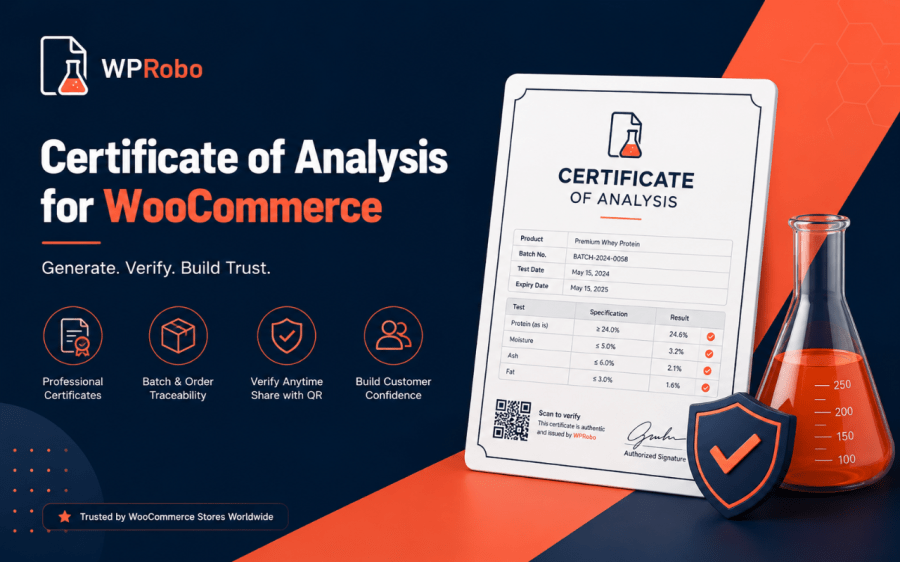
Build trust at the point of sale by showing customers the lab results behind every batch you sell. Attach a certificate of analysis to a specific batch, display the results on the product page, and let shoppers verify any batch themselves by scanning a QR code. Version 2.0 goes further: every order remembers the batches it shipped, a recall becomes a guided workflow, and expiry dates start working for you automatically.
Each certificate holds a batch number, manufacture and expiry dates, a headline result, and a full table of analytes with pass or fail badges. Link a certificate to one or more products and the results appear automatically, as a dedicated tab or below the product summary, whichever you prefer.
Every certificate generates a QR code that resolves to a public verification page. A shopper scans the code on the product or its packaging, or types a batch number into the verification search, and sees the lab results for that exact batch. Each certificate also carries a serial and a tamper-evident integrity check, and every lookup is logged so you can see how often your certificates are checked.
Every order now records the certificate batches it shipped. You see the batches on the order screen and in order emails, you can filter the Orders list by batch number, and — should you ever need to — find exactly who received a given batch.
Set a batch to recalled and the plugin shows a notice on the linked product, lists the orders that shipped it, and lets you email those customers from a single button. Recall emails are only ever sent when you choose to, and they use your WooCommerce email template so they match the rest of your store.
Turn on a daily reminder digest of certificates due to expire, optionally mark past-date certificates as expired automatically, and see totals — certificates, expiring soon, recalled, and product coverage — at a glance in a dashboard widget.
Every certificate has a branded print / save-as-PDF view, with a compact on-page template option. Logged-in customers get a “Certificates” tab in their account listing the batches they purchased, each with verify and print links.
Certificates are a custom post type, so managing them feels just like managing posts. Group them by supplier and testing lab with built-in taxonomies, attach documents from the media library, link certificates to products from either side, and move certificates in and out in bulk.
Place the certificate viewer, the verification search, or a lab-verified trust badge anywhere with Gutenberg blocks or shortcodes. Optional compliance tools — a disclaimer, an age gate, and a checkout acknowledgement that can appear only when the cart contains a certificate-linked product — are included for stores that need them.
Certificate of Analysis by WPRobo works with any product that ships with lab results or batch testing, from cosmetics and food and beverage to raw materials and industrial supplies.
Any product that comes with a certificate of analysis or batch-level lab results, for example cosmetics, food and beverage, raw materials, or industrial supplies. You define your own fields, so it adapts to whatever your lab reports.
On the product pages you link a certificate to, as a Certificate of Analysis tab or below the product summary. You can also place them anywhere with a block or shortcode.
Each certificate has a QR code and a public verification page. Customers scan the code on the product or packaging, or enter a batch number on the verification page, to see that batch's lab results.
Yes. Simple and variable products are supported, and the extension declares High-Performance Order Storage (HPOS) and block cart and checkout compatibility.
No. Certificates use native WordPress storage and load only on the product and verification pages, so there is no impact on the rest of your store.
Our support team is happy to help. Reach out through your WooCommerce.com account and we will get you sorted.
Yes. From 2.0, every order records the certificate batches it contained, shown on the order screen, in order emails, and in the customer's account.
Set a certificate's status to Recalled. The plugin shows a notice on the linked product, lists the orders that shipped that batch, and lets you email those customers from one button.
No. Recall emails are only sent when you click "Email affected customers" — never automatically — so a status change can't accidentally message your customers.
Yes. Turn on expiry and retest reminders and you'll get a daily digest of certificates due to expire within a window you choose. Past-date certificates can also be marked expired automatically.
Yes. Each certificate has a branded "Print or download (PDF)" view they can save from the browser — no separate PDF plugin needed.
Yes. Link a different batch to each variation, and shoppers get a prompt that jumps to — or opens in a pop-up — the certificate for the option they selected.
Logged-in customers get a "Certificates" tab in My Account listing the batches they purchased, each with verify and print links.
Yes. Export all certificates to CSV and re-import with an "update existing" option, so you can edit in a spreadsheet and push changes back.
Each certificate carries a serial and a tamper-evident integrity check shown on the verification page, plus a new analytics screen showing how often certificates are checked.
Yes. The Orders list has a batch-number filter, and the Certificates list has batch search with Batch and Status columns.
Extension information
Quality Checks
Countries







