


Subscription includes
Support
Zapier Connector for WooCommerce is a two-way Zapier integration for WooCommerce stores. Store events such as a paid order, a failed subscription renewal, or a product running low on stock reach your Zaps as they happen. Zaps can create, update, and look up orders, products, customers, coupons, and notes in return. Every delivery and every change Zapier makes is recorded in an activity log inside WooCommerce, with automatic retries and a resend button, so when a Zap goes quiet you can find out why in a minute instead of guessing.
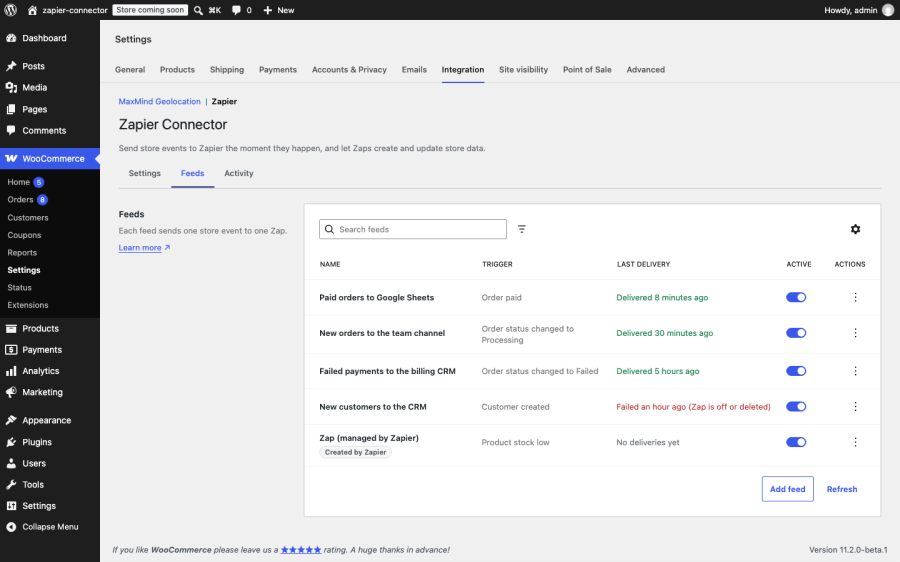
Each event is queued the moment it happens and sent through the WooCommerce queue, with no polling interval to wait for. Triggers cover:
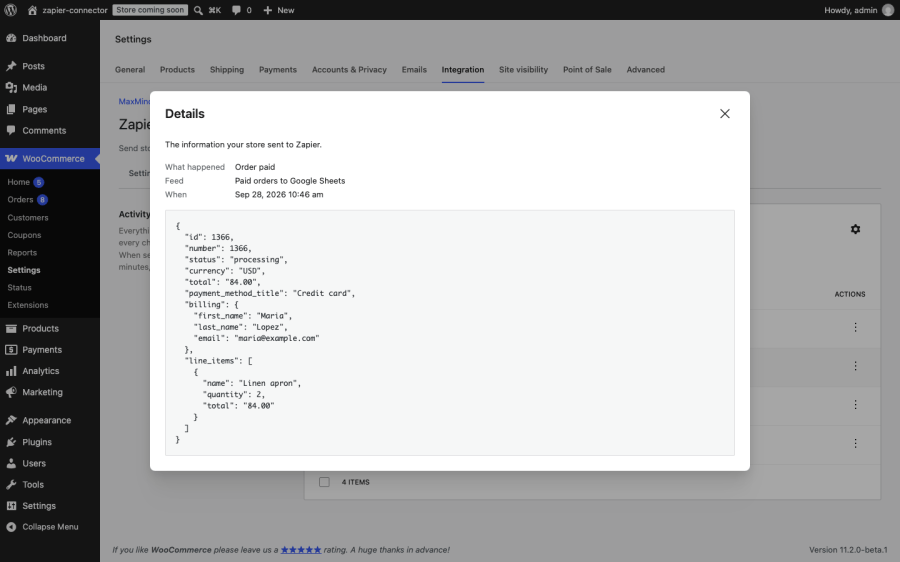
Every delivery carries the item as your store’s WooCommerce REST API describes it, so the fields you map in Zapier match the ones WooCommerce uses everywhere else.
Zaps can create and update orders, products, customers, coupons, order notes, subscriptions, subscription notes, user memberships, membership plans, and bookings. They can find a customer by email, a product by SKU, a coupon by code, an order by number (including numbers from sequential numbering plugins), and a subscription or membership by customer. Actions use the WooCommerce REST API’s own field names, so anything the API accepts, an action accepts.
The Activity tab lists every delivery to Zapier and every change Zapier made to your store. Search by order number, event, or message. Filter by status, direction, event, feed, and date. Open any entry to see the exact data sent or received. Failures say what went wrong in plain words, such as “Zap is off or deleted” or “Zapier could not be reached”, instead of a bare error code.
A feed that fails five times in a row pauses itself and records why, so your store stops calling a Zap that was deleted in Zapier. Switch it back on with one click once the Zap is fixed. A master switch pauses every outbound automation at once, for a migration or a bulk import, without deleting anything.
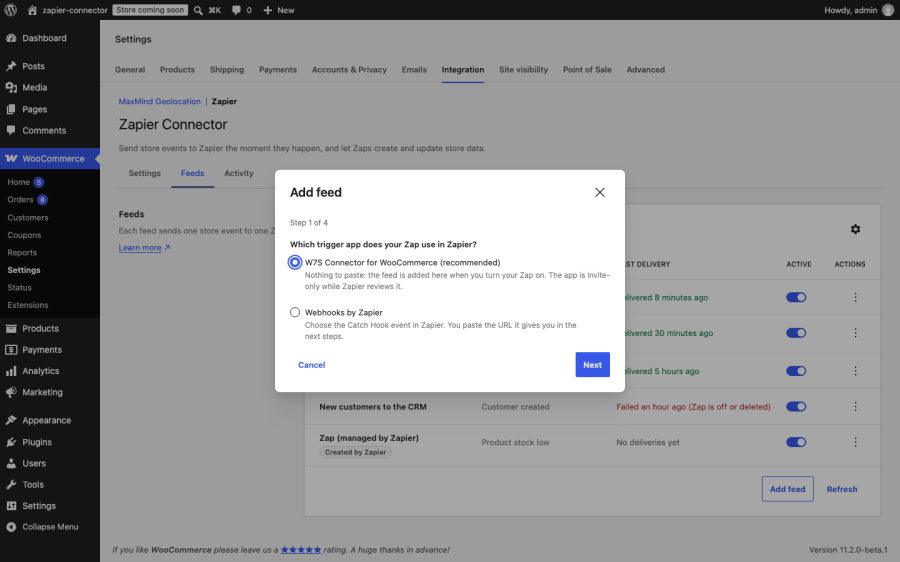
Use the W7S Connector for WooCommerce app on Zapier and there is nothing to paste: turning a Zap on adds its feed to your store, and turning it off removes it. Or use the “Webhooks by Zapier” Catch Hook trigger with the Add feed wizard, which walks you through the trigger, the URL, and a sample delivery so Zapier has real fields to map.
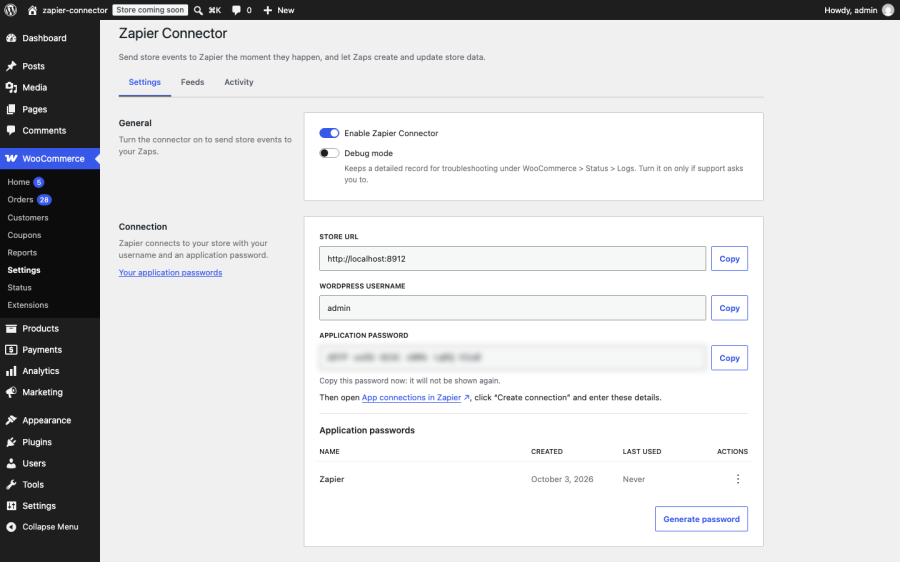
Generate the application password Zapier signs in with right on the settings screen, copy your store URL and username beside it, and revoke the password there when you no longer need it.
Thirteen tools are registered with the WordPress Abilities API, so an AI assistant connected through MCP for WooCommerce can answer “is Zapier working?”, find the delivery for a specific order, resend it, and manage feeds in conversation.
Stores that run on Zapier automations. If paid orders feed your accounting, your CRM, or a spreadsheet, the activity log shows every delivery and the resend button fills any gaps after an outage.
Subscription and membership businesses. With WooCommerce Subscriptions or WooCommerce Memberships active, renewals, failed payments, switches, and membership changes each have their own trigger, and Zaps can update subscriptions and memberships in return.
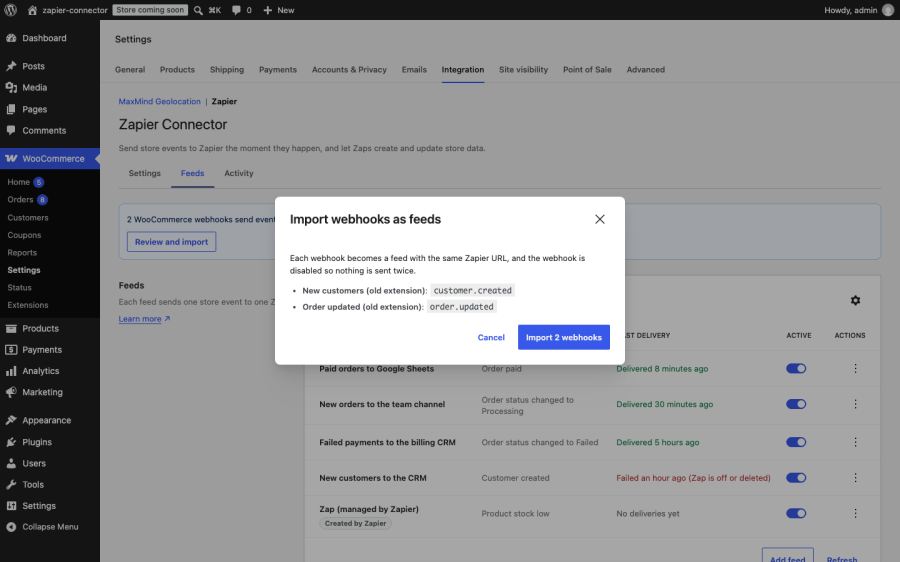
Stores moving from another Zapier extension. The importer carries existing Zapier webhooks across as feeds, so your triggered Zaps keep running while you switch.
Agencies managing client stores. Plain-language failure reasons, a searchable log, and a status section built for support conversations make it quicker to answer “why didn’t my Zap fire?” across several stores. Multisite networks are supported, with separate feeds and logs per site.
There are several ways to get WooCommerce data into Zapier. The right one depends on whether you want a dedicated Zapier integration, a general WordPress automation plugin, or the free webhooks built into WooCommerce.
| Zapier Connector for WooCommerce | Zapier Integration for WooCommerce (Tectalic) | WooCommerce built-in webhooks | Uncanny Automator | |
|---|---|---|---|---|
| What it is | Dedicated two-way Zapier integration | Dedicated two-way Zapier integration | Webhooks in WooCommerce core | General WordPress automation plugin with webhook support |
| How you connect to Zapier | W7S Connector app on Zapier, or Webhooks by Zapier | Its own public app on Zapier | Webhooks by Zapier Catch Hook URL | Webhooks, inside Automator recipes |
| Triggers | Orders, products, customers, coupons, notes, Subscriptions, Bookings, and Memberships, with one trigger per status | Orders, products, customers, coupons, notes, Subscriptions, Bookings, and Memberships | Created, updated, deleted, and restored for orders, products, customers, and coupons | WooCommerce triggers in recipes; many are Pro-only |
| Actions from Zapier | Create, update, and find across the same resources | Create, update, and find, plus dedicated price and stock updates | No | Limited |
| Delivery log in WooCommerce | Searchable log with payloads, bulk resend, and plain-language failure reasons | Task history screen in WooCommerce | Delivery results in WooCommerce logs | Recipe logs |
| Automatic retries | Yes | No | No | Yes |
| Import existing Zapier webhooks | Yes | No | No | No |
| AI assistant access | Yes | No | No | No |
Tectalic’s Zapier Integration for WooCommerce is the established choice, with a public Zapier app and a large install base. WooCommerce’s built-in webhooks cost nothing and suit simple one-way sends. Uncanny Automator suits stores that want automations built inside WordPress and only use Zapier occasionally. Zapier Connector for WooCommerce is built for stores that want a dedicated Zapier integration with a delivery log they can search, retry from, and resend from, and an easy way to move over from the webhooks they already have.
If you deactivate it, queued deliveries are cancelled and your feeds, settings, and log are kept for when you reactivate. If you delete it, it removes its settings, feeds, log, and scheduled tasks, and revokes the application passwords it created for Zapier.
Categories
Extension information
Quality Checks
Countries







