Product Icon

Extend B2B - Quick Order for WooCommerce

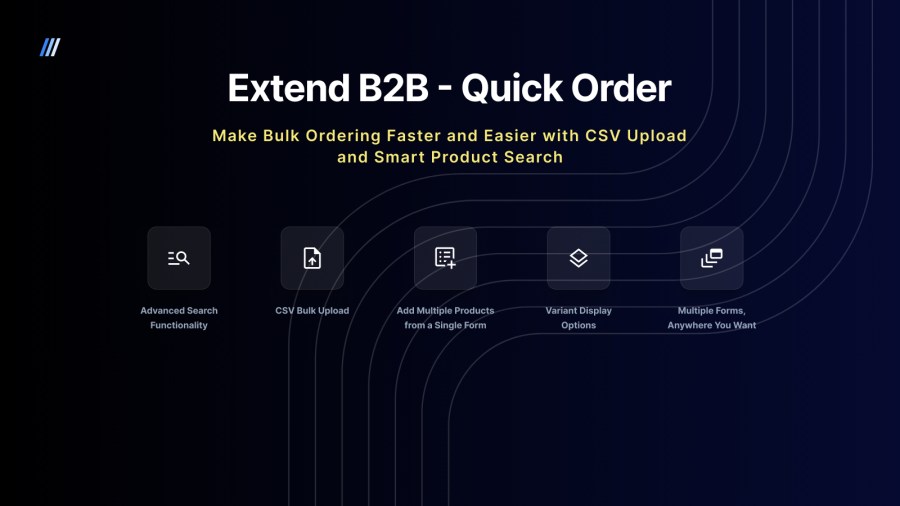
Boost your store’s efficiency with the Extend B2B - Quick Order plugin, designed to make bulk purchasing faster and easier for your customers. Whether you're managing a B2B wholesale business or a high-traffic B2C store, this extension allows customers to quickly add products to cart via CSV upload or search for products, select variants, and add them to their cart—all within a single, easy-to-use form. 
Choose a billing option
$49
Save 20%
$98 $78.40

Subscription includes

  • Product updates and improvements
  • Customer support
  • 30-day money-back guarantee

Why Choose Quick Order?

  • Place Bulk Orders Faster – Skip the endless catalog scrolling

  • Smart Product Search – Find products instantly by name, SKU, or variation.

  • CSV Upload Support – Let buyers upload their order lists and skip manual entry.

  • Customizable & Flexible – Multiple form instances, hide categories, customize labels, and more.

  • Built for B2B – Works seamlessly Codup’s B2B plugins i.e., Extend B2B – Catalog, Extend B2B – Price List, Extend B2B – Quotes, Extend B2B – AIO.


Key Features

Advanced Search Functionality

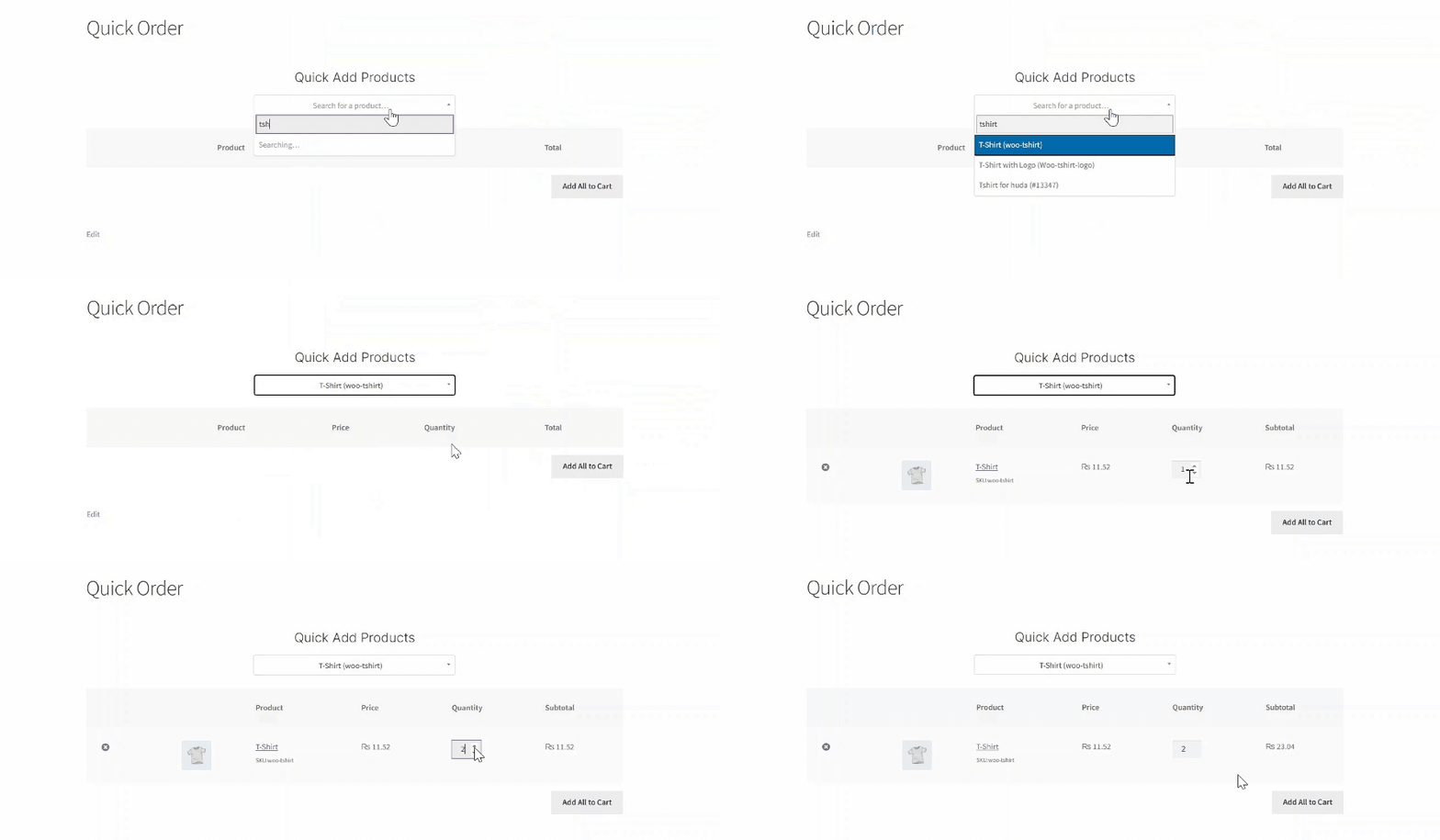
Quickly locate products using names, SKUs, or even specific variants. Our smart search displays instant results with real-time variant selectors, so customers can choose the variations without leaving the table. Fast, efficient, and built for bulk buyers.
CSV Bulk Upload

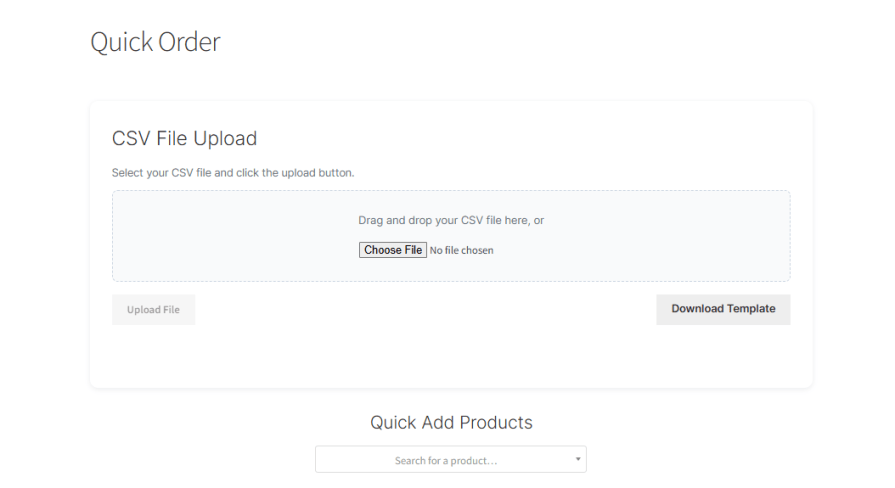
Tired of customers sending order lists by email or entering products one by one? Now they don’t have to. With our CSV Bulk Upload features, buyers can simply drop in their product list. Our system will instantly processes the file, maps products accurately, and adds them to a temporary order list for review.
Add Multiple Products from a Single Form

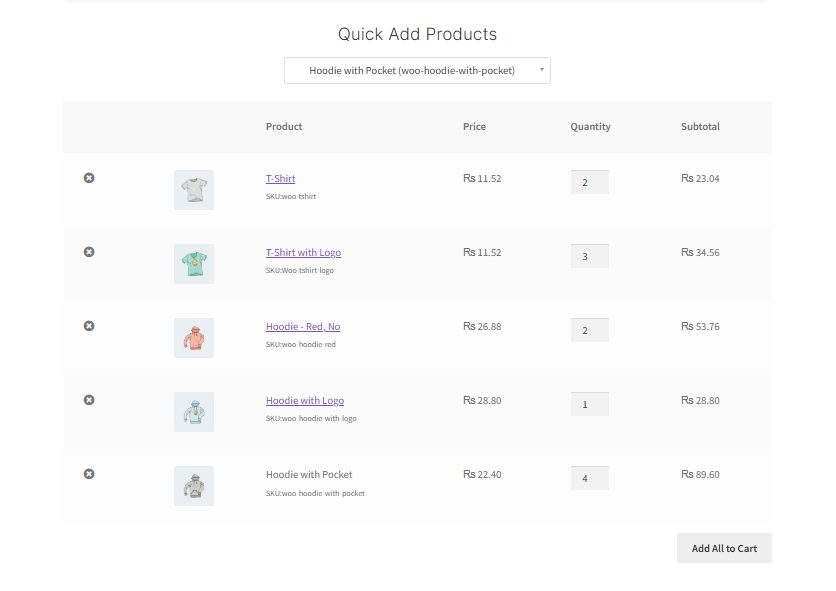
Give your customers a seamless ordering experience. With a single, unified form, they can search for products, select variations, set quantities, and add multiple items. No more jumping between product pages. Just search, add, and submit.
Now with Variant Display Options!

Easily control how your product variants appear—display them separately in search results or group them under the parent product for a cleaner, more organized layout. Tailor the shopping experience to suit your store’s needs!

Customize the Experience

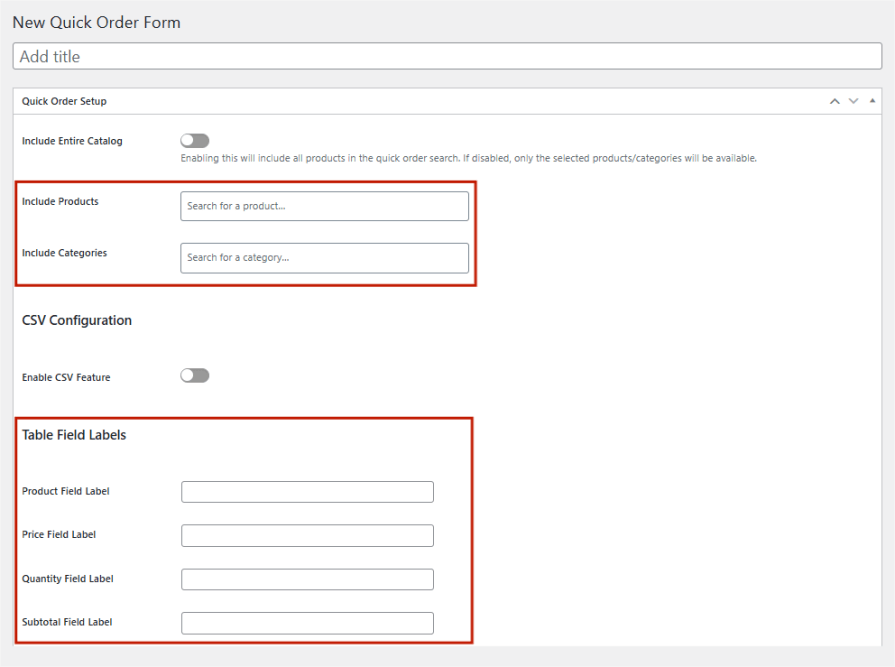
Tailor the Quick Order form to reflect your brand identity. Personalize headings, labels, and control what appears in the search results. Hide specific product categories to streamline the buying process and keep it relevant for your customers.
Multiple Forms, Anywhere You Want

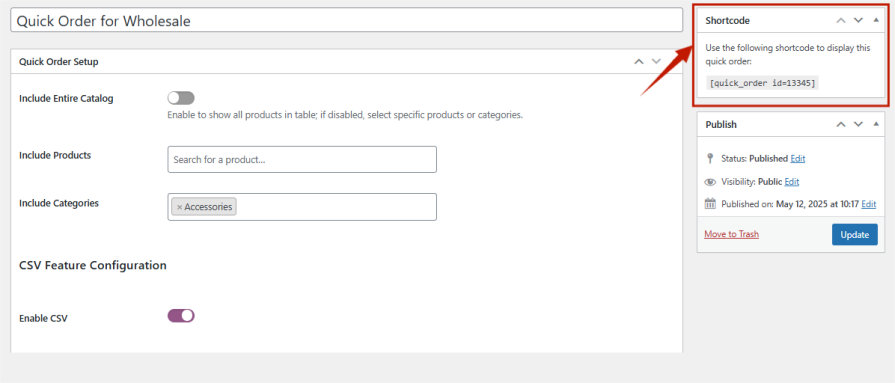
Generate unique Quick Order forms using shortcodes and embed them on any page of your store. Customize each form to match different customer segments, product lines, or campaigns with ease.

Frequently asked questions

How do I display the Quick Order Form on my website?

In the wooCommerce admin side, go to Pages > Add New or edit an existing page.

  • Paste the copied shortcode into the content area of the page.
  • Click Publish or Update to make the form live on your website.

Your Quick Order Form will now be displayed on the page, ready for customers to use.

Can I add all my products to the Quick Order Form?

Yes, you can include all products in the Quick Order Form by enabling the option to include all products. If you disable this option, only the selected products or categories will be available in the form’s search.

I want to hide some categories of the products, Is it possible?

Yes, absolutely! While there isn’t a direct “exclude” option, you can achieve this by using the Include Categories setting in the Quick Order Form.
Simply add the categories you want to show in the Include Categories field. This way, only those selected categories will be displayed, and all other categories will be hidden by default.

How do I control how product variants appear in search results?

You have two options for displaying product variants:

  • Treat each variant as a separate product: Each variation (e.g., size, color) will be listed individually in search results.
  • Select main product, then choose variant: The main product appears once, and customers can select the variant afterward from a dropdown or options list.

Customer reviews

Average rating 3.8
4 reviews
5 stars, 50% of reviews
4 stars, 25% of reviews
3 stars, 0% of reviews
2 stars, 0% of reviews
1 star, 25% of reviews
4 reviews
  • CZ-RSS
    Rated 5 out of 5
    Support
    Jun 2, 2025
    Support
    Using the plugin for years and it meet our sites needs. In v2.0 there were some breaking changes and product search didn't work with some of my stores roles that worked previously. Contacted the developer/support and they worked with me to quickly resolve the issues for me.
    • Huda
      Jul 15, 2025
      Thank you so much for your continued support and for sharing your experience! We're glad to hear the plugin has been meeting your needs over the years
  • aja206
    Rated 1 out of 5
    Mar 15, 2024
    Most people would expect a quick order form to be...quick
    I had an expectation to be able to enter product skus, hit tab, and have it load product data automatically... at the very list the user should be able to enter an sku and click the add button...but this program expects to wait for a preview list to appear, and click entries in that list. other problems: 1. Does not work in conjunction with min/max quantities add on by the WooCommerce team (does not enforce mins or group of quantities). 2. Not mobile optimized; much of the form is just cropped on mobile view.
  • adanovawoo
    Rated 4 out of 5
    Sep 28, 2021
    When having a very large amount of SKU the autocomplete can be a little bit slow sometimes, but mainly the plugin works very good, it's easy to use and support is very reactive.
  • Admin Butcher
    Rated 5 out of 5
    May 19, 2020
    There are many quick order/product table plugins out there, this one although not super customizable (although I understand they are working on it now) it does the job for me, it's quick, and it's working, isn't it what we are all looking for! Definitely recommended (I tried the others)
    Variation choice on a separate drop down. (I contacted the support team and they said they're working on it now) Waiting for the update!

Extension information

  • PHP version required: 7.4
  • Tested with WordPress: 6.8.3
  • Tested with WooCommerce: 10.5.0
  • Requires at least WordPress: 6.5
  • Requires at least WooCommerce: 5.0

Countries

  • Worldwide

Related products

Price $79 annually
Rated 3.4 out of 5 stars
Price $279 annually
Rated 3.2 out of 5 stars
Price $59 annually
Rated 3.1 out of 5 stars
Price $109 annually
Rated 2.8 out of 5 stars
Price $49 annually
Rated 4.1 out of 5 stars
Price $109 annually
Rated 2 out of 5 stars
Price $109 annually
Rated 2.3 out of 5 stars
Price $109 annually
Rated 2.6 out of 5 stars
Price $109 annually
Rated 2 out of 5 stars




