

Active installs
10K+
Subscription includes
Support
Security is the most important concern nowadays for any website or an eCommerce store. Because of automated tools and bots your site does not perform its best. There are lots of automated tools available to make your site spammy. Therefore any website or eCommerce site must have a captcha that protects from automated bots. Google Recaptcha “I am not a Robot” provides the best protection by involving human interaction to solve the captcha. The capacity to investigate and recognize gets to by bots from people, reCAPTCHA shields mechanized programming from hurting your site. Though, legitimate clients can in any case experience this shield.
reCaptcha for WooCommerce is the best solution that provides an all-in-one captcha for WooCommerce as well as WordPress. There are easy settings given with on/off captcha on required places. The best thing about this plugin is highly built on WooCommerce as well as WordPress standard so that it can not break your site in any way.
Now featuring Cloudflare Turnstile: We understand the need for choice and better user experience. That’s why we now integrate Cloudflare Turnstile, a privacy-conscious CAPTCHA that often works without puzzles or checkboxes, making verification faster and less intrusive for your legitimate customers.
Now featuring hCaptcha:
We believe in giving you full control over your store’s security. With hCaptcha support, you can select a privacy-focused verification method that effectively blocks spam and automated abuse while maintaining a smooth user experience.
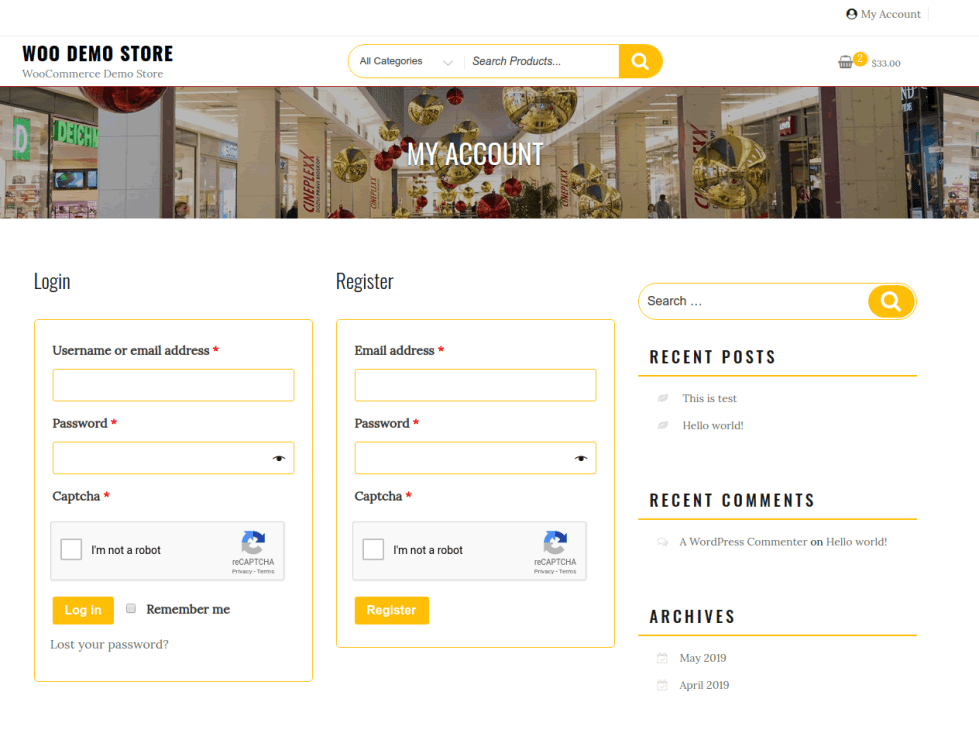
Cloudflare Turnstile
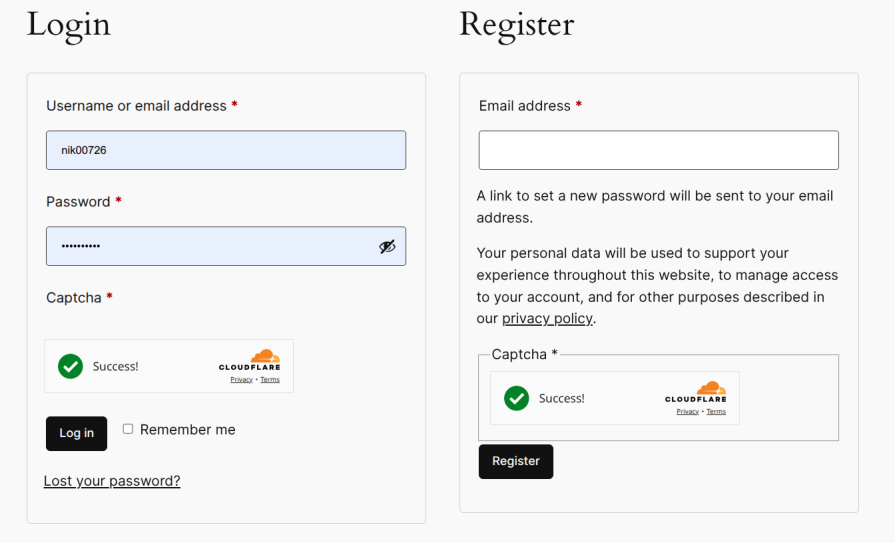
HCaptcha
New Feature
ReCaptcha for WooCommerce now supports Checkout Block reCaptcha. Click here to check the full video on ReCaptcha For Chckout Block of WooCommerce
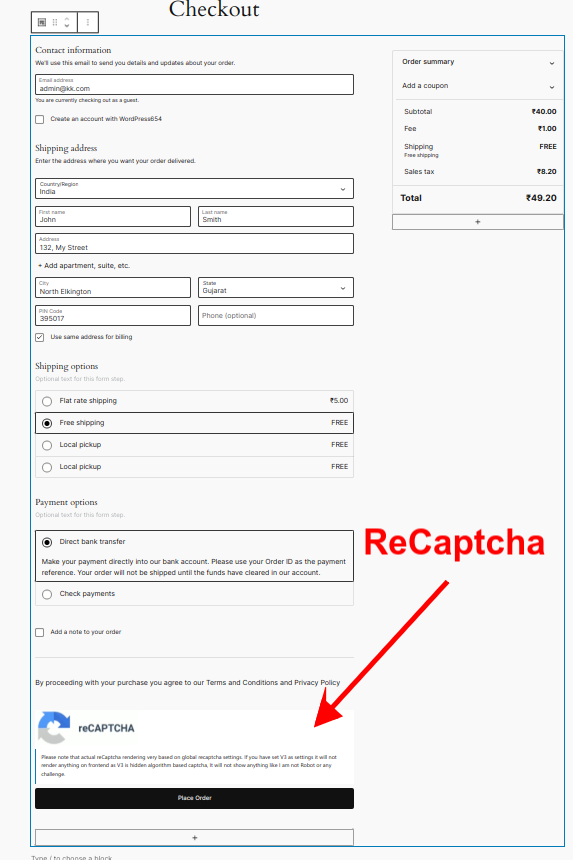
It is a plugin/extension for WooCommerce (and WordPress) that integrates Google reCAPTCHA (or enterprise reCAPTCHA) into your store — helping to block spam, bot interactions, fake registrations or orders, and unauthorized automated actions.
It supports both reCAPTCHA V2 (classic visible challenge) and reCAPTCHA V3 (invisible, background check).
Yes, It support. Click here to check the full video on ReCaptcha For Chckout Block of WooCommerce
You can enable reCAPTCHA on many WooCommerce and WordPress pages, for example: login, registration, lost password, guest checkout, logged-in checkout, payment method addition, pay-for-order, product reviews, order tracking, WordPress comments, WP login/registration, etc. It also works with some third-party forms like JetPack forms.
The plugin offers a hybrid mode — where it uses V3 by default (invisible), but falls back to V2 (visible challenge) if the V3 check fails (to prevent locking out legitimate users). This helps balance between user experience and security.
It’s recommended to enable reCAPTCHA on login, registration, checkout (guest or user), payment-method addition, order-tracking, product review/comment forms — basically, all places where bots or automated scripts can exploit forms. If you use the newer block-based checkout, ensure you enable reCAPTCHA for “Checkout Block” mode.
A modern CAPTCHA alternative that verifies users with minimal interaction and respects privacy.
Cloudflare Turnstile is offering a smoother experience for customers while still blocking bots.
hCaptcha is a privacy-focused CAPTCHA solution that helps protect websites from spam, bots, and automated abuse. It verifies whether a visitor is human by presenting a simple challenge (such as selecting specific images) only when needed.
Unlike some verification systems that rely heavily on background tracking, hCaptcha is designed to give website owners greater control over data handling while still providing strong bot protection.
Privacy-focused alternative
Uses interactive challenges when needed
Gives site owners more control over data handling
Suitable for stores prioritising compliance and flexibility
Extension information
Quality Checks
Compatibility
Countries





