Give users the ability to cancel orders and avoid costly and time-consuming product returns.
Advanced Cancel Order for WooCommerce allows users to offer the following features,
Order cancellation eligibility for users
Users submit cancellation requests or directly cancel their orders from their account pages (when configured for this option).
Guest User Support
Option for the guest users to cancel their order on the Order Thank You page.
Display Cancel Order button in Orders page
Users can cancel their order in Orders section on the My Account page.
Option to charge cancellation fees
Charge users a cancellation fee if they cancel orders (not available for cash on delivery).
Customizable Cancellation Period
Option for the site admin to set the time period(in days) within which the users can cancel their orders.
Revoke Accidentally Cancelled Orders
Users can revoke accidentally cancelled orders directly from their account page. This works only in Manual Approval mode.
Automatic refund support
Refund users directly from your site when they cancel their orders (for payment gateways with this option).
Upload Files in Cancel Order Form
Allow users to upload images & videos in cancel order form. Uploaded files will be displayed on the admin cancel order post table.
Benefits
Increase shopper trust and loyalty
Offering a convenient way to cancel orders increases your user’s trust and brand loyalty.
Avoid unwanted returns and refunds
If customers change their minds after ordering a product, they may return it after receiving it. If they can cancel instead, you and the customer can avoid the hassle of managing product returns and manual refunds.
How does Advanced Cancel Order for WooCommerce Work?
Manual Cancellation
1) A user cancels an order
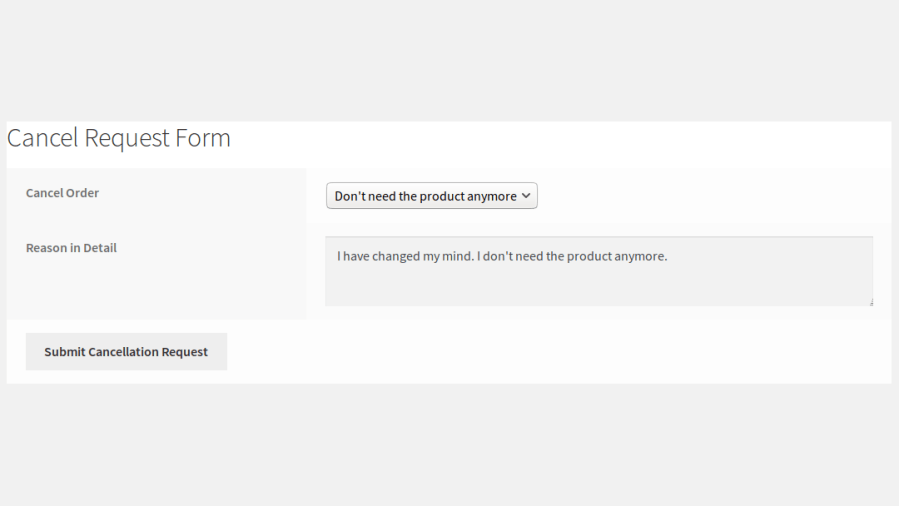
The user submits a cancellation request from their account page.
Order Cancellation Form for User
2) The admin receives an order cancellation request
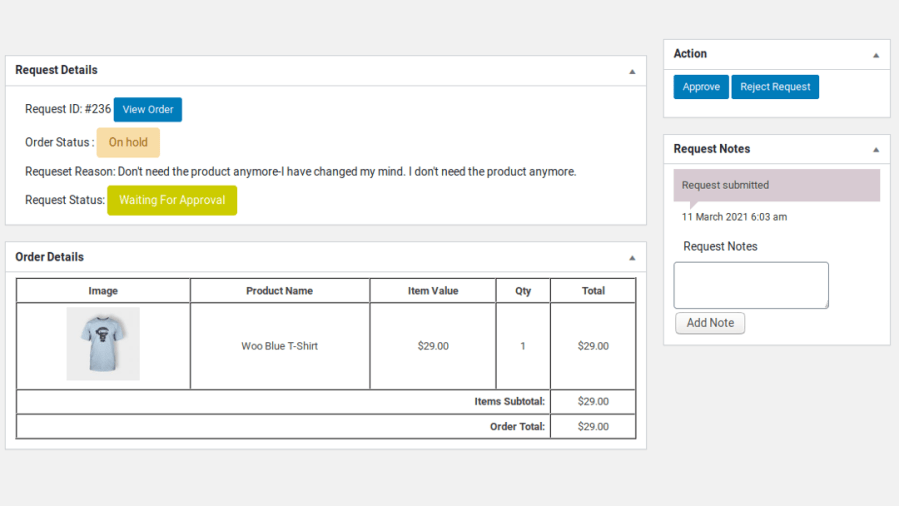
Admins are notified of cancellation requests by email. Admins approve or decline requests.
Admin Reviews the Order Cancellation Request
3) Manual order cancellation request approved
Paid orders are refunded for payment gateways where instant refunds are possible. For other payment gateways, the amount has to be refunded beyond the site.
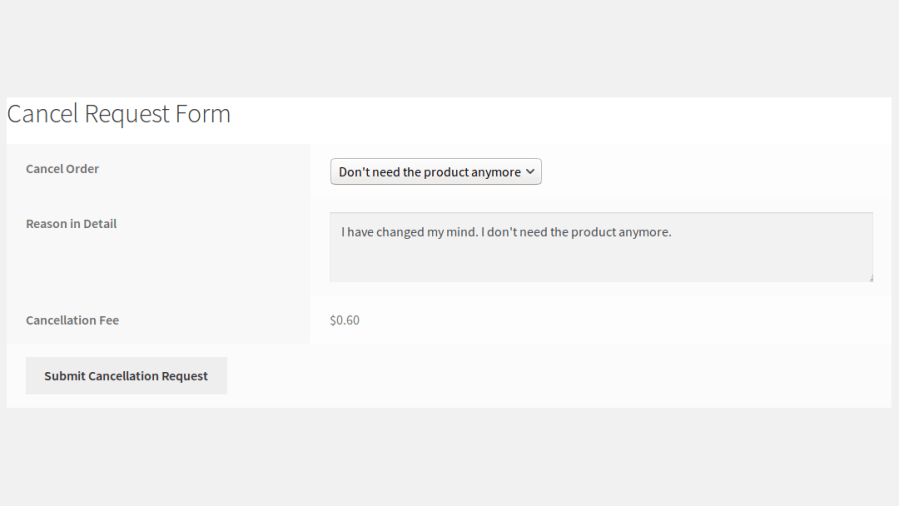
Users can also be optionally charged a cancellation fee (not available for cash on delivery) for paid orders. The cancellation fee can only be added to paid orders.
Order Cancellation Form with Fee – Manual Approval
Automatic Approval Order Cancellation
1) A user cancels an order
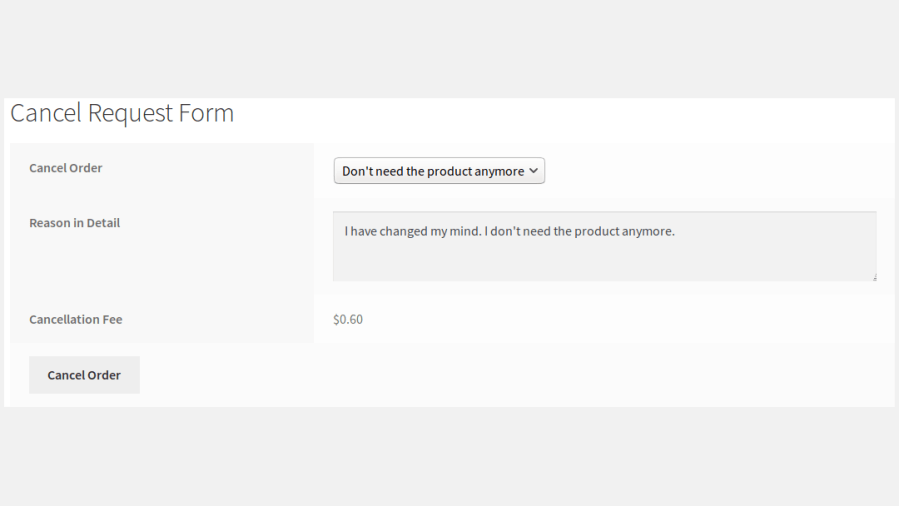
The user submits a cancellation request from their account page.
Order Cancellation Form – Automatic Approval
2) Automatic order cancellation
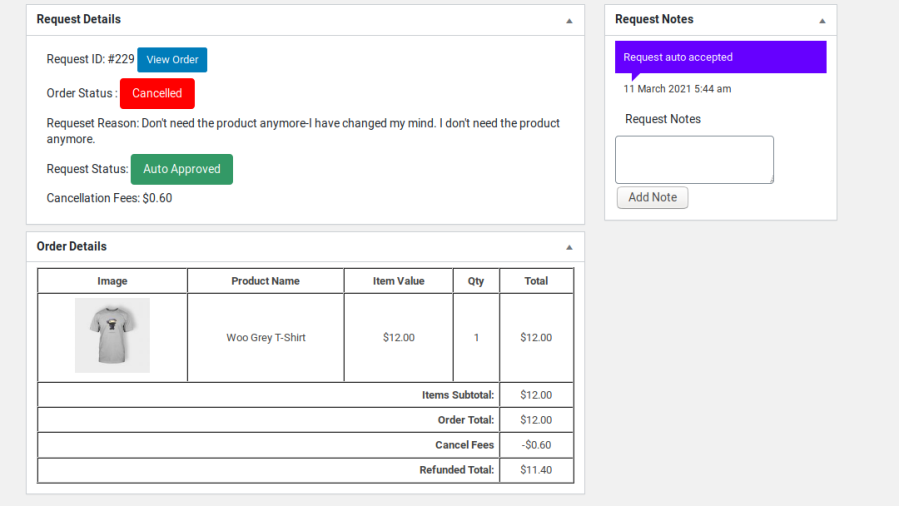
Once the request is submitted, it is automatically approved. The amount paid to the site is automatically refunded to the user (for payment gateways with this option).
Order Automatically Cancelled
3) Automatic order cancellation with a fee added
Automatically charges users a cancellation fee for paid orders (not available for cash on delivery). The cancellation fee can only be added to paid orders.
Extensive Features List
Allow users to cancel orders or submit cancellation requests.
Automatic Approval Mode for order cancellation requests.
Manual Approval Mode for order cancellation requests.
Allow users to revoke cancellation requests when Manual Approval Mode is enabled.
Guest user support for order cancellation requests.
Display the Cancel Order button on the Orders page in My Account, allowing users to quickly submit cancellation requests for eligible orders.
Set a time limit (days and hours) for users to cancel orders.
Allow users to upload images in the Cancel Order form.
Allow users to upload videos in the Cancel Order form.
Dedicated Cancel Requests post table for site admins.
Track and manage cancellation requests from the admin backend.
Refund management for cancelled orders, allowing refunds for orders paid through supported live payment gateways.
Configure eligible order statuses for cancellation requests.
Configure eligible order statuses for refunds.
Support cancellation fees for cancelled orders.
Customize cancellation fee calculations using developer hooks and filters.
Email notifications for cancellation request activities.
Customizable emails for cancellation notifications.
Advanced admin tracking for pending, approved, rejected, and refunded cancellation requests.
Mobile-friendly cancellation request form.
Localization and Messages settings available to customize frontend text.
Compatible with PO translation files for translating and customizing plugin text.
WooCommerce High-Performance Order Storage (HPOS) compatibility.
Requirements
Minimum PHP version: 5.6
Customer reviews
Average rating
4.0
3 reviews
5 stars, 50% of reviews
5
50%
4 stars, 0% of reviews
4
0%
3 stars, 50% of reviews
3
50%
2 stars, 0% of reviews
2
0%
1 star, 0% of reviews
1
0%
3 reviews
Newest
golfinguy6
Rated 3 out of 5
Jun 18, 2024
Doesn't work with Lottery products.
Seems like an easy to use plugin, but unfortunately it doesn't work with lottery plugins.
mariahjadec
Rated 3 out of 5
Mar 29, 2023
Worked well, just not exactly as described
This worked, but not exactly how I was hoping... How can I offer an automatic order cancellation service that expires EXACTLY 24 hours after the order is placed? This current plugin says the option to cancel will expire after "1 day". Instead, it removes the option from ALL orders placed before midnight (our time), NOT 24 hours, which is a big issue for us. Since someone placing at 11:55pm will literally only have 5 minutes to cancel it before the option is taken away. I have found another service with offers both automatic cancellation (not needing to be approved) AND the ability for the option to cancel to be taken away at 24 hours. So I am uninstalling this one and using the other I found...
We and our partners process your personal data (such as browsing data, IP Addresses, cookie information, and other unique identifiers) based on your consent and/or our legitimate interest to optimize our website, marketing activities, and your user experience.