

Active installs
4K+
Subscription includes
Support
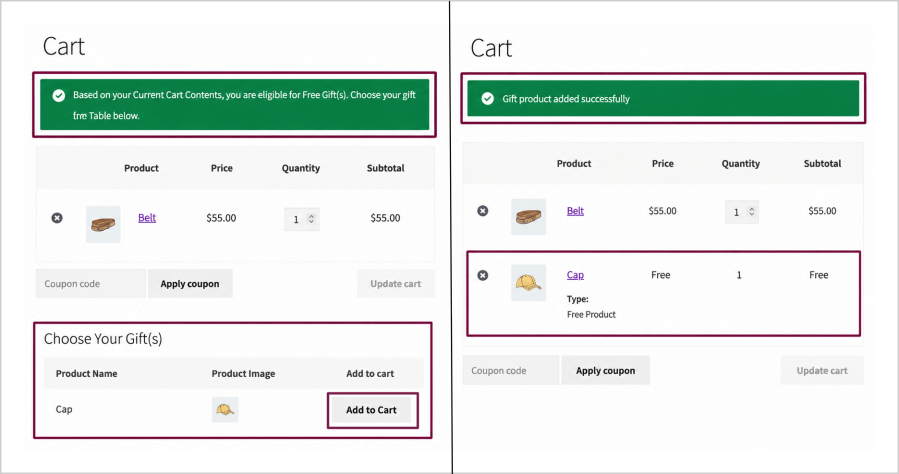
Let customers choose their preferred reward.
Customers can:
This creates a more personalized shopping experience and improves conversion rates.
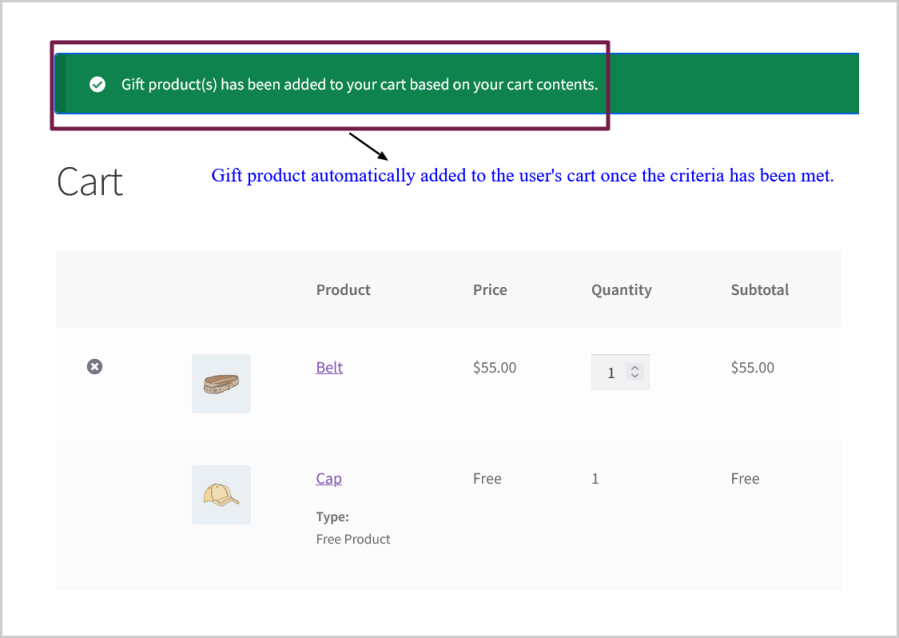
Automatically add gift products to cart when customers qualify for free gifts.
Ideal for increasing sales with zero manual work.
Manual and Automatic Free Gifts can be offered to the users based on the following conditions:
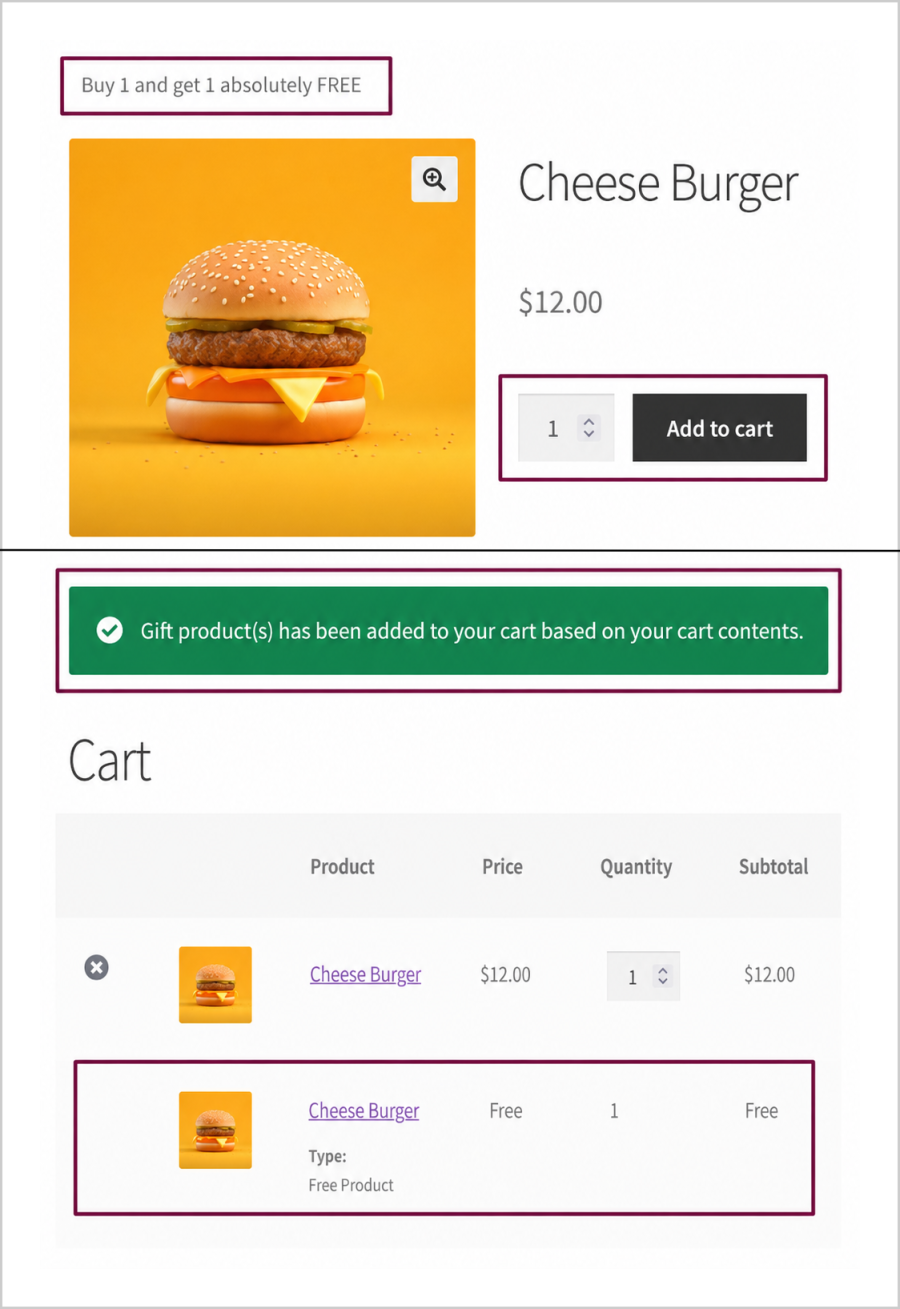
Create advanced Buy One Get One and Buy X Get Y promotions in minutes.
Examples:
Supports:
Perfect for flash sales and promotional campaigns.
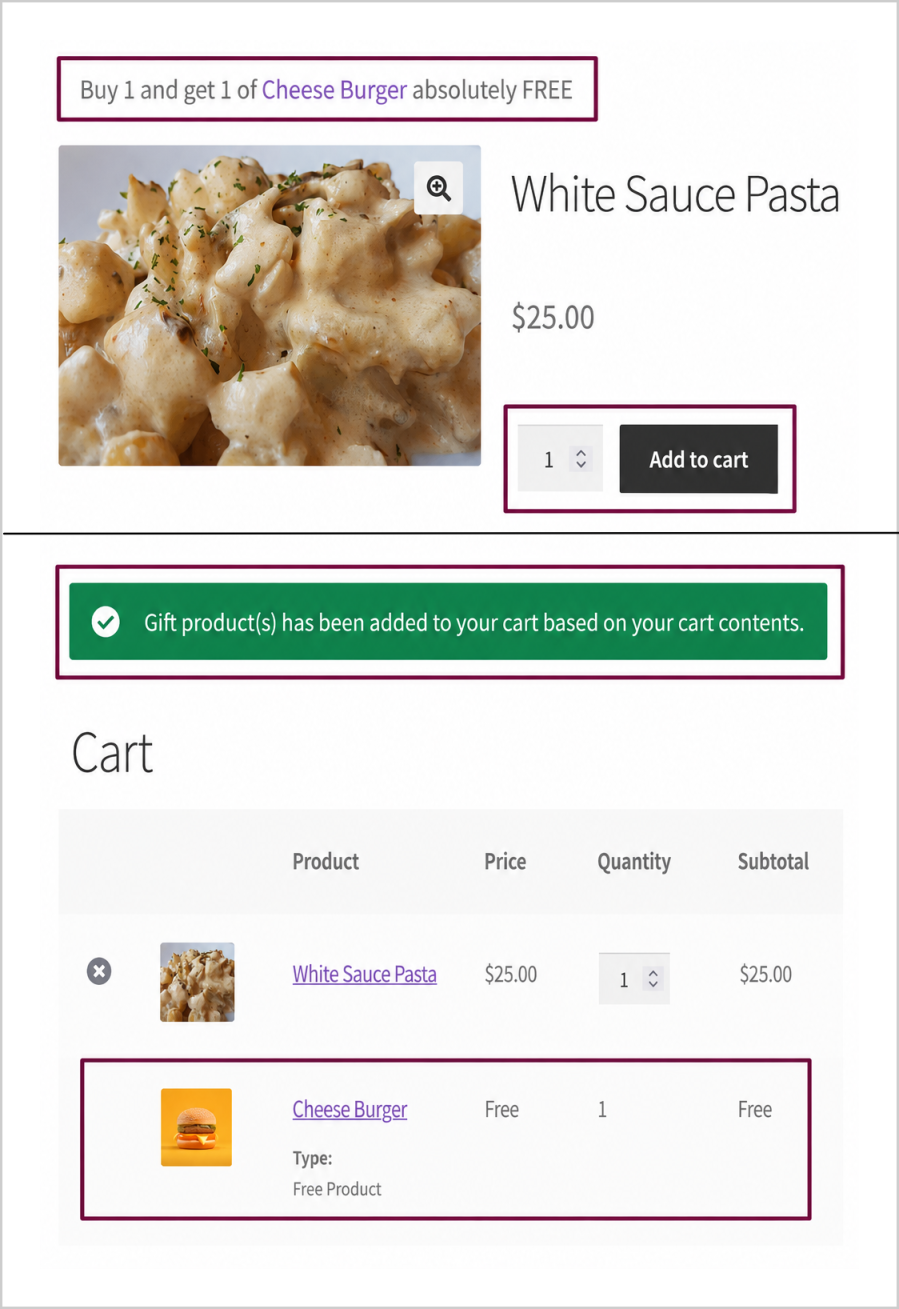
Reward customers with exclusive gift products when they apply a specific coupon code at the cart/checkout.
Supports:
Perfect for tracking marketing campaign performance and driving exclusive promotional sales.
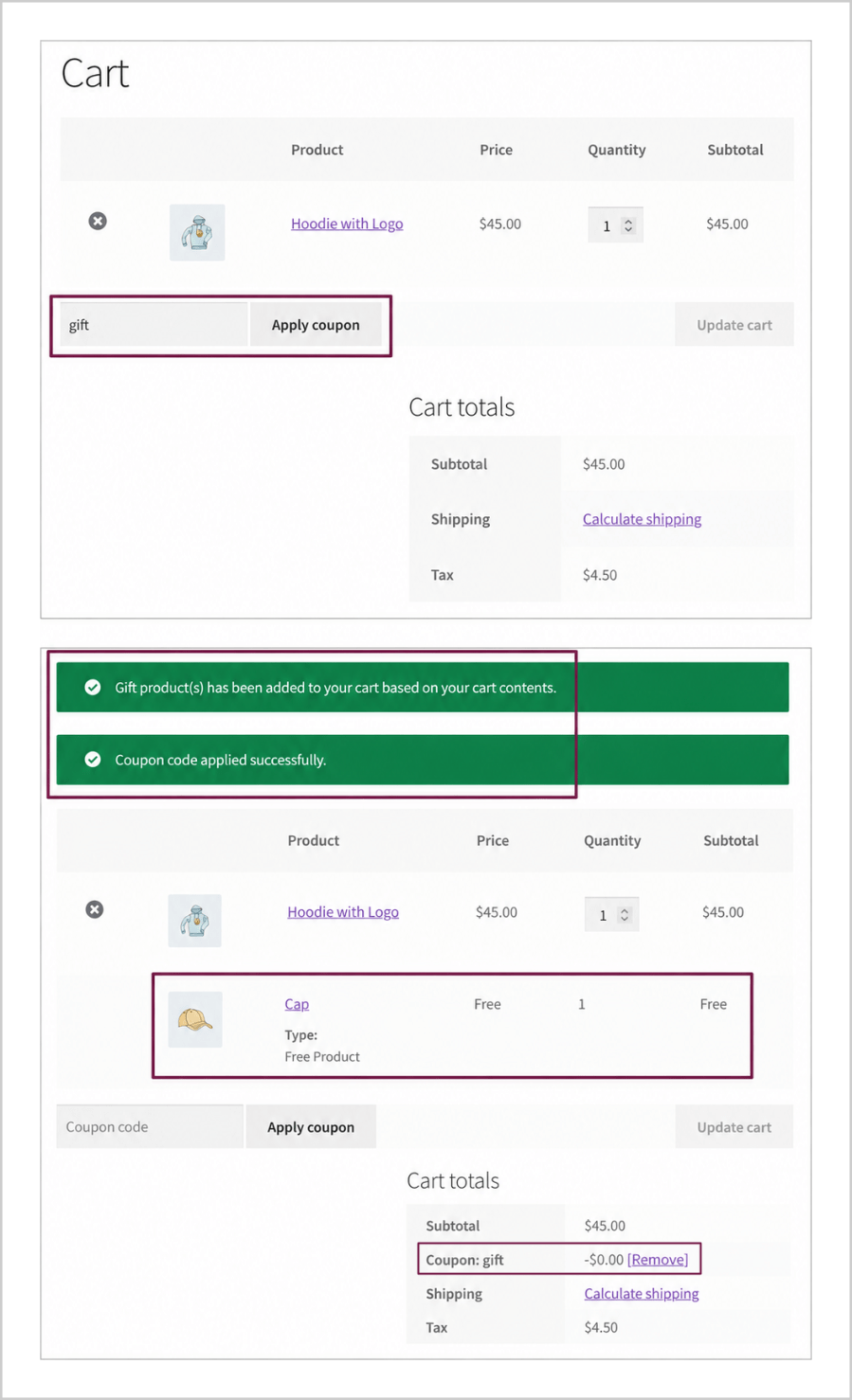
Motivate shoppers to build larger baskets by offering free gifts based on specific spending milestones.
Free Gifts can be awarded based on:
Proven to effectively increase your Average Order Value (AOV) across your store.
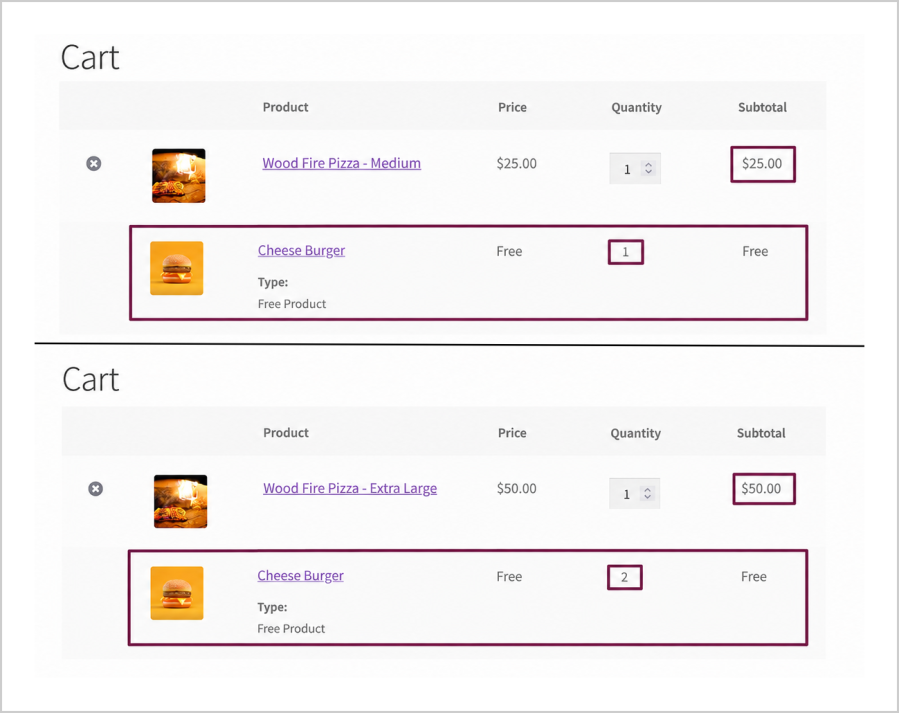
Incentivize bulk purchasing or high-value orders by offering premium rewards based on the cumulative price of items in the cart.
Features:
Ideal for clearing higher-priced inventory and driving large-ticket volume transactions.
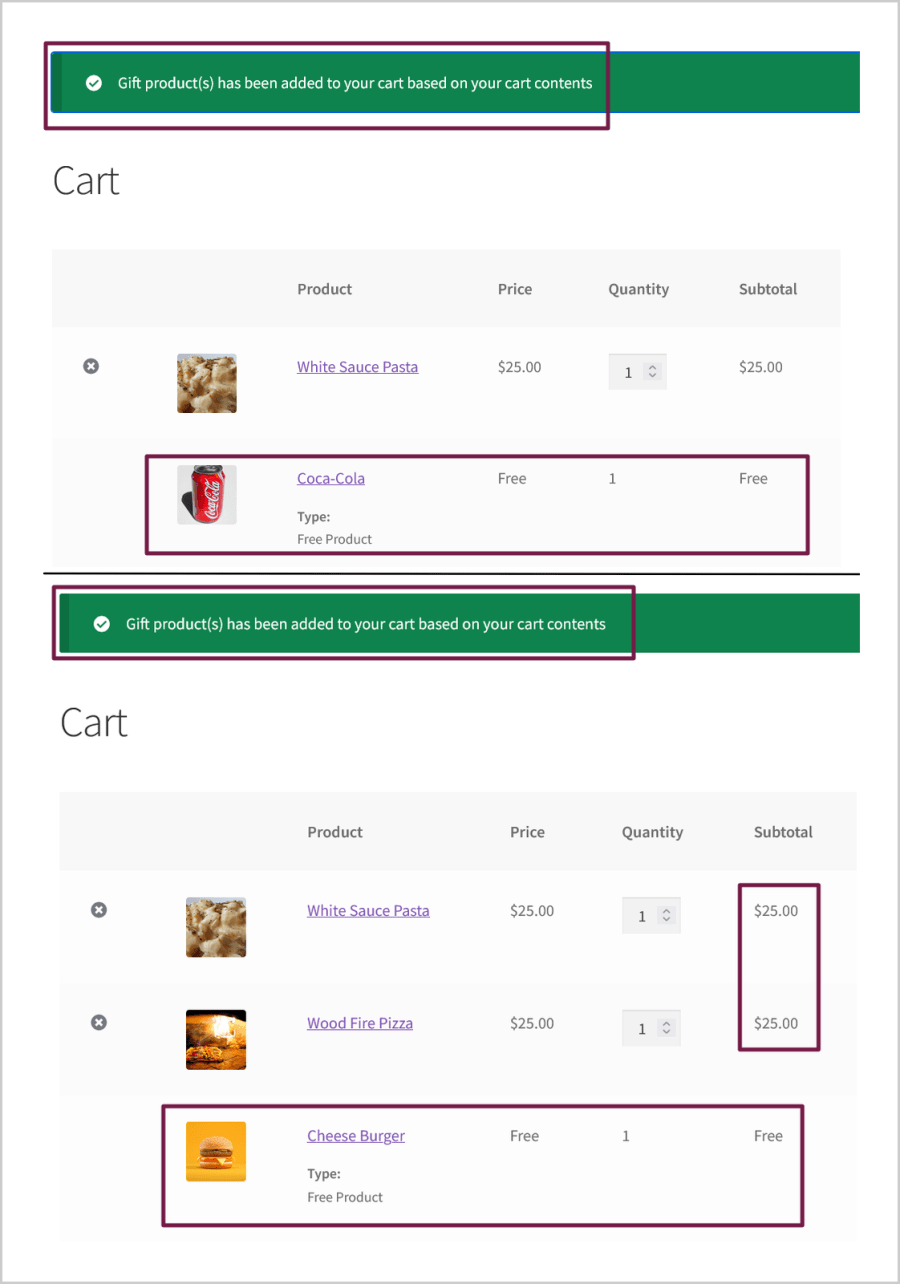
Drive higher product volume sales by offering free gifts based on the total number of items purchased.
Capabilities:
Perfect for executing high-volume seasonal clearances and rapid warehouse stock turnover.
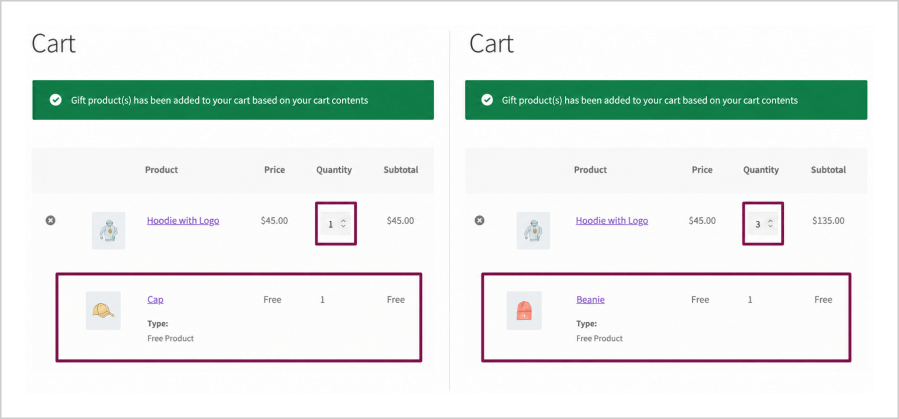
Automatically offer the lowest-priced item in the shopping cart as a free gift to run seamless multi-buy deals.
Supports:
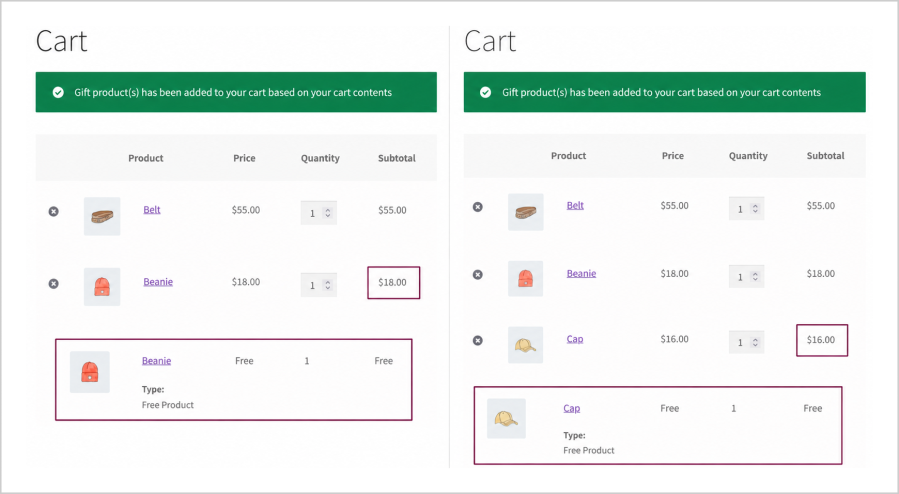
Gives customers the flexibility to choose what they want while protecting your high-ticket item revenue.
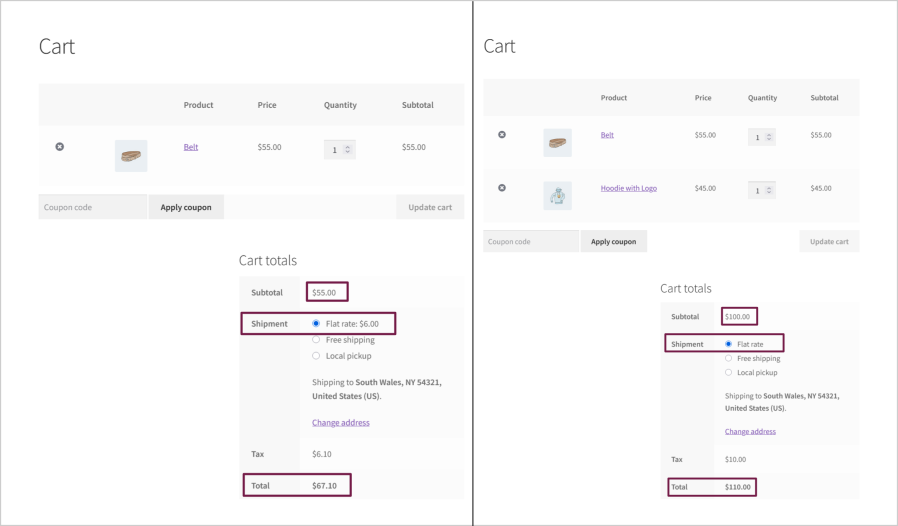
Delight your top-tier customers, VIPs, or influencers by manually waiving their delivery fees as a premium reward.
Admin can:
Site Admin can manually send gifts to the users from the plugin dashboard and in the Manual Order Creation page.
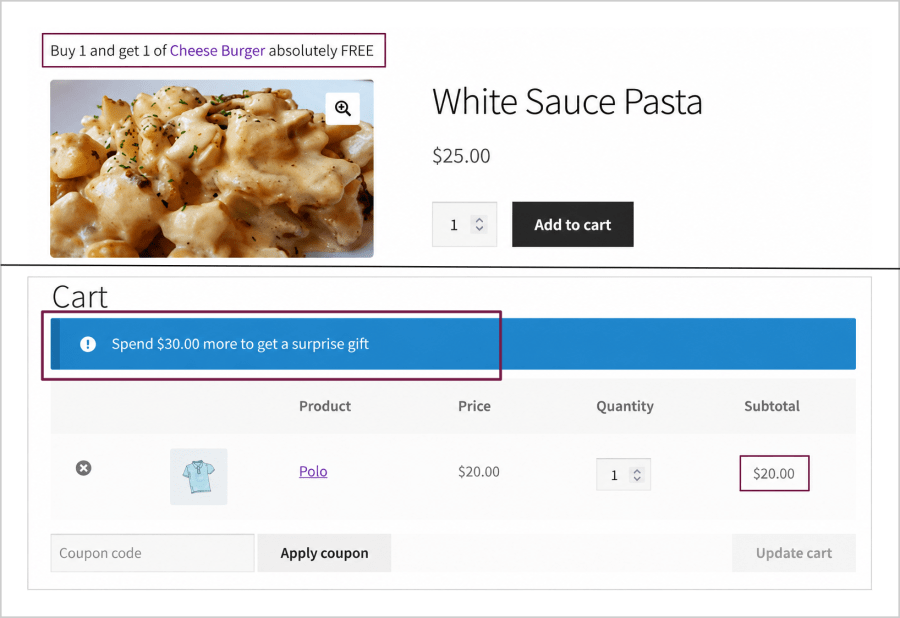
Gift selection section can be displayed on,
Never Let Customers Miss Their Free Gifts
1. Admin can manually send Gift Product(s) to customers using two modes:
2. Free Gift Product(s) can be awarded in the following modes for making purchases,
3. Multiple rules can be configured to award the Free Gift Product(s).
4. Free Gift Product(s) can be awarded based on the following Criteria values,
5. Awarding Free Gift Product(s) can be restricted using the following options,
6. Product, Category, Brands[WooCommerce Brands] and User filters supported to award the Free Gift Product(s).
7. Customer(s) can be notified about their eligibility to get the Free Gift Product(s) using the Eligibility Notice.
8. Shipping Cost for the Free Gift Product(s) can be charged.
9. Option to hide the Gift Product(s) in the shop and category page(s).
10. Option to allow multiple quantities of the same product to be selected as a Free Gift product.
11. Option to allow the user to remove the automatically added Gift Product(s).
12. Free Gift Product(s) can be restricted in the following ways if the WooCommerce coupon discount is already applied to the cart.
13. Customer(s) can select their awarded Gift Product(s) on the checkout page.
14. The following modes are supported to display the eligible Gift Product(s),
15. The following display types are supported to display the eligible Gift Product(s),
16. Shortcode based Gift Product display supported for Manual Gift Mode.
17. Progress Bar display supported to notify about the eligible, added and remaining Gift Product count [Applicable only for the Gift Product(s) which is manually selected by the customer].
18. Admin can customize the frontend labels and messages using Localization and Messages settings.
19. REST API support for Free Gift Rule(s).
20. Email to notify about the Free Gift Product(s) which is manually awarded by the site admin.
21. Master Log to display the added Gift Product(s) entries in the respective order.
22. Option to Delete the Master Log entries after specific duration configured in the settings.
You can customize the messages and frontend display text using Localization and Messages settings,
WooCommerce -> Free Gifts -> Settings -> Localization
WooCommerce -> Free Gifts -> Settings -> Messages
(i) Please follow the below configuration steps for the Maximum Gifts from this
rule(In the Manual Mode),
Go to WooCommerce -> Free Gifts -> Settings -> General
Note: If the Maximum Gifts in an Order from this Rule(under Rule settings) option is left empty / when the value under the rule settings is more than the Global Restriction, then the Global Restriction will apply.
(ii) Consider the below example configuration in the Manual Gift Mode,
Rule 1:
If you are expecting the products(Buy and Gift Products) to be available in multiple languages, please check by configuring the rules as follows,
Create a rule with the required criteria and select the Gift Product which is available in one language(English) & save the rule.
Create another rule with the same criteria and select the Gift Product that is available in another language & save the rule.
You can achieve it using the following configuration steps,
Please enable the Hide Free Gift Products on Shop and Category Pages under WooCommerce -> Free Gifts -> General -> General Settings.
Go to WooCommerce -> Free Gifts -> Settings -> Advanced ->Troubleshoot
Please enable the Allow Shipping Cost for Free Gift under WooCommerce -> Free Gifts -> General -> General Settings.
Please select "Footer" in the "Frontend Scripts Enqueued on" option under WooCommerce -> Free Gifts -> Settings -> Advanced -> Troubleshoot which may help in this case.
Please follow the steps below,
Please consider the following regarding the Total based criteria and select the Order Total criteria in the rule configuration,
Please refer to the below API info,
Please follow the below steps,
Please follow the below steps,
Please follow the below steps,
Please follow the below steps,
Set the Number of Order(s) per User value as per your need in the Number of Order(s) per User field.
Go to WooCommerce -> Free Gifts -> Settings -> Display -> Gift Product Display Settings.
Save the settings.
Go to WooCommerce -> Free Gifts -> Settings -> Advanced -> Troubleshoot
Categories
Extension information
Quality Checks
Compatibility
Countries





