
Product comparison
Subscription includes
Support
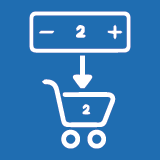
Shop Page Quantity Manager adds a simple Qty input field directly on your WooCommerce shop pages. No more forcing customers to open every product page just to change a number. Fewer clicks. Smoother shopping. Better conversions.
30-day money-back guarantee. No questions asked.
By default, WooCommerce hides quantity selection on the shop page. Every customer who wants 2, 5, or 10 items must open the product page, set the quantity, go back, and repeat — for every single product. That is friction. That is abandoned carts. That is lost revenue.
With Shop Page Quantity Manager, customers choose their quantity right on the shop page — then click Add to Cart once. Done. Faster checkout, fewer clicks, more sales for you.
Qty Field on Shop Page
Shows quantity input directly on shop, category, and archive pages — right before Add to Cart.
Block & Classic Themes
Works perfectly with FSE block themes and classic WooCommerce themes — zero extra setup needed.
Selective Display
Show for all products, specific products, or specific categories — your store, your rules.
Ajax Add to Cart Ready
Fully synced with Ajax Add to Cart. Quantity updates instantly — no page reload needed.
Lightweight Plugin
Clean minimal code with zero performance impact. Your store stays fast and smooth.
PCP Plugin Compatible
Works seamlessly with the Product Conditional Pricing plugin — no conflicts at all.
ON / OFF Toggle
Activate or deactivate the quantity field across all shop pages with a single switch. No coding needed.
Apply Quantity Field To
Choose exactly where the field appears on your store:
All Products
Selected Products
Selected Categories
Quantity Field Behavior
Set a default quantity value, define a minimum quantity limit, and enjoy seamless sync with the Add to Cart button — all from one clean settings panel.
Start at just $29/year — backed by a 30-day money-back guarantee. Try it completely risk-free.
Get Shop Page Quantity Manager →
Yes. This plugin allows customers to choose the product quantity before clicking the Add to Cart button directly on the shop and category pages.
Yes. The plugin is fully compatible with WooCommerce Block (FSE) themes and ensures the quantity field is placed correctly by default.
The quantity field appears after the product price and before the Add to Cart button, providing a clean and intuitive user experience.
Yes. You can show the quantity field for:
All products
Selected products
Selected categories
Categories
Extension information
Quality Checks
Countries






