

Product comparison
Subscription includes
Support
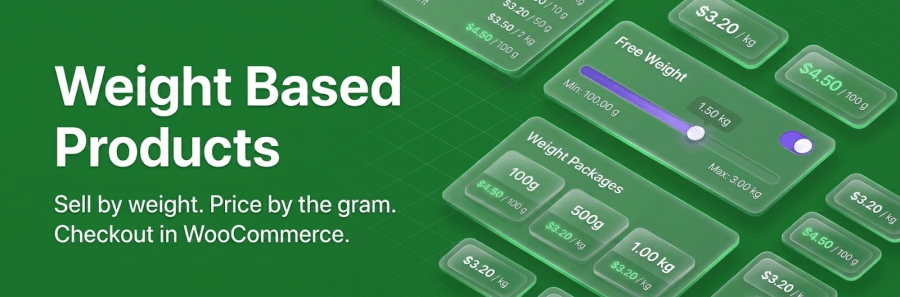
Weight Based Products extends WooCommerce with a dedicated product type built for goods sold by weight. Set a price per kg or lb, define your pack sizes or weight range, and let customers choose exactly how much they want — the price calculates automatically.
Orders flow through WooCommerce’s standard cart, checkout, and order management just like any other product. No custom fields, no workarounds, no friction. Ideal for meat shops, specialty coffee roasters, delis, cheese counters, bulk food stores, farm-direct sellers, and any store where weight determines price.
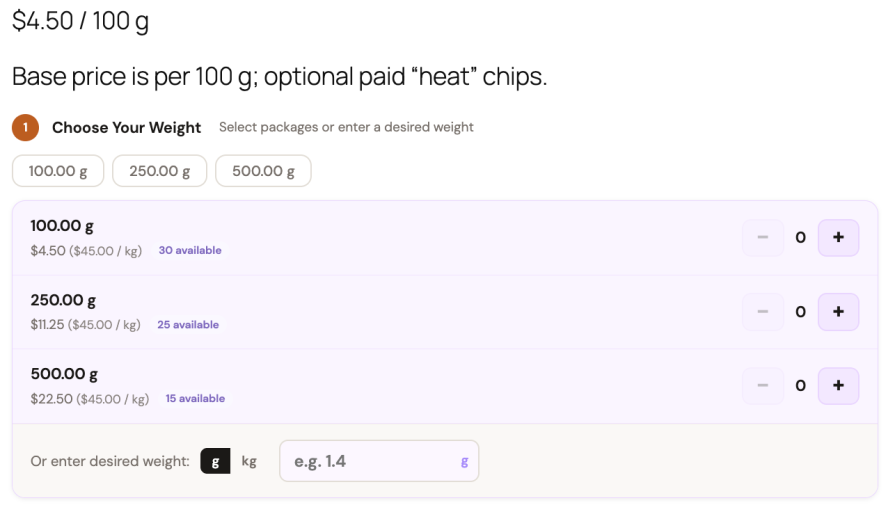
Define your standard sizes — 250 g, 500 g, 1 kg, 2.5 kg — and they appear as selectable cards on the product page. Customers pick quantities with + / − controls, or type a target weight and the extension suggests the best pack combination automatically.
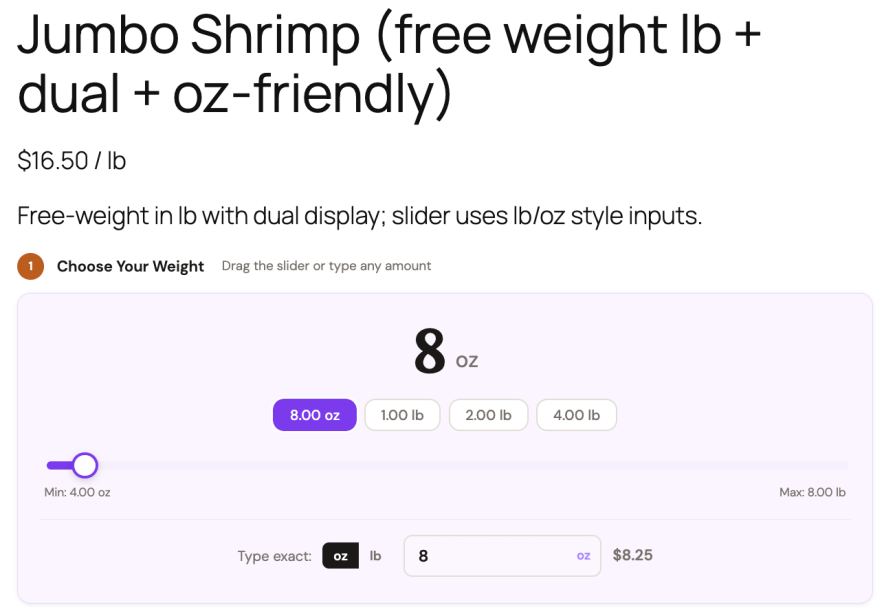
Customers drag a slider or type any value between your set minimum and maximum. Price updates live as they adjust. A dual-unit display shows kg and lb side by side — useful for stores with international customers.
Set different per-kg rates for different weight brackets — automatically applied when a customer’s total crosses a threshold. Configure tiers globally across all products or override them per product.
Assign different per-unit rates to any WooCommerce user role. Wholesale accounts, members, and retail customers each see the rate that applies to them — no separate products or coupons needed.
Set a sale price with start and end dates. A countdown timer appears on the product page automatically — good for time-limited offers on seasonal stock.
Collect product details from customers alongside the weight selector — grind type, cut preference, gift messages, handling acknowledgements. Option groups are configured once globally and assigned to products individually, so rolling out a new option across a large catalogue takes seconds.
Supported input types: button/chip select, dropdown, text area, checkbox, and radio buttons. Each option can be free or carry an additional charge, and any option can be marked as required.
Attach related products to appear beneath the weight selector — complementary items a customer might want alongside their main purchase. Accessories are added to the cart as linked line items alongside the main product, or displayed as a grouped sub-line depending on your preference.
Seven built-in presets — Default, Classic, Modern, Minimal, Nature, Elegant, and Glass — let you match the weight selector to your existing theme. Every detail is adjustable: card colours, button styles, section titles, and step indicators. A custom CSS field is available for complete control.
When a customer adds the same product with identical options to the cart more than once, the lines consolidate automatically. Pack quantities combine, free weights sum, and accessories merge — keeping the cart clean regardless of how a customer builds their order.
Display a savings message when a customer’s total weight crosses a threshold you define. A quiet prompt that lets the numbers do the persuading.
Yes. In Fixed Packs mode, you define your standard sizes — 250 g, 500 g, 1 kg — and customers select them. But you can also enable a "desired weight" input on the same product, where a customer types any amount and the extension automatically suggests which pack combination gets closest to that weight.
So a customer can either tap "1 kg" or type "1.3 kg" and get told "2 × 500 g + 1 × 250 g = 1.25 kg is the closest match."
Both options live on the same product page at the same time.
Yes. Weight-based products work in the classic cart and checkout and in the block-based versions. Stock, order emails, the admin order screen, and HPOS (High-Performance Order Storage) are all supported.
You can set global price tiers in Woocommerce -> Weight Based Products -> Pricing Rules and they apply to every weight-based product that has tiered pricing enabled. If a product needs its own schedule, set product-level tiers in the product editor — they always override the global ones.
Carts are independent per session. Stock is reserved at the point of checkout, not when items are added. Fixed Packs mode tracks stock per package quantity; Free Weight mode tracks a total available weight pool — the slider maximum adjusts in real time as cart quantities change.
Each product picks one unit family (kg/g or lb/oz), and you can enable a dual-unit display to show the secondary unit in parentheses alongside the primary one. If you need a completely different unit — litres, millilitres, custom — the plugin ships a unit extension API so developers can register any unit family.
Accessories are standard WooCommerce simple products linked to a weight-based product. They can appear as their own cart line items (chained, so removing the main product removes them) or grouped under the main product. Because they are real products, they have their own stock, pricing, and can be purchased independently elsewhere in your store.
Yes, in several ways. Choose one of seven built-in appearance presets as a starting point. Then adjust colors, borders, button styles, and step-number badges through a visual settings panel. For deeper control, add custom CSS or override the plugin's CSS custom properties in your theme.
Yes. Go to WooCommerce -> Weight Based Products -> Advanced / Tools and click Create Sample Products. The plugin generates 15 demo products covering both ordering modes, tiered pricing, product options, and accessories — all in a dedicated sample category you can delete when you're done.
Categories
Extension information
Quality Checks
Countries







