

Subscription includes
Support
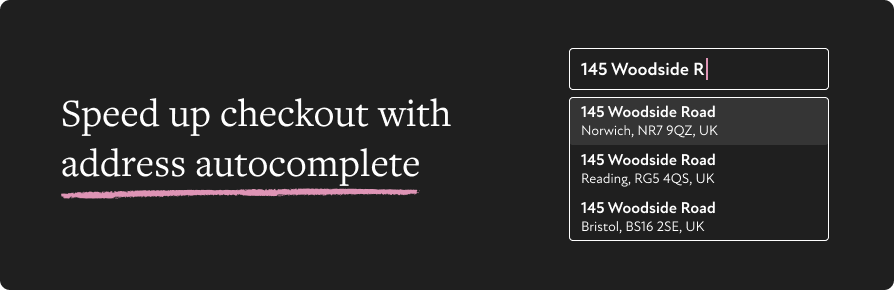
According to Google, autocomplete helps shoppers complete address forms 30% faster – and faster checkouts mean more completed orders.
The moment a customer starts typing, Universal Address Autocomplete provides real-time suggestions from verified address data. They tap to confirm, you get a clean, accurate address. Fewer mistakes at checkout means fewer delivery problems, support requests, and failed orders.
Choose the address service that best suits your store and geographical region.
| Supports several leading providers | |||
|---|---|---|---|
| Loqate | Google Places | Fetchify | PostGrid |
| PostcodeSoftware | Canada Post | Smarty | Ideal Postcodes |
Don’t see the provider you want listed? Please reach out with a feature request. We are actively adding new providers.
If you enable more than one provider, you can set a preferred option or switch providers at any time, without changing your checkout setup.
The extension integrates directly with WooCommerce’s standard address fields and settings. There’s no need to add custom fields or modify your theme.
Address autocomplete works for:
It’s designed to work reliably with most WooCommerce themes and checkout customisations.
Getting started takes just a few minutes. Install the plugin, add your provider credentials, and enable address autocomplete from WooCommerce settings.
You can:
The plugin includes sensible defaults while still offering the control needed for different store requirements.
Whether you’re running a small shop or a high-volume store, Universal Address Autocomplete helps improve data quality at checkout and reduce manual corrections later. It’s a practical way to improve the customer experience while saving time on order processing.
We currently support the following providers:
Yes! Universal Address Autocomplete works with both the WooCommerce block and classic checkout, covering billing and shipping address fields. There's no need to modify your theme code - the plugin integrates with WooCommerce's standard address fields. Just install, configure your provider credentials, and it works.
Yes. Autocomplete is available when creating or editing orders in the WooCommerce admin, not just the customer-facing checkout.
They can still type their address manually — autocomplete is an enhancement, not a replacement for the standard fields.
Yes. You can enable multiple providers and set a preferred one, or switch between them at any time without changing your checkout setup.
There's no free trial, but every purchase includes a 30-day money-back guarantee.
Categories
Extension information
Quality Checks
Countries







