
Active installs
2K+
Product comparison
Subscription includes
Support
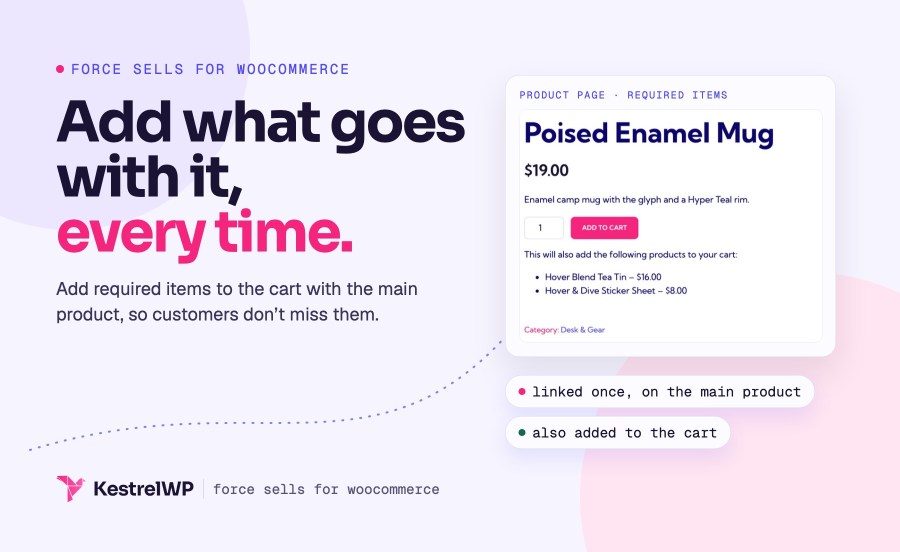
Force Sells for WooCommerce adds required products to the cart automatically with the main product: the part that completes a repair, the installation fee that covers labor, the setup charge. Customers don’t miss them and you don’t chase corrections after the order. Link any product or variation, and choose for each link whether shoppers can change it. With synced force sells, when a customer adds two of the main product, two of each synced item go in the cart and the quantities stay in step.
It adds items when the main product enters the cart, so it doesn’t cover subscription renewals, and it doesn’t choose products by category or cart condition. Every link is set once on the main product.
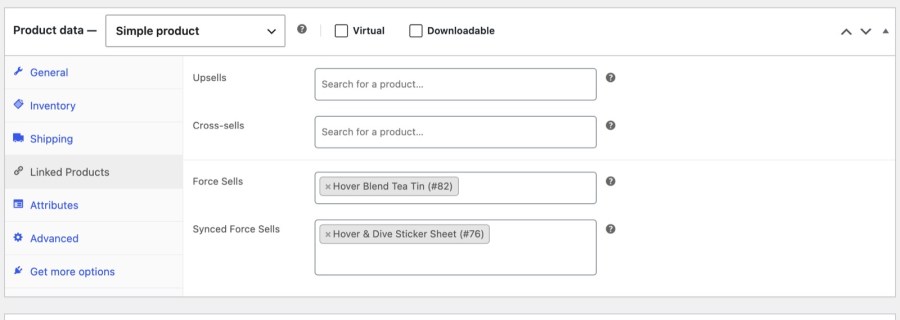
On a product, the Force Sells field lists the products that are added to the cart whenever it is. Each is added with the same quantity as the main product at that moment, then becomes an ordinary cart line, so a customer can still change or remove it. Use it for items that should be there by default, such as an installation fee, a starter kit or a reusable pump with a refillable product.
The Synced Force Sells field works the same way, but the linked item is tied to the main product. Its quantity always matches the main product’s, it has no remove link and its quantity can’t be edited in the cart (the Cart block still draws the quantity buttons, greyed out), and removing the main product removes it. Restore the main product and the synced items come back. Use it when the extra item must always travel with the main one.
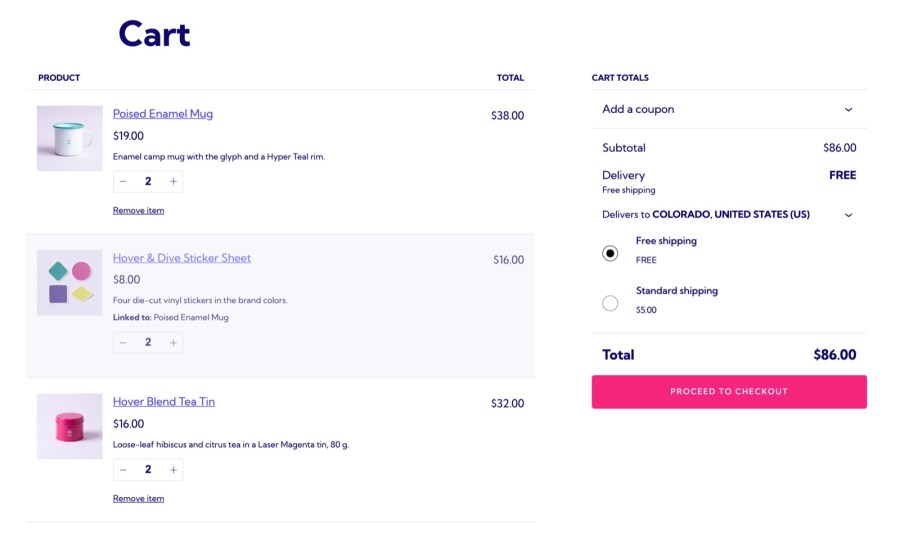
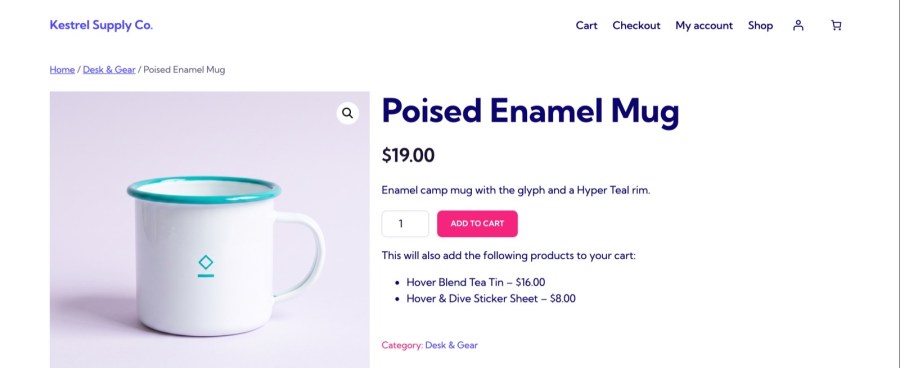
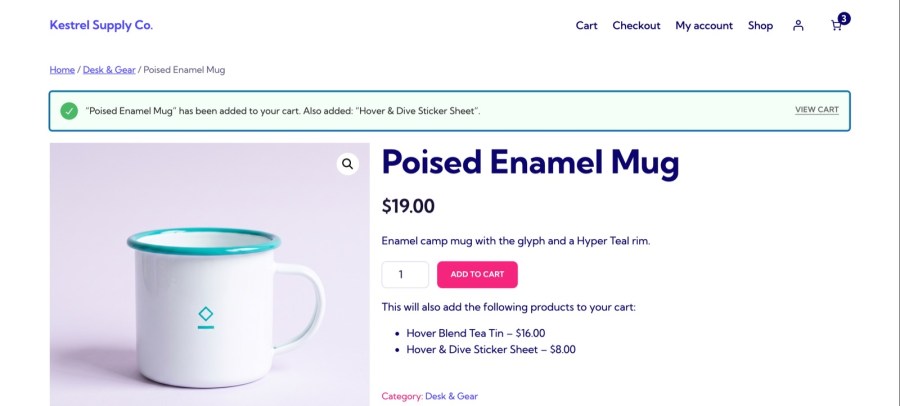
Below the add to cart button, a short note lists the products that will also be added, with their prices. In the cart, synced items sit directly under their parent line with a Linked to label, in the classic cart and in the Cart, Checkout and Mini-Cart blocks. After the customer adds the main product, WooCommerce’s added to cart message names its synced items (“Also added”), so nothing in the order is a surprise.
Link any individual product or variation, including services, fees, digital and subscription products. A variable product itself can’t be chosen, but any of its variations can. Force sells are the same whichever variation of a variable main product is bought, and there is no limit on how many products you link to one. If a linked product can’t be added because it is out of stock, unpublished or has no price, the main product isn’t added either, and the customer sees why.
Cart rules run on the server, so synced items behave the same in the classic cart and the block cart. Re-ordering a past order keeps synced items tied to their parent product. The plugin works with Mix and Match Products. Developers can change how forced items are added, how synced quantities are calculated and the text of the product page note with filters. A theme’s own mini-cart or off-canvas cart that doesn’t use WooCommerce’s cart markup can still show a remove link on a synced item, so check yours after setup.
Need to spot the orders that carry the required item? Order Tags for WooCommerce can label any order containing that product, so a repair part or an installation fee is easy to find in the orders list.
Setup, options and FAQs are in the Force Sells documentation, and Kestrel support is there if you get stuck. Built and supported by Kestrel, a long-time WooCommerce extension developer.

Link the product under Product data » Linked Products and Force Sells for WooCommerce adds it whenever the main product is added. There are two kinds. Normal force sells are added with the main product, and customers can adjust or remove them. Synced force sells are tied to the main product: their quantity always matches it, they have no remove link and a locked quantity in the cart, and removing the main product removes them.
Use Force Sells when items should be added together by default, or locked together with synced force sells, for example a repair service plus a part. If you want optional add-ons or flexible bundles, Product Bundles or Grouped Products give customers more choice in how they configure a purchase.
Not from the WooCommerce cart: synced items have no remove link, and their quantity can’t be changed on its own. If the main product is removed, the synced product goes with it. Check any theme mini-cart that doesn’t use WooCommerce’s cart markup.
Yes. Link any variation of a variable product. Force sells are set once on the main product, so they are the same whichever variation of a variable main product is bought. You can’t set different force sells per variation.
Yes. It declares compatibility with High-Performance Order Storage and works with the Cart, Checkout and Mini-Cart blocks. Synced items show under their parent line with a Linked to label, and the cart rules run on the server, so the classic cart and the block cart behave the same.
By default the main product isn’t added either, and the customer sees a message that the main product is removed because the products are sold together. Developers can change this with a filter.
Categories
Extension information
Quality Checks
Countries