


Subscription includes
Support
Create & manage custom order statuses within the WooCommerce dashboard and automate your order processing. With the Flexi Custom Order Status plugin, you can-
Flexi Custom Order Status lets you create tailored workflow management to automate your entire order processing — from receiving orders to shipping orders and everything in between. Create custom order status labels, track the orders in real-time, and get notified when the order is stuck in the same status for more than the ideal time set by you.
Be on top of your entire operation and communicate important order statuses with your customers to provide an unparalleled customer experience.
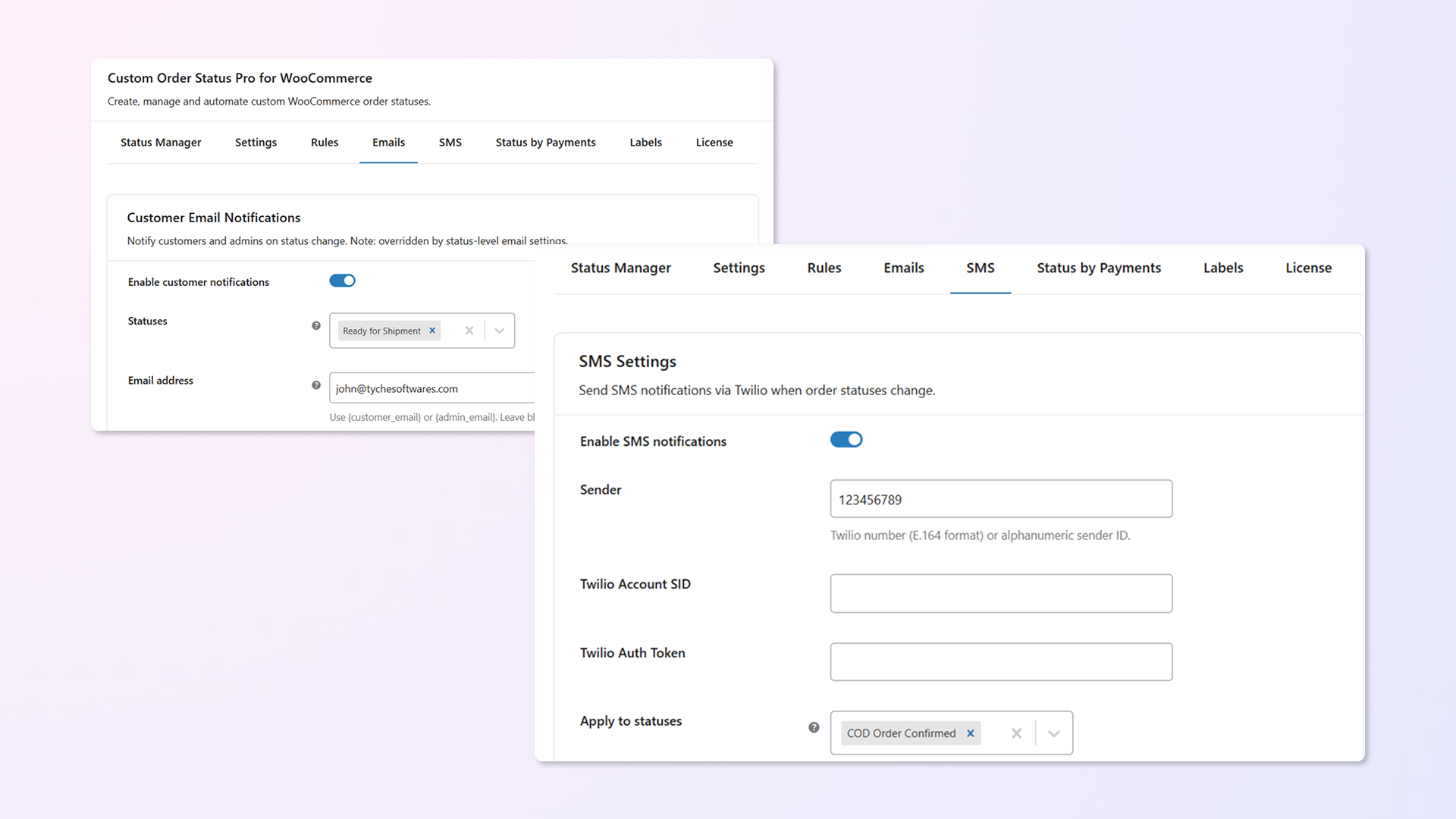
Send custom notification emails & SMS when the status of an order is changed to a custom status.
Set rules that automatically update order statuses based on specific conditions — no manual action needed.
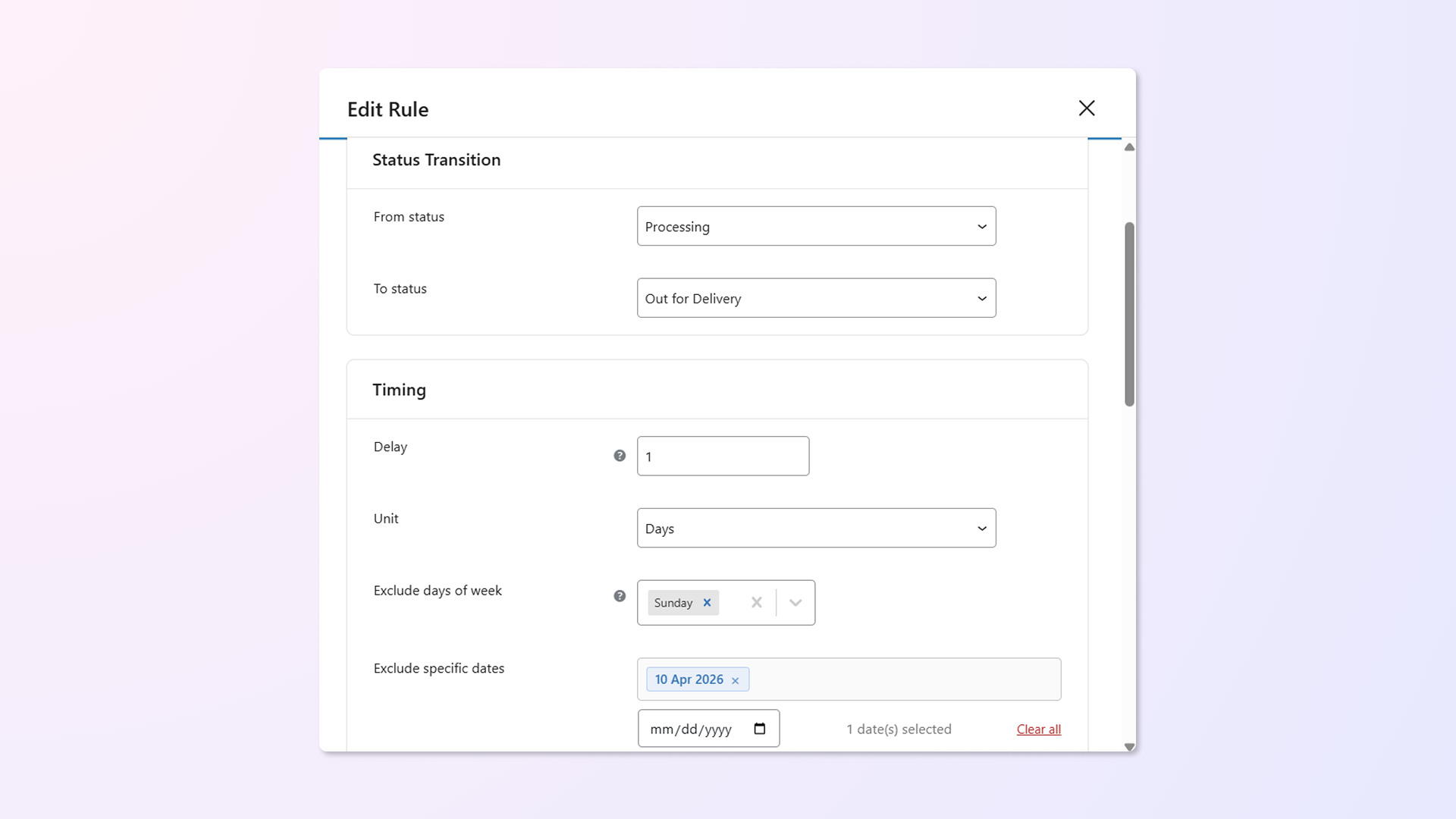
Supported rule types:
Example: Automatically change order status from “Packaging” to “Ready for Shipment” based on the condition— 30 minutes after it’s marked as Packaging — but only for Direct Bank Transfer orders using Zone 1 – Flat Rate shipping, and exclude Sundays and public holidays.
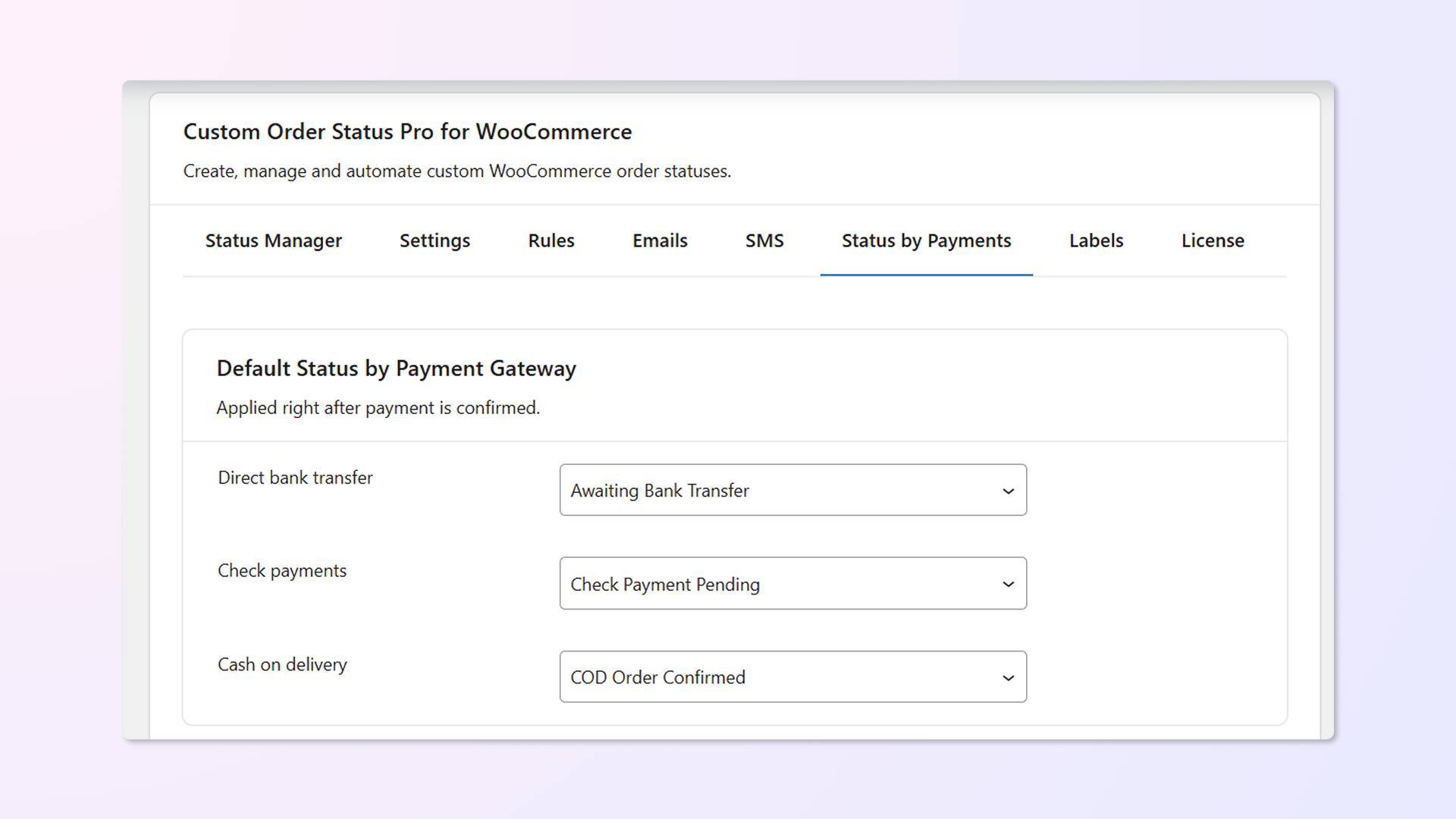
From Paypal to Cash On Delivery, you can set a custom order status for almost any payment medium selected.
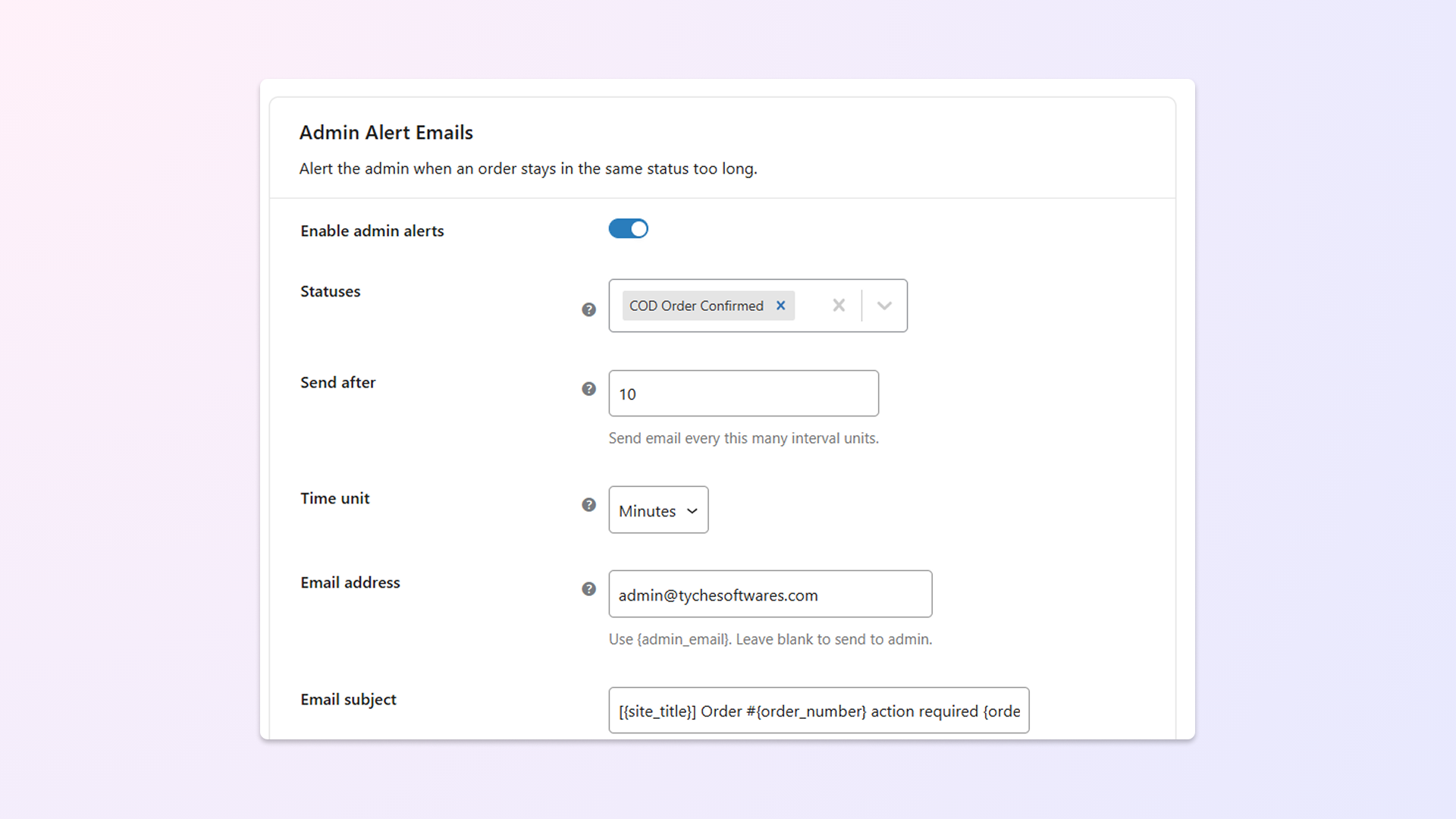
Admins can get updates via email notifications if orders have stayed on a particular status for a longer period (pre-defined time set by you).
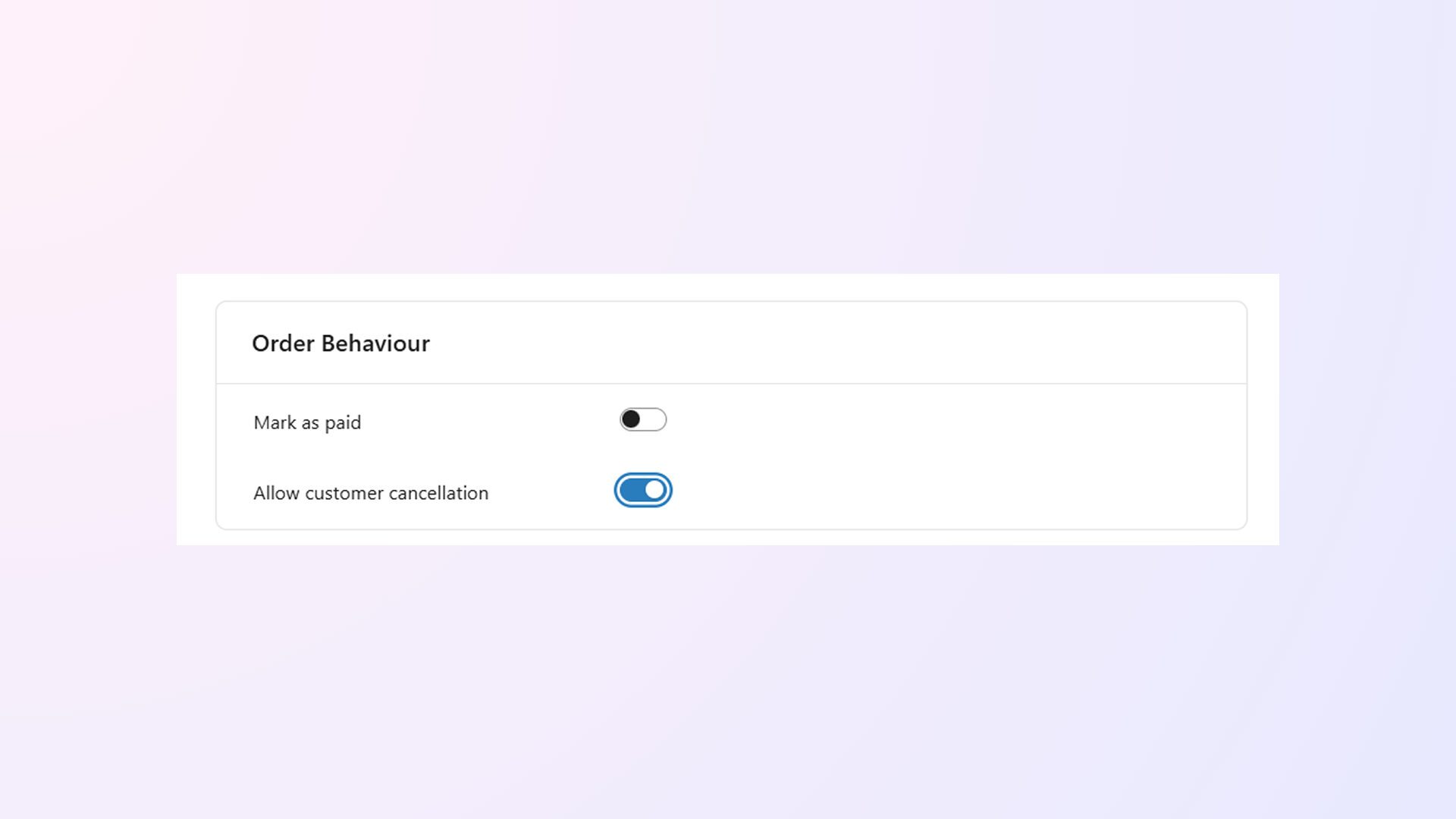
As the admin, of course, you get to cancel an order. But now, you can also set whether your customers can cancel orders with custom statuses.
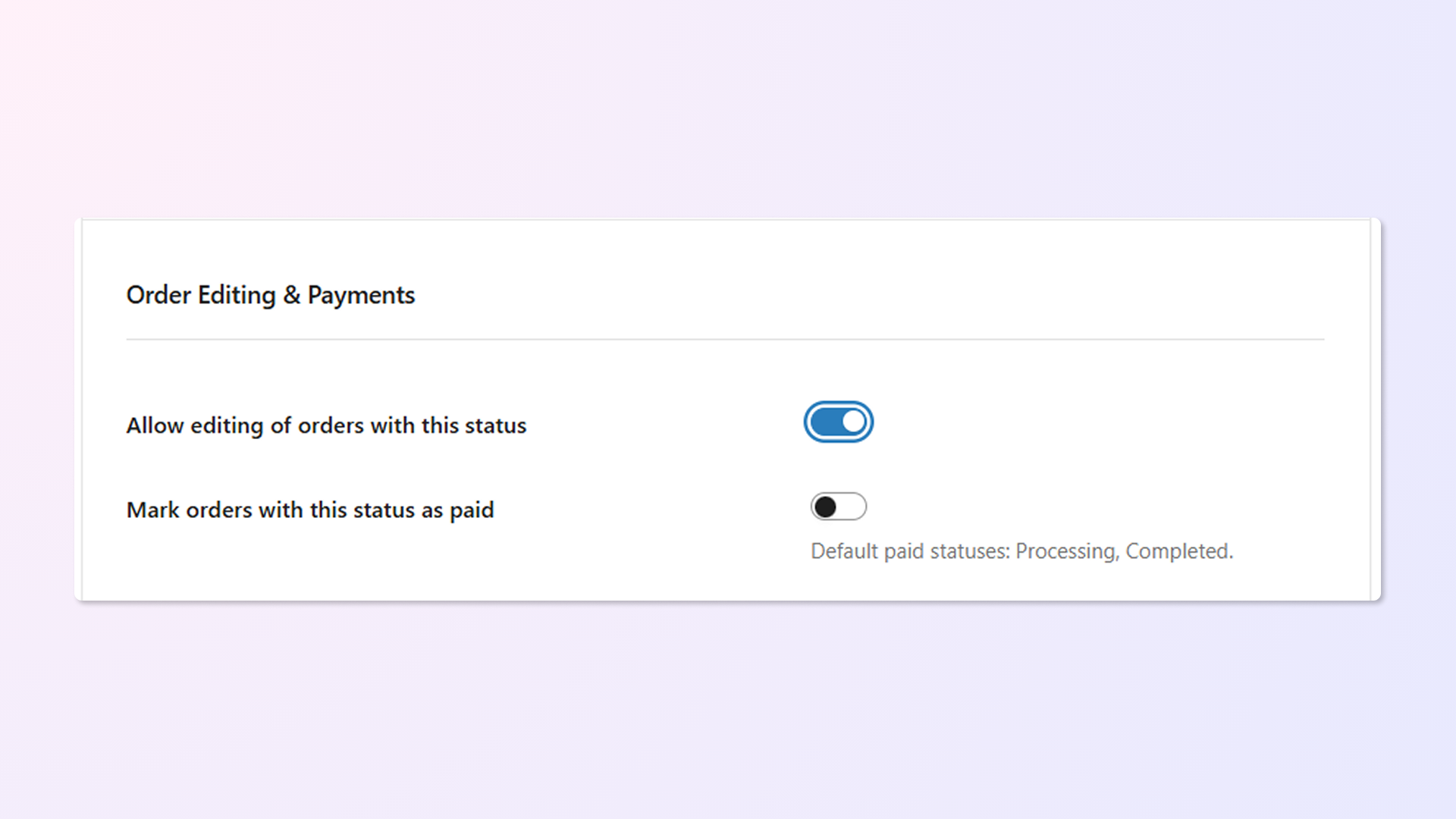
Orders will no longer be editable once you’ve added or updated them with a custom order status. They will behave like the Processing & Completed order statuses.
Custom Order Status Rules Change Automatically
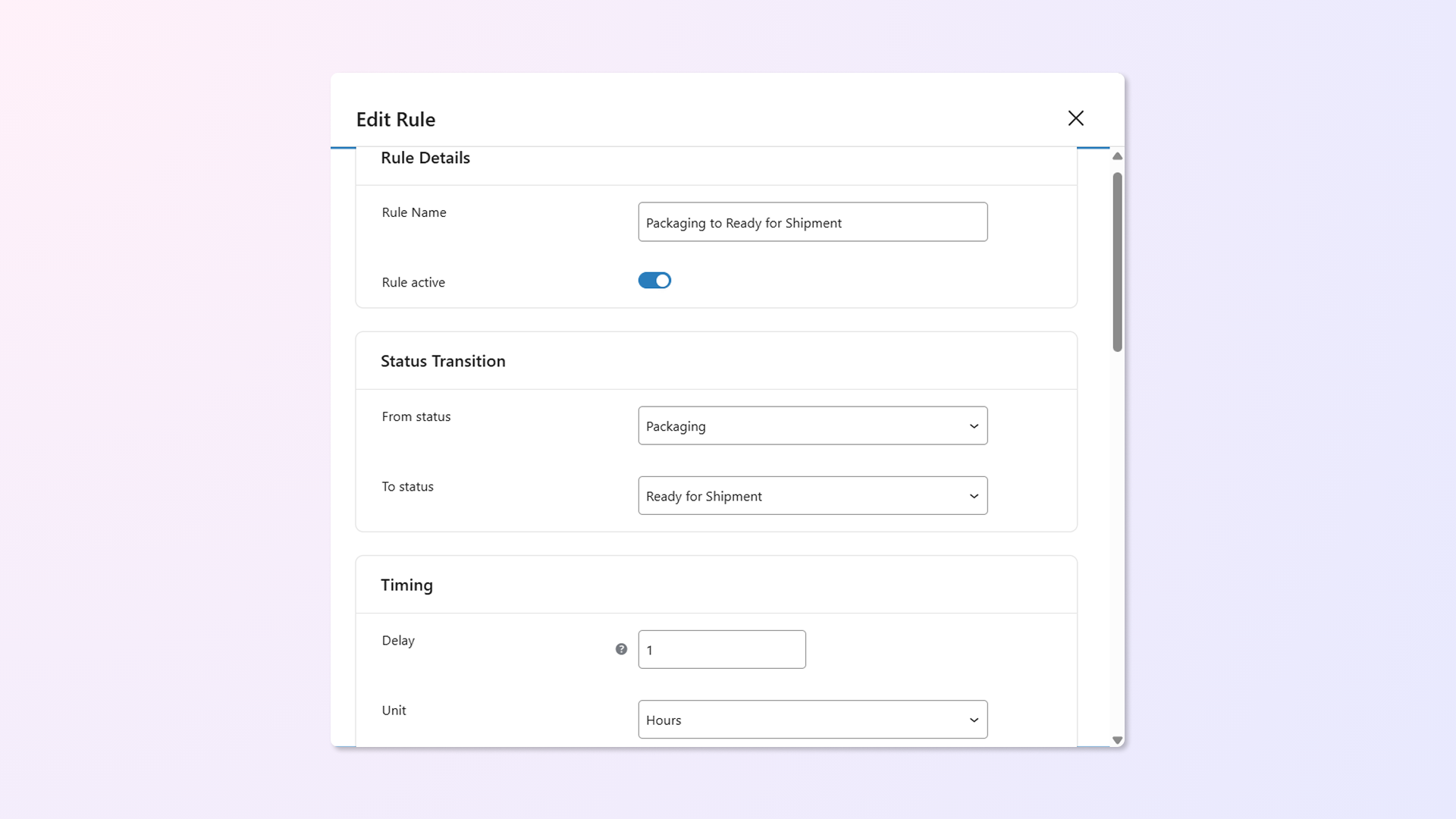
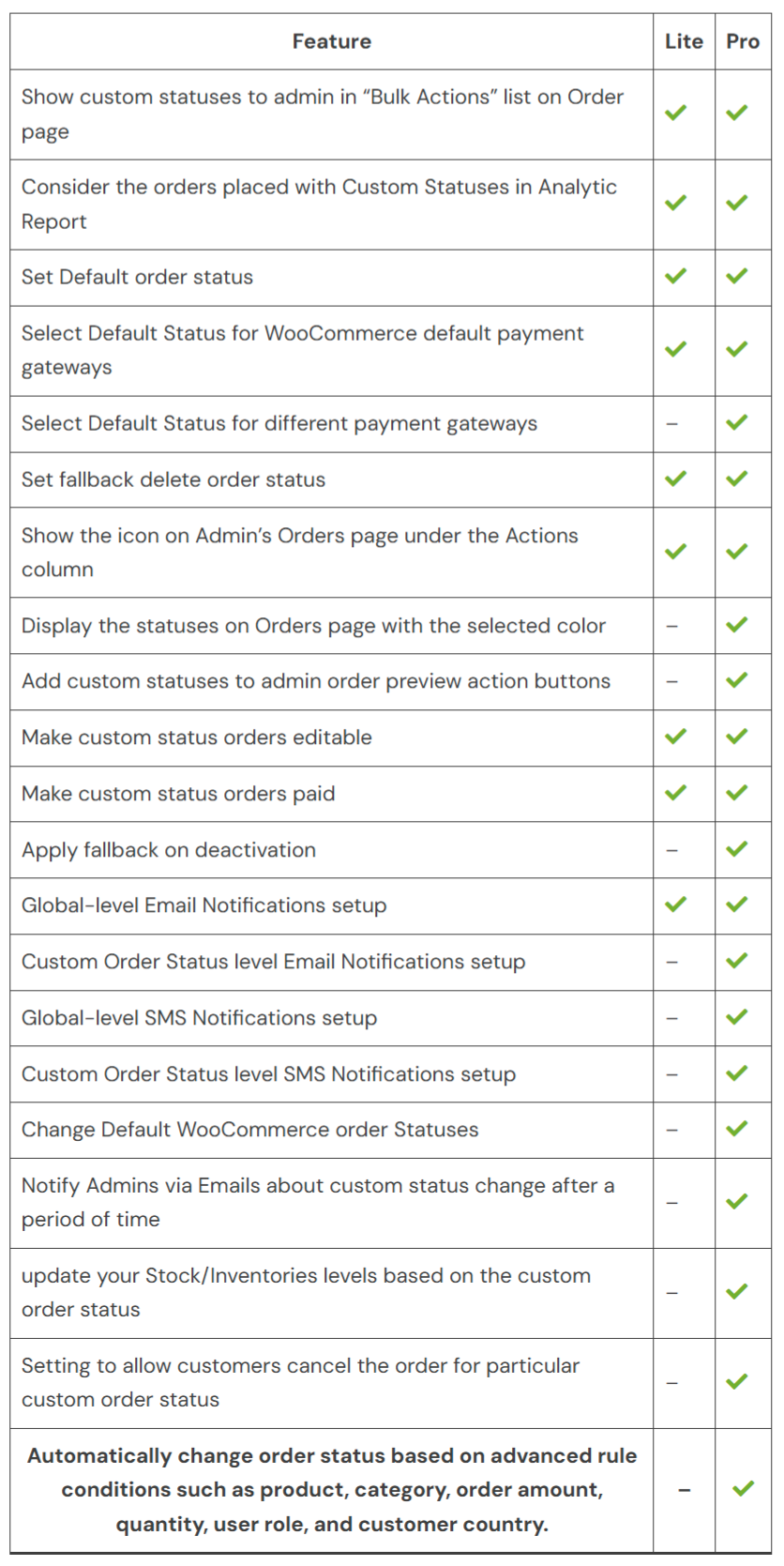
Yes. You can create automation rules to change order statuses automatically based on time delays, payment methods, shipping zones, product categories, order amounts, and more — without manual intervention.
Yes. You can create rules to change order statuses automatically when orders contain products from specific categories. This helps manage workflow efficiently for different product types.
Yes. You can set rules to automatically move orders to any custom status or mark them as “Completed” based on the payment gateway used. This is especially useful for pre-paid orders or automated fulfillment workflows.
Yes. You can define rules or default statuses based on the payment method used for an order, including built-in WooCommerce methods and third-party gateways.
Yes. You can automatically change order statuses based on the role of the customer who placed the order. For example, you can set orders placed by customers to move to a specific status after a certain time, while applying different behavior for other roles.
Yes. You can update multiple orders to a custom status at once using Bulk Actions on the WooCommerce Orders page. This makes managing large numbers of orders faster and easier.
Yes. You can enable the “User can cancel” option for any custom status. Customers can then cancel their orders from My Account → Orders when the order is in that status.
Yes. You can set up email notifications that are triggered when an order moves to a selected custom status. These notifications can be sent to customers, admins, or both, keeping everyone informed about the order progress.
Yes. You can configure a custom subject, heading, and message for each order status. This ensures customers receive clear, relevant updates tailored to the current stage of their order.
Yes. You can include custom meta field values in emails using a placeholder. Add {custom_field_(meta-key)} with your meta key, and it will automatically be replaced with the actual value when the email is sent. This is useful for showing tracking information or other order details.
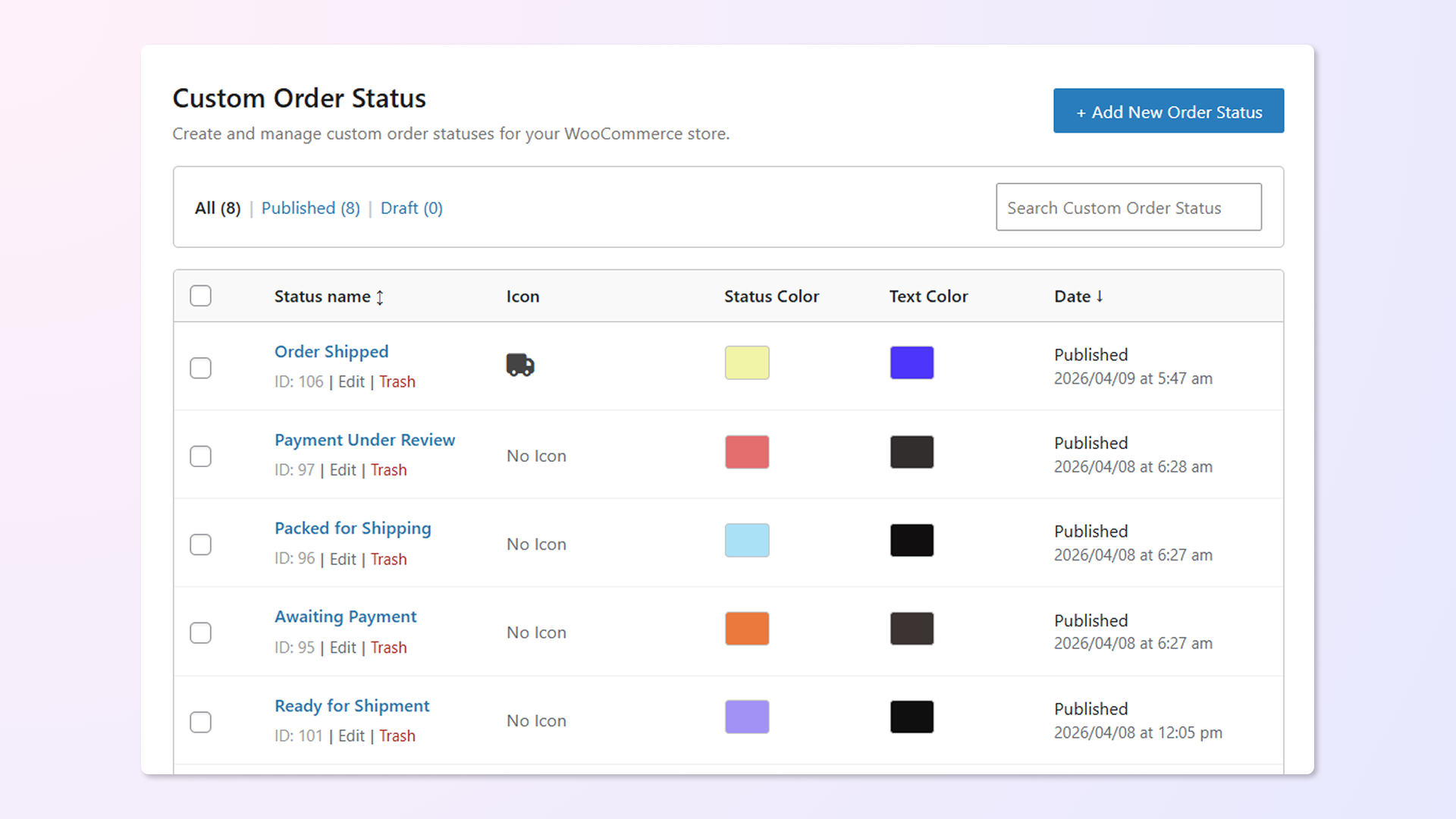
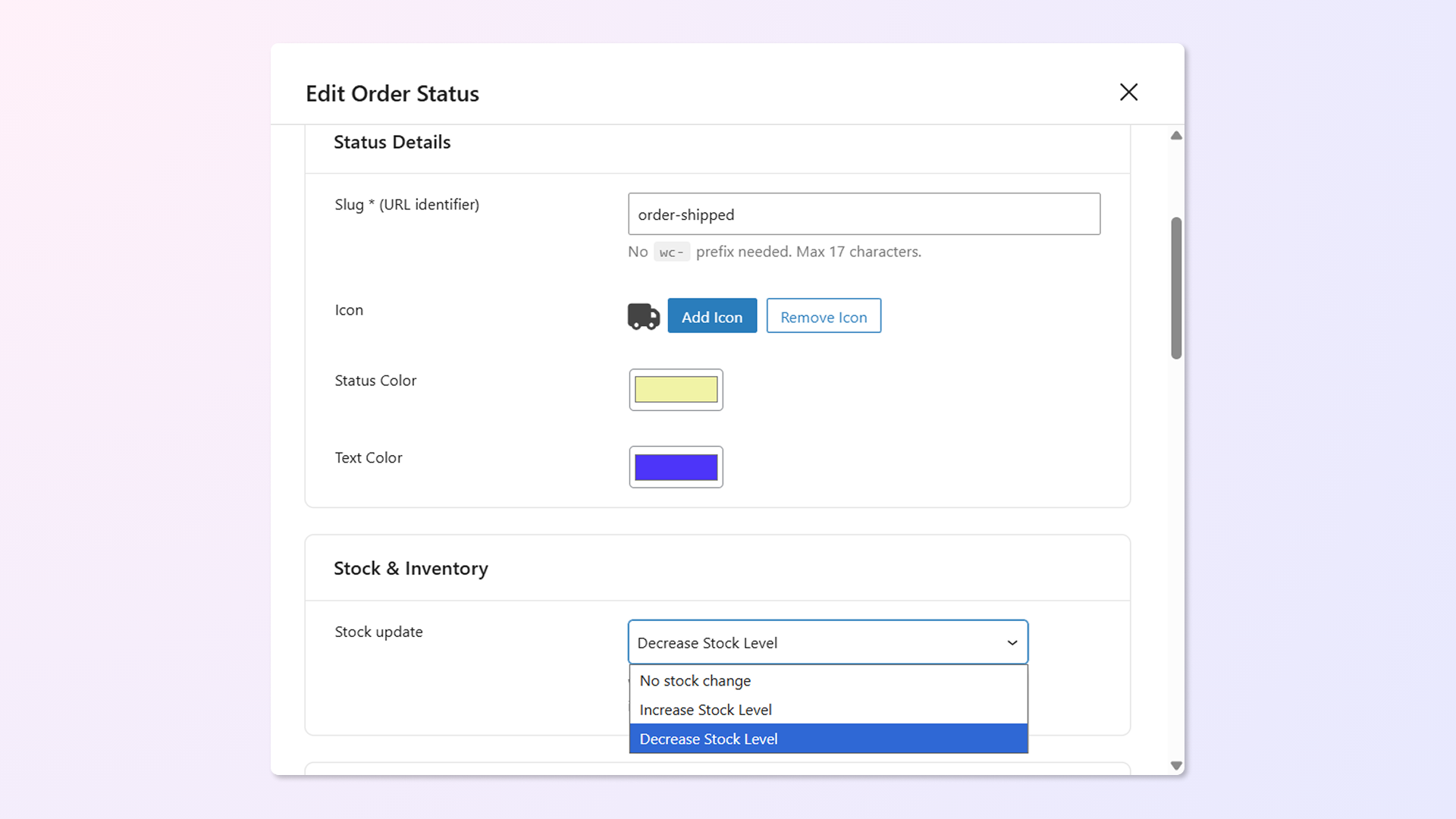
Yes. You can assign custom icons and colors to each status using hundreds of available options. These appear directly on the WooCommerce Orders page for easy identification at a glance.
Yes. You can set up an email to alert admins when an order stays in the same status for a specified period. Simply choose which statuses to monitor and define the time interval, for example, after 1 day.
Please fill out this pre-sales form.
Extension information
Quality Checks
Countries







