

Subscription includes
Support
Every WooCommerce store hits the same wall once order volume grows past a trickle: the Orders page becomes a wall of identical rows. Which one is the VIP customer who emailed twice today? Which ones need express shipping by 2 PM? Which orders are still waiting on a wholesale approval? Right now, the only way to know is to open each order and read it.
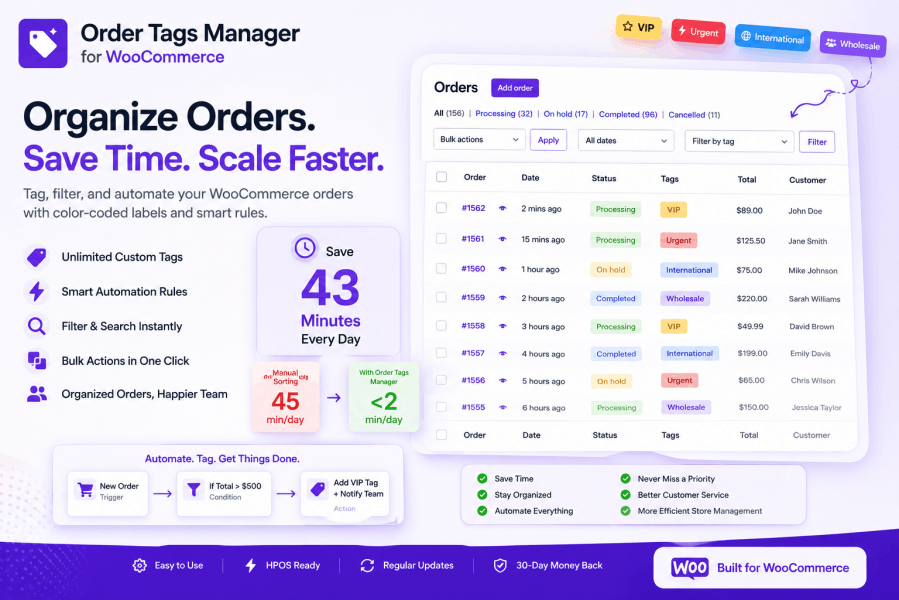
Order Tags Manager fixes that in one screen. Tag orders with color-coded labels, filter your entire order list by tag in one click, and let automation rules apply those tags the moment an order is placed — before you’ve even refreshed the page.
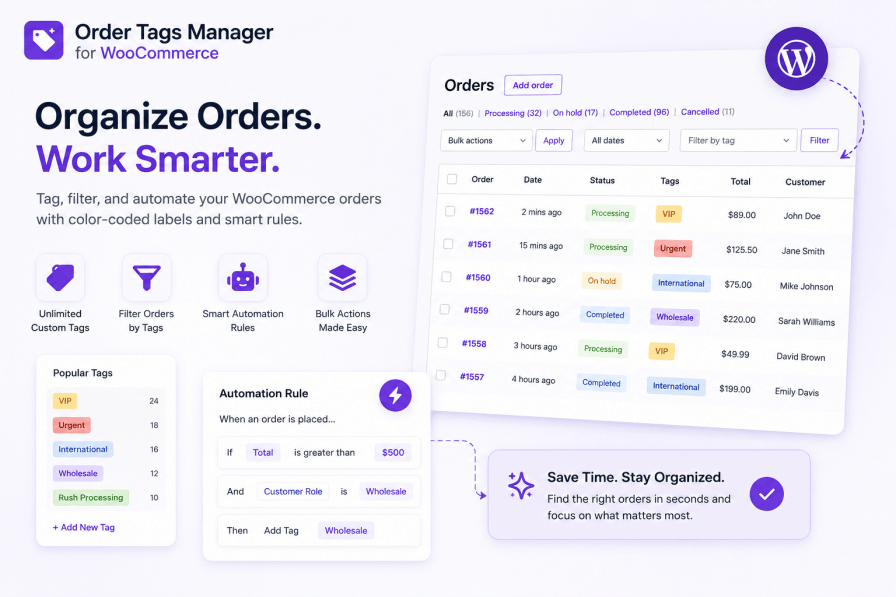
Most store owners don’t notice this cost because it’s spread across the whole day in small interruptions — until they add it up.
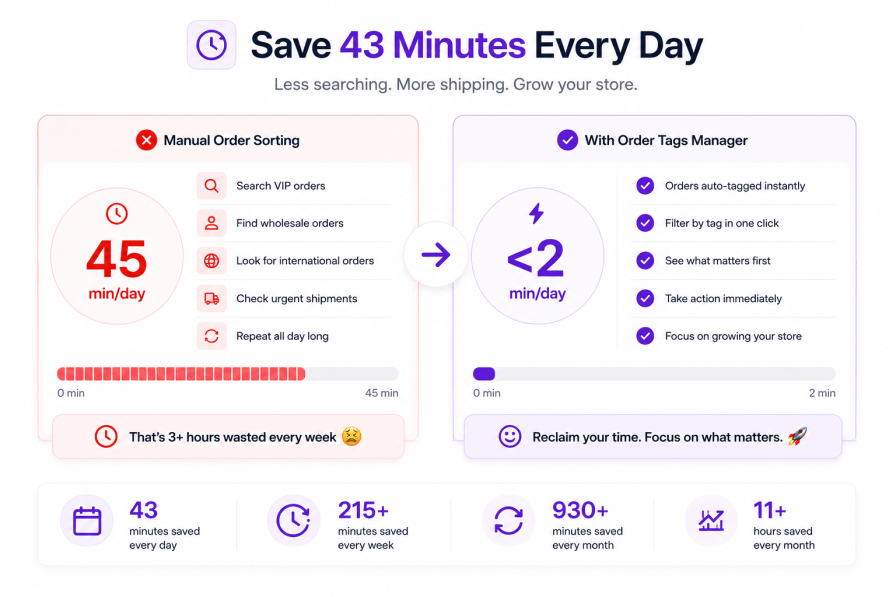
Most “order label” plugins give you a way to stick a tag on an order and stop there. Order Tags Manager treats tagging as the front door to a bigger workflow: tags that apply themselves through automation rules, tags you can search and filter by, tags you can add or strip from hundreds of orders in one bulk action, and tags that are visible at a glance without opening a single order.

Create as many tags as your workflow needs, each with its own background color, text color, and internal description so the next person on your team knows exactly why a tag exists.
Tags show up as color badges directly on the Orders list and on the order detail page — no clicking into an order to know what it needs.


This is the part that turns Order Tags Manager from a labeling tool into a system that runs itself. Set a rule up once, and it evaluates every matching order from that point forward — no cron job to babysit, no manual review queue.
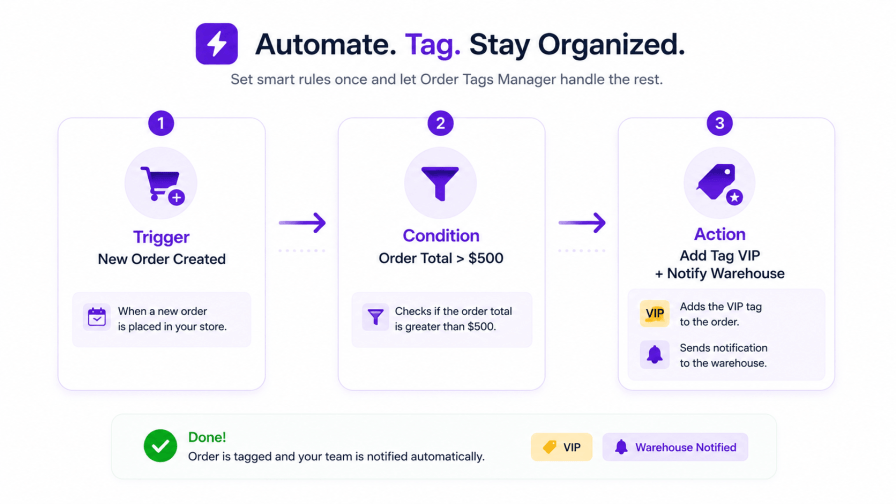

IF Order Total > $500
THEN Add Tag "VIP Customer"

IF Customer Type = New AND Order Total > $100
THEN Add Tags "New Customer", "High Value"

IF Shipping Method = Express
THEN Add Tag "Priority Processing" + Send Email to Warehouse

IF Product Category = Electronics AND Order Total > $1000
THEN Add Tag "High Value Electronics" + Add Note "Requires signature"

IF Billing Country != United States
THEN Add Tag "International" + Add Note "Customs documentation required"
Every rule can be tested against a real, existing order before you switch it on — so you see exactly what would have happened instead of finding out after the fact.

Automation handles new orders going forward — bulk actions handle everything already sitting in your store. Select any number of orders from the WooCommerce Orders screen and apply or remove tags in one pass.

Real-world example: Filter to 247 orders placed during a Black Friday sale, select all, apply “Holiday 2024” and “Gift Orders” in one action — done in about 5 seconds instead of an afternoon of one-by-one clicking.

A dropdown filter sits right above your Orders list. Pick a tag, and the list refreshes to show only orders carrying it — combine it with WooCommerce’s built-in date, status, and customer filters for a precise view without touching a search query.
Order Tags Manager runs entirely in the admin. It never loads on your storefront, so shoppers checking out never touch its code.
Can I create tags with custom colors?
Yes. You get full control over both background color and text color for every tag, so labels stay readable no matter your admin theme.
How many tags can I create?
There’s no limit. Stores use anywhere from 5 tags to organize a simple store to 40+ covering priority, customer type, fulfillment, and campaigns all at once.
Can automation rules be as complex as I need?
Yes. Combine multiple conditions with AND/OR logic and stack multiple actions on a single rule — there’s no cap on rule complexity or the number of rules you run.
Does it slow down my site?
No. Order Tags Manager is admin-only — nothing runs on the storefront, cart, or checkout, so shoppers never load any of its code.
Can I add or remove tags in bulk?
Yes. From WooCommerce → Orders, select any number of orders and add or remove tags in one bulk action.
Can I undo a bulk operation?
Yes. You have a 60-second window right after a bulk action completes to undo it if the wrong orders got selected.
Is this fully compatible with HPOS?
Yes. Every feature that works under the legacy order storage works identically with WooCommerce’s High-Performance Order Storage enabled.
Will automation rules apply to orders I already have?
Automation rules apply going forward from the moment they’re activated. For existing orders, use the bulk tagging action to apply tags retroactively in one pass.
Every order that sits unsorted in your queue is a small decision someone on your team has to make by reading it — is this urgent, is this a VIP, does this need customs paperwork. Order Tags Manager makes that decision once, automatically, and shows the answer as a color right on the Orders page.
Whether you’re running a lean single-person store or coordinating a team across support, fulfillment, and warehouse — Order Tags Manager turns your Orders page from a wall of identical rows into a system that sorts itself.

Order Tags Manager is developed by Kartechify, a WooCommerce extension developer focused on practical order and store management tools backed by direct customer support.
Check out our other plugins on the WooCommerce Marketplace, including tools for custom order statuses for teams that want more than tags alone. For setup steps and automation rule walkthroughs, see the full Order Tags Manager documentation.
Yes! Full control over background color and text color for perfect visibility.
You can create unlimited tags.
Yes! Combine multiple conditions with AND/OR logic. Stack multiple actions. No limits.
No. Order Tags is lightweight and optimized. Zero impact on frontend speed. Minimal backend footprint.
Yes, Definitely. You can Add/Remove the tags on WooCommerce -> Orders page.
Yes, you can undo the action in 1 min span of completion of bulk action.
Yes, All the options that works in normal mode will also work when HPOS is enabled on the store.
Extension information
Quality Checks
Countries







