

Product comparison
Subscription includes
Support
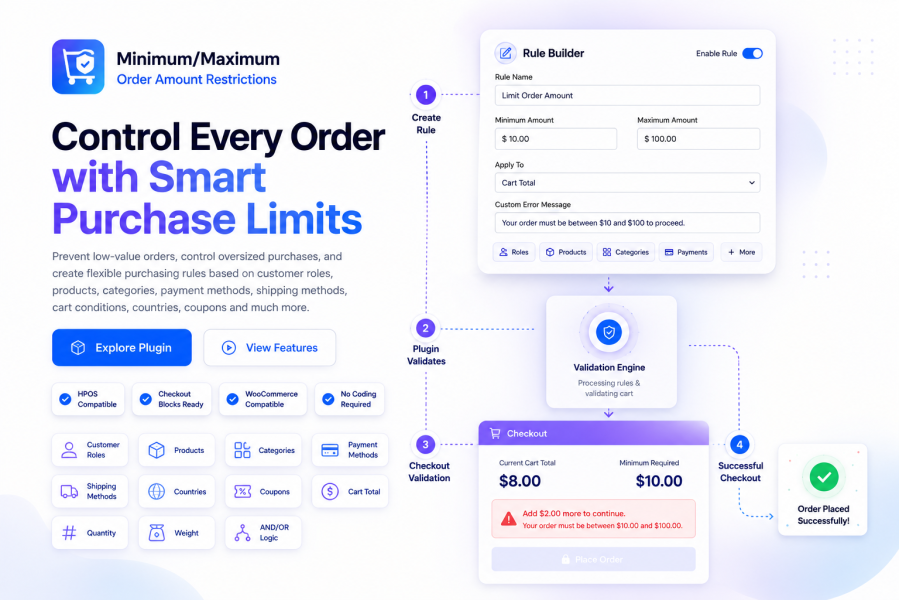
Set Minimum Order Amount and Maximum Order Amount limits based on cart, product, user role, payment, shipping, and location conditions, with powerful AND/OR logic for flexible checkout restrictions.
A store without order-value control accepts whatever comes through checkout , a $4 order that costs more to pack than it earns, a $1,200 Cash on Delivery order you can’t safely risk, or a wholesale account checking out below your negotiated minimum. Minimum and Maximum Order Amount Restrictions for WooCommerce replaces guesswork with rules: define limits using cart contents, product/category/brand, user role, coupon status, payment method, shipping method, and customer location, then combine them with an AND/OR conditional logic builder so each rule fires exactly when it should.
A $6 order ships out at a $9 cost, and nobody flags it. A customer pays Cash on Delivery on a four-figure cart, and if they refuse it at the door, you eat the loss. Your free shipping perk kicks in on carts that never should have qualified, because nothing ties the threshold to the shipping method itself. A wholesale buyer checks out at retail-level spend because the storefront has no idea they’re on a special account.
None of this is unusual , it’s what happens by default when WooCommerce has no concept of order-value policy. This plugin gives it one, enforced automatically, rule by rule.
Minimum and Maximum Order Amount Restrictions hands you granular control over which carts are allowed to convert , scoped to the shipping method, payment gateway, customer segment, or product mix you specify.
Every rule carries its own minimum, maximum, or both. Run several rules side by side, each governing a different part of your catalog or customer base.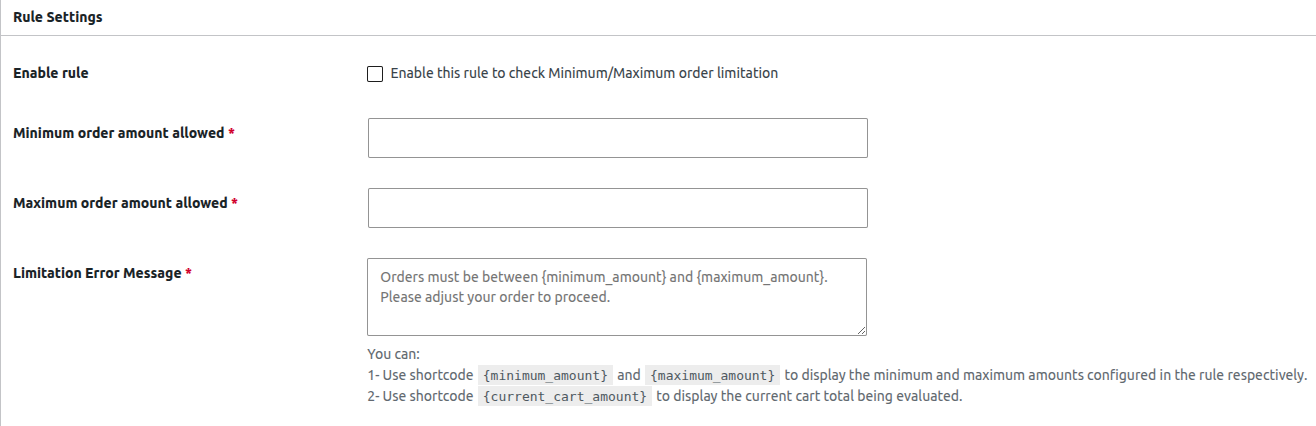
Decide whether a rule reads the raw product subtotal or the full amount due with tax, shipping, and coupon discounts each switched on or off individually. The rule matches how you define order value, not a fixed assumption.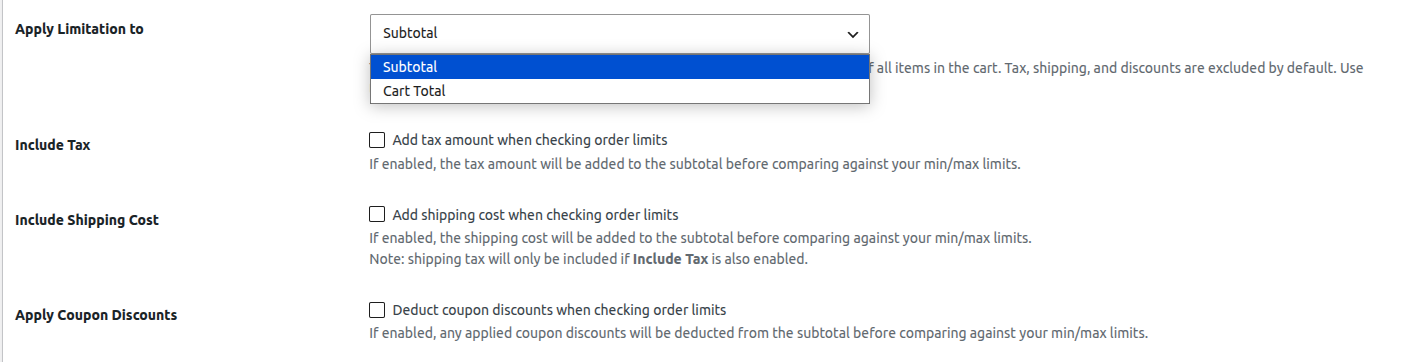
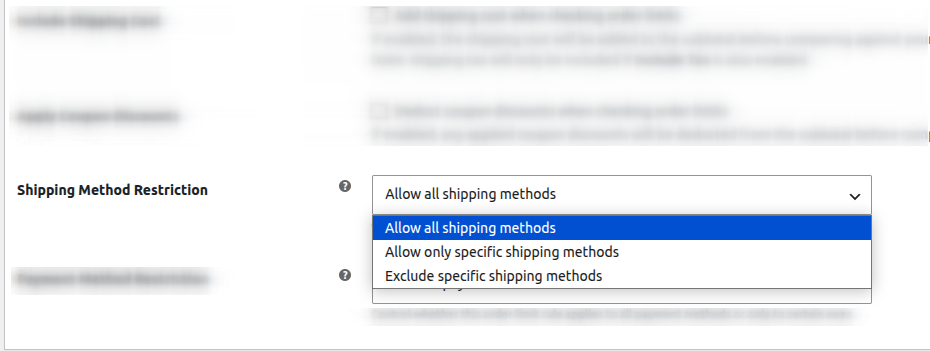
Point a rule at all shipping options, a chosen few, or everything except one. Tie a spend requirement directly to your Free Shipping option without touching Local Pickup or Flat Rate.
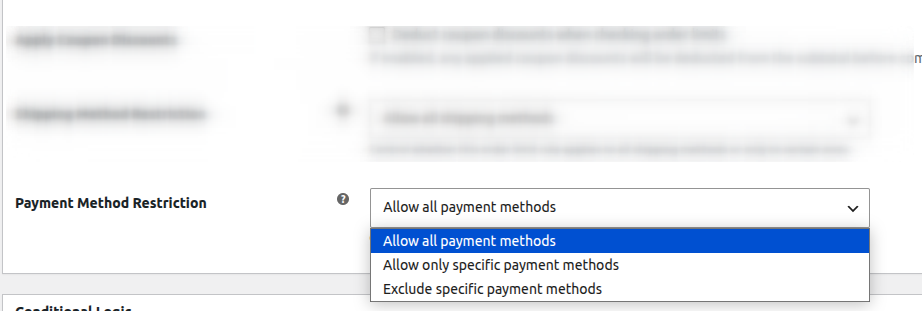
Set a ceiling on Cash on Delivery while leaving card and bank-transfer orders open, or require a minimum on a specific gateway to offset its transaction fee.
Group conditions so every item inside a group must hold true (AND), while separate groups act as alternate paths to the same rule (OR) , enough to express policies like “Wholesale role and 15+ items” or “coupon SPRING25 applied,” side by side.
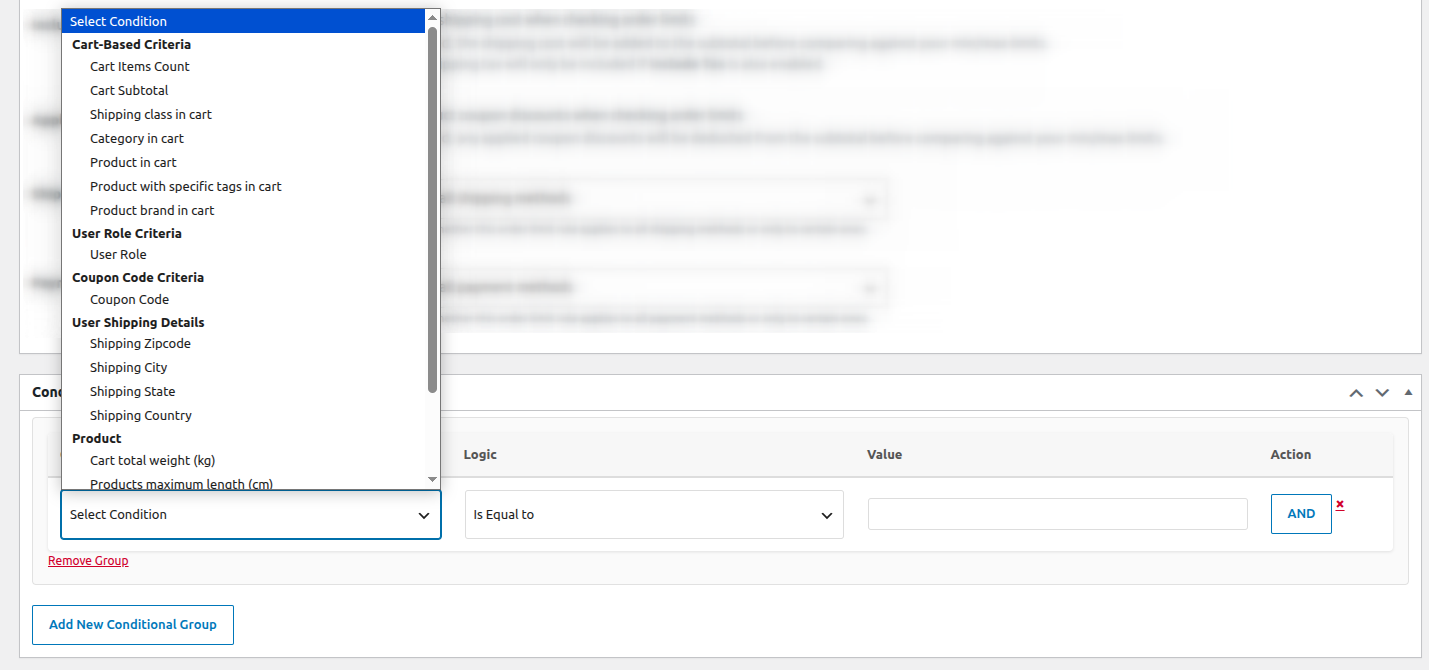
Draw from cart items count, cart subtotal, shipping class, category, product, tag, or brand in cart, user role, coupon status, shipping zip/city/state/country, cart weight, product dimensions, stock quantity, and stock status.
Write your own message per rule with {minimum_amount}, {maximum_amount}, and {current_cart_amount} shortcodes, so customers see their real numbers instead of a generic warning.
Configuration is a straightforward flow: name the rule, set the amount, pick the scope, add method or location restrictions if needed, layer conditional logic if the policy calls for it, save. All evaluation happens at cart and checkout only , nothing here touches product-page or browsing performance.
Checks fire only when a cart is validated , the rest of your storefront runs exactly as fast as before.
Tie your Free Shipping option to a $150 subtotal requirement, so the incentive stays profitable instead of quietly costing you on every small cart that claims it.
Set a $400 ceiling on COD orders specifically , larger carts are steered toward prepaid checkout, cutting your exposure to refused deliveries.
Attach a $750 minimum exclusively to the Wholesale role, leaving retail shoppers with no threshold at all.
Raise the minimum for carts shipping to specific countries or zip codes where fulfillment costs make small international orders a net loss.
Apply a $60 minimum only to made-to-order or custom items, while the rest of your catalog checks out with no restriction.
Try the Minimum/Maximum Order Amount plugin with complete confidence. If it isn’t the right fit for your WooCommerce store, simply request a refund within 30 days—no questions asked. Zero risk, total peace of mind.
Start managing your WooCommerce order values today and give your store the control it deserves.
Yes. The plugin allows you to configure both minimum and maximum order amount limits within a single rule. For example, you can require customers to spend at least $50 while preventing orders above $500. This flexibility helps merchants enforce purchasing policies without creating multiple rules.
Yes. Instead of applying rules storewide, you can target specific customer segments using conditions such as user roles, coupon codes, countries, states, shipping zones, payment methods, products, categories, and more. This makes it easy to create personalized purchasing rules for wholesale customers, retail shoppers, or promotional campaigns.
You decide. The plugin lets you choose exactly how the order amount is calculated. You can validate rules based on:
This gives complete control over how WooCommerce calculates the order total before validating minimum or maximum purchase limits.
Yes. You can create rules that apply exclusively to Cash on Delivery (COD) or any other WooCommerce payment gateway. This is useful for limiting COD orders, reducing risk, or requiring higher order values for specific payment methods.
Yes. Using the built-in Shipping Method Restriction, you can apply minimum or maximum order amount rules only when customers choose Free Shipping. This helps encourage larger purchases before customers qualify for free delivery.
No. The plugin includes a visual condition builder with dropdown menus and simple AND/OR logic. No coding, custom PHP, or WooCommerce development experience is required. Store owners can create advanced order amount rules in just a few clicks.
Yes. There is no limit to the number of active rules you can create. You can build different order amount restrictions for different products, categories, customer roles, shipping methods, payment gateways, locations, and promotional scenarios simultaneously.
Yes. The plugin works seamlessly with WooCommerce Coupons. Coupon codes can be used as rule conditions, and you can also choose whether coupon discounts should be included or excluded when calculating the minimum or maximum order amount.
Yes. You can show clear, customizable error messages that explain why checkout is blocked and tell customers exactly how much more they need to spend or why their order exceeds the allowed maximum. This improves the shopping experience and reduces abandoned carts.
This plugin is ideal for:
Whether you need a simple minimum order requirement or highly advanced conditional order amount validation, this plugin is designed to handle both basic and complex WooCommerce store requirements.
No, evaluation happens only when a cart is validated at cart/checkout; browsing and product pages are untouched.
Categories
Extension information
Quality Checks
Countries







