

Subscription includes
Support
Every international WooCommerce store eventually runs into the same problem: a customer in a restricted country places an order, and by the time anyone notices, the product has shipped, a refund is owed, or a distribution agreement has been broken. GeoShield stops this before it happens, not after.
GeoShield detects where each visitor is browsing from and automatically applies the catalog and checkout rules you set, using WooCommerce’s own built-in geolocation. No product is shown, priced, or sold to a customer in a country you’ve restricted, and no third-party API keys or monthly lookup fees are required to make it work.
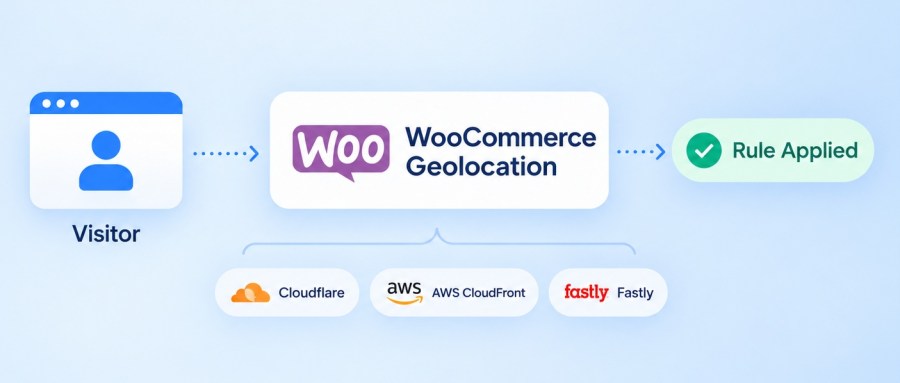
GeoShield reads location directly from WooCommerce’s native geolocation and standard proxy headers, including Cloudflare, AWS CloudFront, and Fastly. There’s nothing extra to sign up for and nothing extra to pay per lookup: your restriction rules simply work, out of the box.
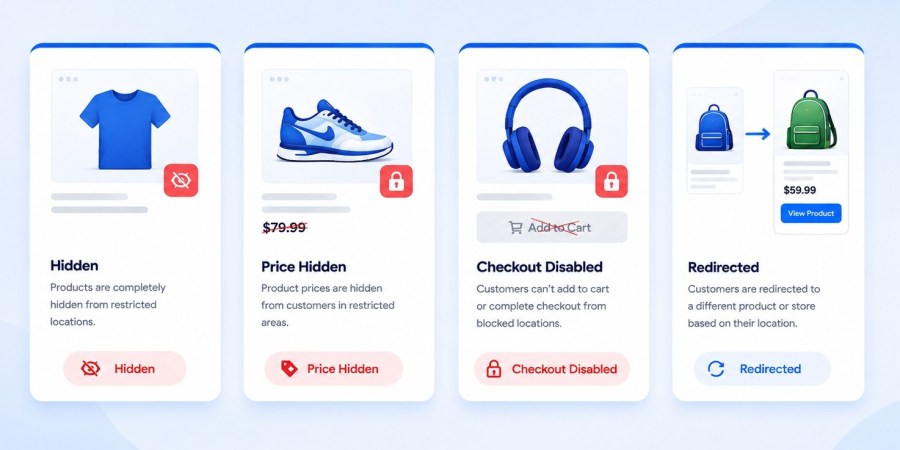
Most country-restriction tools give you a single option: hide the product or don’t. GeoShield gives you a choice for every situation. Keep a product visible for browsing but disable the buy button. Hide the price to protect distributor pricing. Or automatically forward a restricted visitor to their regional store instead of showing them a dead end.
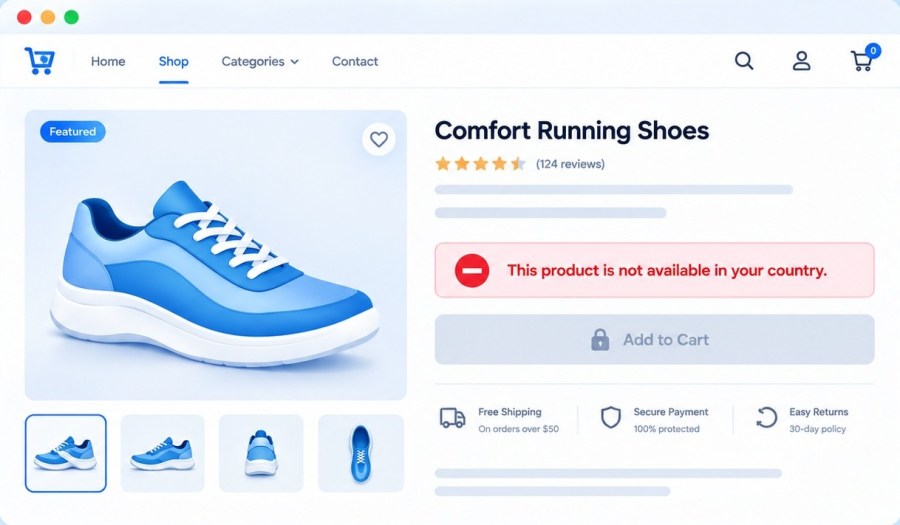
When a customer in a restricted country lands on a product page, GeoShield doesn’t just make things disappear without explanation. Depending on the restriction action you choose, the page can stay visible with a clear, custom notice explaining why the item isn’t available to them, while purchasing is automatically locked.
Instead of a confusing error or a missing product, restricted visitors see a straightforward banner explaining the restriction, with the Add to Cart button disabled beneath it. You control the exact wording shown, per product, per variation, or storewide as a default.
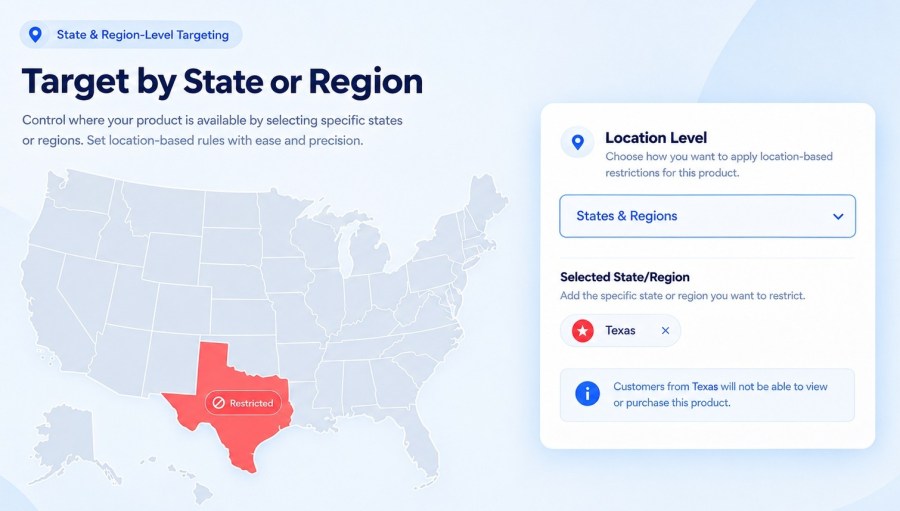
Some restrictions need to go deeper than the country level. GeoShield lets you target individual states and provinces, not just entire countries, so you can, for example, keep a product available across the United States while restricting it in a single state.
Bulky freight, temperature-sensitive items, and hazardous materials all carry their own shipping rules. GeoShield lets you restrict by shipping class directly, so oversized or regulated goods never reach a customer whose region can’t legally or physically receive them.
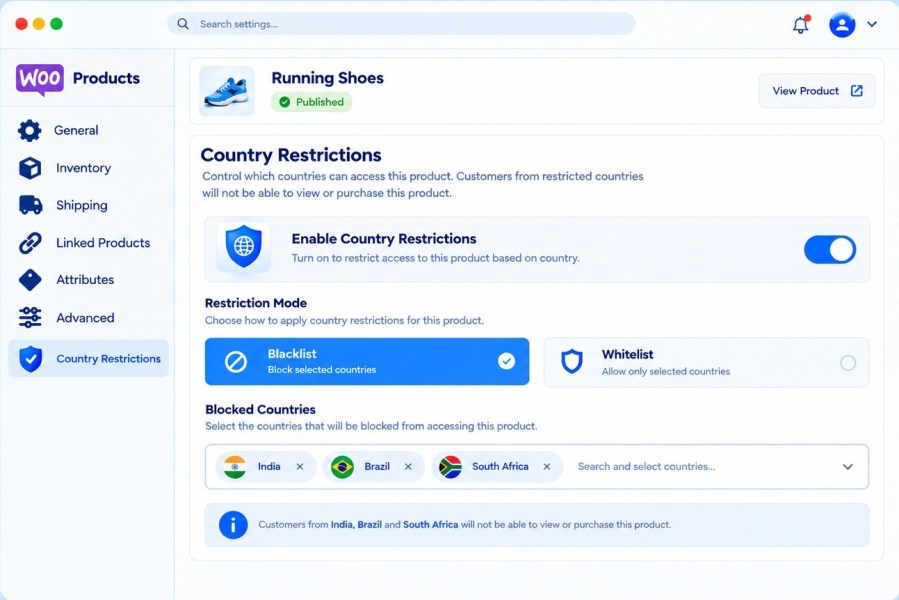
Configure a restriction directly on any product’s edit screen for one-off cases, or manage rules for your whole catalog from a single Restriction Rules dashboard when you’re covering hundreds of products at once. Product-level settings always take precedence, so exceptions are simple to handle.
GeoShield’s built-in analytics automatically purge logged restriction events after a retention period you choose, and every table and setting is removed cleanly if you ever uninstall the plugin. No visitor-level personal data is stored, and no data is shared with third parties.
No. GeoShield uses WooCommerce's own built-in geolocation. There are no external API keys to manage and no recurring lookup charges.
Blacklist restricts only the countries, states, or regions you select, while the rest of the world can access normally.
Whitelist does the opposite: only your selected locations can access the product, and everywhere else is restricted by default.
Yes. You can choose between hiding a product entirely, hiding only the price and buy button, disabling checkout while the page stays visible, or redirecting the visitor elsewhere.
Yes. Rules can target specific countries, continents, or individual states and provinces, so a product can stay available across a country while being restricted in one region.
Yes. Individual variations can carry their own restriction, so one product can offer different versions to different regions without creating separate listings.
Yes. Rules can target everyone, guest visitors only, logged-in customers only, or specific roles such as wholesale or B2B accounts.
Yes. GeoShield is fully compatible with High-Performance Order Storage (HPOS) and the WooCommerce Store API used by the block-based Cart and Checkout.
No. Restrictions are evaluated using WooCommerce's native geolocation and caching, adding negligible overhead even on catalogs with many rules.
Yes. GeoShield reads the visitor's real IP through standard proxy headers used by Cloudflare, AWS CloudFront, and Fastly.
If you enable full cleanup, all GeoShield tables, rules, and settings are removed automatically when the plugin is deleted.







