

Product comparison
Subscription includes
Support
Make “what’s included” a deliberate part of your product merchandising. Box Contents for WooCommerce gives included items their own clear, structured presentation so shoppers can understand what they will receive and recognize the full value of your offer.
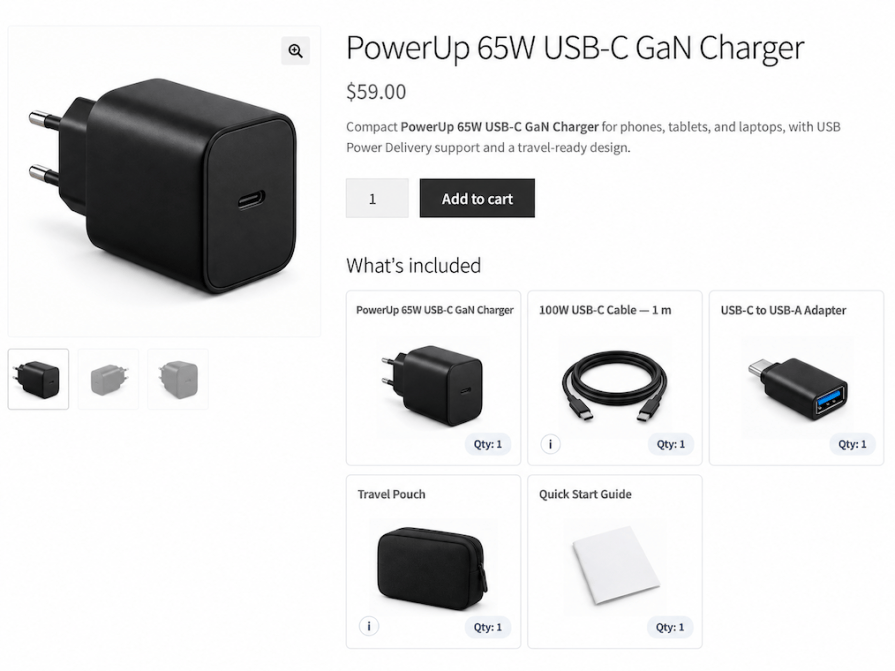
Make it immediately clear what comes with the product, so shoppers do not have to infer what is included from images, descriptions, or other product information.
Included accessories and components can add significant value to a product. Make that added value visible so shoppers can evaluate the complete offer, not just the main product.
Show the full composition of a kit or set by giving each included item its own place, so shoppers can understand the complete package.
Give included contents dedicated attention instead of treating them as incidental information scattered across the product page.
Shoppers need to know exactly what they will receive, but “what’s included” information on WooCommerce product pages is often buried in descriptions, images, tabs, or manually maintained lists.
Box Contents helps merchants intentionally communicate the full value of their products by making “what’s included” a deliberate part of their product merchandising strategy.
Shoppers may need to know whether specific accessories or components are included with the main product. Those included items can add significant value to the offer.
Box Contents makes included accessories and components explicit and easy to identify, while also helping merchants communicate the full value of the offer when those included items add meaningful value to the purchase.
Shoppers need to understand everything that is included in the kit or set, not just the main item. The combination of included items can also be part of what makes the product attractive.
Box Contents makes the full composition of a kit or set easy to understand for shoppers while helping merchants show its value by giving each included item its own clear place in the product presentation.
Even when merchants provide “what’s included” information, it can be buried among specifications, benefits, technical details, images, and other sales content.
Box Contents makes it easier for shoppers to discover and understand what is included by giving the items their own dedicated presentation, without making shoppers hunt for what’s included.
Shoppers may not fully understand the value of an offer when included items that enhance the product experience are not clearly presented. When comparing similar products, they may also overlook meaningful differences in what each offer includes.
Box Contents helps merchants highlight the complete value of their offer by making included items visible as part of the product experience, not just additional information.
Important included items should not have to compete with specifications, descriptions, images, and other product content for attention.
Box Contents gives “what’s included” a dedicated, structured place so merchants can deliberately present included items and make clear the value those items add to the offer.
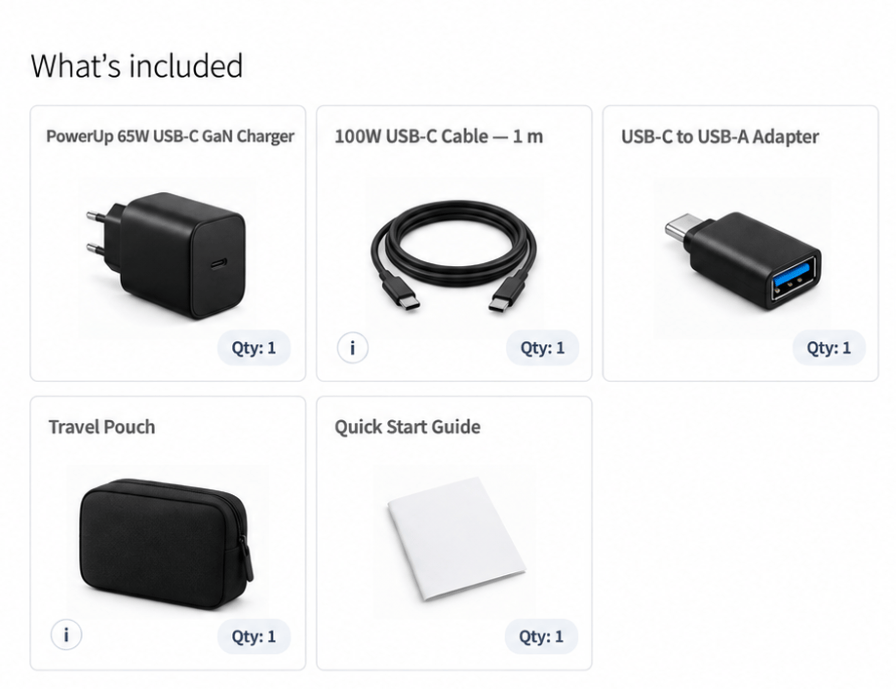
Some included items may already be products in your store. Others may only exist as part of the package.
Box Contents supports both, so you can show the complete contents of a product accurately, whether an included item is a product you already sell separately in your store, or only comes with the package.
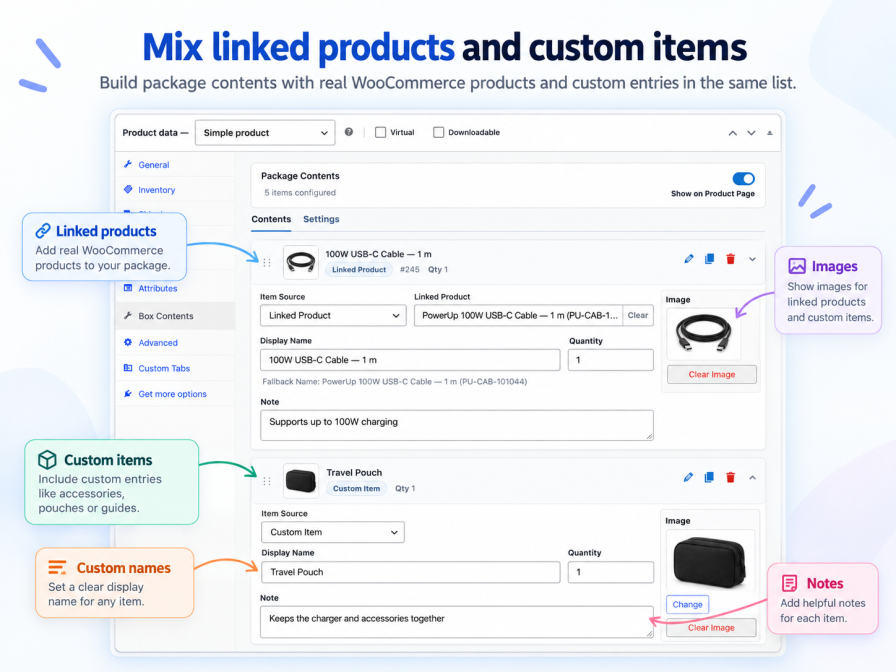
Help shoppers understand what each included item is and why it matters as part of the offer.
Use names, images, quantities, and notes to make included items easier to recognize and understand.
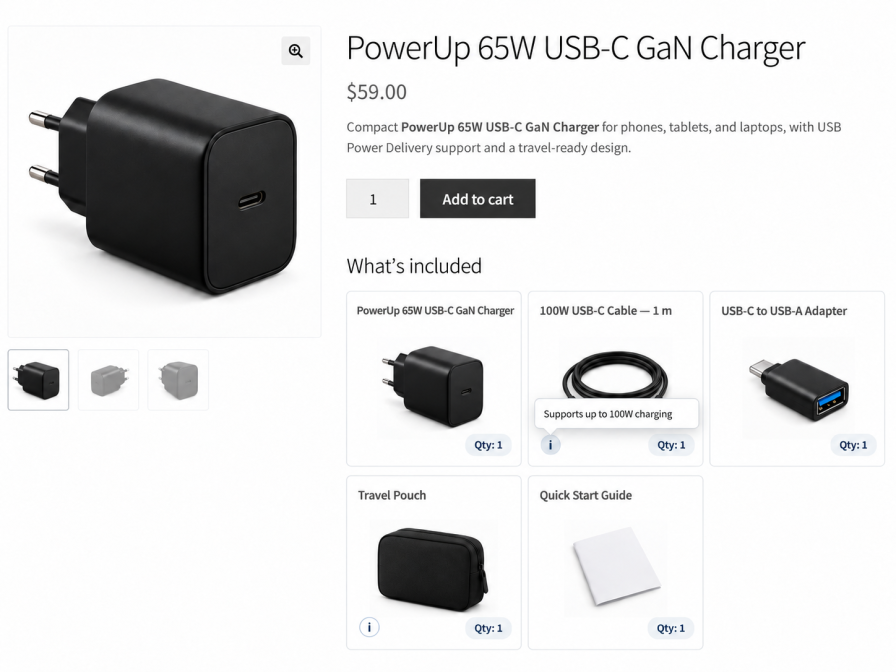
Arrange included items in the order that makes the most sense, and choose a presentation that fits the product and your storefront.
Choose the layout that fits the product:
Fine-tune the presentation:
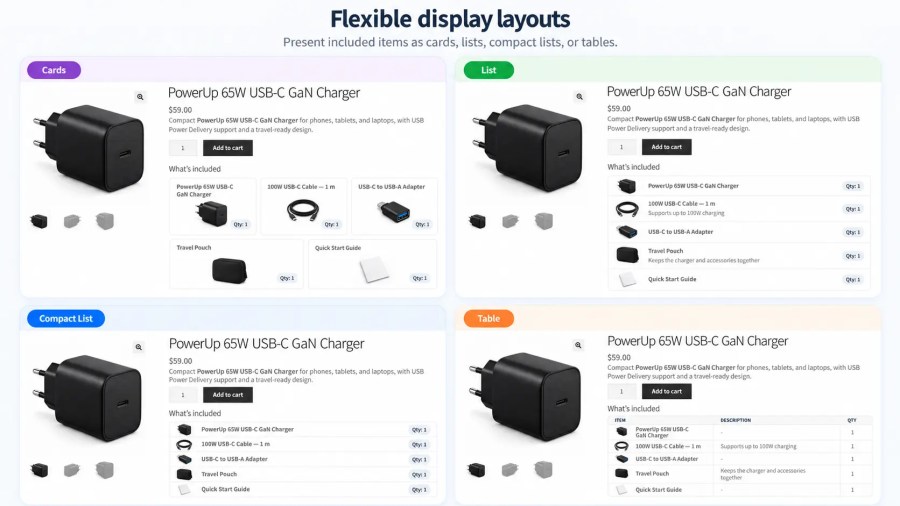
Make it easy for shoppers to understand exactly what they will receive, while giving included items a clear, visible place in the offer.
With Box Contents, “what’s included” becomes a clear, deliberate part of the product presentation, helping shoppers recognize the full value of what you sell.
No. You can use Box Contents only on the products where showing “what’s included” adds value.
Yes. You can use existing WooCommerce products as included items.
You can add it as a custom included item, so you can accurately show contents that are not sold separately.
Yes. Included items can be presented with names, images, quantities, and notes to give shoppers the context they need.
Yes. Depending on the product and the information you want to present, you can choose from:
Yes. Use a custom heading and arrange included items in the order that best communicates the offer.
Yes. Variable products are supported when all variations share the same box contents. Variation-specific contents are not currently supported.
Yes. Box Contents can appear automatically on the WooCommerce product page, and manual placement options are also available when you need more control.
Quality Checks
Countries







