

Subscription includes
Support
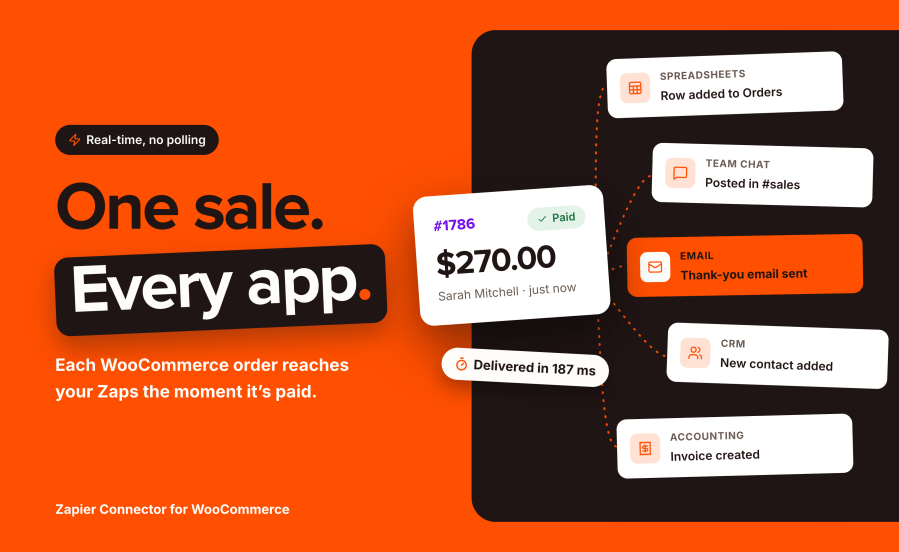
Zapier Connector for WooCommerce sends store events to Zapier the moment they happen, and lets your Zaps write back. An order is paid, a subscription renews, stock runs low: the event reaches your Zap in seconds, carrying the same fields as the WooCommerce REST API. In the other direction, Zaps create and update customers, coupons, products, orders and notes on your store. Between the two, every delivery and every inbound action lands in an activity log where “did it fire?” takes five seconds to answer.
It ships with its own app on the Zapier platform, so your triggers work on Zapier’s free plan and the trigger list in the Zap editor is read live from your store, your custom order statuses included.
Orders: created, updated, paid, deleted, restored, status changed, and one trigger per order status. Products and variations: created, updated, deleted, restored, stock low, stock status changed, and one trigger per stock status. Customers, coupons and order notes complete the core set. Each event delivers the full object as your store’s REST API describes it, so the fields you map in Zapier are the fields your store actually carries.
Zapier Connector pairs with its own app on the Zapier platform. Connecting takes a store URL, a username and an application password. Turning a Zap on subscribes it to your store automatically; turning it off unsubscribes. The editor’s test step pulls real recent orders so you map real fields, and native app triggers work on Zapier’s free plan.
Run WooCommerce Subscriptions, Bookings or Memberships? Their triggers and actions appear on their own: renewals and failed renewals, switches, booking confirmations and cancellations, membership transfers and pauses, one trigger per status throughout. Forty-four additional events, zero configuration.
Create and update customers, coupons, products, orders, subscriptions and memberships from any Zap. Add order and subscription notes, private or customer-facing. Find a customer by email, a product by SKU, a coupon by code, an order by its number, so “find or create” flows chain naturally. A curated field set covers the common cases and an open field accepts any WooCommerce REST API field.
Every outbound delivery and every inbound action, newest first, with HTTP status, attempt number and duration. Resend any delivery with its original payload in one click. Failures retry on a backoff schedule, and a feed that fails repeatedly deactivates itself with a note explaining how to recover, instead of hammering a dead Zap forever.
Nine tools registered with the WordPress Abilities API let an MCP-connected AI assistant inspect and manage the integration under your permissions: list triggers, create and pause feeds, read the delivery history, resend a failed delivery. “Why didn’t my Zap run yesterday?” becomes a question your assistant can answer.
There are three ways to connect WooCommerce to Zapier: the long-standing Zapier Integration extension, hand-made WooCommerce webhooks paired with Webhooks by Zapier, and Zapier Connector. The differences that matter are how triggers reach Zapier, what happens when a delivery fails, and how much of the setup you can see and control from your store.
| Zapier Connector | Zapier Integration (Tectalic) | Manual webhooks + Webhooks by Zapier | |
|---|---|---|---|
| Real-time triggers | 74, including per-status | Comparable coverage across the same resources | Core WooCommerce topics only |
| Works on Zapier’s free plan | Yes, native app triggers | Yes, native app triggers | No, Webhooks by Zapier is a premium app |
| Trigger list reflects custom statuses | Yes, read live from the store | Yes | No, core topics are fixed |
| Delivery log in the store | Yes, with one-click resend and inbound actions logged | Yes, task history | No |
| Failed feed handling | Retries with backoff, then pauses itself with a recovery note | Relies on WooCommerce webhook auto-disable | Relies on WooCommerce webhook auto-disable |
| Import from an existing setup | Yes, one click, existing Zaps keep running | Not applicable | Not applicable |
| AI assistant tools on the store (MCP) | Nine, via the WordPress Abilities API | Not stated; Zapier’s own MCP product works with any Zapier app, either way | Not applicable |
| Subscriptions, Bookings, Memberships | Yes, detected automatically | Yes | Partial, core webhook topics only |
Where the alternatives are genuinely strong, plainly: Zapier Integration by Tectalic has been on the market for over a decade, its Zapier app is long established, and its trigger coverage on the same resources is comparable; if you already run it and it serves you, switching is a choice, not a need. Manual webhooks cost nothing at the store level and suit a developer wiring a single event. Zapier Connector’s case is the store-side experience: the activity log with resend, feeds that pause themselves instead of failing silently, the one-click importer when you do decide to switch, and AI-assistant management out of the box.
No. Zapier Connector ships with a native app on the Zapier platform, and native app triggers work on Zapier's free plan. The free plan's usual task quota applies, as it does to any Zap. Only the optional Catch Hook route relies on Webhooks by Zapier, which Zapier reserves for its paid plans.
The event is queued the instant it happens in the store and delivered by the WooCommerce queue, typically within seconds. There is no polling interval: a paid order does not wait for the next fifteen-minute check.
No. Deliveries run asynchronously through the WooCommerce queue, off the customer's request. A slow or unreachable Zap can never slow a sale.
Usually not. The importer detects the WooCommerce webhooks your current extension created, recreates each one as a Zapier Connector feed aimed at the same Zapier URL, and disables the original so nothing is delivered twice. Your existing Zaps keep receiving events without any change on Zapier's side. Zaps triggered on subscriptions deserve a quick check afterwards, because the previous extension delivered those in an older payload format.
It retries on its own: after 5 minutes, then 30 minutes, then 2 hours. Client errors that cannot succeed on retry are not retried. Every attempt is logged in the Activity tab, where any delivery can be resent manually with its original payload. A feed that keeps failing pauses itself and leaves a note explaining how to reactivate it.
Seventy-four on a full stack: orders (created, updated, paid, deleted, restored, status changed, plus one trigger per order status), products and variations (lifecycle, stock low, stock status changes per status), customers, coupons, order notes, and, when the extensions are active, subscriptions (including renewals, failed renewals and switches), subscription notes, bookings, user memberships and membership plans.
Yes. Zaps can create and update customers, coupons, products, orders, subscriptions and user memberships, and add order or subscription notes. Searches find a customer by email, a product by SKU, a coupon by code or an order by number, so "find or create" flows work naturally. Every inbound action is logged in the Activity tab.
Yes, and by name. The trigger list shown in the Zap editor is read live from your store, so a status added by another plugin appears as its own trigger, for example "Order status changed to Awaiting pickup".
With a WordPress application password over the REST API, created in your admin profile in two clicks. It is scoped, revocable at any time, and never your login password. Store management capability is required, so WordPress permissions apply exactly as they do in wp-admin.
Yes. When one of those extensions is active, its triggers, actions and searches appear automatically; when it is not, they stay out of the way. No configuration either way.
Scheduled deliveries are cancelled and nothing further is sent. Your feeds, settings and activity history are kept, so reactivating picks up where you left off.
Yes, twice over. The Activity tab records every delivery and inbound action with status, duration and attempt count. WooCommerce, Status also carries a Zapier Connector section summarising version, feeds and delivery counts, made for pasting into a support conversation.







