

Subscription includes
Support
Moving from PrestaShop to WooCommerce doesn’t have to mean manually rebuilding your store.
PrestaShop Data Migrator helps you transfer your essential store data from PrestaShop to WooCommerce through a guided admin workflow. Connect your PrestaShop Webservice, configure your migration rules, choose what you want to import, and monitor the migration as it runs in the background.
Migrate your store all at once or move your data in stages such as products first, followed by customers, orders, and reviews.
Connect your PrestaShop store to WooCommerce using the PrestaShop Webservice API.
Enter your:
Test the connection before starting your migration to make sure WooCommerce can communicate with your PrestaShop store.
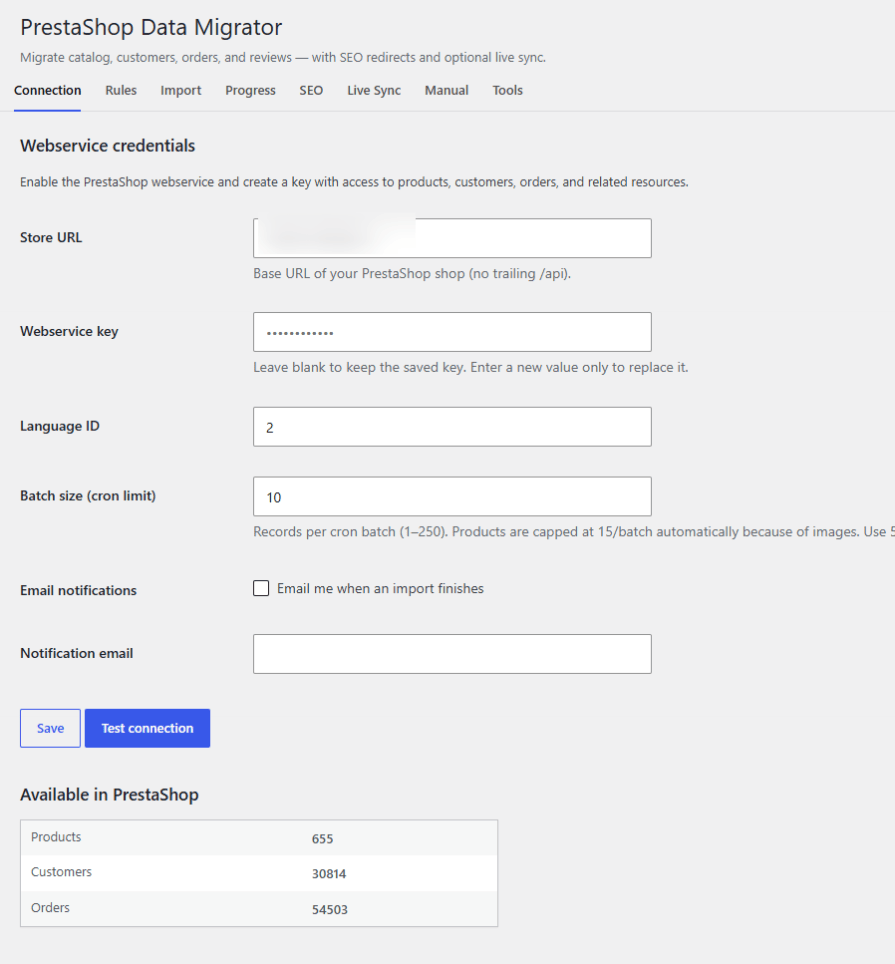
The saved Webservice key is encrypted at rest when OpenSSL is available and is not displayed again in the WordPress admin after it has been saved.
Transfer your PrestaShop catalog to WooCommerce without manually recreating your products.
Product migration can include:
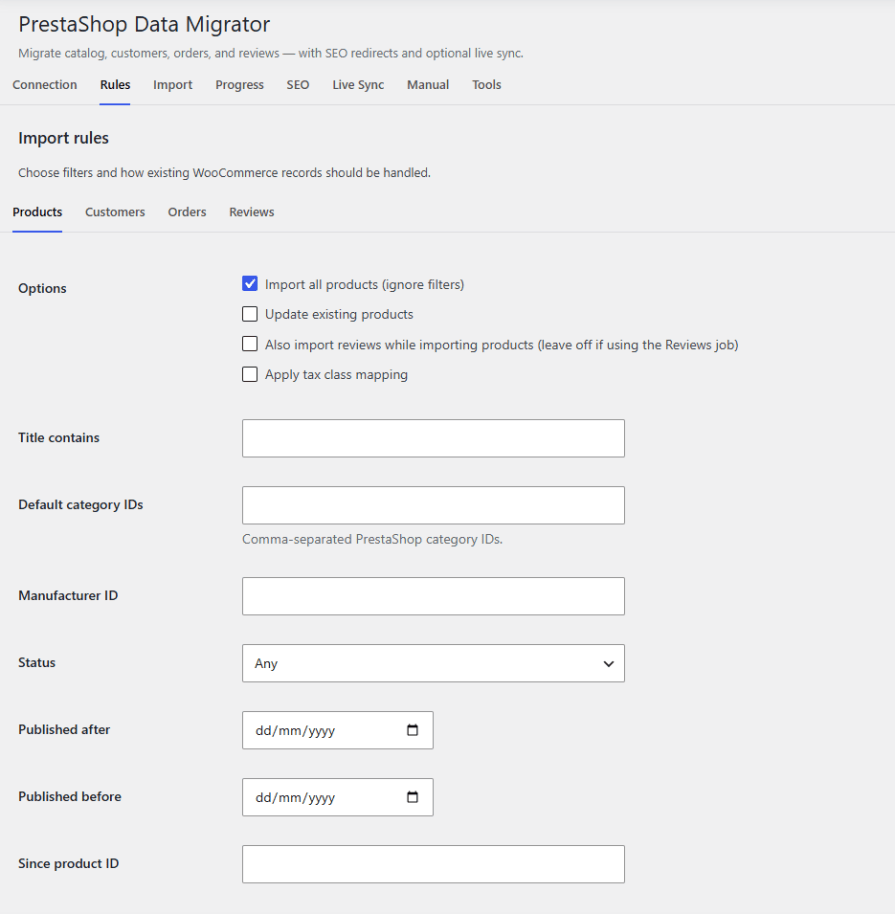
Choose a complete product migration or use your configured migration rules to control what is imported.
Move your existing PrestaShop customer accounts into WooCommerce.
Customer migration supports:
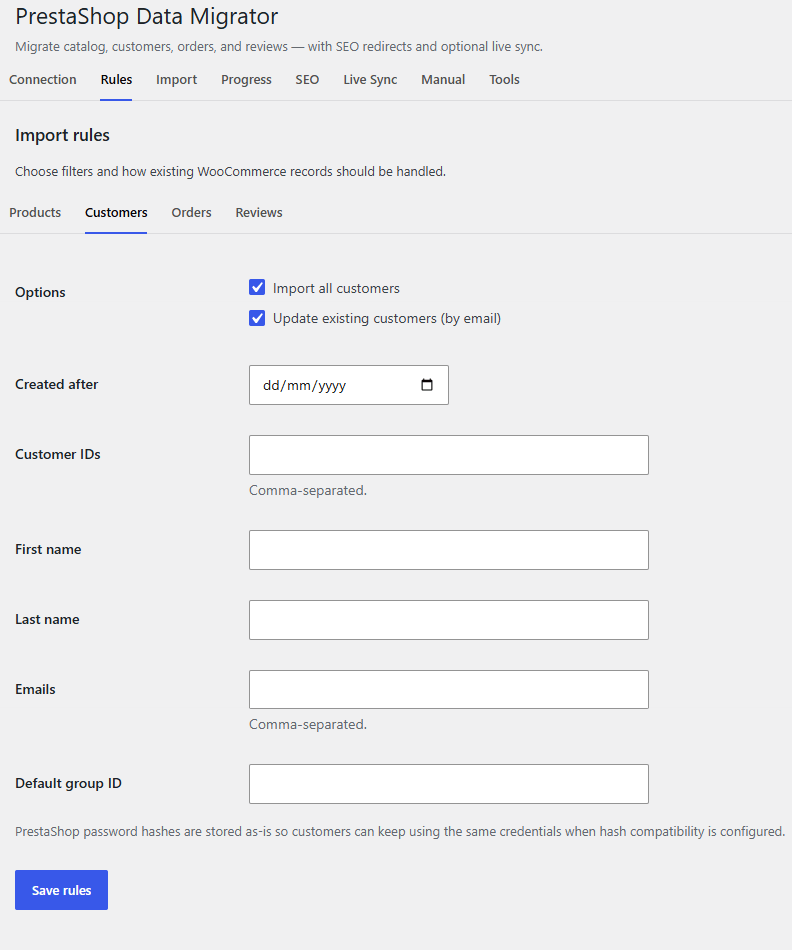
This helps you move your customer database to WooCommerce while maintaining important customer information.
Transfer historical PrestaShop orders into WooCommerce with order details and status mapping.
Order migration supports:
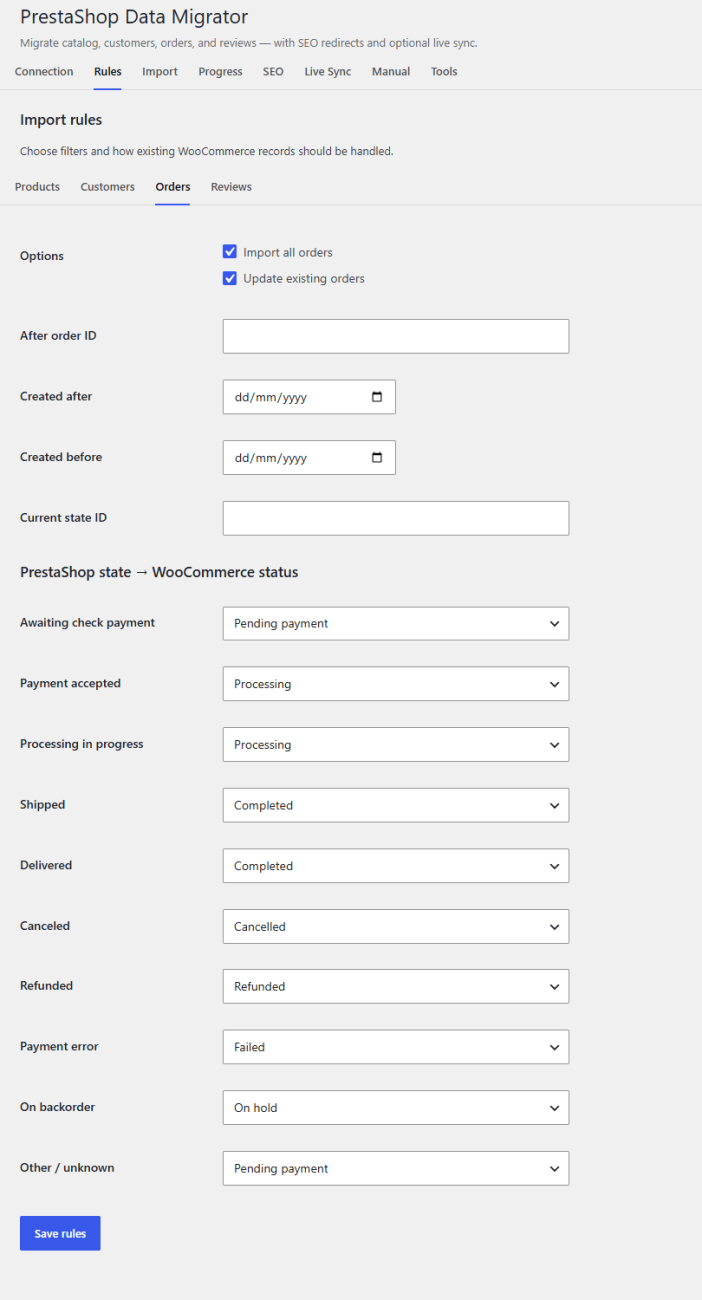
Order imports use WooCommerce-compatible order handling and support High-Performance Order Storage (HPOS).
Keep your product reviews when moving from PrestaShop to WooCommerce.
Import reviews through the PrestaShop Product Comments API or use a CSV file when you need a more controlled import workflow.
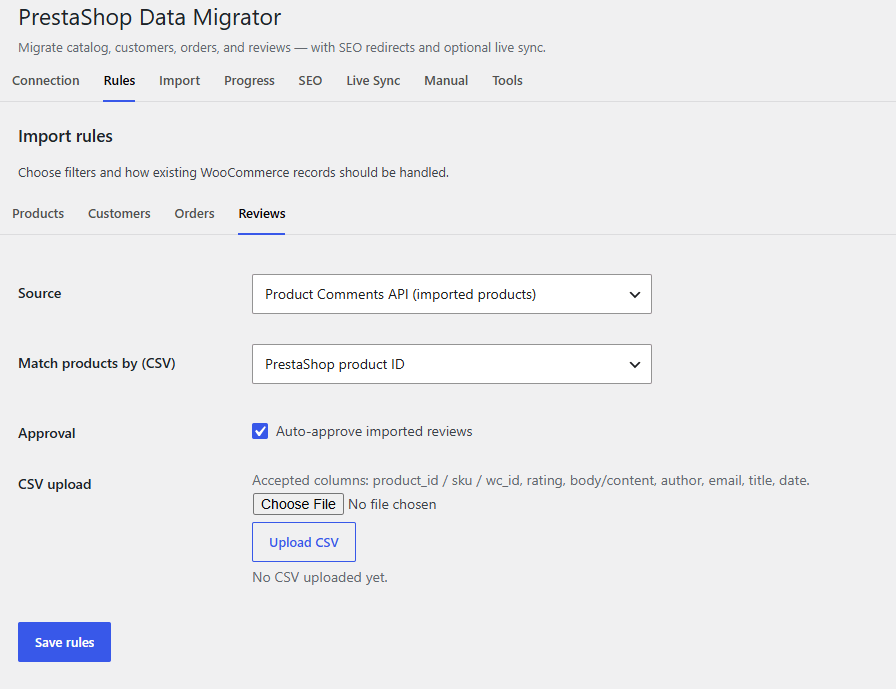
Reviews can be transferred into WooCommerce product ratings and reviews.
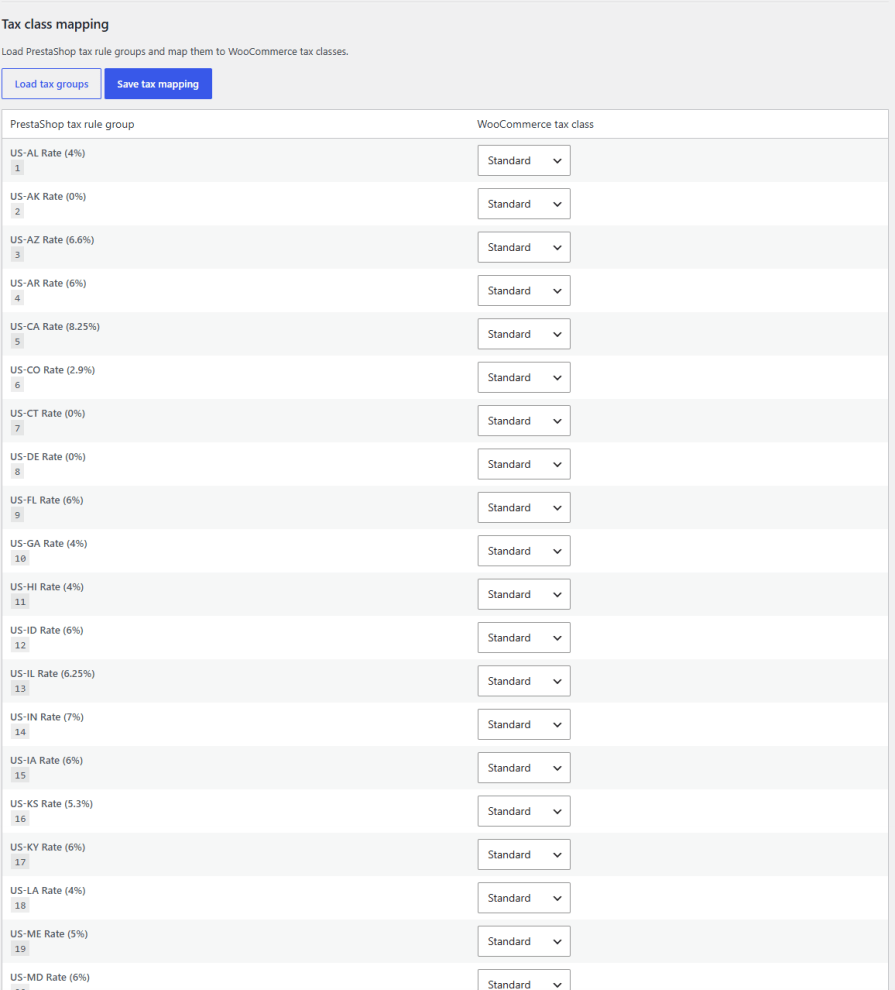
Map your PrestaShop tax rules to WooCommerce tax classes during migration.
Configure the tax mapping before importing your products and orders so your WooCommerce data can use the appropriate tax classes.
You don’t have to migrate your entire PrestaShop store in one operation.
Choose between a complete migration or individual data types:
This makes it easier to test your WooCommerce setup and migrate large stores in manageable stages.
Large PrestaShop stores can contain thousands of products, customers, orders, and reviews.
PrestaShop Data Migrator processes imports in background WP-Cron batches so you can monitor the migration without keeping a browser tab open throughout the entire process.
View:
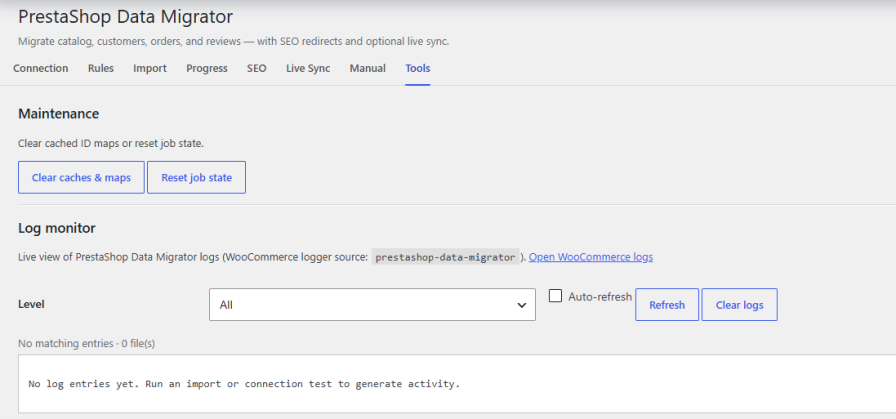
You can also cancel running migrations when necessary.
Changing platforms can create broken URLs and lost search-engine rankings.
PrestaShop Data Migrator can generate 301 redirects from PrestaShop-friendly URLs to your new WooCommerce URLs.
After migration, you can:
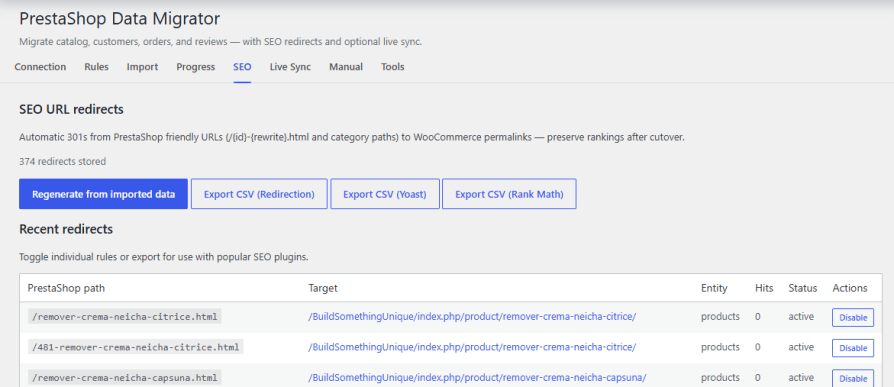
This helps visitors and search engines reach the corresponding WooCommerce pages after your PrestaShop migration.
Need to keep your WooCommerce store updated after the initial migration?
Enable Live Sync to continue transferring selected changes from PrestaShop.
Use the plugin’s webhook endpoint to send supported PrestaShop changes to WooCommerce.
Example endpoint:
/wp-json/psdm/v1/webhook
Requests use the X-PSDM-Secret header and can include events such as product, order, and customer updates.
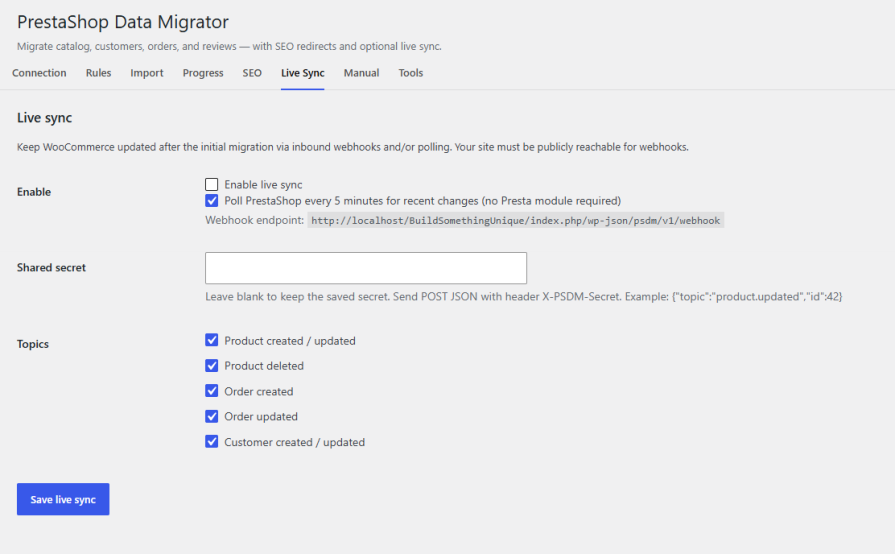
You can also enable optional polling to check for recent PrestaShop changes every five minutes.
Polling does not require a PrestaShop module, making it useful when inbound webhooks are not available.
Your WooCommerce site must be publicly reachable when using inbound webhooks.
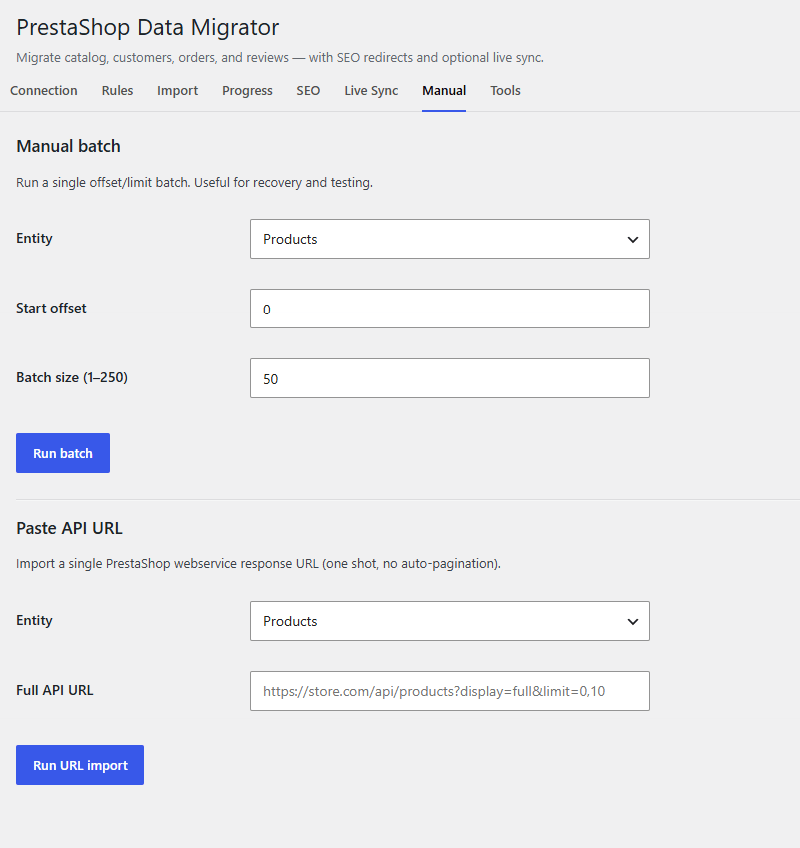
Need more control over your migration?
Use manual offset and limit controls or provide a specific PrestaShop API URL for targeted imports.
This can be useful for:
You can migrate products, variations, images, categories, brands, stock, customers, orders, product reviews, and related migration data. Tax rules can also be mapped to WooCommerce tax classes.
Yes. You can perform a full migration or migrate individual entities separately.
Yes. Product migration supports product data, variations, images, stock, categories, brands, and related catalog information.
Yes. Customer accounts and billing/shipping addresses can be migrated. Password-hash migration is supported where the source hash format is compatible.
Yes. Orders can be migrated with line items, shipping, taxes, statuses, and the original PrestaShop order ID for reference.
Yes. Product reviews can be imported through the PrestaShop Product Comments API or from CSV.
The plugin can generate 301 redirects from PrestaShop-friendly URLs to their corresponding WooCommerce URLs. You can also export the redirects for use with supported SEO or redirect plugins.







