
Active installs
100+
Subscription includes
Support
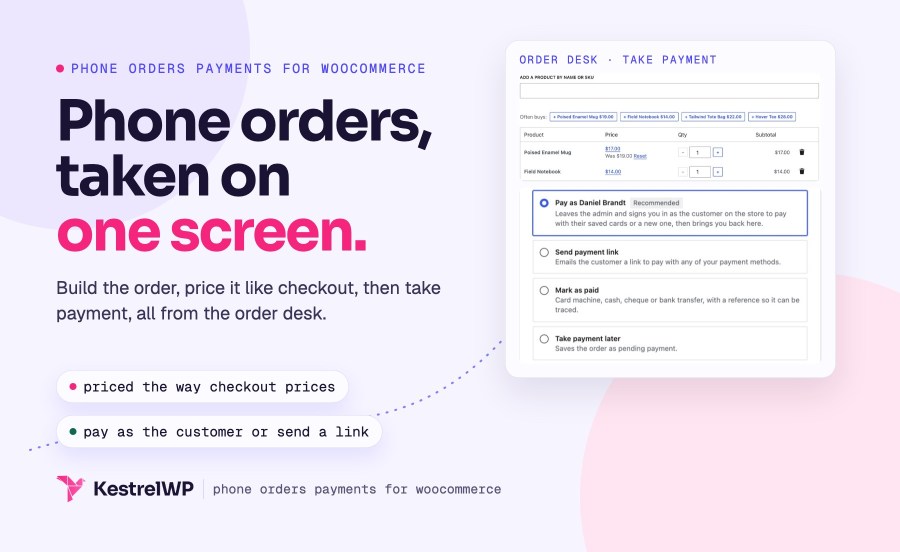
Phone Orders and Payments gives your staff an order desk for taking phone orders in WooCommerce from the first hello to payment: find the caller, build the order, price it the way checkout would, then take payment through the gateway your store already uses. It suits stores whose customers phone, such as trade suppliers, florists and parts counters.
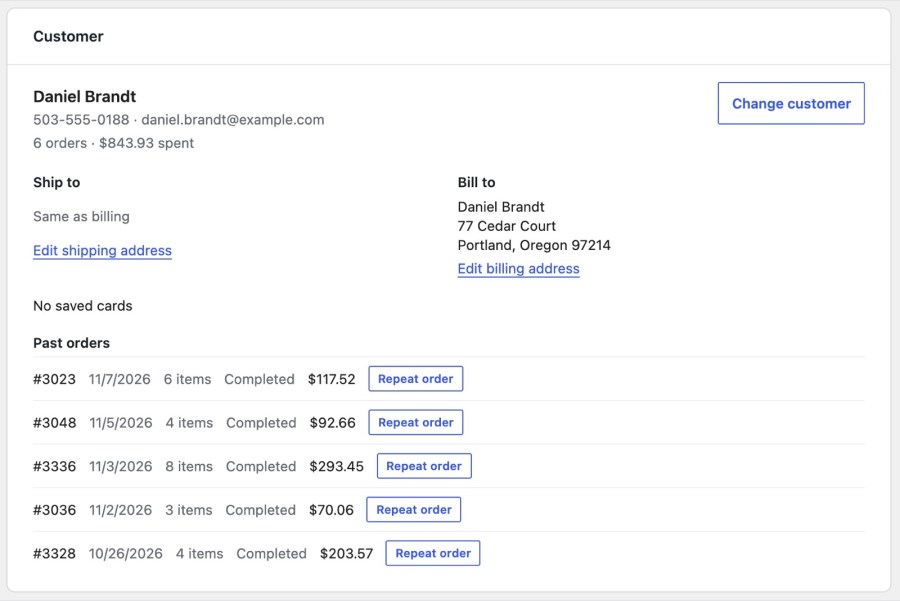
Search by phone number, email or name, and the order desk finds the caller. Phone numbers match however they are formatted, and the search covers customer accounts and guests from past orders. The customer card shows contact details, order count and spend, saved cards and recent orders, so your staff know who they are talking to before the first question. Edit the Bill to and Ship to addresses for this order only, without changing the saved address, or add a new caller as a guest order.
Add a product by name or SKU, pick variation options, change quantities, and change the price on a line for this order only. Regular callers get Often buys, the products they bought most in recent orders, and new callers get Bestsellers, so the usual order takes a click or two. Repeat order loads a past order’s items, add-on choices and shipping at today’s prices. With WooCommerce Product Add-Ons active, the desk shows a product’s add-on fields before it is added, and with WooCommerce Subscriptions you can sell subscription products from the desk.
Apply coupons, add a fee or a discount as a fixed amount or a percentage, choose a shipping rate and edit its cost. The Summary calculates subtotal, discount, shipping, tax and total the same way as checkout, so tax, shipping rules and coupon limits apply. Problems such as an out-of-stock item show before the order can be created, so the total you read to the caller is the total they will pay, and nobody has to fix the order afterward.
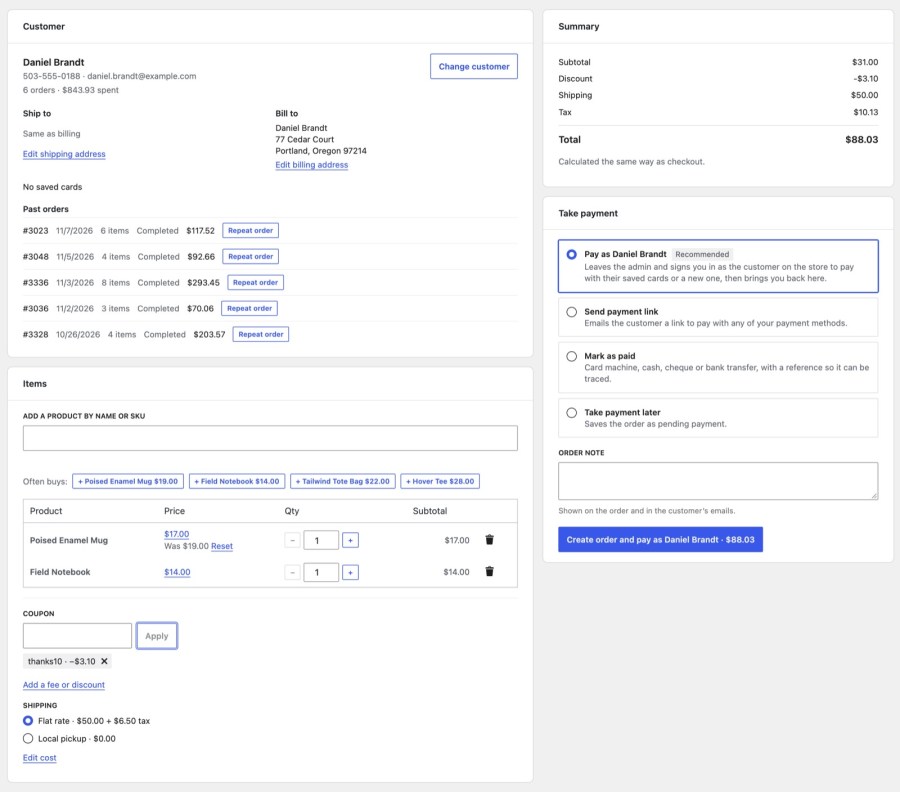
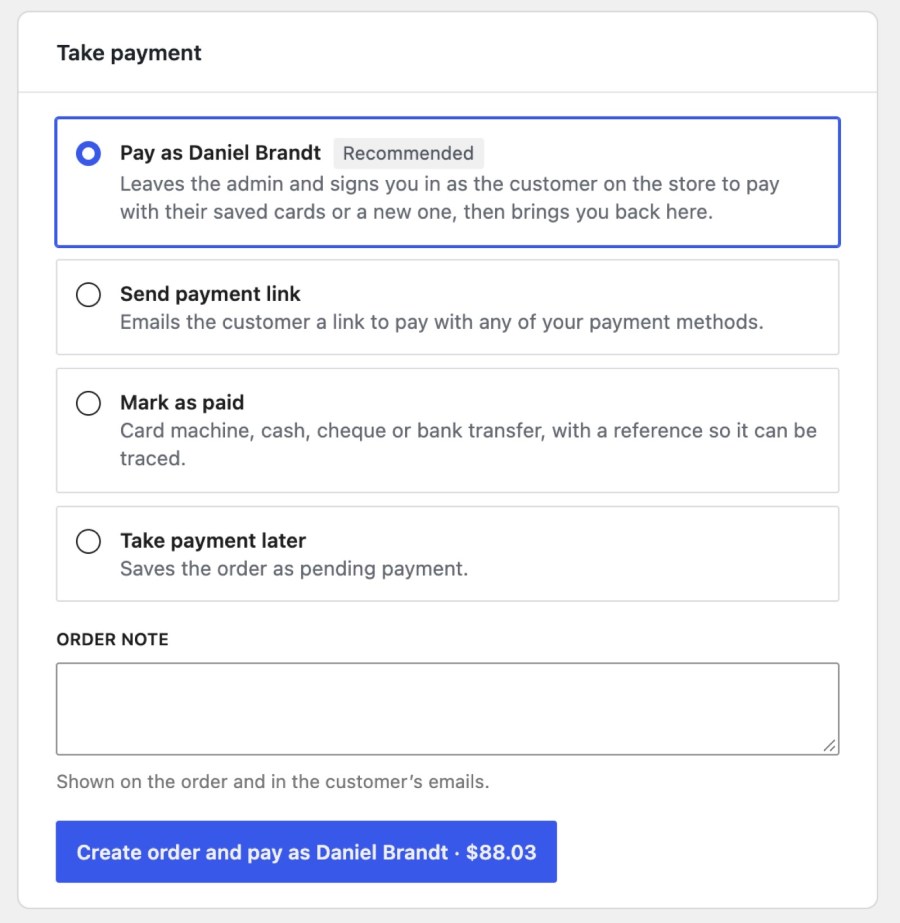
Under Take payment, choose how the order gets paid. Pay as the customer signs in as them on the storefront for up to 30 minutes, so you can pay on the order’s payment page with their saved cards or a new one and then return to the desk. Pay now opens the same page for guests. Send payment link emails WooCommerce’s order details email with a pay link, or copies the link for you. Mark as paid records a Card machine, Cash, Cheque or Bank transfer payment with a required reference. Take payment later saves the order as Pending payment.
Customers choose Phone payment on the classic or block checkout and call you to pay. Set the title, description and instructions, such as your phone number, and the status the order is placed with (On hold by default). Instructions show on the confirmation page and in customer emails while the order is unpaid, and you can hide the option from all customers or only from signed-in ones. Any unpaid order, including those waiting On hold, has a Take payment by phone button on its order screen that opens it on the desk.
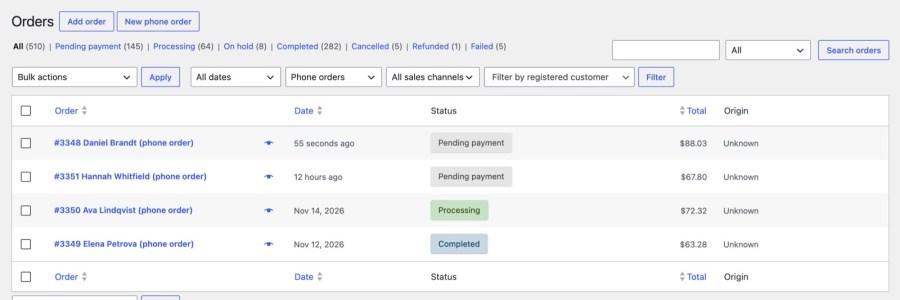
Desk orders are created as Pending payment and show “Phone order taken by:” with the staff member’s name, so you always know who took the call. In the orders list, phone orders carry “(phone order)” after the customer’s name, and a filter shows only Phone orders or Other orders. A New phone order button sits next to Add order, so your team starts a call from the screen they already use. Every step is logged in the order notes, with the method and reference for marked-paid orders.
Legacy mode keeps a Phone order checkbox on WooCommerce’s order screen. It opens the address fields with copy links, adds a button for each virtual terminal or card machine terminal you list, writes a payment note with the transaction ID, can move the order to Processing, and has a Create customer account button. Nothing is charged by the plugin: staff take the payment in the provider’s terminal and record it. New installs start on the order desk, while stores that had Phone Orders before version 4.0 start in Legacy mode until you switch under Phone order » Settings » Mode.
WooCommerce Subscriptions products can be sold on the desk for customers with an account, with a Total today line and the renewal in the summary. WooCommerce Product Add-Ons fields appear on the desk before a product is added. Paying as the customer needs a gateway that saves cards and offers them on the order’s payment page. Order Tags can add a tag to every phone order with a meta data rule, so the day’s phone orders are easy to sort and follow up.
Steps and settings are in the Get started with Phone Orders and Payments guide. Built and supported by Kestrel, a long-time WooCommerce extension developer.

Create the order on the order desk, then pay as the customer with a saved card, send a payment link, or mark it paid after a card machine payment. You don't need a payment provider with a virtual terminal: it uses your store's own gateway. Paying as the customer with a saved card needs a gateway that saves cards and offers them on the order's payment page; otherwise send a payment link or mark the order paid.
Yes. Enable Phone payment in WooCommerce » Settings » Payments. It is off by default on new stores. The order is placed with the status you choose, flagged as a phone order, and shows your instructions on the confirmation page and in emails.
In Legacy mode, yes: use Create customer account on the order screen. The order desk finds existing customers and places new callers as guest orders, and it doesn't create accounts.
No. The plugin never stores card details and doesn't charge a card outside your store's gateway. It isn't an in-person register. Every payment is recorded in the order notes: the method and reference for marked-paid orders, the gateway's transaction for card payments, and the terminal and transaction ID in Legacy mode.
Yes, and refunds follow the gateway that took the payment. Payments marked as paid, or taken on a terminal in Legacy mode, are refunded outside WooCommerce and then recorded as a manual refund.
Yes. The Phone payment method works on the classic checkout and the Checkout block, and the plugin supports High-Performance Order Storage. You can hide Phone payment from the block checkout too.
Extension information
Quality Checks
Countries
Languages