
See You Later has been retired. This documentation is intended for use by customers who previously purchased (and wish to continue using) See You Later.
See You Later is a premium Woo plugin that will add Maintenance Mode and Coming Soon features to your site. This plugin includes a handful of designed templates, social engagement features, a countdown timer and a newsletter subscription option.
Installation
↑ Back to top- Purchase the plugin.
- Then go to your WooCommerce.com Account Downloads page to download the plugin. This will save a .zip file to your computer.
- Next, install and activate the plugin.
Setup
↑ Back to top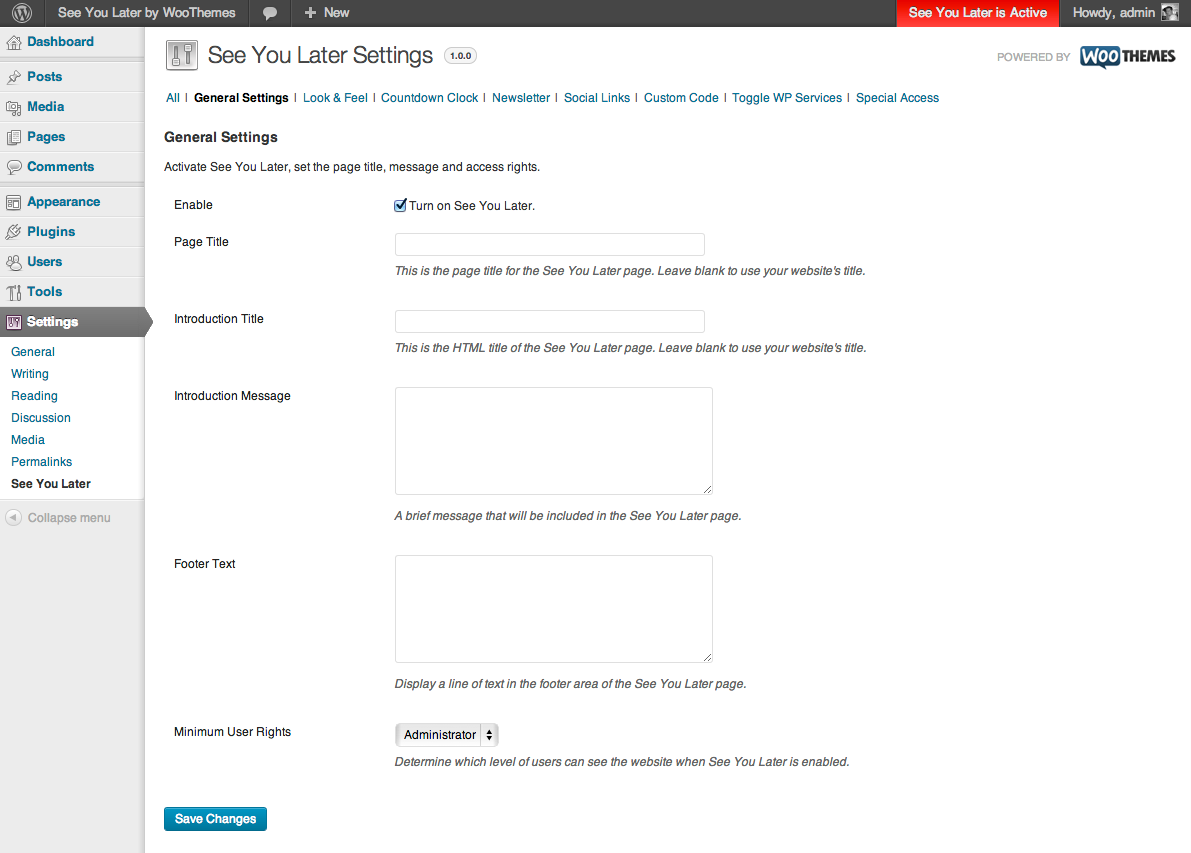 Here you can:
- Enable See You Later
- Set the page title, message and optional footer text.
- Set the Minimum User Rights, which will determine which user roles are able to access your site while See You Later is enabled. The default is set to the administrator role.
Look & Feel
↑ Back to top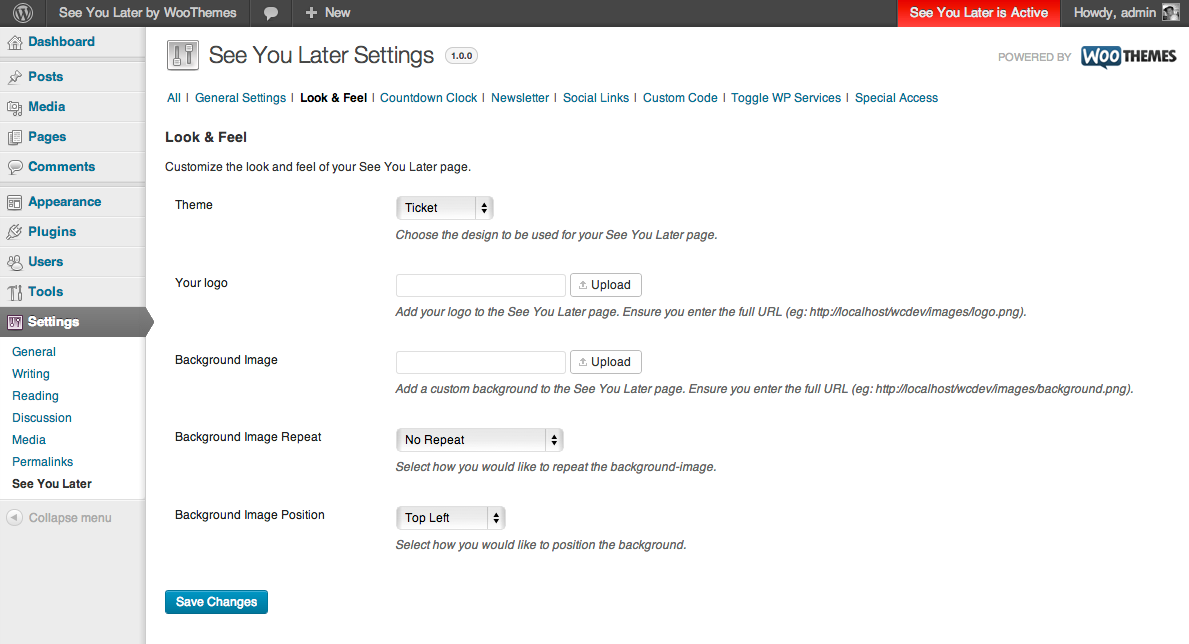 Here you can:
- Chose between the four theme options: Vanilla, Forrest, Placeholder, Ticket. Vanilla is the option by default.
- Upload your Logo.
- Upload a background image.
- Chose the repeat for your background image: horizontally, vertically, or both.
- Select the image position for your background image which is a combination of: Top, Bottom, Center, Left, Right or Middle.


Countdown Clock
↑ Back to top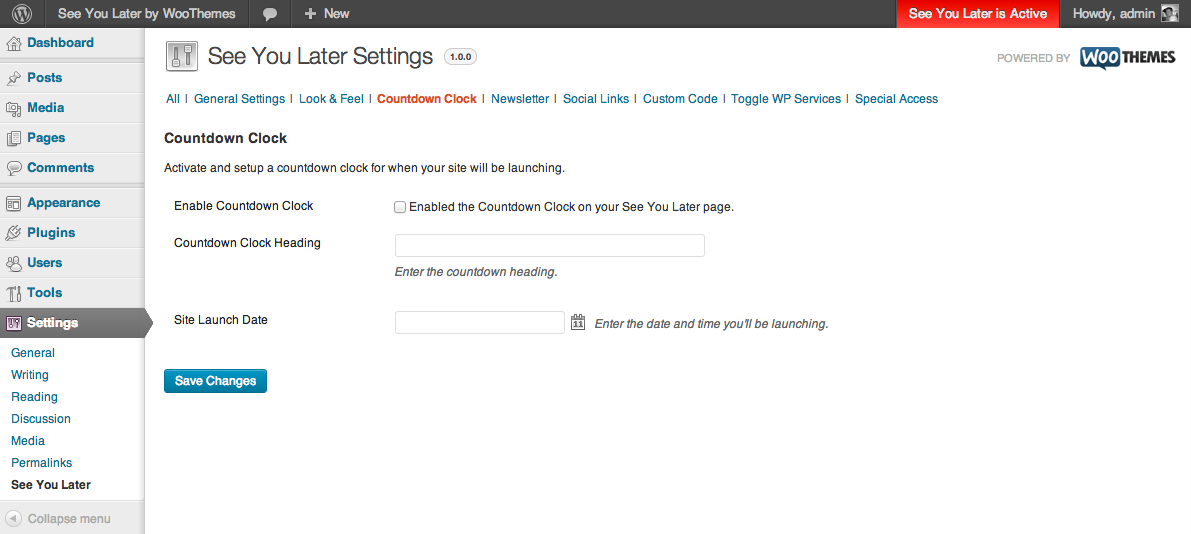 Here you can:
- Enable the Countdown Clock.
- Add a heading for the Countdown Clock
- Select the date and time to countdown to.
Note: Selecting the date and time is for the countdown clock only. You will still need to manually disable See You Later in order for your site to go live.
The time remaining is calculated using your site’s timezone as set in Settings > General
Here is an example of the countdown clock with the Forrest theme:

Newsletter Option
↑ Back to top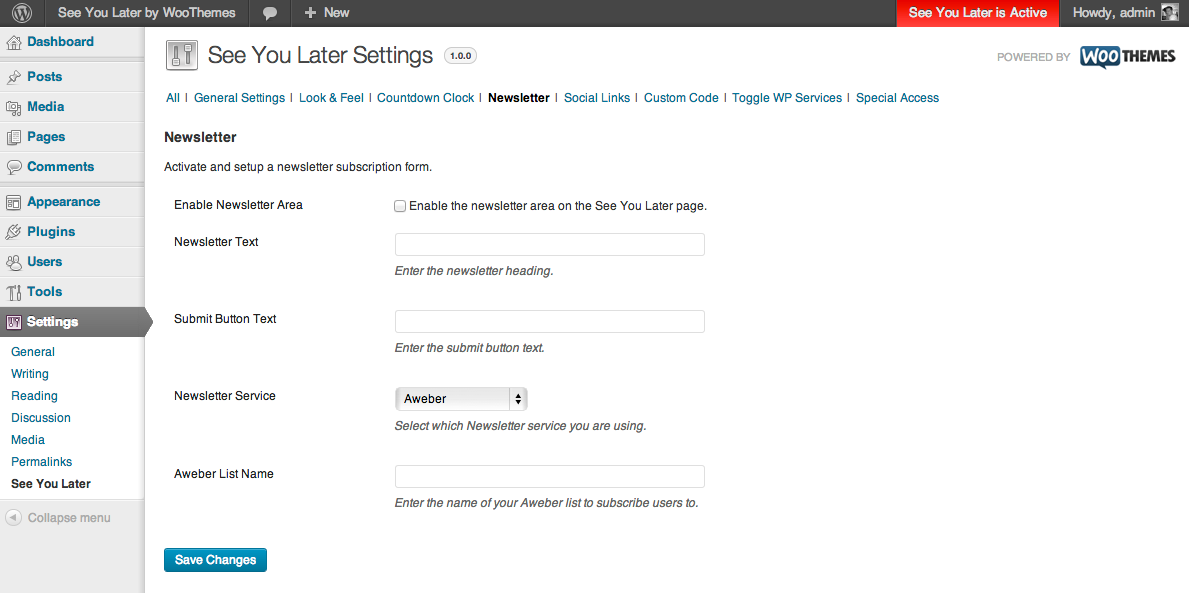 Here you can:
- Enable the Newsletter.
- Add Newsletter Text.
- Customize the newsletter button text.
- Select the newsletter service to subscribe to, options include: Aweber, Campaign Monitor, FeedBurner, MadMimi or MailChimp.
- Based on the newsletter service you select the final field will change accordingly. Examples are given for the setup of each.

Social Media Links
↑ Back to top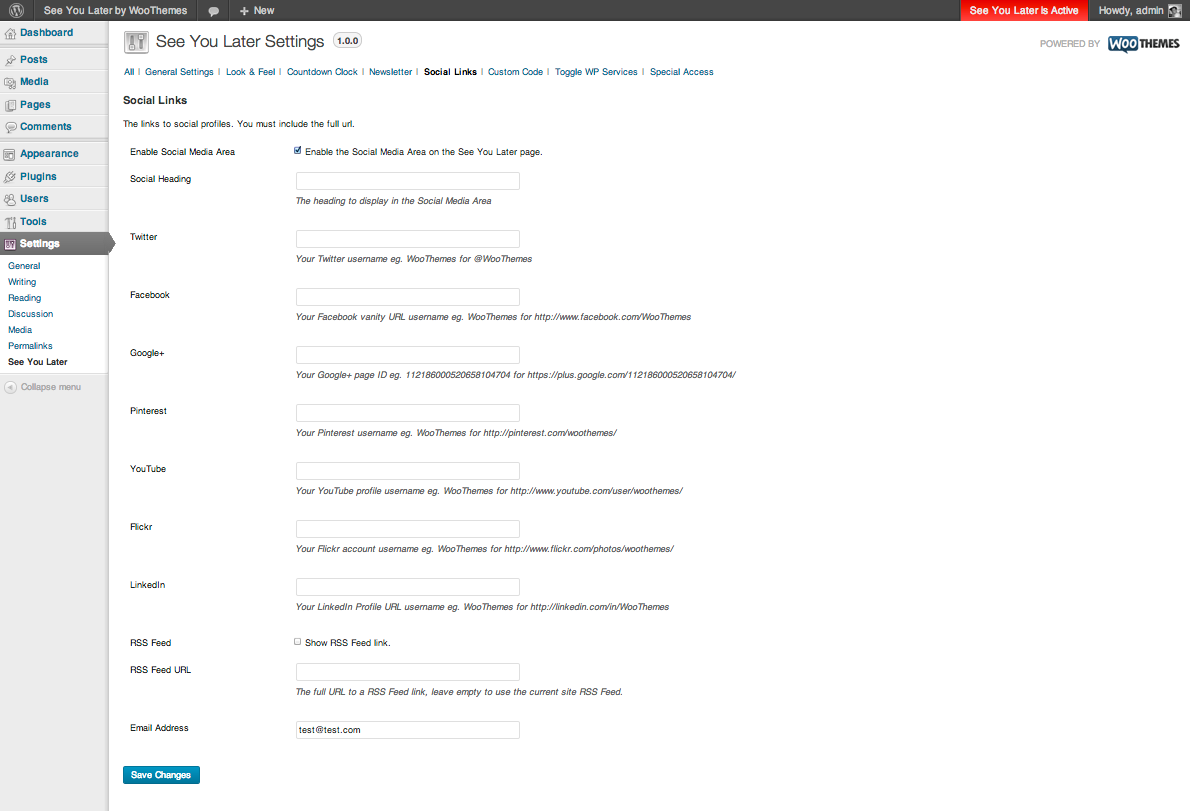 Here you have the option to include any of the following Social Media links which will then be linked to the appropriate icon for each: Twitter, Facebook, Google+, Pinterest, YouTube, Flickr, LinkedIn, RSS Feed, as well as an option to include an email address for your site visitors to contact you.
Please use the setting examples to help insert the correct link/account info for each of the options.
Here you have the option to include any of the following Social Media links which will then be linked to the appropriate icon for each: Twitter, Facebook, Google+, Pinterest, YouTube, Flickr, LinkedIn, RSS Feed, as well as an option to include an email address for your site visitors to contact you.
Please use the setting examples to help insert the correct link/account info for each of the options.
Custom Code
↑ Back to top Here you can:
- Add your Google Analytics ID.
- Add Custom CSS.
- Add HTML into the header or before the closing body tag.
Default WordPress Services
↑ Back to top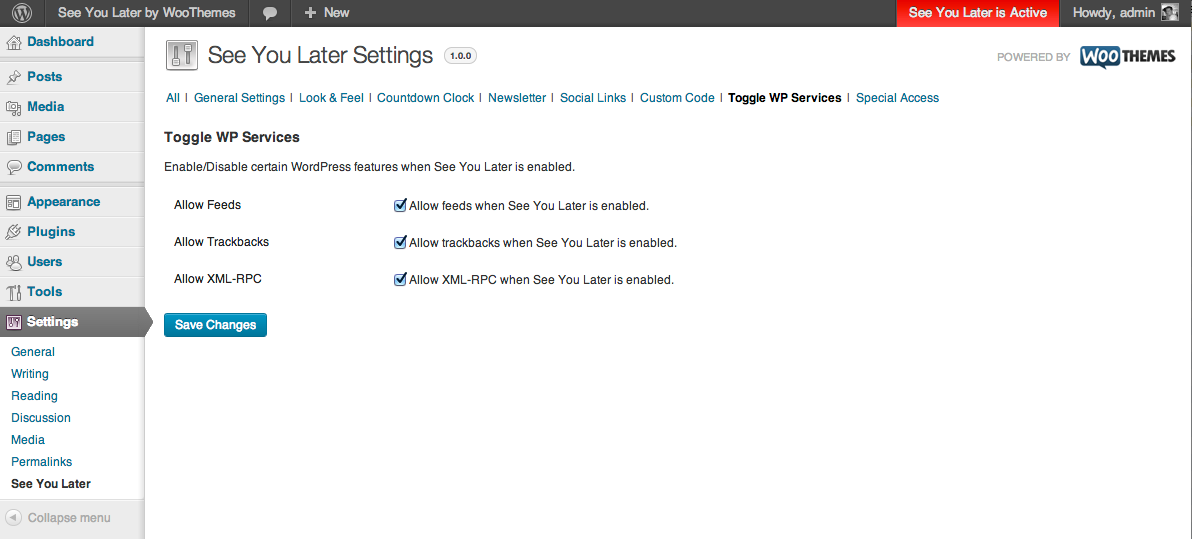
- Allow feeds when See You Later is active.
- Allow trackbacks when See You Later is active.
- Allow XML-RPC when in See You Later is active.
Special Access
↑ Back to top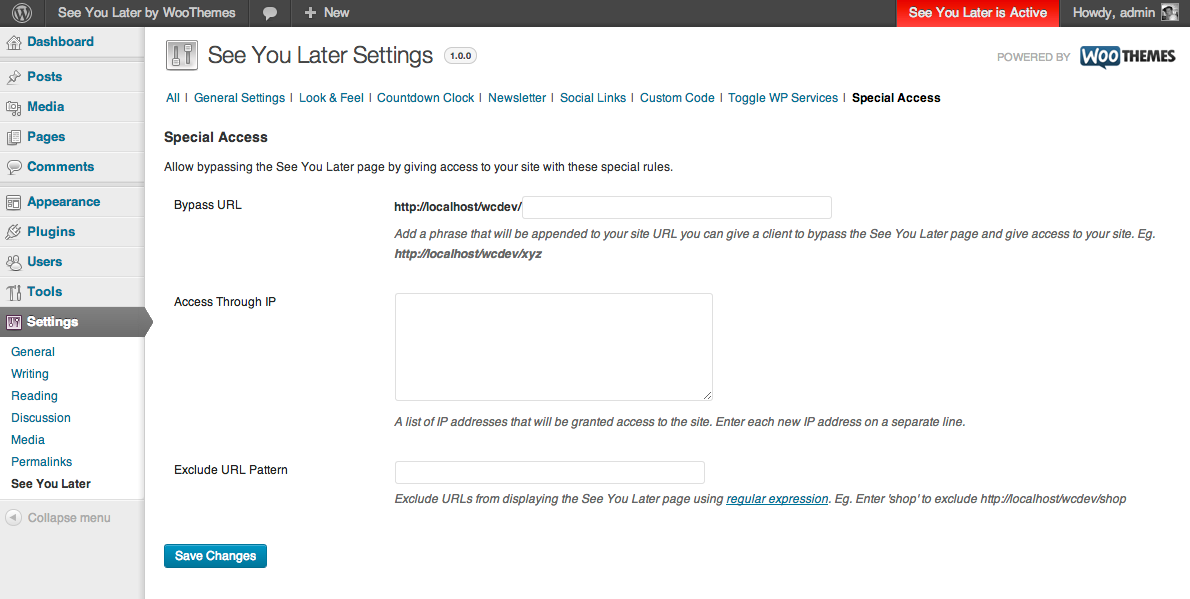 Here you can:
- Define a secret URL you can share with visitors to bypass the See You Later page.
- Give access to your site based on visitor IP address to bypass the See You Later page.
- Exclude certain pages on your from showing the See You Later Page.