You’re selling industry news content which you distribute each month to professionals in your industry. Some companies have approached you about signing up some of their employee’s to receive your content.
Gifting is built into WooCommerce Subscriptions, so there is nothing extra to install. To turn it on, go to WooCommerce > Settings > Subscriptions, find the Gifting section and tick Enable gifting for subscriptions. Optionally, change Gift option text (default: “This is a gift”) to something that fits this use case, such as “Purchase for an employee”. Then edit each subscription product that employees can be enrolled in and tick Allow shoppers to purchase subscriptions as gifts for others.
Leave Enable gifting for subscriptions turned on, because products can’t be gifted while it’s off.
Your customers can now purchase your industry news content for their themselves and their employees.
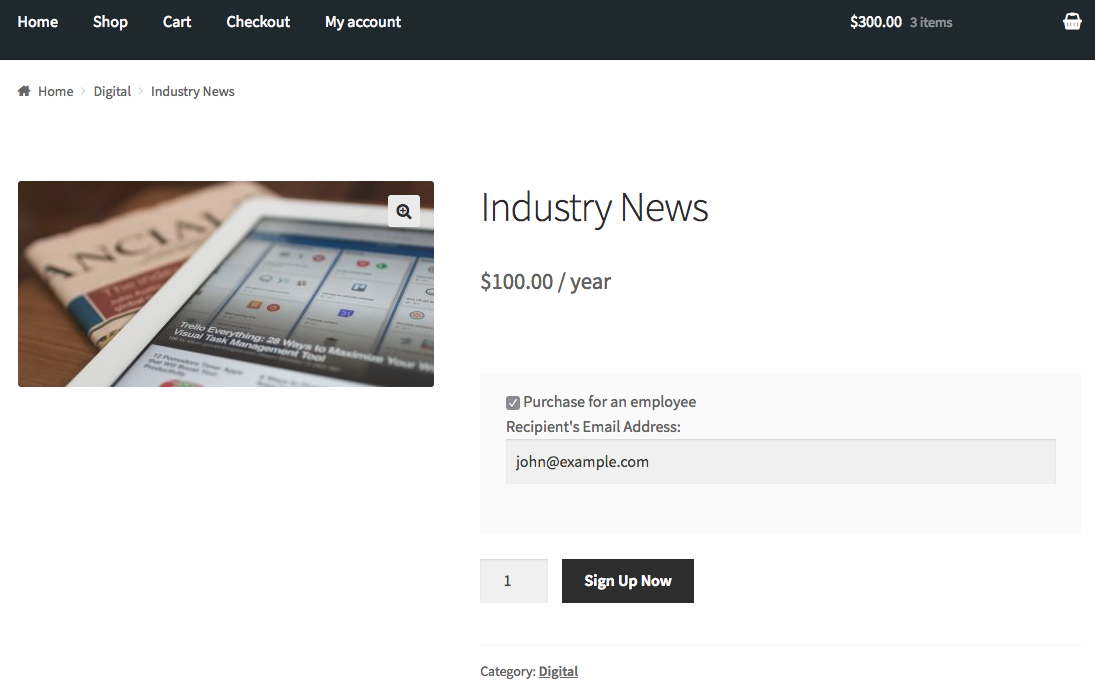
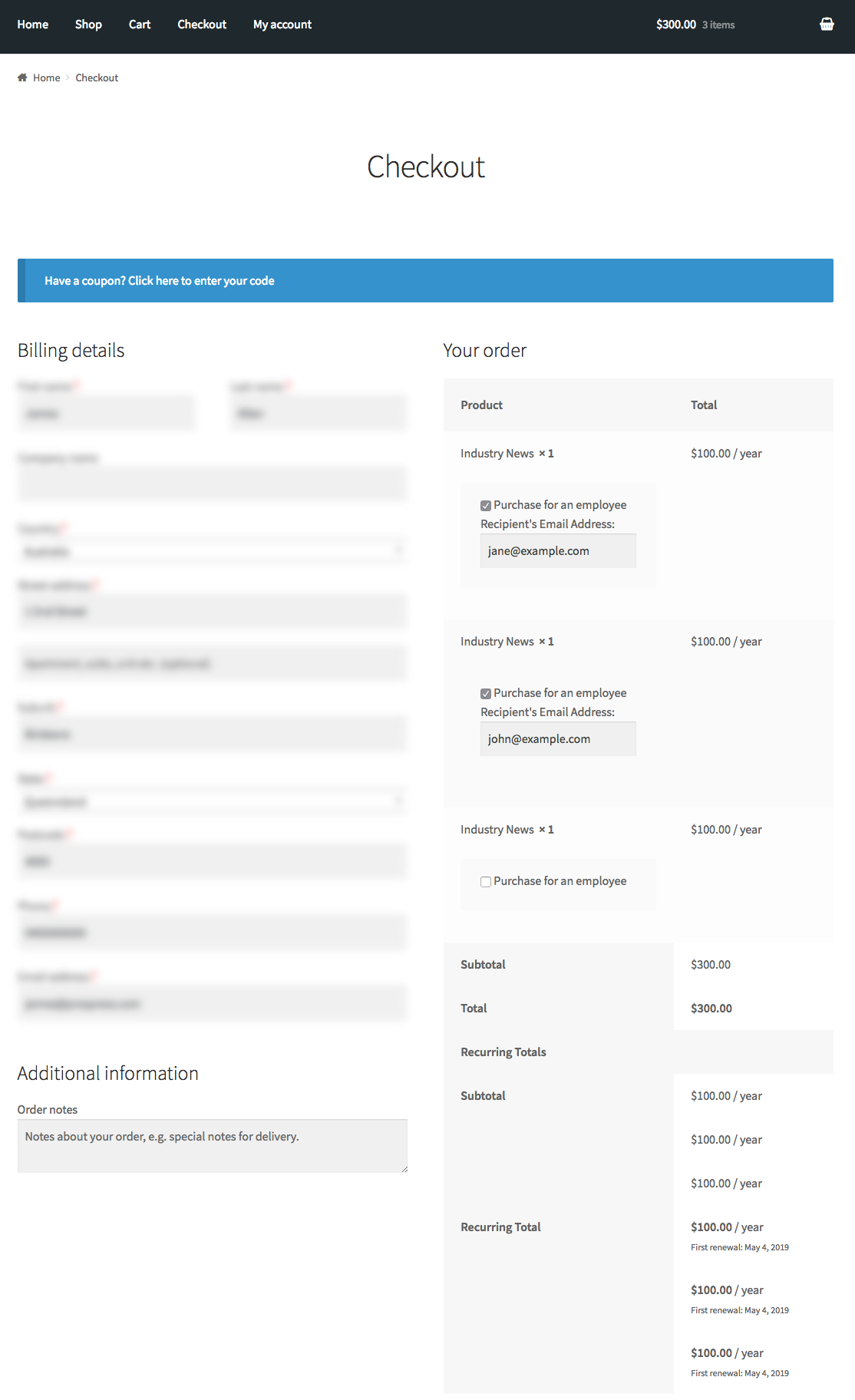
By purchasing the subscription for Jane, John, and themselves your customer, Jane, and John can now manage their individual subscriptions from their My Account pages where they can also download your content.
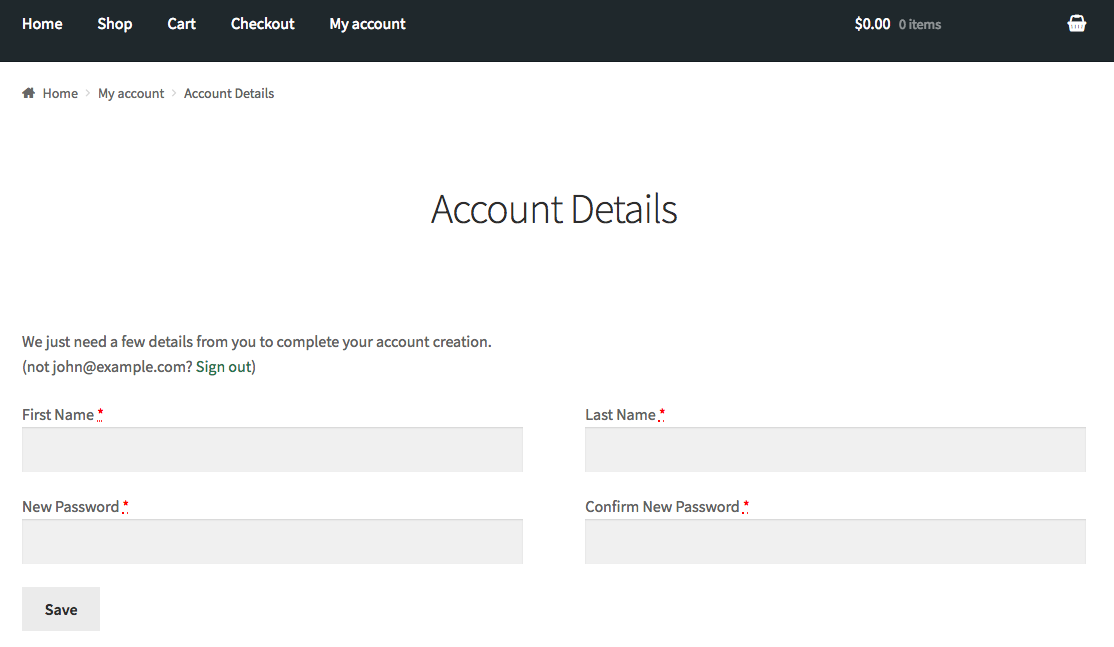
Because John didn’t have an account with your store, an account will be automatically created so he can manage the subscription.
John will receive an email about the purchases made for him and an email with the account login details. The first time John logs in, he will be prompted to fill out some account details where he can change his password.
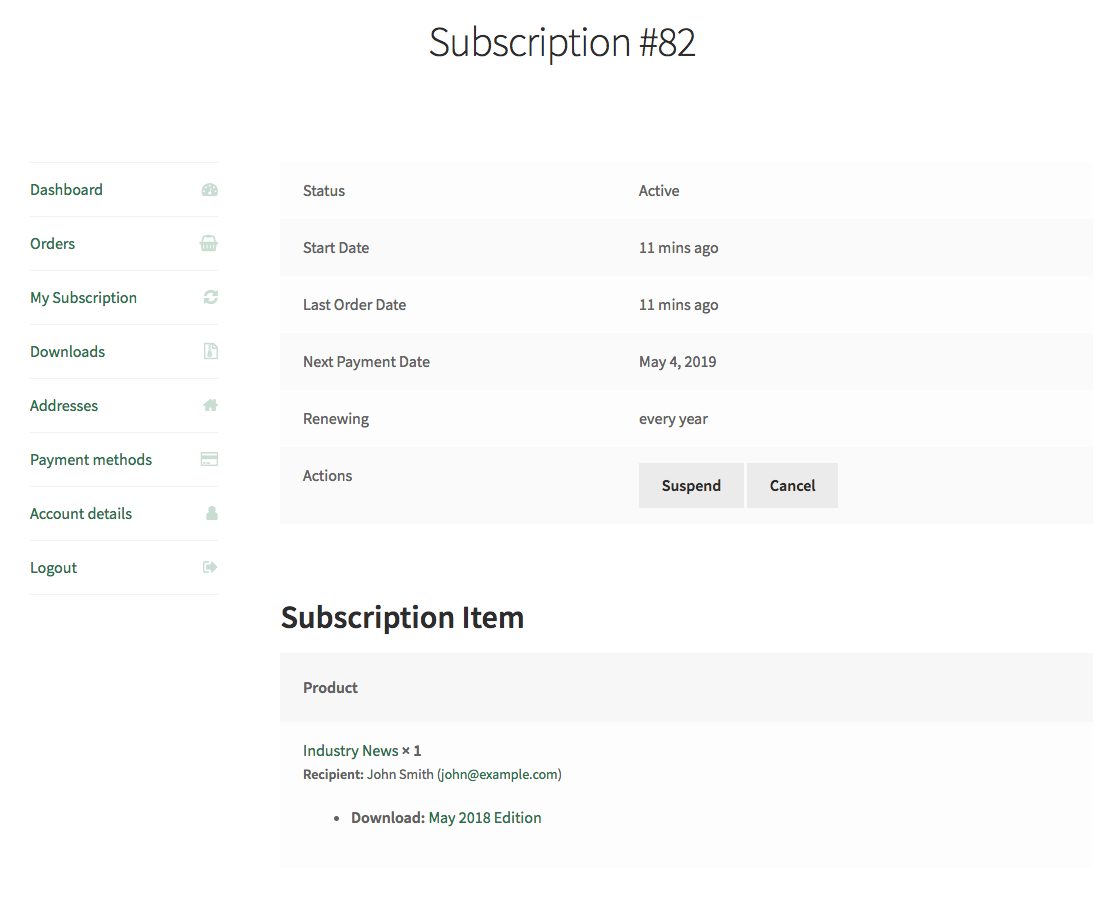
Once his account is set up, he can view and manage his subscription from his
My Account > View Subscription page. He can also download digital copies of the news items here.
Have a question before you buy?
Please fill out this pre-sales form.
Already purchased and need some assistance?
Get in touch with a Happiness Engineer via the Help Desk.
