Features
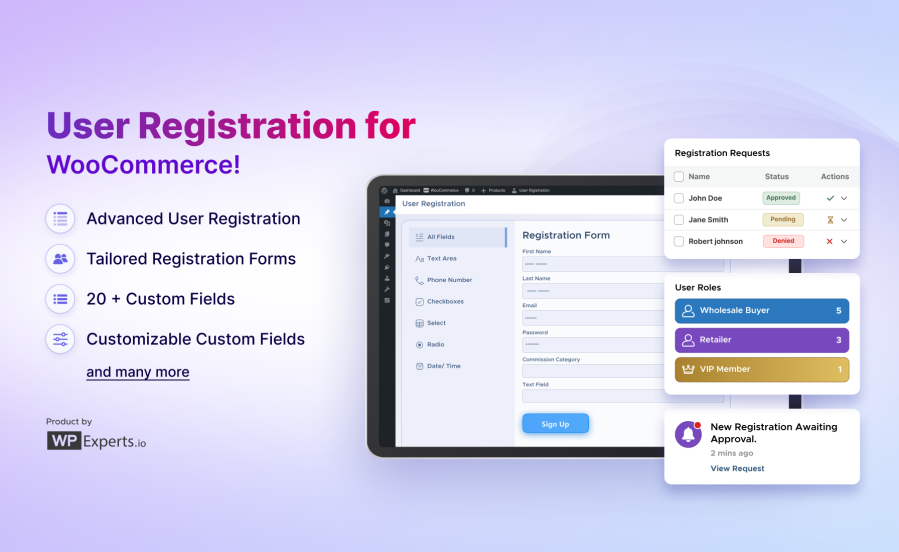
Our WooCommerce registration form plugin is packed with powerful features to create the perfect registration experience for your store.
| Feature |
Best For |
| Advanced Custom User Registration Form |
Create professional signup forms tailored to your business needs. |
| Tailored Forms for Different Customer Types |
Serve B2B, B2C, wholesale, and membership customers with unique forms. |
| Flexible Multi-Step Form Layout |
Break long forms into manageable steps for better completion rates. |
| Drag-and-Drop Form Builder |
Build forms visually without coding knowledge. |
| User Role Assignment & Approval Management |
Control who gets access and what permissions they receive. |
| WordPress Default Fields |
Use standard WordPress user fields seamlessly. |
| Billing & Shipping Fields |
Collect complete address information during registration. |
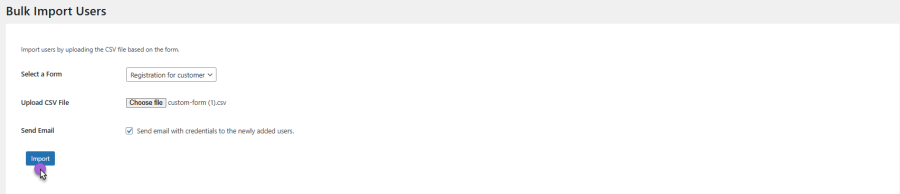
| Bulk Import Users |
Add hundreds of users at once via CSV upload. |
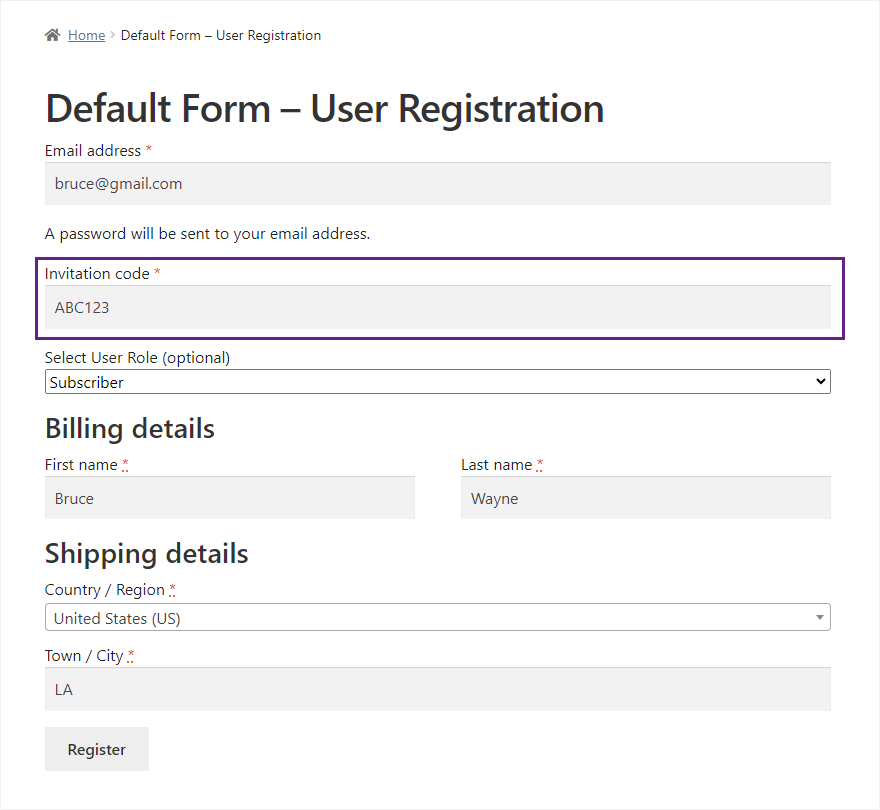
| Invitation Code |
Create exclusive, invite-only registration systems. |
| Password Strength Indicator |
Help users create secure passwords with real-time feedback. |
| 20+ Custom Fields |
Collect any information with text, dropdown, file upload, signature, and more. |
| Customisable Custom Fields |
Configure every aspect of field appearance and behavior. |
| Field Validations |
Ensure data quality with required fields and validation rules. |
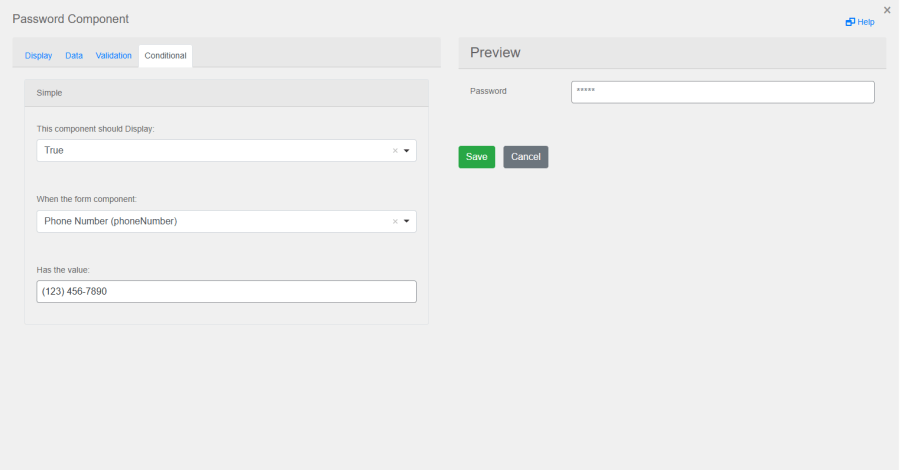
| Conditional Fields |
Show/hide fields dynamically based on user selections. |
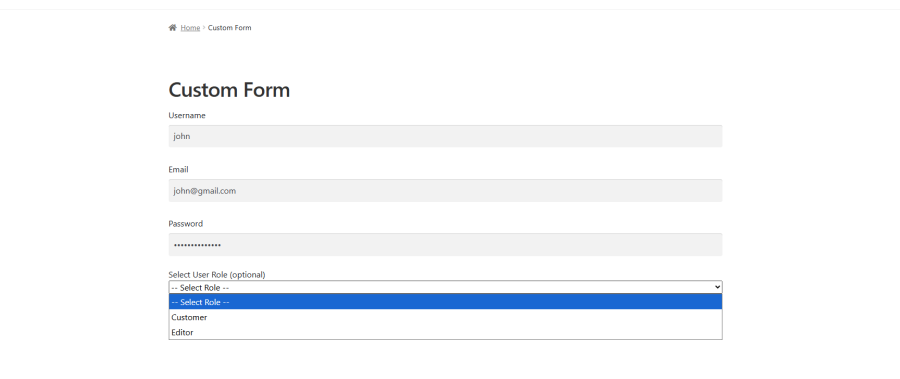
| User Role Dropdown |
Let users select their role or assign roles automatically. |
| Customisable Email Notifications |
Send branded emails for approvals, rejections, and confirmations. |
| Display Fields in My Account |
Show custom registration data in customer accounts. |
| Admin Panel Field Display |
View all registration information in WordPress admin. |
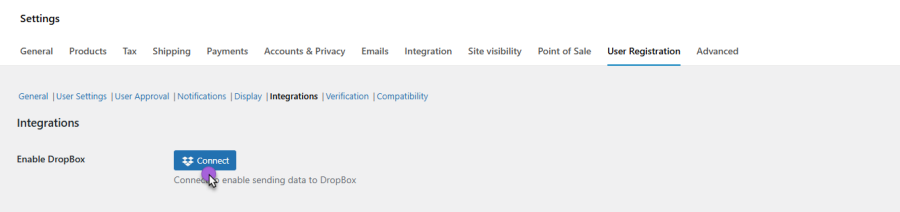
| Dropbox Integration |
Automatically save registration data to Dropbox. |
| Google reCAPTCHA |
Prevent spam registrations with Google’s security. |
| WooCommerce Memberships Integration |
Assign membership plans during registration. |
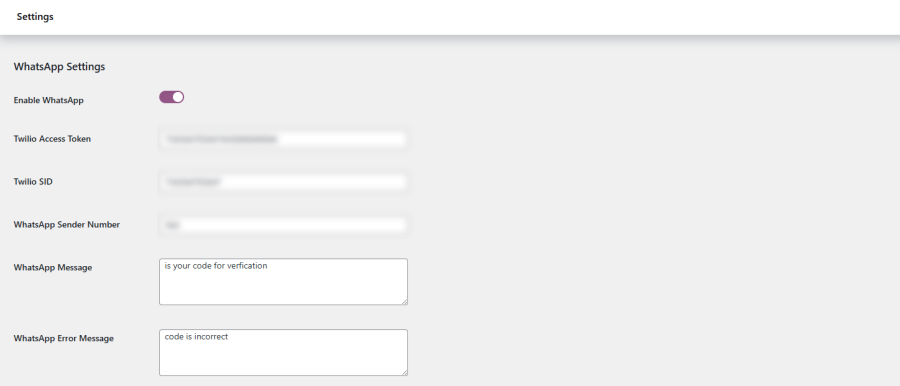
| WhatsApp Verification (Twilio) |
Verify users via WhatsApp for enhanced security. |
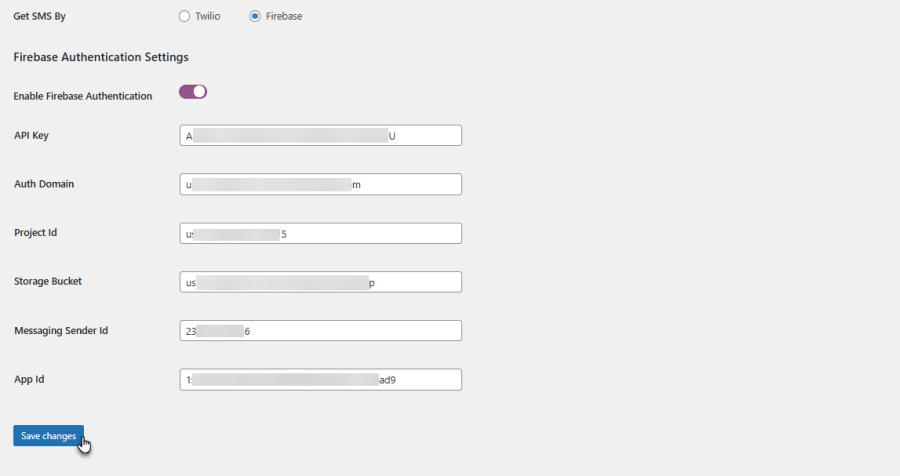
| Firebase SMS Verification |
Send verification codes via Firebase SMS. |
Key Features of User Registration for WooCommerce
Advanced User Registration Form Builder
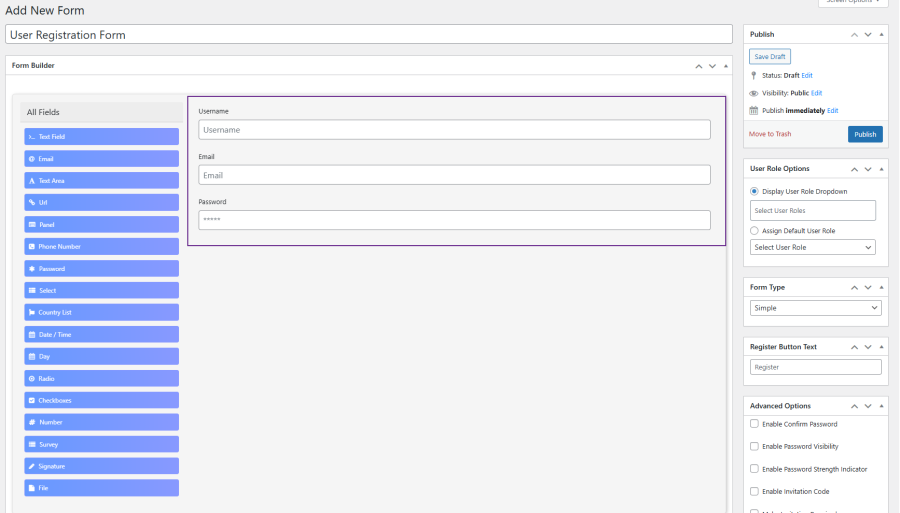
Create custom forms with over 20+ field types to collect crucial data. From primary text fields to more advanced options like file uploads, signatures, and surveys, the drag-and-drop form builder makes it easy to customize each form. Add checkboxes, radio buttons, date pickers, and more — without a single line of code.
Display any form on any page using the simple shortcode:
[wc_registration_form id="FORM_ID"]
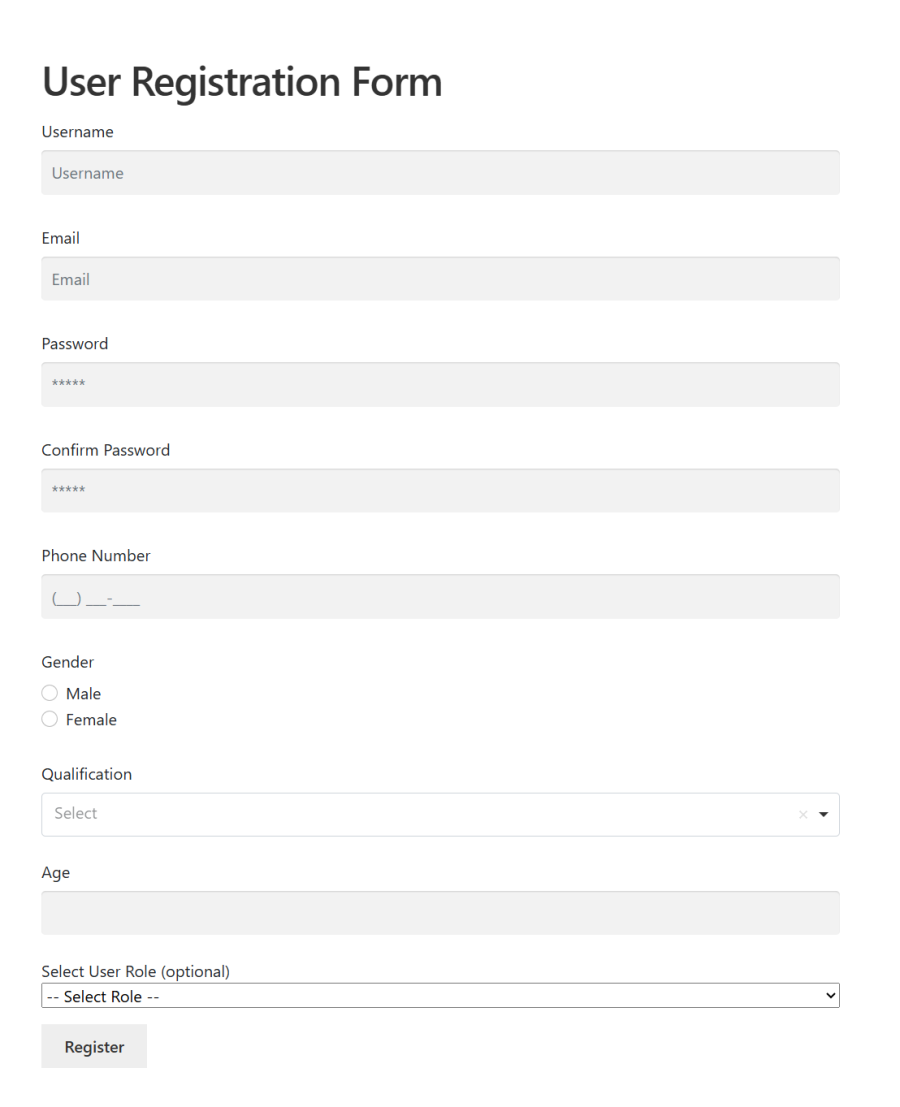
Drag-and-drop input fields and options in the user registration form builder (backend & frontend view)
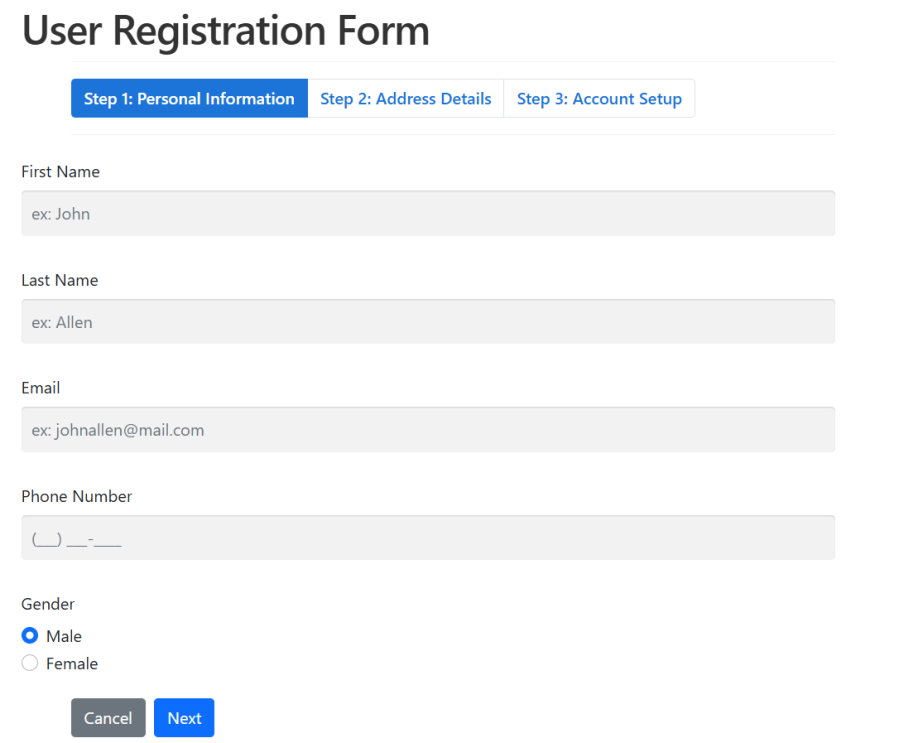
Flexible Form Layouts with Multi-Step Functionality
Long registration forms can be daunting. Multi-step forms break down the process, making it easier for users to complete registration without feeling overwhelmed. Divide your form into logical sections for a more organized experience, increasing completion rates. Ideal for B2B onboarding, wholesale applications, and membership signups.
User Role & Approval Management
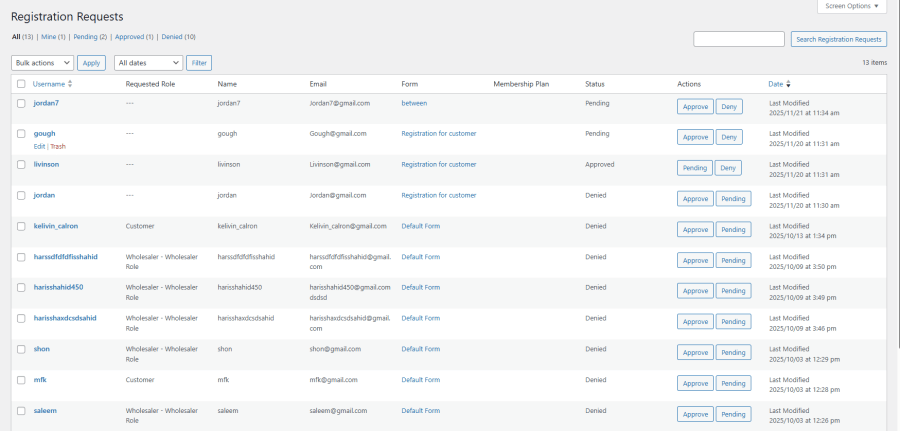
Control which user roles can send registration requests and automate the approval process. Manually or automatically approve or reject requests, and assign user roles upon approval.
From the Requests dashboard, admins can:
 View all Pending, Approved, and Denied requests in a sortable table
Approve, deny, or reset to Pending with a single click
Send a custom email directly from the request detail view
Filter requests by form, status, and user group
Pending or denied users cannot log in — they receive your configured message on the login screen.
Customizable Notifications
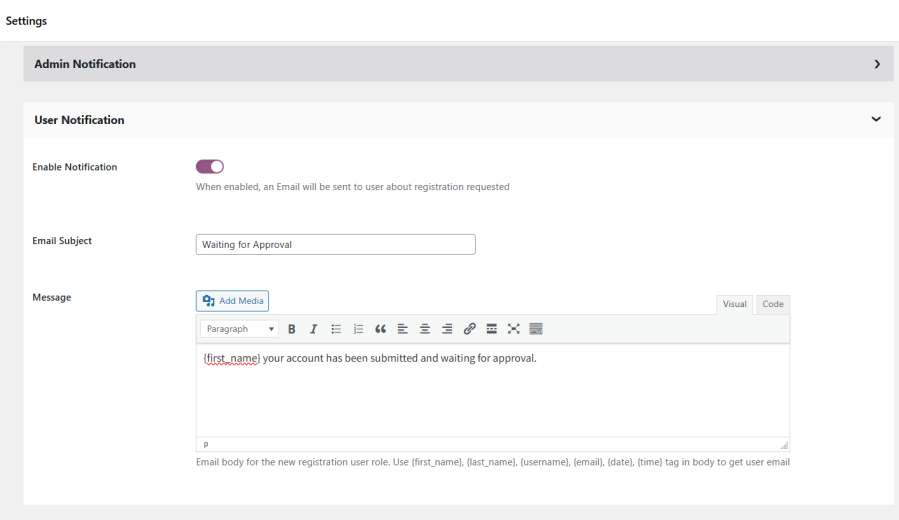
Keep your team and customers informed with automated email notifications. Notify admins and users when registration requests are approved or rejected. Send custom messages for new accounts, pending requests, or rejections.
Supports dynamic placeholders: {first_name} {last_name} {username} {email} {date}
Email templates can be overridden from your active theme — updates never overwrite your customizations.
Customized Bulk Emails
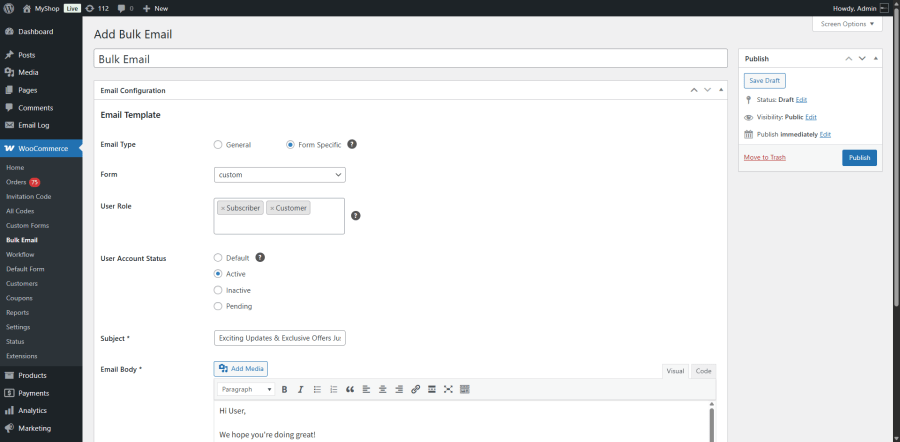
Communicate with multiple users instantly using built-in bulk email tools. Send targeted messages based on user roles, registration forms, or account status. Perfect for onboarding campaigns, announcements, promotions, or updates, all managed directly from your WooCommerce dashboard.
Conditional Fields
Build intelligent forms that adapt based on responses, showing only relevant fields dynamically. Display tax IDs for wholesale users, shipping preferences for specific countries, or additional questions based on initial answers. It reduces clutter while maintaining comprehensive data collection through simple rule-based logic.
User Role Dropdown with Flexible Display
Let users select account types or auto-assign roles through configurable dropdowns on registration, checkout, and My Account pages. Show all roles or limit to specific types, then integrate seamlessly with WordPress permissions, WooCommerce capabilities, and plugins like Memberships and Wholesale.
Dropbox Integration
Enable file uploads from users, with seamless Dropbox integration for easy storage. Allow users to upload files during registration and have them automatically saved to your connected Dropbox account. Perfect for storing documents, images, or other necessary files submitted at registration.
Bulk Import Users via CSV Upload
The Bulk Import Users feature lets admins quickly create multiple user accounts by uploading a CSV file. Use the provided template, upload the file, and the system handles the rest — validating required fields, skipping duplicates, mapping custom fields, and optionally emailing credentials to new users.
WhatsApp Integration (Twilio)
With the WhatsApp Integration via Twilio, store owners can send registration verification messages directly through WhatsApp. Simply connect your Twilio account, set up a sender ID, and begin reaching users on WhatsApp with OTP codes during registration.
Firebase SMS Code Verification
Strengthen your registration process with Firebase Authentication for SMS Code Verification. This integration allows users to verify their phone numbers via OTP, reducing spam and ensuring genuine sign-ups. Additional verification channels include Email OTP, Twilio SMS OTP, and EU VIES VAT validation.
Additional Features
EU VAT Number Validation Real-time validation via EU VIES SOAP API at registration
Email OTP Verification 6-digit code sent to user’s email before account is created
Confirm Password Field Optional confirmation field on any form
Role-Based Page Restriction Restrict any WordPress page or the Shop page to specific roles
Domain Whitelist / Blacklist Auto-approve or block registrations by email domain
Role-Based Post-Registration Redirect Send different roles to different pages after signup
Block Checkout Compatible Role selection on the WooCommerce block-based checkout
HPOS Compatible Declared compatible with High-Performance Order Storage
WPML Compatible Full multilingual support with included .pot translation template
Why It’s Better than Other User Registration Plugins?
 Unlimited Custom Forms
Build separate forms for every customer type — no limits, no compromises.
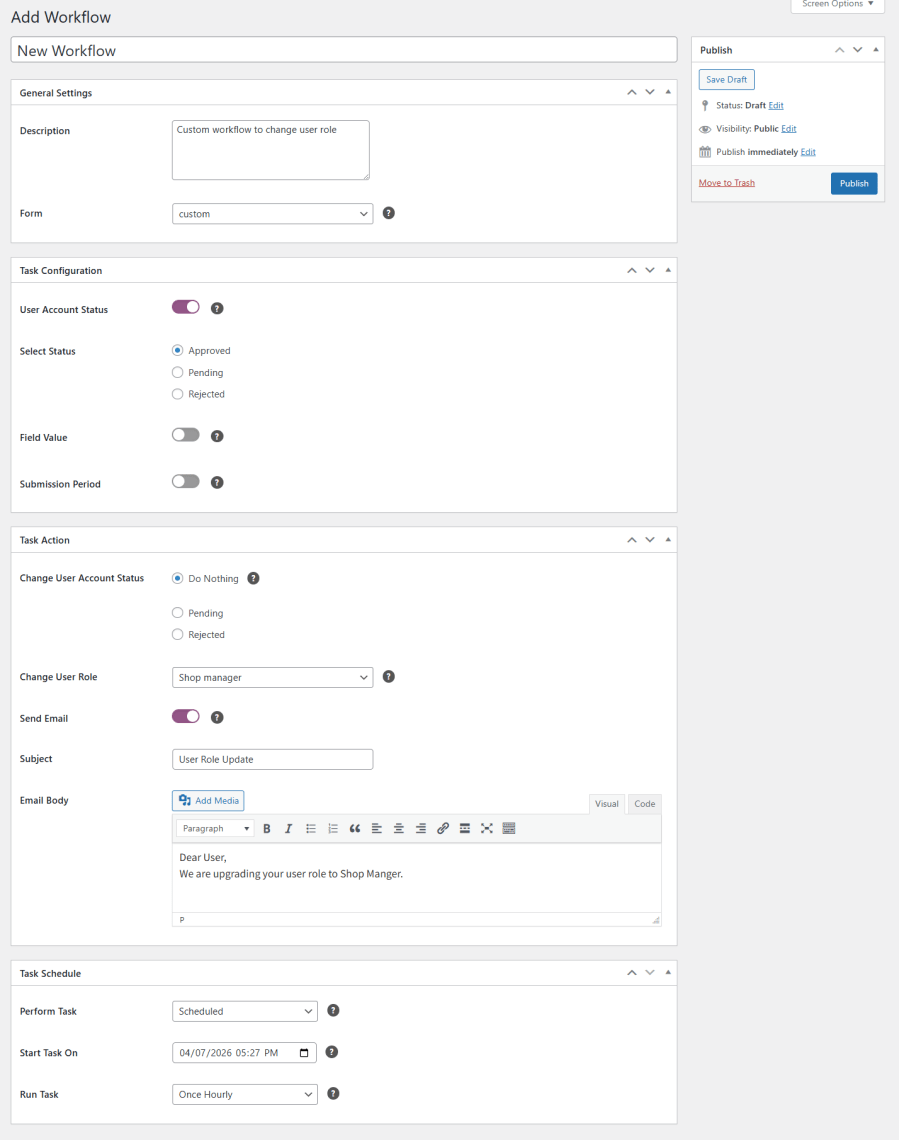
 Workflow Automation
Auto-approve, assign roles, and trigger emails — zero manual admin work.
 Conditional Logic
Forms that adapt in real time based on what users select — truly intelligent.
 Bulk Email Engine
Communicate with all users at once — campaign-style emails directly from your dashboard.
 Deep Integrations
Plays perfectly with Memberships, Wholesale for WooCommerce, Groups, and more.
 Centralized User Data
Manage, view, and export all user registration data from one dashboard, giving you full visibility and control.
How User Registration for WooCommerce Works
Setting up this plugin is straightforward. Here’s the complete flow — from first form to managing your members.
01
Create Your Registration Form
Go to WooCommerce → Custom Forms → Add New. Name your form, pick a target role, and you’re ready to build.
02
Build Your Fields
Drag in username, email, password, then layer on custom fields — business name, tax ID, file upload, signature, anything.
03
Configure User Roles
Let users self-select a role, assign one automatically, or use conditional logic to match roles to form responses.
04
Set Up Approval Workflow
Choose auto-approve, manual review, or hybrid — whitelist trusted domains and require admin sign-off for everyone else.
05
Customise Email Notifications
Design branded approval, rejection, and confirmation emails with dynamic placeholders for a personal touch.
06
Embed & Publish
Copy the shortcode [wc_registration_form id="ID"] and paste it onto any page, post, or widget area.
07
Manage Registrations
Review pending requests under Users → Requests. Approve, deny, email, or export — all from one admin panel.
Benefits of Using User Registration for WooCommerce
Higher Completion Rates
Multi-step layouts and conditional fields keep forms short — users only see what’s relevant to them.
Collect the Right Data
Gather exactly what you need at signup — no follow-up emails, no missing information.
Streamlined Onboarding
Auto role assignment, instant email notifications, and dashboard access from day one.
Less Admin Work
Auto-approval rules, domain whitelisting, and invitation codes eliminate repetitive manual tasks.
Better Data Quality
Field validations, required fields, VAT checks, and conditional logic prevent bad data at the source.
Spam & Fraud Protection
reCAPTCHA, Email OTP, WhatsApp verification, and manual approval keep fake accounts out.
On-Brand Experience
Custom CSS and personalised email notifications create a seamless, professional user journey.
Exclusive Communities
Invite codes, approval workflows, and role-based access let you control exactly who gets in.
Multiple User Types
Create multi-registration flows for wholesale, members, partners, and customers, with roles assigned automatically.
WooCommerce User Registration Solution for Every Business Type
B2B & Wholesale
Collect business credentials, tax IDs, and resale certificates. Set approval workflows that mirror your sales process.
Education & Courses
Capture student info and course preferences at signup. Use role logic to enrol students in the right program automatically.
Healthcare & Professional
Securely collect patient or professional details with verification steps and controlled approval before access is granted.
Events & Ticketing
Build event-specific forms capturing attendee preferences and ticket types. Email notifications handle approval confirmations.
Subscription Services
Create tiered sign-up experiences per subscription level and collect billing preferences during registration.
Multi-Vendor Marketplaces
Separate vendor and customer registration forms — collect the right information for each account type from the start.
Private & VIP Clubs
Gate access with invitation codes and approval workflows. Assign VIP roles and exclusive pricing automatically on approval.
Membership Sites
Create forms per membership tier, enforce access rules on approval, and integrate directly with WooCommerce Memberships.
Corporate & Enterprise
Collect company details and automatically assign roles. Apply approval workflows for structured business access.
Works With Your Favourite Plugins
WooCommerce Subscriptions Combine subscription signup with user registration, collect billing information upfront, and assign subscription-based roles automatically.
How to Get Started
1Buy User Registration for WooCommerce.
2Download and install the extension via Plugins → Add New → Upload Plugin.
3Activate — a User Registration tab appears in WooCommerce → Settings.
4Go to WooCommerce → Custom Forms → Add New to build your first registration form.
5Place the shortcode [wc_registration_form id="ID"] on any page.
6Manage incoming registrations under Users → Requests.
Read the technical documentation →