

Subscription includes
Support
WhatsApp is where your customers already are. Order Notifications on WhatsApp connects your store to the official WhatsApp Cloud API from Meta and sends order updates straight to your customers’ phones – while keeping your team informed in real time. Messages are sent from your own verified WhatsApp Business number, so every notification looks professional and trustworthy.
Notify customers and admins the moment an order is placed or its status changes – processing, completed, on-hold, cancelled, refunded, or any custom status. Choose exactly which statuses trigger a message and whether it goes to the customer, the admin, or both. All messages are queued and sent in the background (via Action Scheduler), so a slow API response never delays checkout.
Customer replies are captured and organized into a clean, WhatsApp-style inbox with per-contact conversation threads. Reply to customers directly from WordPress, view inbound media (image, audio, video, document), and optionally enable an auto-reply. Incoming messages are matched to recent orders by phone number for instant context.
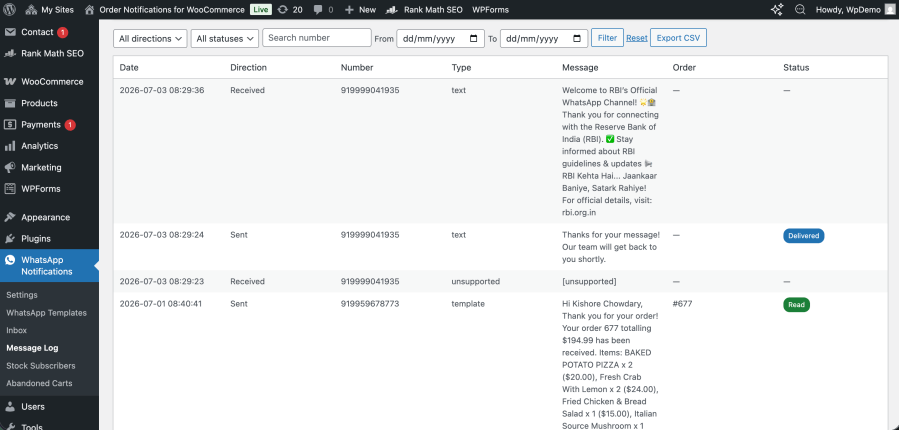
Connect the included webhook to receive sent / delivered / read / failed status updates from Meta. Every status is recorded on the order, and a filterable Message Log shows every outbound and inbound message with its live delivery status —-with CSV export for reporting.
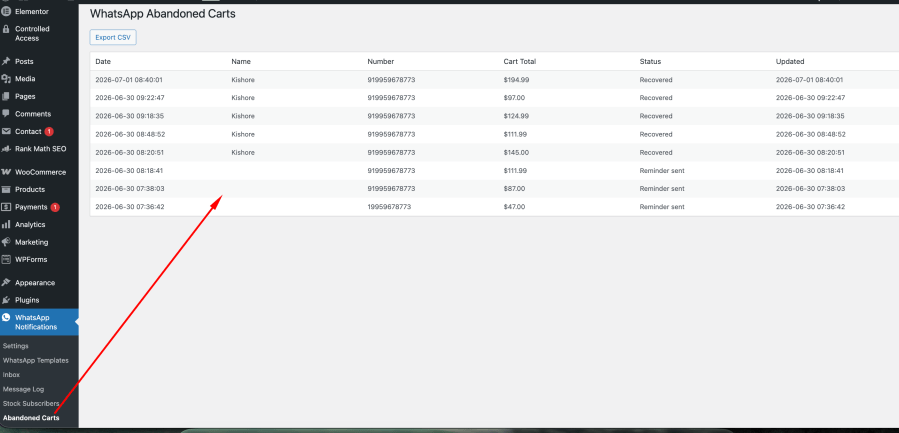
Capture the customer’s WhatsApp number at checkout and automatically remind them if they leave without completing their order. Recovery links restore the cart – even on a different device — and take the shopper straight to checkout. Optional single-use coupons help close the sale, and reminders cancel automatically once the order is placed.
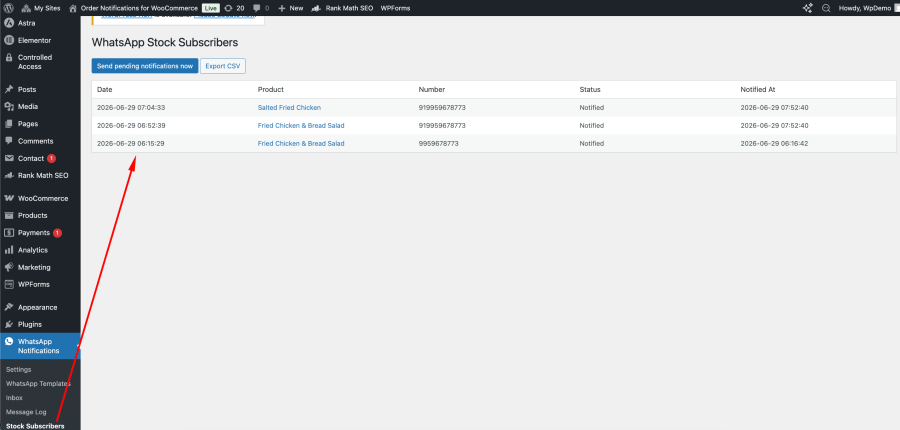
Add a “Notify me” form to out-of-stock products (including variable products). Subscribers are messaged on WhatsApp the moment the item is restocked. A Stock Subscribers admin screen lets you review and manage every sign-up.
Automatically remind customers about orders that are placed but not paid – cancelled the moment payment is received. After an order is completed, automatically request a review a configurable number of days later to build social proof.
Create and manage WhatsApp message templates from the WordPress admin, with one-click ready-made templates for common scenarios (order confirmation, status update, payment reminder, abandoned cart, back in stock, review request). Map order data – name, items, total, address, payment link, and more — into template variables, and add image, video, or document headers for richer messages.
Add a consent checkbox to checkout so customer notifications are sent only to shoppers who opt in. Works on both the classic checkout and the block-based checkout (WooCommerce Additional Checkout Fields API), helping you respect customer consent.
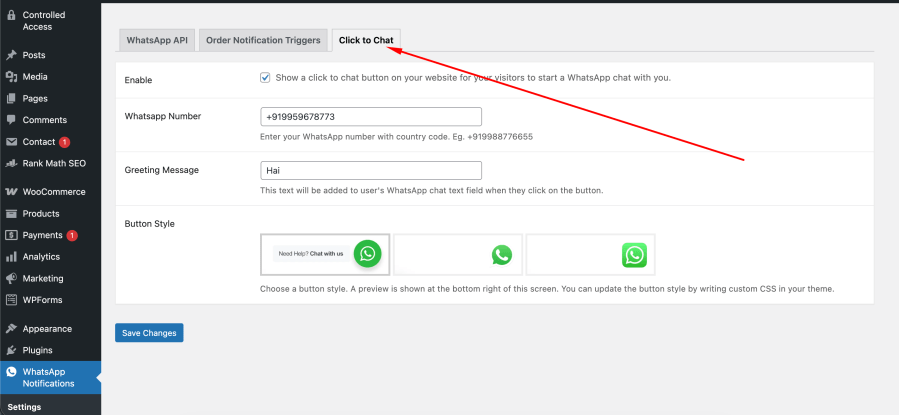
Show a floating WhatsApp button on your storefront so visitors can start a chat with you in one tap, complete with a pre-filled greeting message.
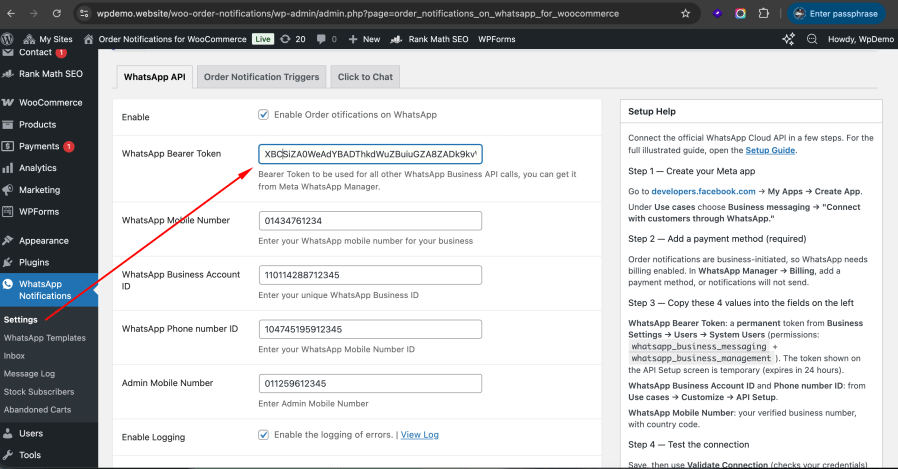
In WhatsApp Notifications → Settings, enter your Access Token, WhatsApp Business Account ID, and Phone Number ID from Meta WhatsApp Manager. Use Validate Connection to confirm your credentials and Send Test Message to verify delivery end to end.
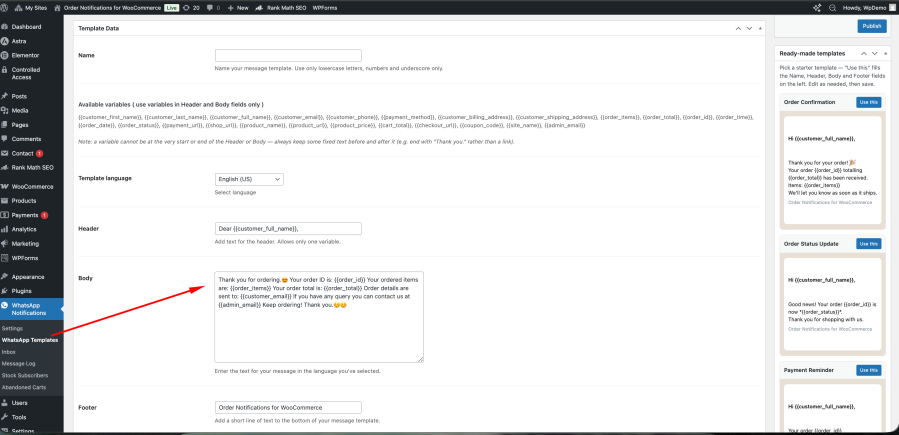
Build message templates from the plugin dashboard – or apply a ready-made template in one click – with a header, body, footer, and dynamic order variables. Submit them for approval through Meta.
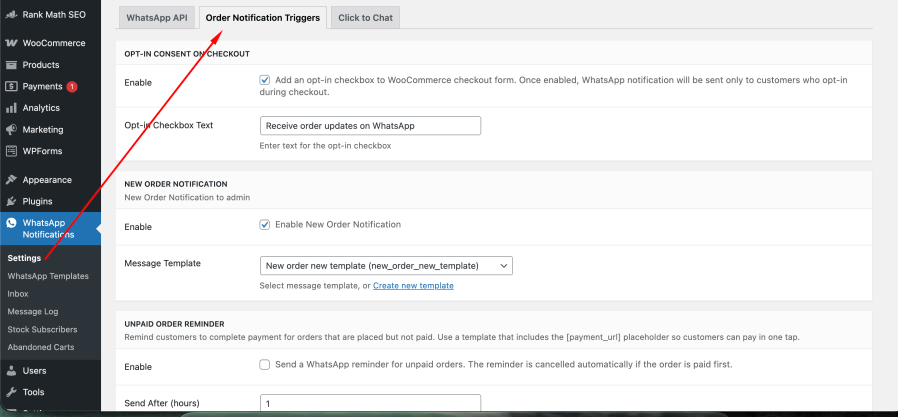
Decide which order statuses send notifications, and whether each goes to the customer, the admin, or both. Enable extras such as abandoned-cart recovery, back-in-stock alerts, unpaid-order reminders, and review requests.
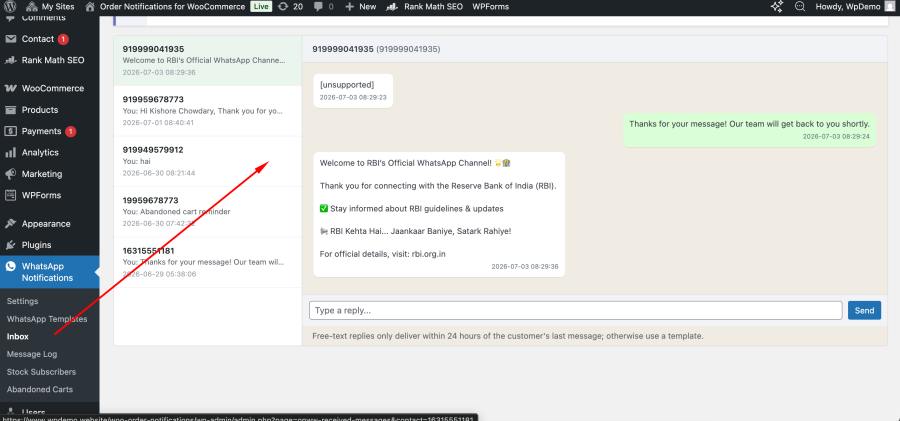
Customers receive updates on WhatsApp, replies land in your inbox, and every message’s delivery status is tracked in the Message Log.
Your customers will add products to the cart and place the order. 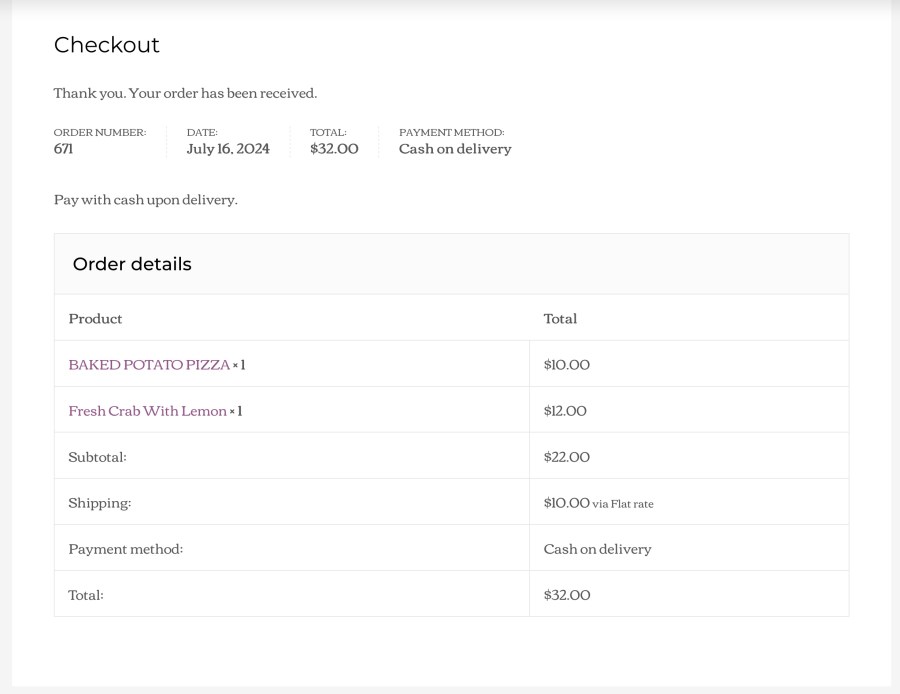
When the order is placed successfully, both the store admin and the customer will be instantly notified on their respective WhatsApp.
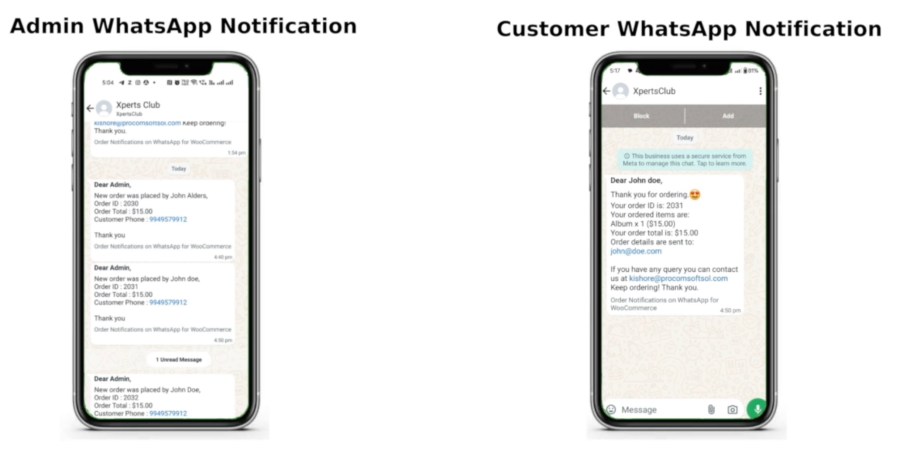
Checkout the following video for the visual representation.
The plugin uses the official WhatsApp Cloud API from Meta. You'll need a Meta WhatsApp Business account with an Access Token, WhatsApp Business Account ID, and Phone Number ID.
WhatsApp requires pre-approved message templates for automated (non-session) messages to customers. You can create templates from the plugin and submit them for approval through Meta.
Yes. The opt-in checkbox is registered with the WooCommerce Additional Checkout Fields API and appears on both the classic and block-based checkout.
Yes. The plugin declares full compatibility with WooCommerce HPOS / custom order tables.
Yes. Messages are sent from your own verified WhatsApp Business number via the WhatsApp Cloud API.
Yes. When the included webhook is connected, delivery statuses (sent, delivered, read, failed) are recorded on each order and shown in the Message Log.
Yes. Customer replies appear in a WhatsApp-style inbox, and you can reply to them directly from WordPress. An optional auto-reply is also available.
Extension information
Countries









