
Thank you for choosing Wine House and WooCommerce to power your E-Commerce store.
Installation
↑ Back to topThe fastest way to install Wine House is through the WordPress administration dashboard.

- Go to: Appearance > Themes > Add New > Upload Theme
- Upload the wine-house.zip file you have downloaded from WooCommerce.com
- Activate as you would any other WordPress theme then proceed with the Setup and Configuration.
To install Wine House manually:
- Download the latest version of Wine Housefrom WooCommerce.com
- Upload the extracted folder to the
/wp-content/themes/dir on your server via FTP. - Activate Wine House from the Appearance > Themes screen in your dashboard.
More info at Using Themes.
Setup And Configuration
↑ Back to topBefore proceeding with the install process, please make sure that WooCommerce is installed.
After activating your theme, please navigate to Appearance > Wine House.
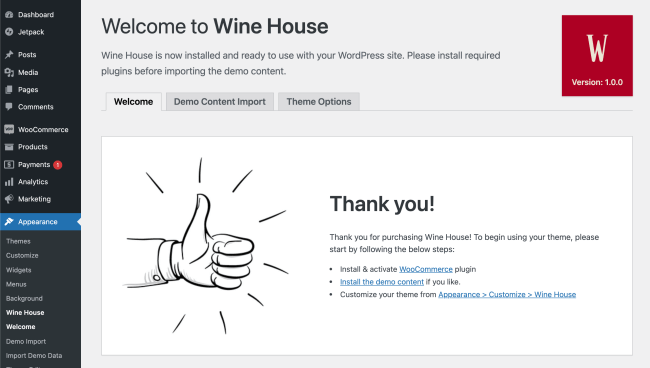
Afterward, please click on the Demo Content Import tab. Please follow the steps to import your demo content.
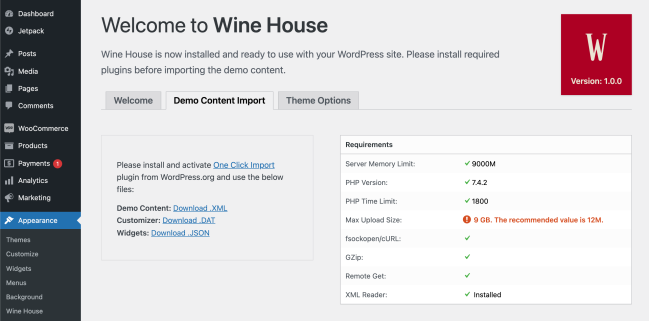
Customization
↑ Back to topYour customization settings are within Appearance > Customize > Wine House.
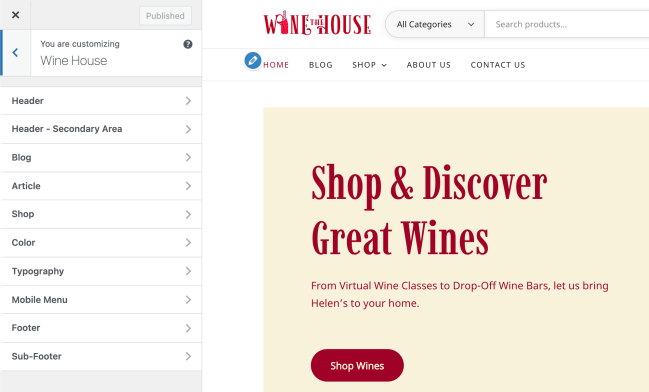
Logo & Favicon
↑ Back to topYou can change your logo from within Appearance > Customize > Site Identity.
Menus
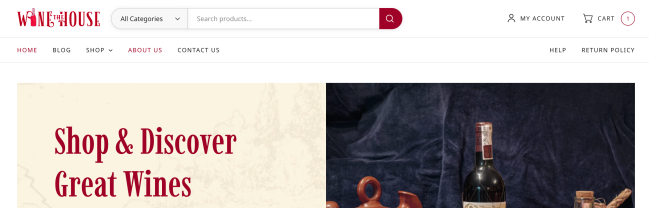
↑ Back to topThere are three menu areas on Wine House. You can assign your menus from Appearance > Menus.
- Primary Menu: Located under the Logo
- Secondary menu: Located under the cart icon.
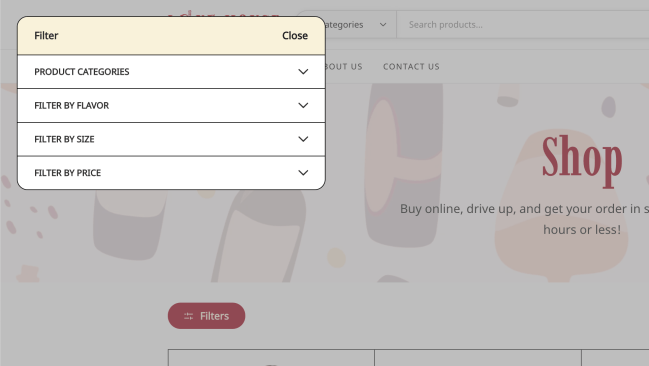
Shop Filters & Sidebar
↑ Back to topThe shop sidebar uses widgets assigned to the Shop Sidebar within Appearance > Widgets.
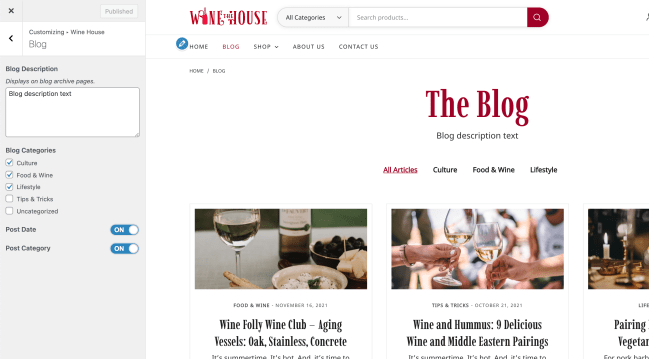
Customizing the Blog Page
↑ Back to topYou can add a custom description and select which categories to show on blog archive pages from Appearance > Customize > Wine House > Blog.
Footer
↑ Back to topYour footer is divided into columns. The number of columns can be adjusted from Appearance > Customize > Wine House > Footer.
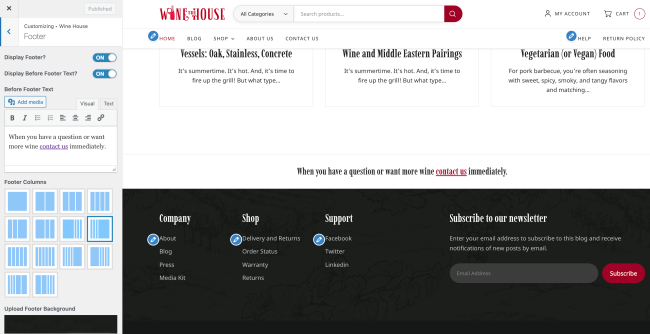
Each column gets its content from the same Footer Sidebars within Appearance > Widgets.

Sub-Footer
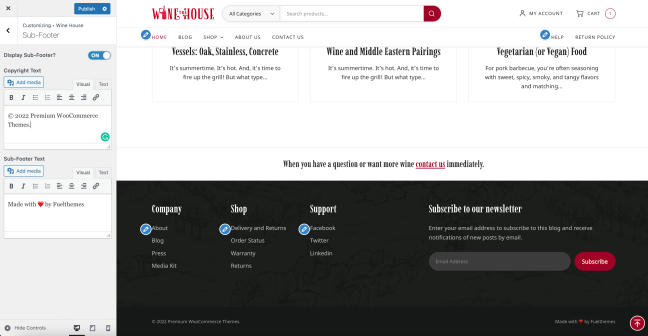
↑ Back to topSub-Footer can be toggled and its content modified from Appearance > Customize > Wine House > Sub-Footer.
Social Sharing in Blog Posts and Products
↑ Back to topSocial sharing in Wild Sports uses the JetPack plugin’s sharing features which can be configured from the below screen:

Thanks for using Premium WordPress Themes and Premium WooCommerce Themes by Fuel Themes.

