Product Icon

Flexi Custom Order Status for WooCommerce

Effortlessly track and manage your store’s order processing with custom order statuses. Also, notify your customers about their order status for improved customer experience.
Choose a billing option
$49
Save 20%
$98 $78.40

Subscription includes

  • Product updates and improvements
  • Customer support
  • 30-day money-back guarantee

Key Features

Create & manage custom order statuses within the WooCommerce dashboard and automate your order processing. With the Flexi Custom Order Status plugin, you can-

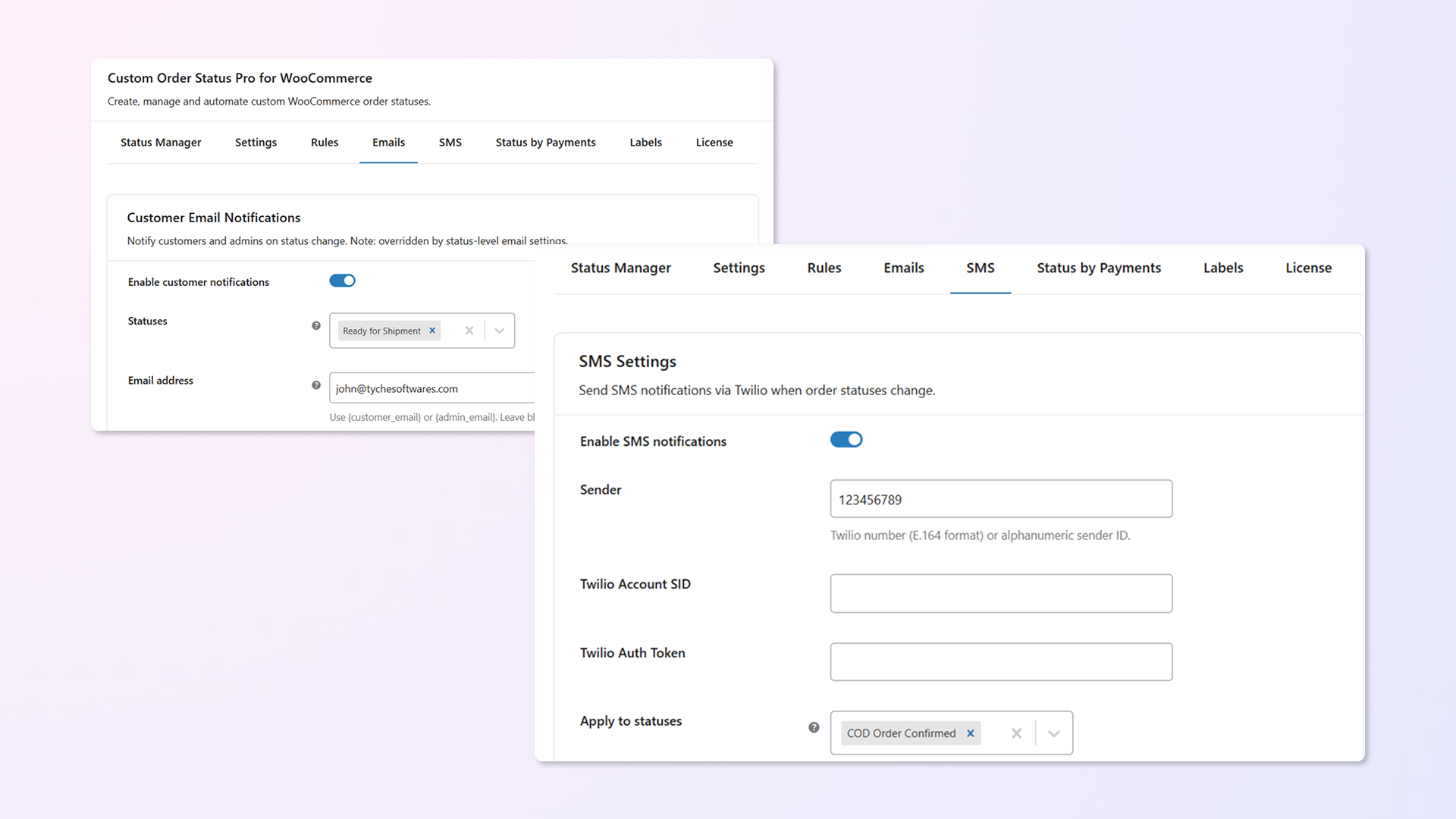
  • Automatically notify customers via email or SMS every time an order’s status changes to a custom one.
    Example: Notify customers with “Your order is being packed!” or “Your order is out for delivery.”
    Set notifications for individual or multiple status changes together, keeping your customers updated and confident.
  • Create custom order statuses for built-in gateways like PayPal or 3rd-party and custom payment gateways for smooth order processing.
    Example: Add a custom status, “Payment Under Review,” for Cash on Delivery orders to track pending payments.
    Ensure every payment method is accounted for with a streamlined status system.
  • Custom order status rules to automate order status changes
    Automate order status changes based on time, payment method, shipping zones, or specific days and dates to keep your workflow hands-free.
    Example: Automatically move “Cash on Delivery” orders using Flat Rate shipping to “Pending Pickup” two days after purchase—excluding Sundays and public holidays.
  • You can also set order status rules based on specific products, categories, cart totals, quantities, user roles, or customer locations for advanced automation.Example: Automatically mark orders as “Processing” when VIP customers from the US buy 5+ units from the Electronics category.
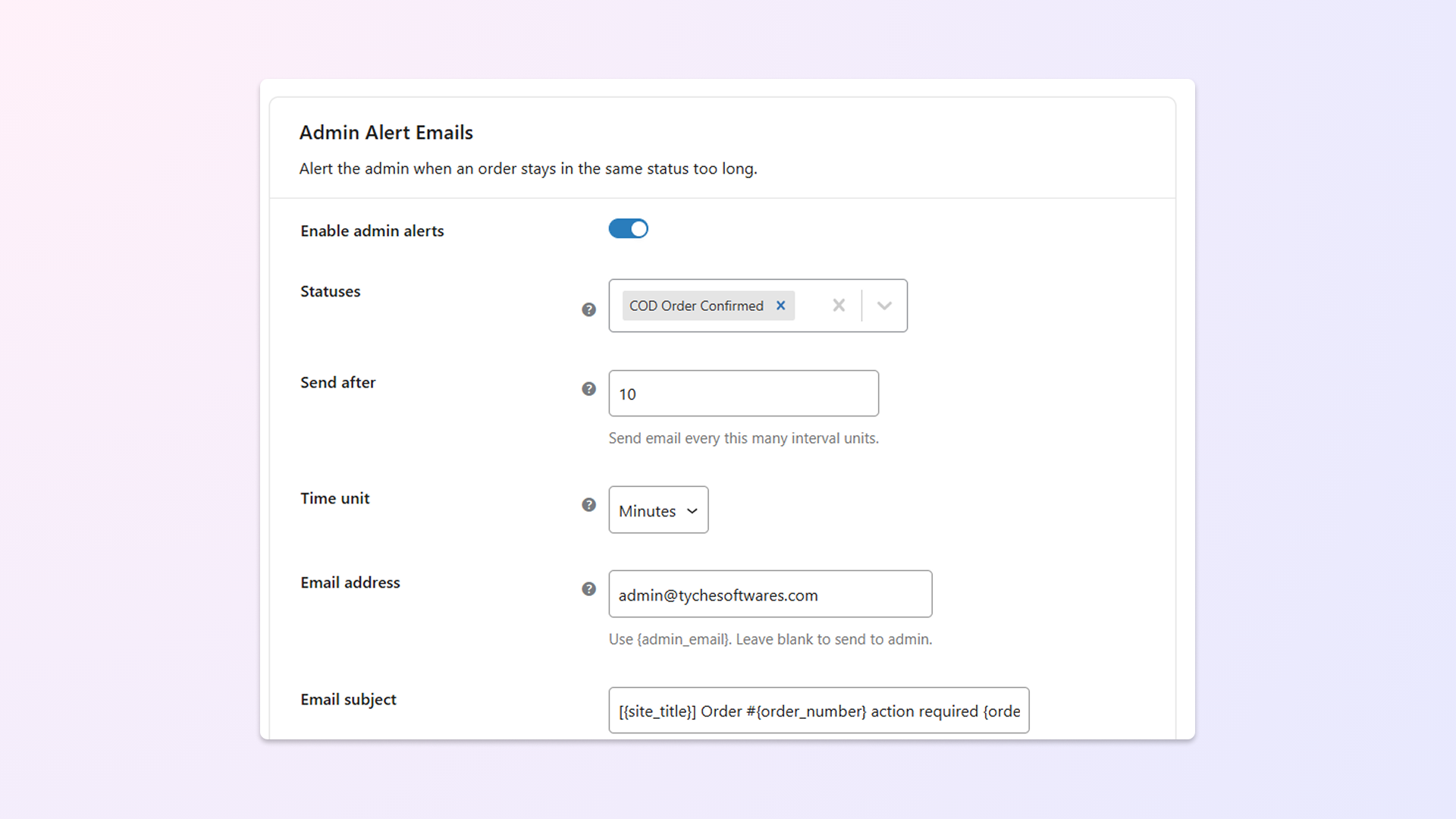
  • Orders stuck in the same status for too long can disrupt workflows and delay deliveries.
    Example: Get an alert if an order remains in “Awaiting Payment” for more than 48 hours.
    Define time intervals in minutes, hours, days, weeks, or months to take timely action.
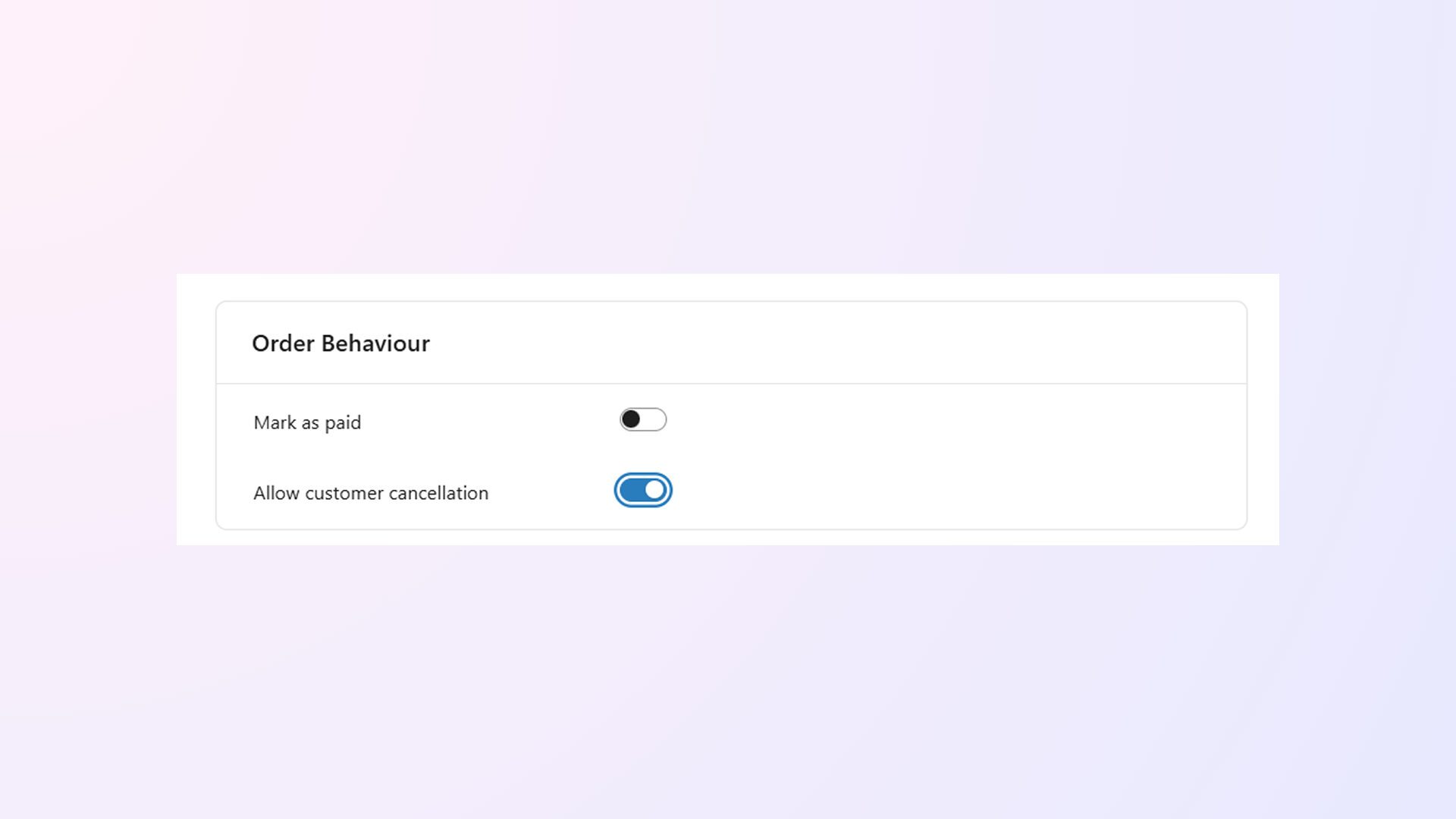
  • Let customers cancel orders with custom statuses directly from the “Orders” page in their account.
    Example: Enable cancellations for orders in the “Awaiting Confirmation” status for better user experience.
    Control this feature with a simple toggle setting to suit your store’s policies.
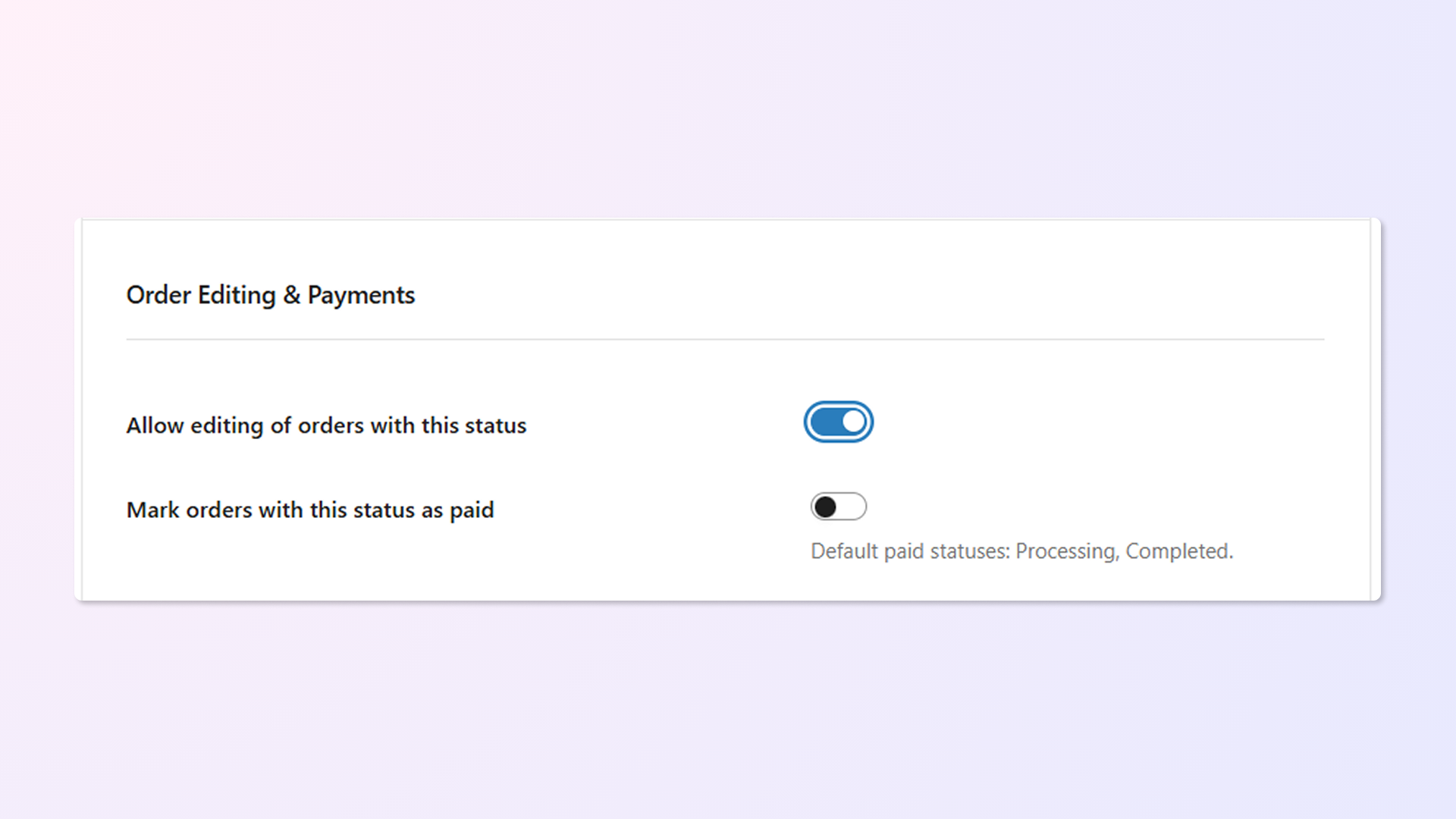
  • Accidental changes to orders after a custom status is applied can lead to errors in processing. Make orders non-editable once assigned a custom status to prevent unauthorized changes.
    Uncheck the “Make custom order status editable” box to lock the status.
  • Manual inventory adjustments can lead to errors and inefficiencies. Automatically adjust stock levels when orders are updated to a custom status.
    Example: Decrease stock when an order is marked as “Dispatched” or increase stock when set to “Cancelled.”
    Keep inventory accurate without additional effort.
  • Default statuses often lack the flexibility required for unique workflows. Customise statuses as required.
    Modify built-in WooCommerce order statuses to match your business processes.
    Example: Rename “On Hold” to “Pending Customer Approval” for clarity.
  • Use Bulk Actions to update multiple orders to a custom status in just a few clicks.
    Example: Change 50+ orders to “Packed for Shipping” at once with bulk actions.
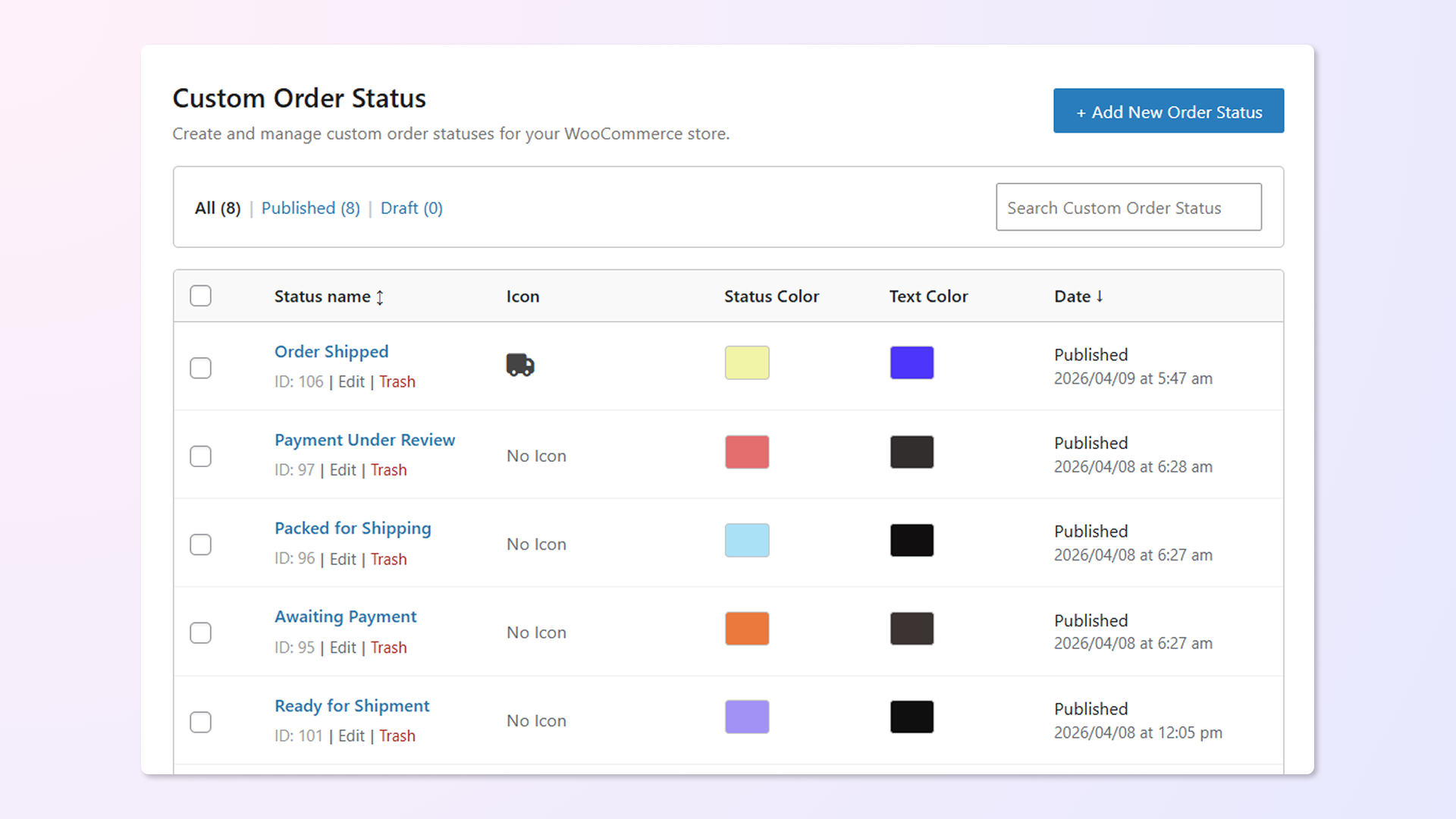
  • Add unique icons for each custom status for better visibility and organization.
  • Manually managing orders can lead to operational bottlenecks.
    Quickly update orders to custom statuses directly from the Edit Order page or Bulk Actions dropdown.

Create, edit, and manage notifications about custom order statuses.

Flexi Custom Order Status lets you create tailored workflow management to automate your entire order processing — from receiving orders to shipping orders and everything in between. Create custom order status labels, track the orders in real-time, and get notified when the order is stuck in the same status for more than the ideal time set by you.

Be on top of your entire operation and communicate important order statuses with your customers to provide an unparalleled customer experience.
Notify customers with Emails & SMS

Send custom notification emails & SMS when the status of an order is changed to a custom status.
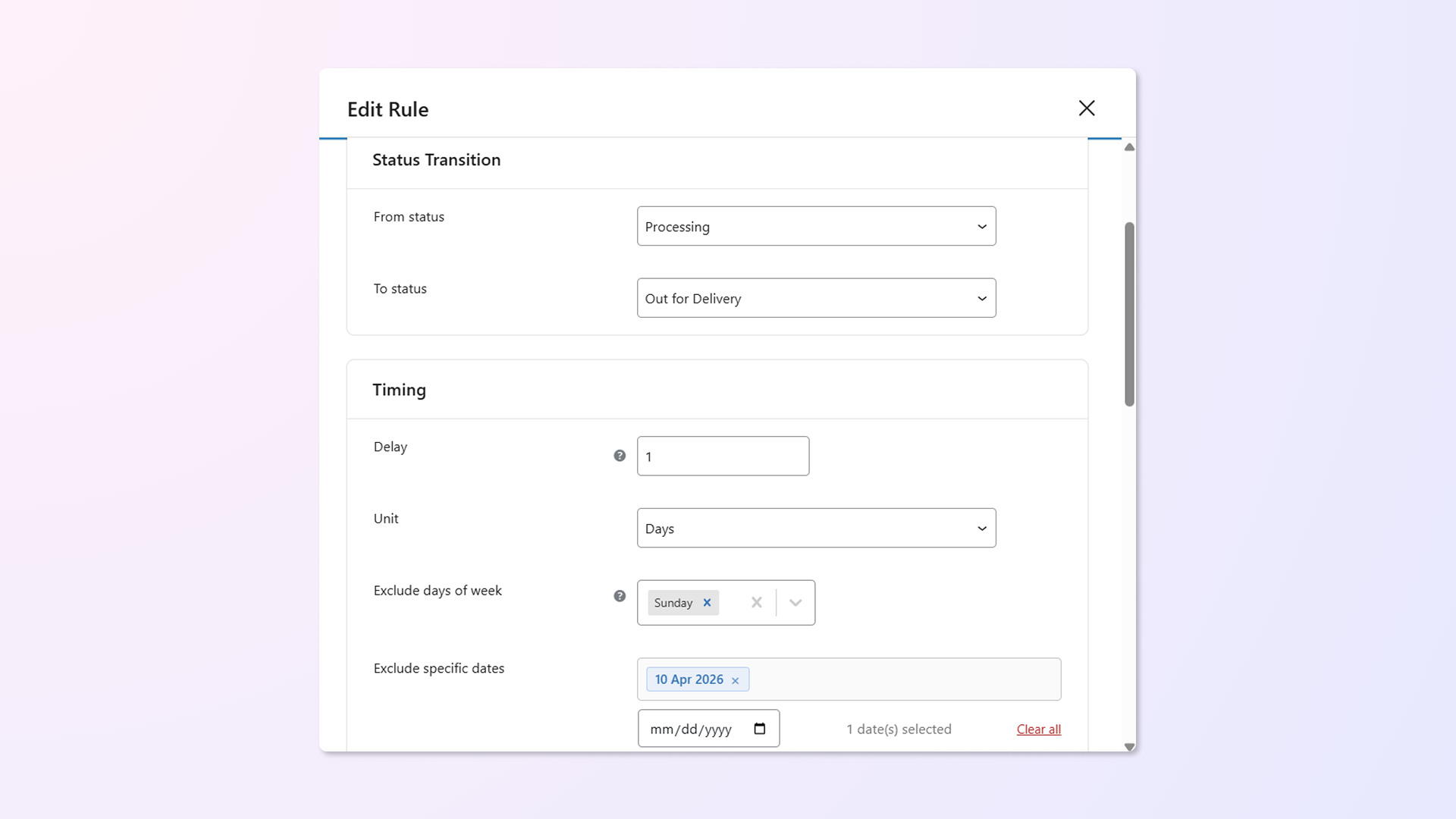
Custom order status rules to automate order status changes

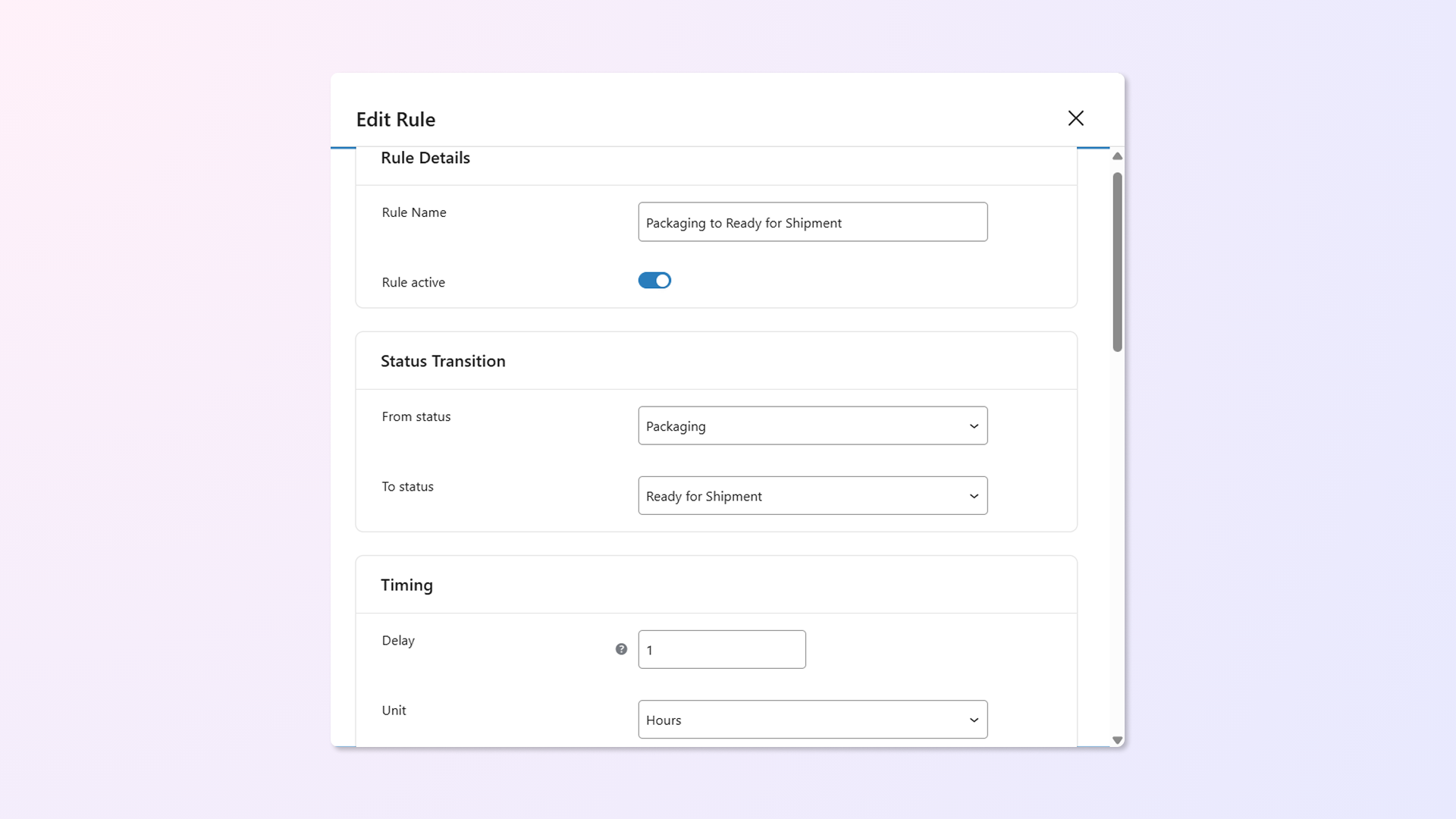
Set rules that automatically update order statuses based on specific conditions — no manual action needed.
Supported rule types:

  • Time-Based Rules – Delay status change by minutes, hours, or days
  • Payment Method Conditions – Apply rules only for specific payment gateways
  • Shipping Method Conditions – Limit rules to orders with certain shipping zones/methods
  • Date-Based Rules (Skip Dates) – Exclude holidays or blackout dates
  • Day-Based Rules (Skip Days) – Prevent rules from running on specific weekdays

Example: Automatically change order status from “Packaging” to “Ready for Shipment” based on the condition— 30 minutes after it’s marked as Packaging — but only for Direct Bank Transfer orders using Zone 1 – Flat Rate shipping, and exclude Sundays and public holidays.

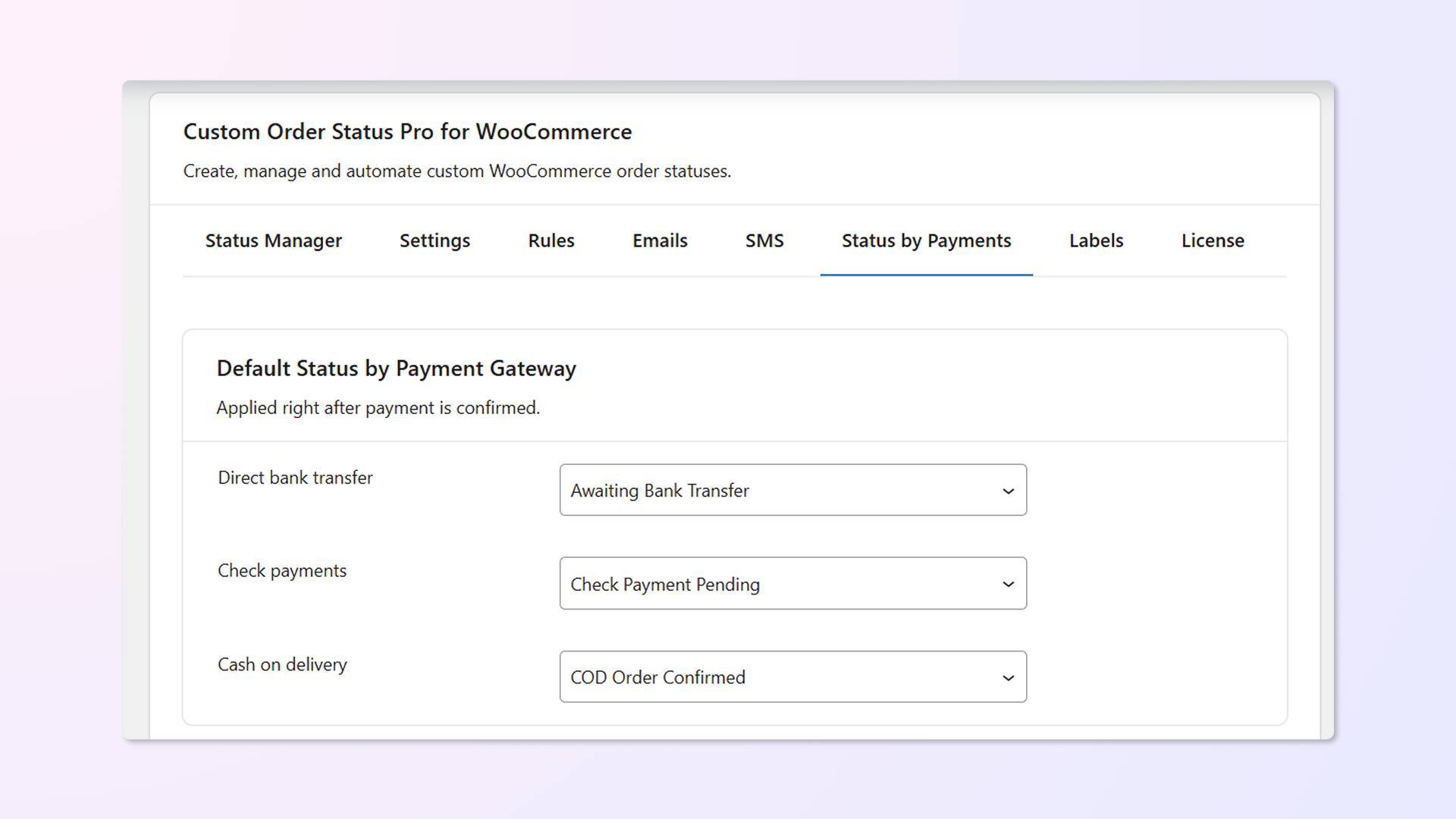
Custom order statuses for default & other payment gateways

From Paypal to Cash On Delivery, you can set a custom order status for almost any payment medium selected.
Automatic alert notifications for admins

Admins can get updates via email notifications if orders have stayed on a particular status for a longer period (pre-defined time set by you).
Customers can cancel orders with custom statuses

As the admin, of course, you get to cancel an order. But now, you can also set whether your customers can cancel orders with custom statuses.
Make orders with custom statuses non-editable

Orders will no longer be editable once you’ve added or updated them with a custom order status. They will behave like the Processing & Completed order statuses.
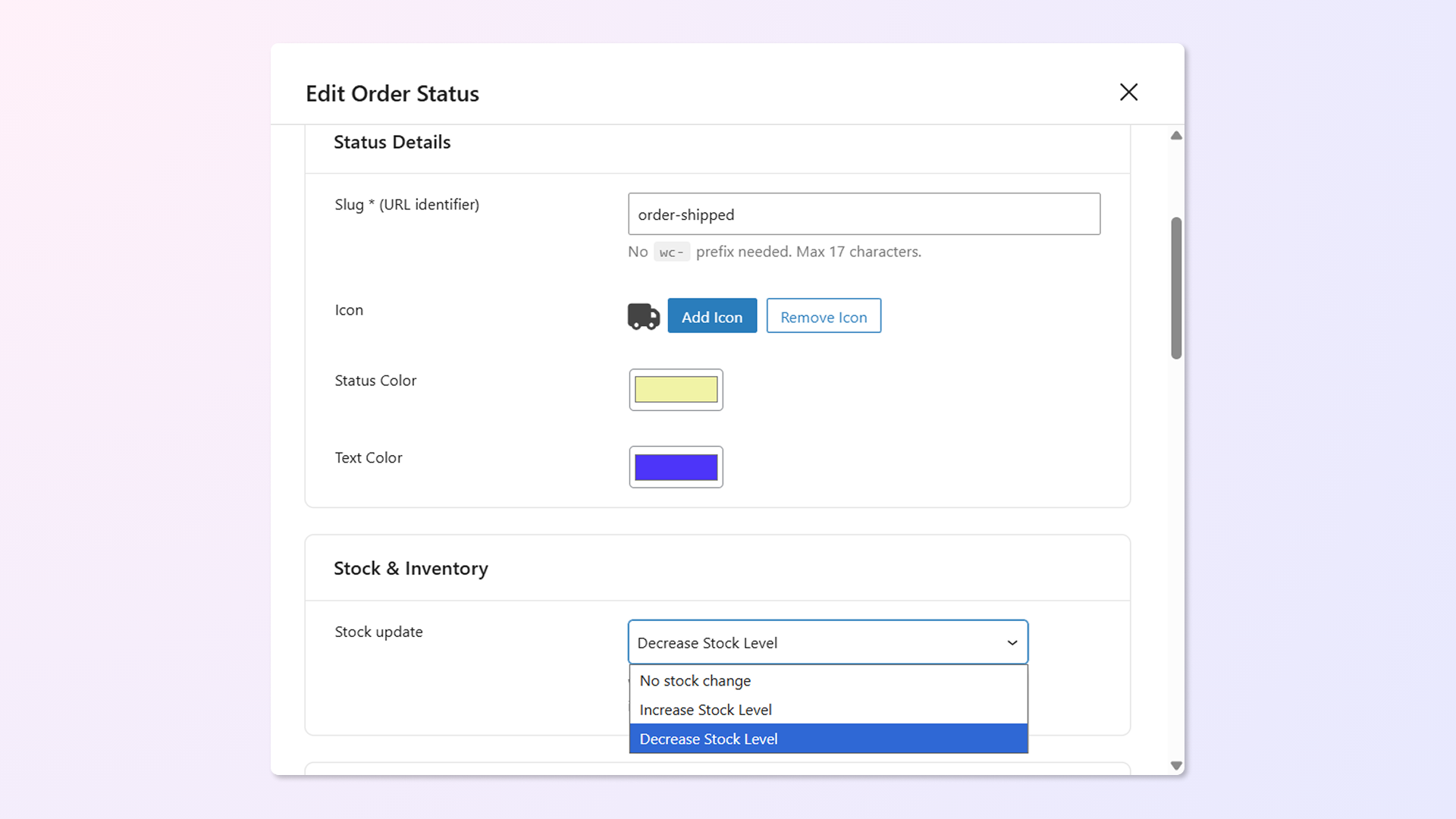
Update product stock levels when a custom status is applied to an order

Get the flexibility to change the stock levels when the order status changes to a particular custom status.


Custom Order Status Rules Change Automatically
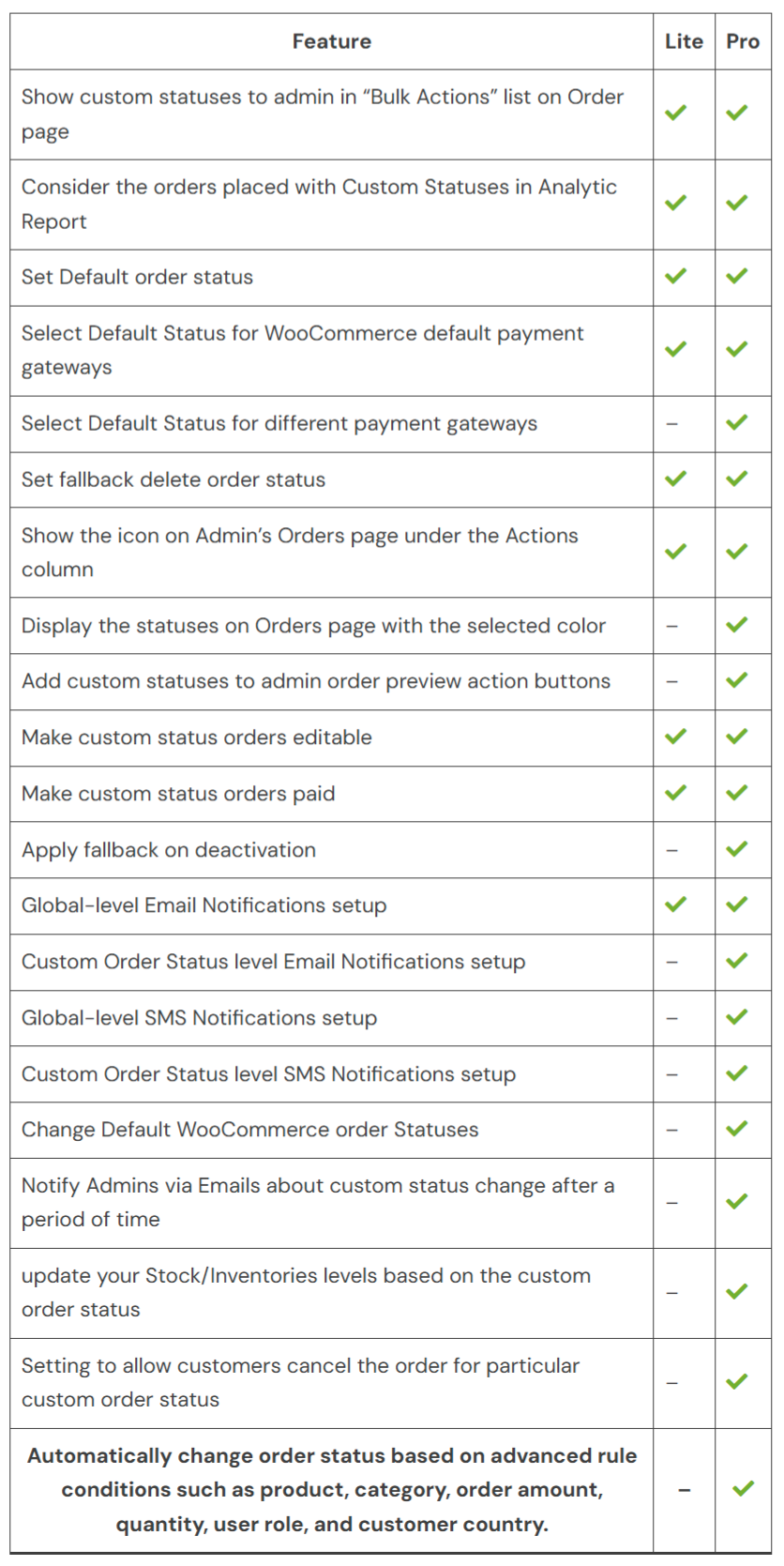
Flexi Custom Order Status for WooCommerce Free Vs Premium – Full Feature Comparison


Frequently asked questions

Can I automate WooCommerce order status changes (based on time, conditions, etc.)?

Yes. You can create automation rules to change order statuses automatically based on time delays, payment methods, shipping zones, product categories, order amounts, and more — without manual intervention.

Can I set WooCommerce order statuses based on product categories?

Yes. You can create rules to change order statuses automatically when orders contain products from specific categories. This helps manage workflow efficiently for different product types.

Can I automatically update order statuses based on the payment method?

Yes. You can set rules to automatically move orders to any custom status or mark them as “Completed” based on the payment gateway used. This is especially useful for pre-paid orders or automated fulfillment workflows.

Does this plugin support WooCommerce payment gateways?

Yes. You can define rules or default statuses based on the payment method used for an order, including built-in WooCommerce methods and third-party gateways.

Can I restrict WooCommerce order status changes based on user roles?

Yes. You can automatically change order statuses based on the role of the customer who placed the order. For example, you can set orders placed by customers to move to a specific status after a certain time, while applying different behavior for other roles.

Can I update multiple WooCommerce orders to a custom order status at once?

Yes. You can update multiple orders to a custom status at once using Bulk Actions on the WooCommerce Orders page. This makes managing large numbers of orders faster and easier.

Can customers cancel orders with a custom order status in WooCommerce?

Yes. You can enable the “User can cancel” option for any custom status. Customers can then cancel their orders from My Account → Orders when the order is in that status.

Can I send custom email notifications in WooCommerce when a custom order status changes?

Yes. You can set up email notifications that are triggered when an order moves to a selected custom status. These notifications can be sent to customers, admins, or both, keeping everyone informed about the order progress.

Can I customize email content for each WooCommerce custom order status?

Yes. You can configure a custom subject, heading, and message for each order status. This ensures customers receive clear, relevant updates tailored to the current stage of their order.

Can I include custom meta fields in WooCommerce order status emails?

Yes. You can include custom meta field values in emails using a placeholder. Add {custom_field_(meta-key)} with your meta key, and it will automatically be replaced with the actual value when the email is sent. This is useful for showing tracking information or other order details.

Can I add icons and colors to WooCommerce custom order statuses?

Yes. You can assign custom icons and colors to each status using hundreds of available options. These appear directly on the WooCommerce Orders page for easy identification at a glance.

Can admins get notified if a WooCommerce order stays in the same custom status for too long?

Yes. You can set up an email to alert admins when an order stays in the same status for a specified period. Simply choose which statuses to monitor and define the time interval, for example, after 1 day.

I have another question.

Please fill out this pre-sales form.

Customer reviews

We are accepting reviews for this product, and will display them when we get a few more.

Extension information

  • PHP version required: 7.4
  • Tested with WordPress: 6.9.4
  • Tested with WooCommerce: 10.6.2
  • Requires at least WordPress: 4.4
  • Requires at least WooCommerce: 5.0

Countries

  • Worldwide

Related Products

Price $79 annually
Rated 3.4 out of 5 stars
Price $279 annually
Rated 3.2 out of 5 stars
Price $59 annually
Rated 3.1 out of 5 stars
Price $109 annually
Rated 2.8 out of 5 stars
Price $109 annually
Rated 2 out of 5 stars
Price $49 annually
Rated 4.1 out of 5 stars
Price $109 annually
Rated 2.3 out of 5 stars
Price $109 annually
Rated 2.6 out of 5 stars
Price $109 annually
Rated 2 out of 5 stars
Use of your personal data
We and our partners process your personal data (such as browsing data, IP Addresses, cookie information, and other unique identifiers) based on your consent and/or our legitimate interest to optimize our website, marketing activities, and your user experience.