

Subscription includes
Support
Create a custom thank you page for WooCommerce and assign it to specific products, categories, or payment methods. You can easily control what customers see after checkout and even redirect them from the default thank you page to any WordPress page, product page, category page, or external URL.
You can also show upsells and related products on the custom thank you page to encourage customers to buy more. Instead of ending the journey after checkout, turn your thank-you page into a simple and effective way to boost sales.
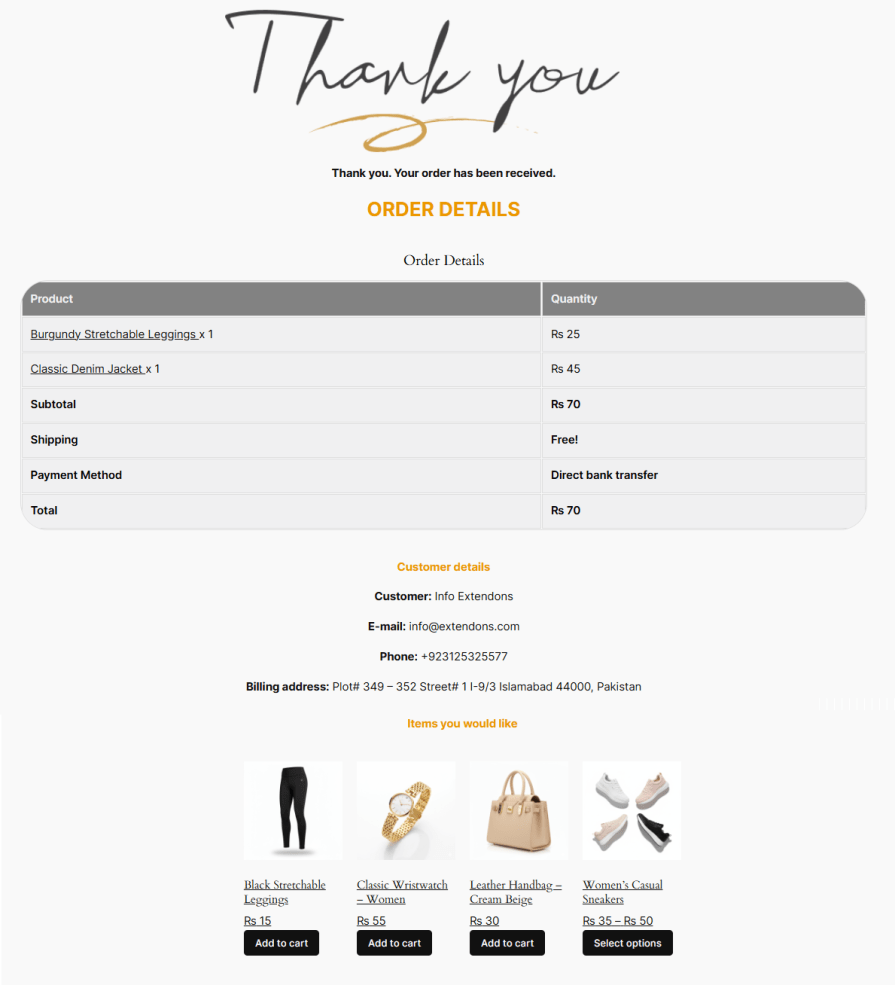
With the thank you page plugin for WooCommerce, you can design multiple post-purchase pages for your store. These pages can include headers, order summaries, as well as your customer’s information.
Redirect customers to a custom thank you page or any WordPress page, product page, category page, or external URL based on the products purchased. You can set conditions using product, category, tags, or product type to ensure customers are redirected to the most relevant page after checkout.

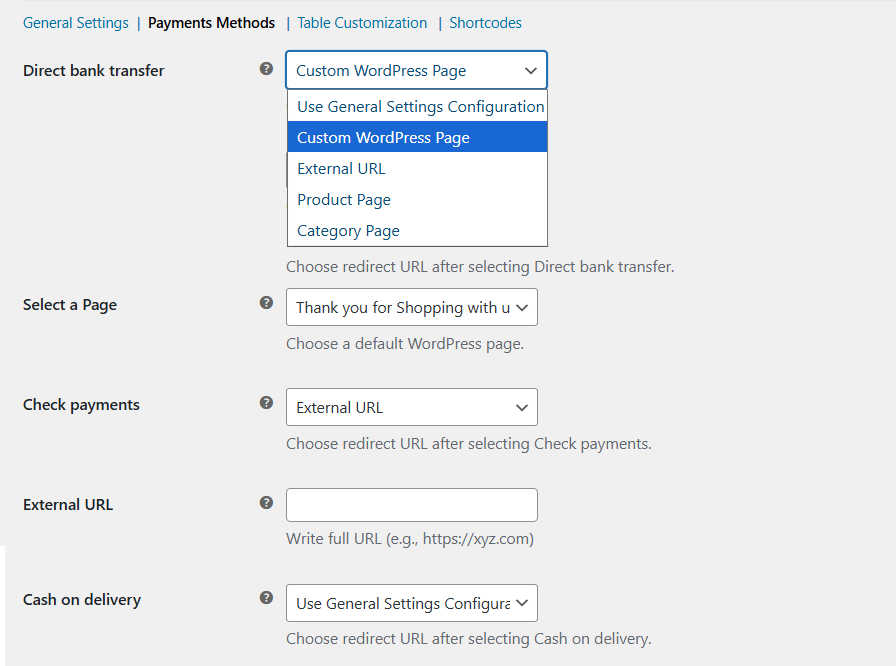
Custom thank you page for WooCommerce enables you to configure a custom redirection for each payment method and redirect customers to a specific WordPress page, an external URL, a product page, or a category page, based on the selected payment method during checkout.
Custom thank you page plugin for WooCommerce lets you redirect customers to a specific URL or any custom page. It helps you display ongoing offers and boost sales.

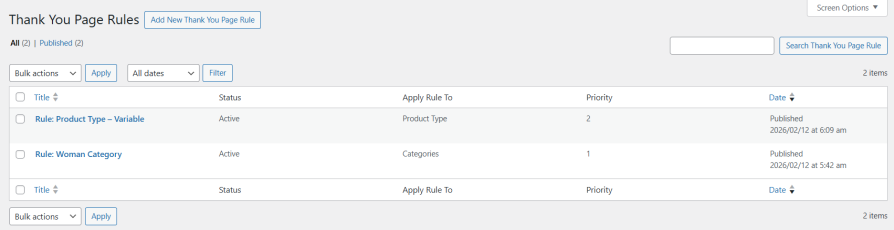
Create multiple rules for different custom thank you pages based on product or category, and set priority for each rule accordingly.
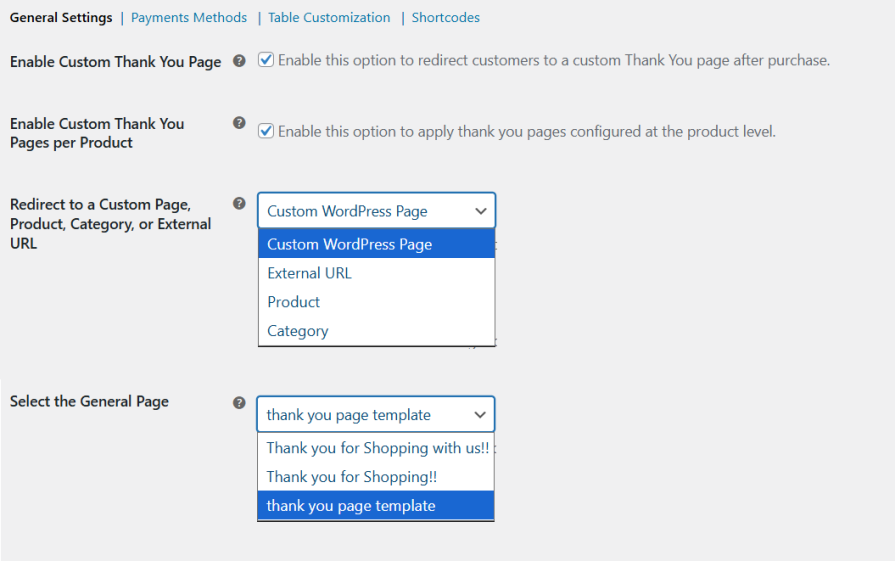
Instead of setting up individual rules for each product or category, you can use one global thank you page for your entire store. This helps simplify the redirect process so that everyone has the same post-purchase experience in your store.
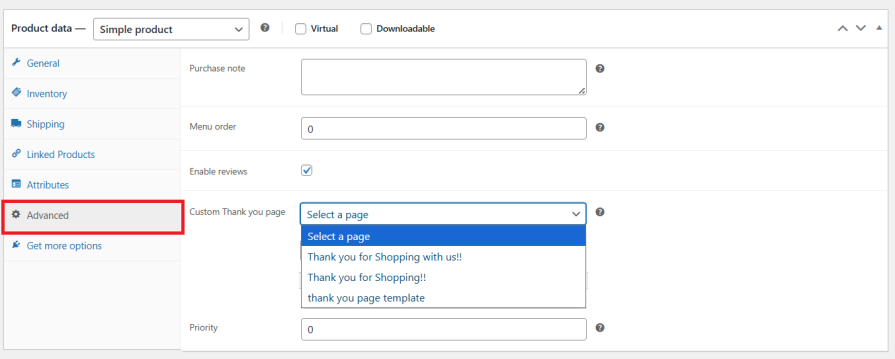
Assign a unique thank you page to any WooCommerce product directly from product-level settings. This lets you give customers a personalized post-purchase experience and show targeted messages or upsell offers for each product.
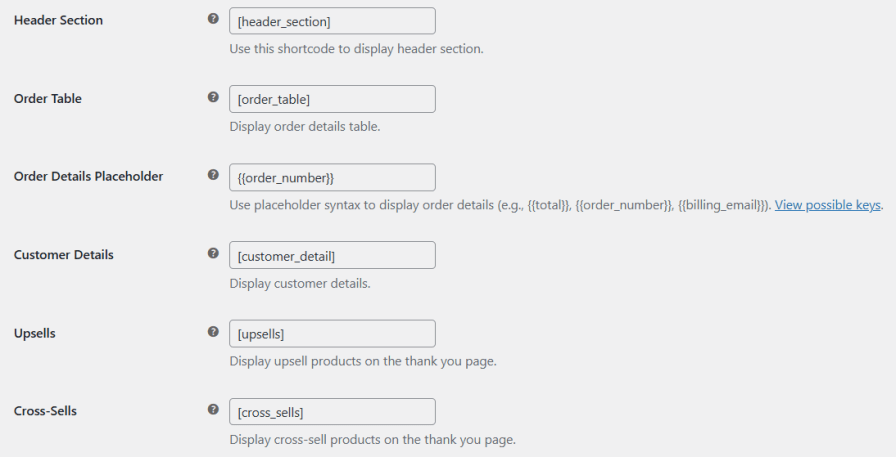
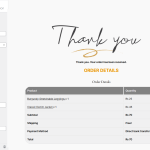
Custom thank you page for WooCommerce lets you show customer order details and add custom content using shortcodes on your custom thank you page.
Customize the order and customer details table on your thank you page to match your store’s style. Change text and table colors, adjust the table’s border radius to match your store’s style. You can also use the WordPress page customizer.
You can show upsell and cross-sell products directly on the thank you page, turning the order confirmation into another selling opportunity instead of ending the customer journey.
Absolutely. You can redirect customers to any WordPress page, product page, category page, or even an external URL after checkout.
Yes, you can create custom redirections based on the payment method selected at checkout, which is useful for showing payment-specific instructions or offers.
Yes, the plugin allows you to display thank you pages based on user roles, helping you personalize the experience for different customer types.
Yes, you can use built-in shortcodes and dynamic placeholders to display order details, customer information, upsells, and other content anywhere on your custom thank you page.
Yes, it supports all WooCommerce checkout types, so you can use it without changing your current checkout setup.
Extension information
Quality Checks
Countries






