


Subscription includes
Support
Build trust with your users by offering a lower price guarantee, which will ensure your users are loyal and can provide higher lifetime value.
Having a Lower Price notification system in your site will show your users that your site is offering the lowest price possible. This in turn, can bring more sales.
Your customers can easily let you know what price is being offered for the products sold on your shop by other sites and shops. This, in turn, can help you price your products more competitively.
You can increase your customer’s Trust and Loyalty by providing them with a coupon to match the reported price which is offered on other sites or shops.
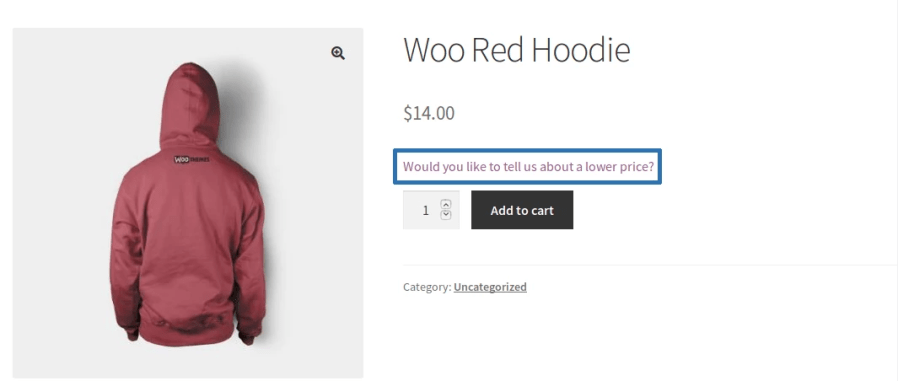
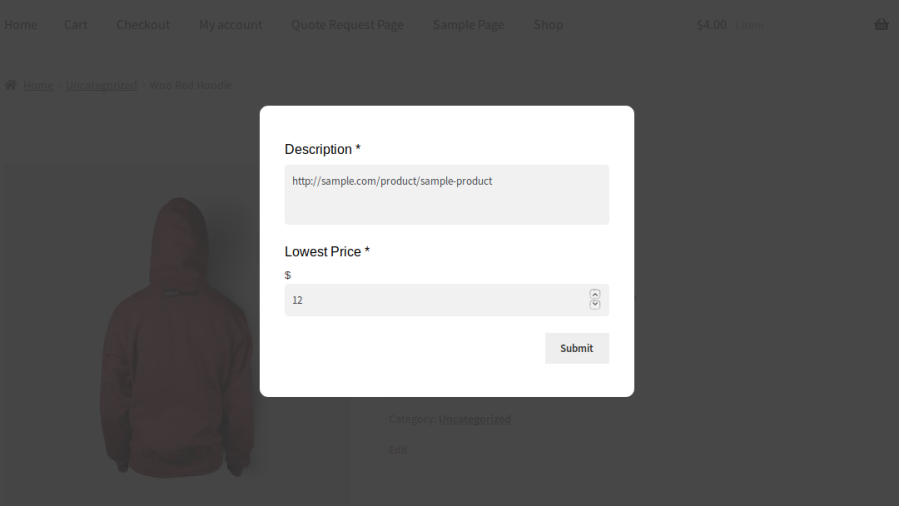

The following Modes of Operation are supported:
In this mode, your users can only notify about a lower price for a product. They cannot get any reward for notifying.
In this mode, your users can get rewarded with a coupon code for notifying about a lower price and they have to manually apply the coupon code to get a discount.
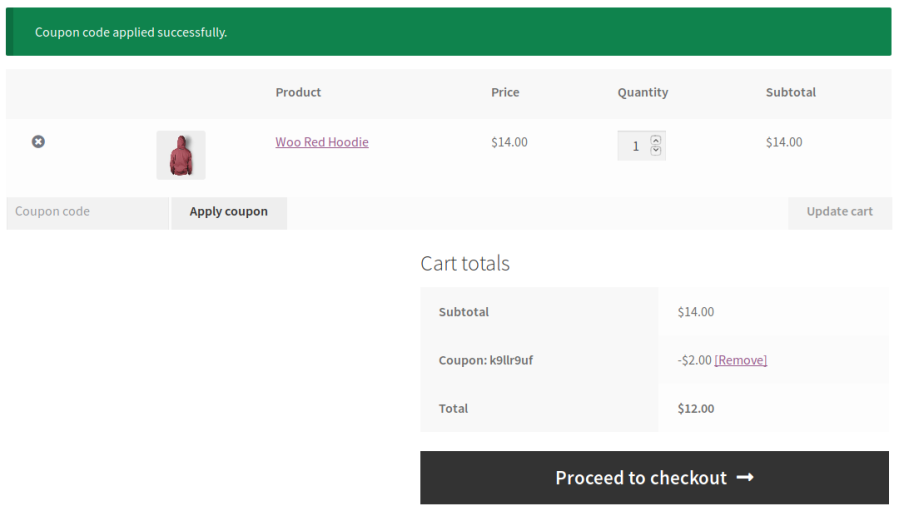
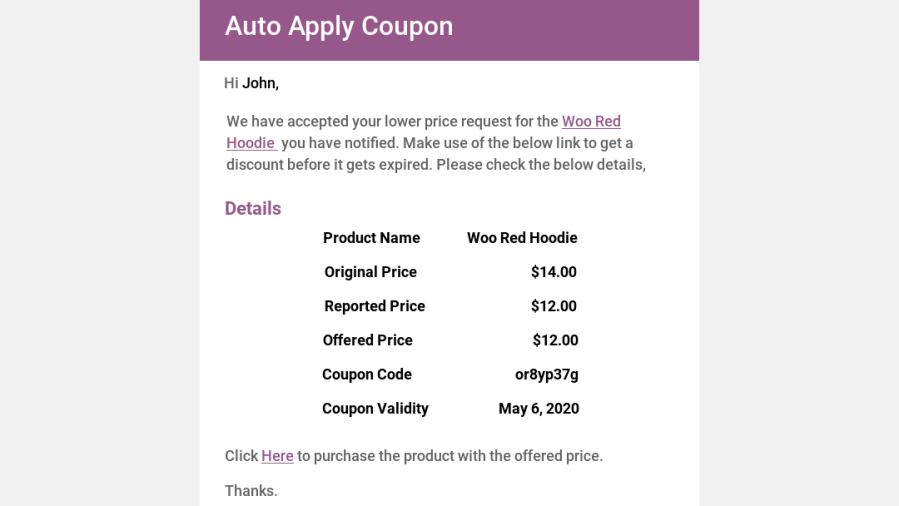
In this mode, your users can get rewarded with a coupon code for notifying about a lower price. The product will be automatically added to the cart along with the coupon code when a user clicks the link given in the email.
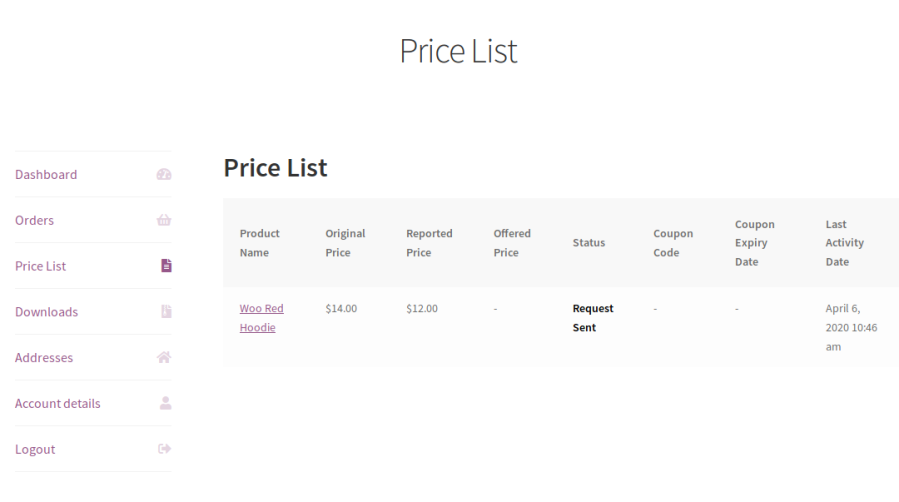
Separate dashboard for both admin and customers where they can manage the lowest price notified products.
You can set the validity for coupons in days. If they fail to use the coupon within the allotted days, then it will expire.
4. Coupons for Usage
You can set whether the coupon created by this plugin can/cannot be used in conjunction with other coupons.
Both the site admin and users will be notified by email when a user notifies a lower price request and the submitted request gets updated by the site admin.
You can restrict your customers to notify lower price once per product and X number of times per user.
7. Notifier Link Positions
You can display the lower price notifier link in various positions for both Simple & Variable Products.
8. WPML
It works with WPML String Translation.
Allow customers to submit lower price requests directly from the product page by providing competitor pricing details. Capture valuable customer insights and create opportunities to win more sales.
Respond to lower price requests using the approach that best suits your business. Review requests manually, provide personalized feedback, or reward customers with a discount coupon to encourage purchases.
Respond to lower price requests by offering competitive prices that help convert interested shoppers into customers. Manage pricing decisions efficiently while maintaining control over your promotional strategy.
Control where the Lower Price request option appears across your WooCommerce store. Display the request form for selected products, categories, users, or user roles based on your business requirements.
Prevent misuse by configuring request limits and eligibility rules. Restrict how often customers can submit lower price requests and maintain better control over incoming submissions.
Manage all lower price requests from a centralized dashboard. Review customer submissions, update request statuses, and respond efficiently from a single interface.
Provide customers with a dedicated My Account section where they can track their submitted requests, offered prices, coupons, and request statuses.
Minimum WooCommerce version: 3.0.0
Minimum WordPress version: 4.6
Minimum PHP version: 5.6
Lower Price for WooCommerce can help you to offer the most competitive prices for your products to your customers.
Categories
Extension information
Quality Checks
Compatibility
Countries







