

Product comparison
Subscription includes
Support
When a customer sees your price but has no idea if it went up last week or has been dropping for months, they do one thing: wait. They add to wishlist, open a price tracker, or just leave. Product Price History for WooCommerce puts the full price story right on your product page — a clear graph or table showing current, highest, lowest, and average prices over time — so customers stop hesitating and start buying.
Price uncertainty is one of the most common reasons a ready-to-buy customer does not convert. They cannot tell if your price is a good deal, a temporary spike, or right in the middle of a downward trend. Without context, hesitation is the rational choice.
Third-party price tracker extensions exist because this problem is real and widespread. Customers are already looking for this information — the question is whether they find it on your product page, or whether they leave to look for it somewhere else.
Product Price History for WooCommerce keeps that conversation on your site, on your terms, with data you control.
When a customer can see that your price has been stable for three months, they stop waiting for a drop that is not coming. When they can see that the current price is the lowest it has been all year, they feel the urgency to act now. When they can see the average price over time, they know they are getting fair value.
Price history does not just inform — it removes the single biggest psychological barrier between a browsing customer and a completed purchase.
Choose between a visual price history graph or a structured data table — whichever fits your product page design and your customers’ browsing behavior. Both formats display current, highest, lowest, and average prices with clear date context, giving customers the full picture at a glance.
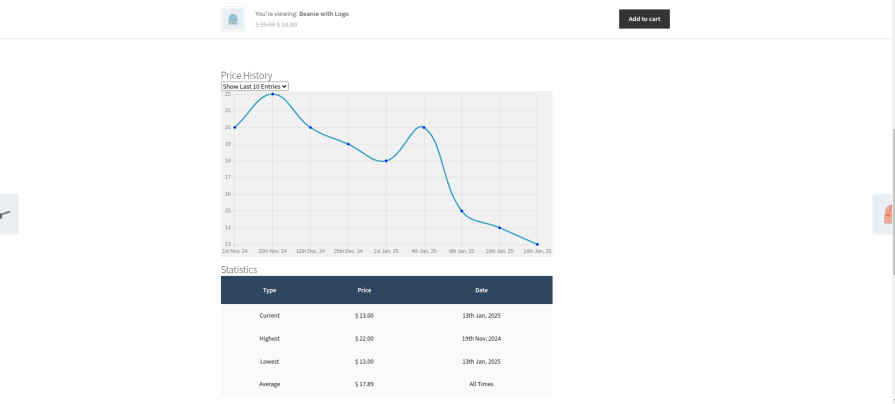
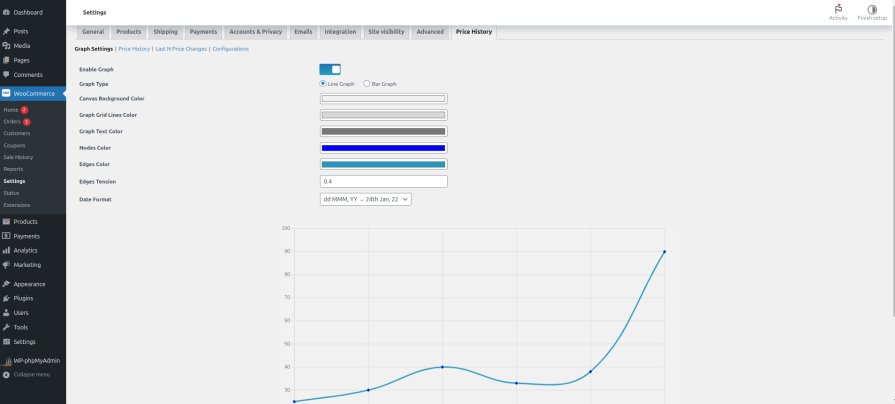
Adjust graph type, design, color scheme, and date format to match your store’s branding. A price history graph that looks native to your product page is more trusted and more read than one that looks like a third-party widget dropped in from outside. Every setting has a live preview so you see exactly what your customers will see before you publish.
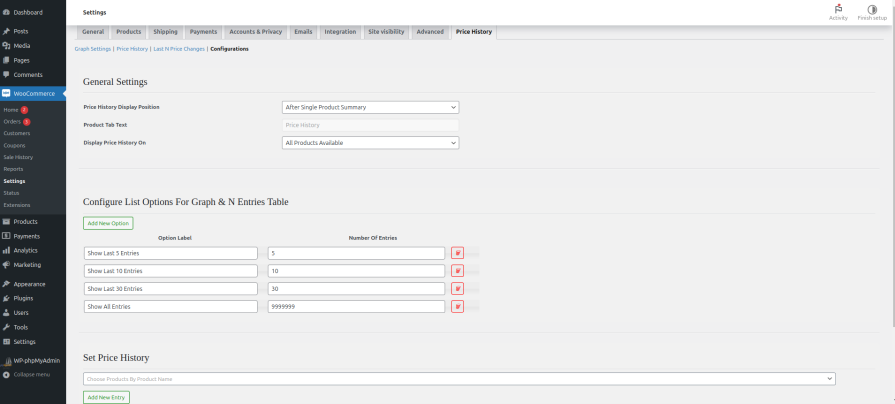
Place the price history section anywhere on your product page — above the add to cart button, below the description, in a tab, or anywhere your layout calls for it. The plugin does not impose a fixed position; you decide where price transparency fits best in your customer’s journey through the page.
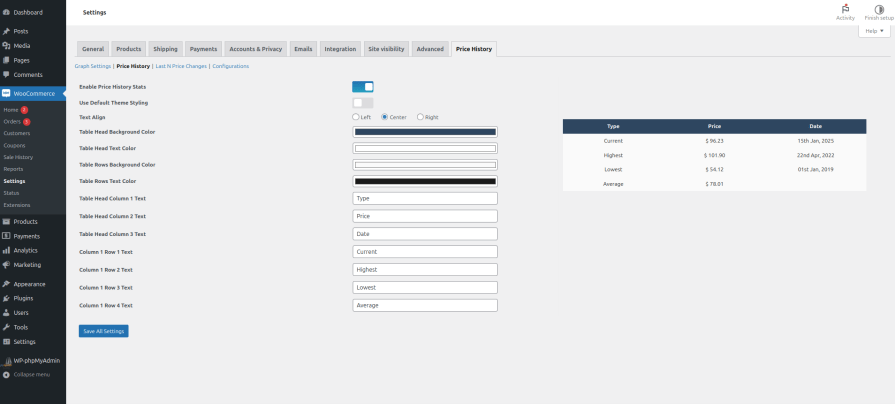
If a table suits your store better than a graph, every visual element is yours to adjust — column layout, text, colors, and background — so the price history table feels like a designed part of your product page, not an afterthought.
Once active, the plugin tracks price changes automatically every time you update a product price in WooCommerce — no extra steps required. For products with a pricing history before you installed the plugin, you can enter past prices manually so the history starts complete from day one.
See how many units sold at each historical price point. This is not just customer-facing transparency — it is store-owner intelligence. Understand which price drove your best conversion rate, where a price increase reduced sales, and what your data actually says about pricing decisions.
Apply price history to any combination of individual products, specific categories, or your entire store. Choose which data points appear — hide the highest price if you prefer, show only the average and current, or display the full picture. Every element of what customers see is yours to control.
The higher the price, the more research the customer does before buying. For furniture, electronics, tools, or any product where the buyer compares options and waits for the right moment, price history gives them the context to decide — on your page, not a competitor’s.
If your prices fluctuate with seasons, sales events, or demand cycles, price history makes those patterns visible. Customers who can see that the current sale price is genuinely lower than your usual price are far more likely to convert than customers who have only your word for it.
In competitive categories where multiple stores sell the same or similar products, the store that shows its pricing history earns a trust advantage. Transparency is a differentiator when every other product page shows only a static number.
Customers who come back regularly want to know they are being treated fairly over time. Showing price history to returning visitors reinforces that your pricing is consistent and honest — which is one of the strongest drivers of long-term loyalty.
No. The price history data loads efficiently and does not affect product page load times or storefront performance.
You have full control. Apply price history display to individual products, specific categories, or store-wide — independently and in any combination.
Yes. From installation onwards, every price change you make in WooCommerce is tracked automatically. For historical prices before installation, you can enter them manually so the graph starts with complete data.
Yes. Each data point (current, highest, lowest, average) can be shown or hidden independently. You decide exactly what appears.
Yes. Both regular and sale price changes are tracked and reflected in the price history display.
You are covered by a full 30-day money-back guarantee. If it does not work for your store, request a refund — no questions asked.
Extension information
Quality Checks
Countries







