

Subscription includes
Support
Modern shoppers expect fast, familiar communication, not contact forms and delayed email replies. Chat Buttons for WooCommerce lets your customers reach you on the platforms they already use and trust. From WhatsApp and Instagram to Facebook Messenger, Telegram, SMS, and beyond, your store becomes instantly accessible across 12 integrated channels.
Whether it’s a quick product question or a time-sensitive support request, customers can connect with you in a single click. By unifying all your communication options into one sleek widget, you make conversations faster, easier to manage, and far more likely to convert.
Every customer has a preferred way to communicate. Some rely on WhatsApp, others use Instagram or Telegram, and many simply prefer a quick SMS or phone call. Chat Buttons for WooCommerce gives you all of these channels in one place, so you never miss a conversation, regardless of where your customers are most active.
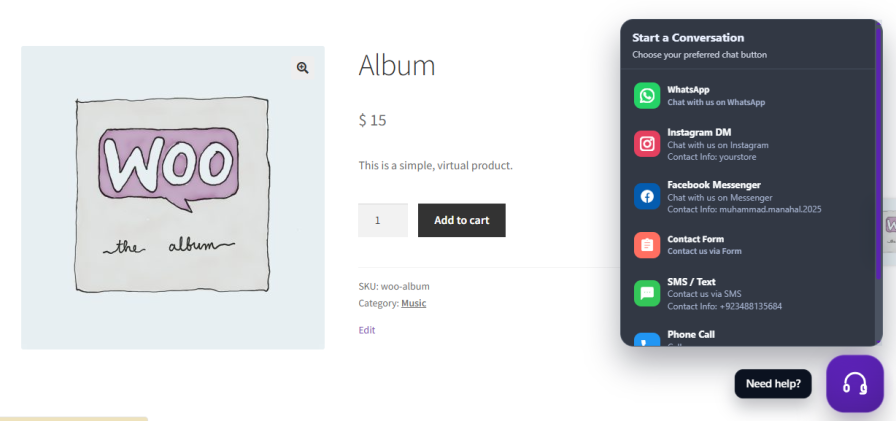
The world’s most popular messaging app, now directly accessible from your store. Set a phone number, add a pre-filled message, and configure multi-agent support with individual availability hours so customers always know who they’re reaching.
Connect your Instagram username or Facebook Business Page to give social-first shoppers a direct line to your team. Ideal for brands where customers already discover and engage with products through social channels.
Reach customers who prefer privacy-focused or regional platforms. Add pre-filled messages to start conversations with context already in place, reducing back-and-forth and speeding up resolution times.
Some customers simply want to call or text. Provide a direct phone number for SMS or voice calls, with optional pre-filled message templates for SMS to ensure every conversation starts with the right information.
Serve global and regional audiences by enabling Line (popular in Japan and Southeast Asia), WeChat (dominant in China), and TikTok for stores active on short-form video platforms. WeChat also supports a fallback URL for environments where the native app link may not be supported.
Not everyone prefers messaging apps. The built-in contact form gives customers a familiar, email-based option without leaving your site. Customize every field label, placeholder, subject line, email header, and footer to keep your brand voice consistent from form submission to inbox delivery.
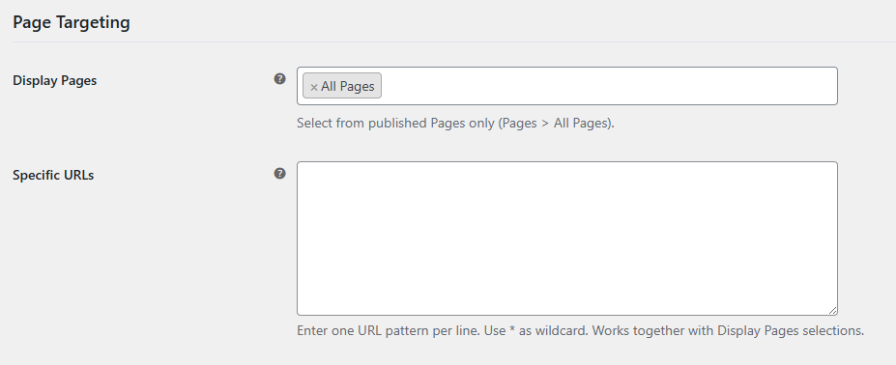
A chat widget is only as useful as the pages it appears on. Chat Buttons for WooCommerce lets you display the widget on all pages or display it on specific pages: specific products, key landing pages, or cart and checkout. You can target specific pages or URL groups, stack multiple rules together, and keep the widget only on pages where it is needed.
A great chat experience should feel like a natural part of your store, not a third-party add-on. Chat Buttons for WooCommerce gives you full control over the widget’s appearance and behavior to keep your brand consistent across every customer touchpoint.
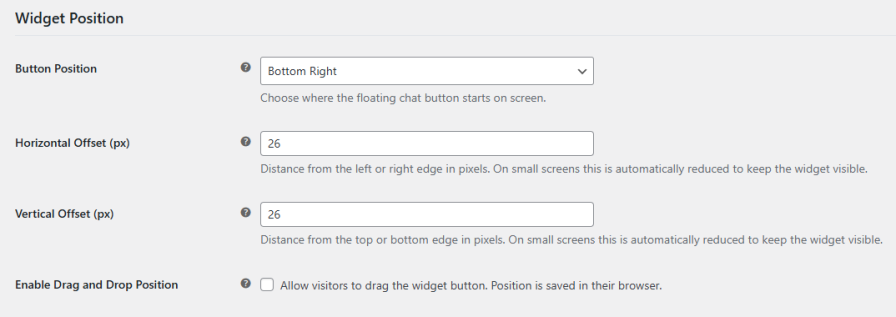
Place the floating chat button in any of the four screen corners and fine-tune its position with horizontal and vertical pixel offsets. Enable drag-and-drop so visitors can reposition the widget to their liking, with their preference saved in the browser across sessions.
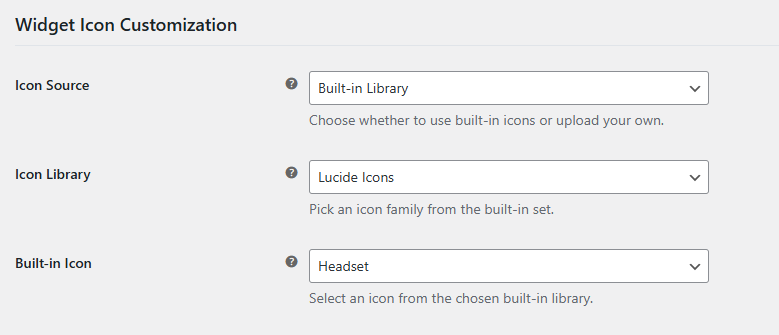
Select from Lucide or Dashicons icon libraries, or upload your own custom icon. Choose from solid, glass, or transparent panel styles to match your site’s aesthetic. Set your primary brand color for the chat button and hover states to create a seamless visual experience.
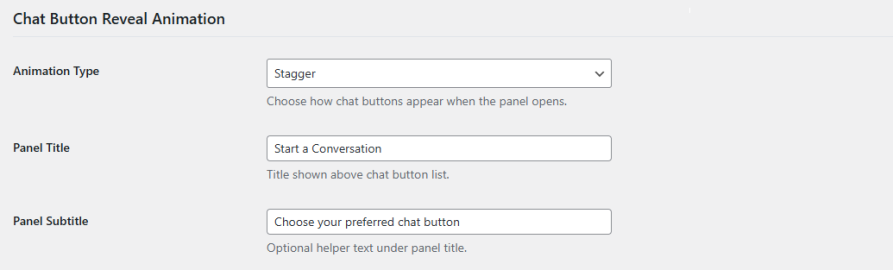
Choose from 14 animation styles, including stagger, bounce, elastic in, zoom in, and more, to control how your chat buttons appear when the panel opens. Set a panel title and optional subtitle to guide customers and give the widget a polished, purposeful feel.
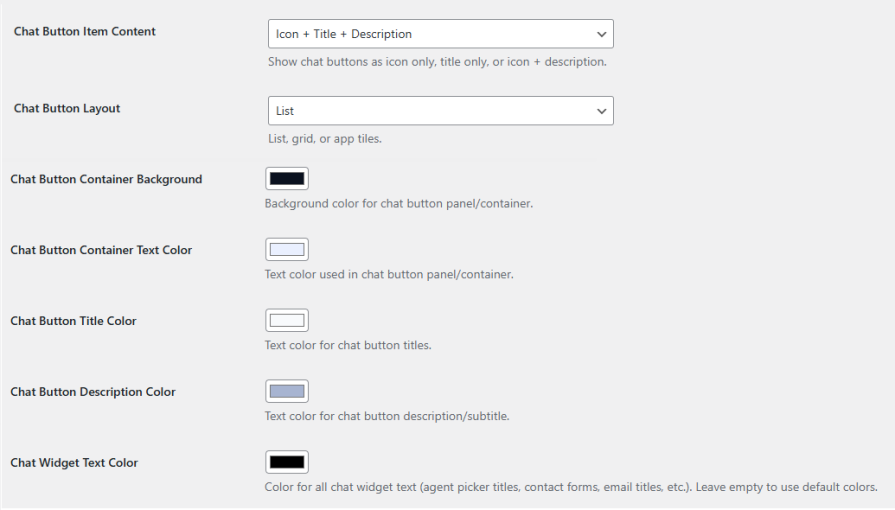
Display each chat option as an icon only, text only, or an icon with a description. Organize buttons in a list, grid, or mobile app tile layout. Customize panel background color, title color, description color, and all widget text colors to create a fully branded chat interface.
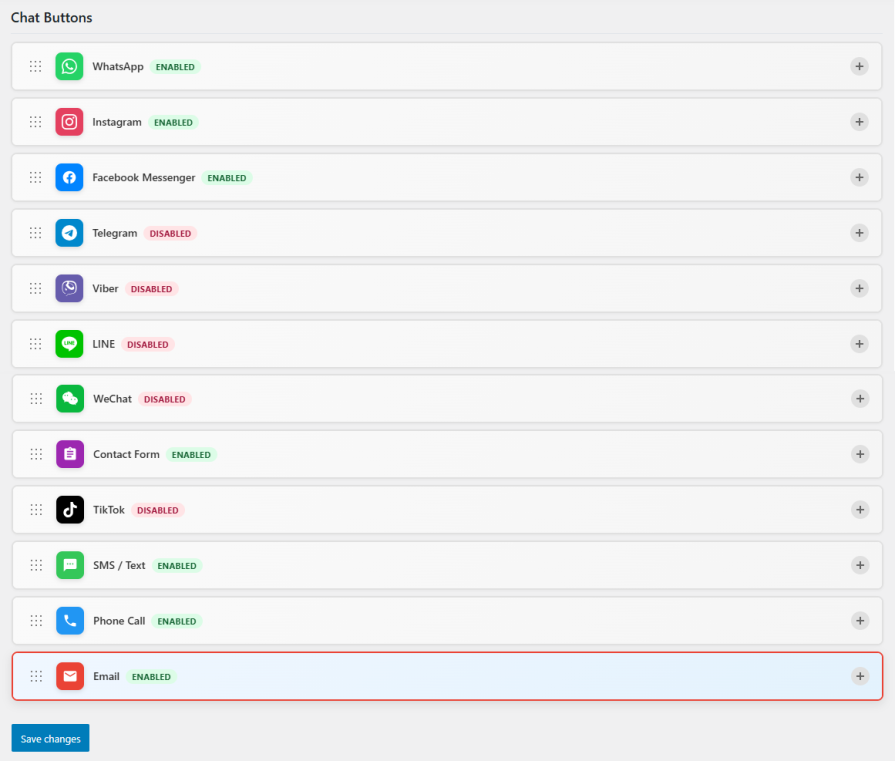
Chat Buttons supports 12 platforms: WhatsApp, Instagram, Facebook Messenger, Telegram, Viber, Line, WeChat, TikTok, SMS, phone call, email, and a built-in contact form. Each platform can be enabled or disabled independently with its own icon color, background color, and hover label.
Yes. You can choose to display the widget on all pages or target specific pages, product pages, or custom URL patterns using wildcard matching. This allows you to engage customers at the most relevant moments in their journey without cluttering every page of your store.
Yes. WhatsApp includes multi-agent support, allowing you to add multiple team members with individual avatars, names, job titles, phone numbers, and availability schedules. Customers can choose the agent they want to contact, and offline messaging ensures they are informed when an agent is unavailable.
Yes. WhatsApp, Telegram, Viber, Line, and SMS all support pre-filled messages. You can use available placeholders to personalize the message automatically, giving customers a head start on the conversation and giving your team more context from the first message.
Yes. The plugin includes a fully customizable contact form that customers can fill out directly within the chat widget. You can configure all field labels, placeholder text, the submission email address, email subject, header, intro, body, and footer to match your brand voice and support workflow.
Yes. When drag-and-drop is enabled, visitors can reposition the chat button anywhere on their screen. Their chosen position is saved in the browser, so the widget appears in the same location on future visits for a more personalized experience.
Extension information
Countries







