

Active installs
800+
Subscription includes
Support
This Amazon Product Importer extension allows you to import any product from the any Amazon marketplace into your WooCommerce store in just one click and sell the imported product as yours or as an affiliate.
Some servers may require minor configuration adjustments for this plugin to work properly, but on most it will run immediately. If you encounter any issues, please refer to the instructions in the plugin settings or contact our support team—we’ll help you resolve it right away.
You can add new/update your existing product information from Amazon products through this extension by providing an existing product ID.
It has many options, with which you can import data according to your needs. These include:
The extension works perfectly on all these Amazon websites, including: Amazon.com, Amazon.com.au, Amazon.com.br, Amazon.ca, Amazon.cn, Amazon.fr, Amazon.de, Amazon.in, Amazon.it, Amazon.co.jp, Amazon.com.mx, Amazon.nl, Amazon.es, Amazon.co.uk, Amazon.ae, Amazon.sa, Amazon.se, Amazon.pl, Amazon.sg
Price, stock and status synchronization feature introduced from version 4.0.0
This extension:
You can get the Pro version of this plugin Advanced Product Importer & Affiliate extension – WooCommerce
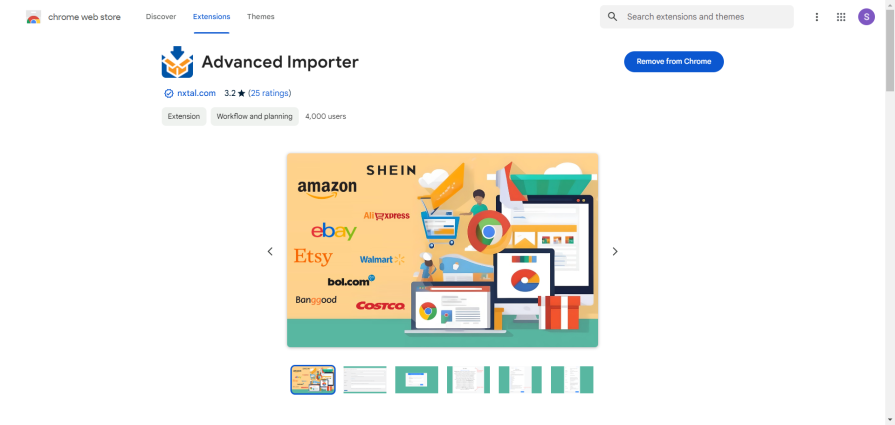
This plugin is based on the Chrome extension — download the supporting Chrome extension here https://chrome.google.com/webstore/detail/advanced-importer/fnckhcfokjndphlmkpoihcjmcpghcofh



Use Case:
Just follow the simple instructions below to use this plugin:
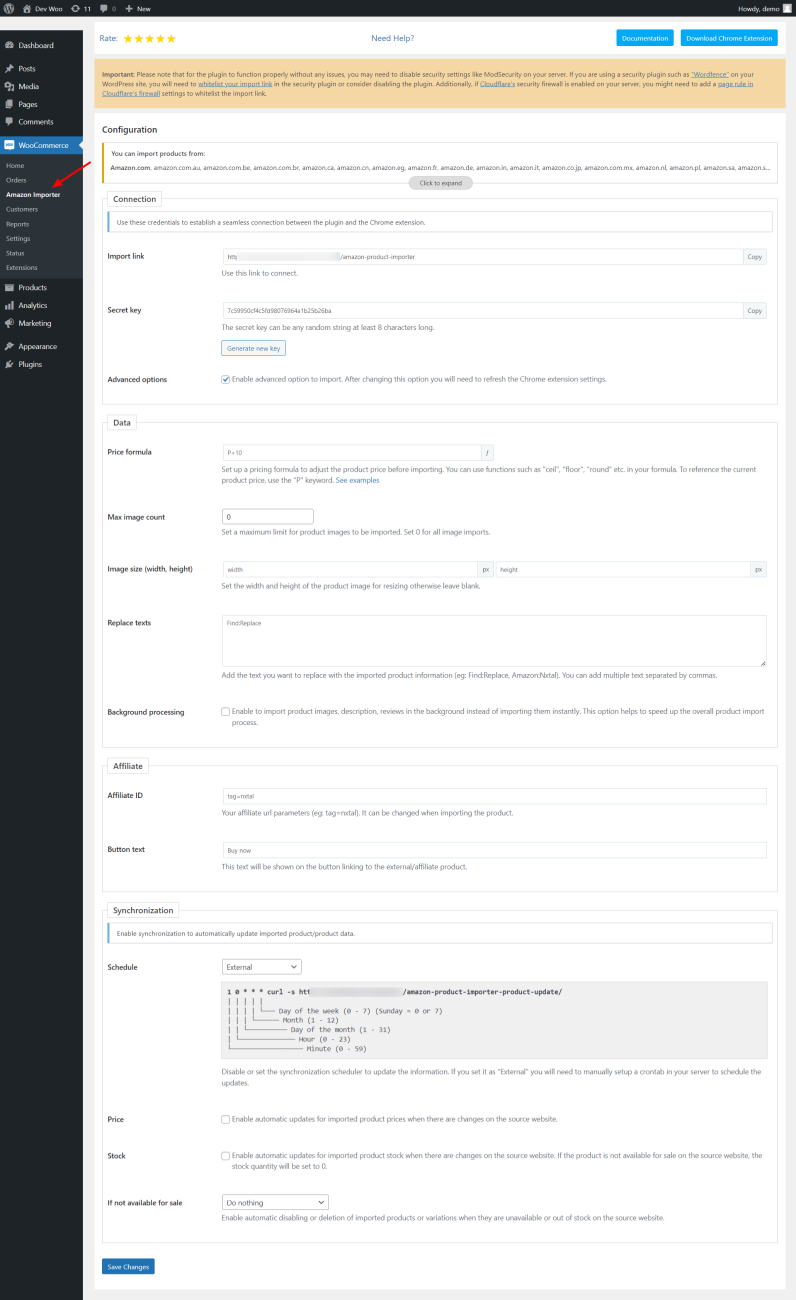
1. You will need to install the plugin in your WooCommerce and open the plugin configuration page either from the Plugins page or from the WooCommerce > Amazon Importer menu option in your admin panel.
2. Install the Chrome extension in your browser, you will see that the login page requires Import link and Secret key to connect.
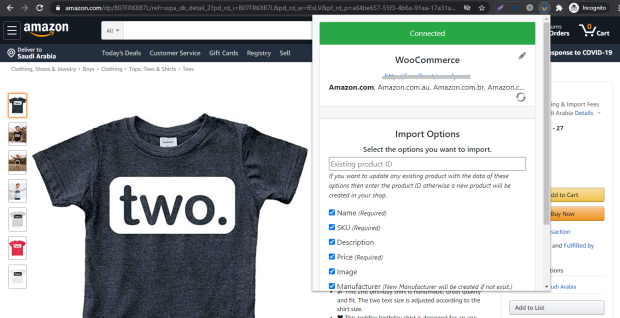
3. Copy the Import link and Secret key from the plugin configuration page in your admin panel and paste it into the Chrome extension text box and proceed to connect. If everything works, the extension will connect, and you will see the Import Options in Chrome extension instead of the connection form.
4. You need to go to any Amazon product page and click on the Import button visible at the bottom right of the Chrome extension, you can change some properties if necessary. If everything works, you will get the success message and the product will be imported into your WooCommerce.
For more understanding you can also watch this tutorial video https://www.youtube.com/watch?v=I6-h5ffQBrM .
Only once you will need to follow all the steps, next time you can import products from step 4 only.
If you get any error message during steps 3 and 4 then contact us so that we can take a look and fix the problem.
No. The plugin can import Amazon product information directly from Amazon product pages using the companion browser extension, so you don't need to configure Amazon Product Advertising API credentials for the product import process.
Install and activate the plugin on your WooCommerce store, install the companion Chrome extension, open the desired product on Amazon, and use the extension to send the product information to your WooCommerce store. You can then review and import the product with your preferred settings.
The plugin supports products import from all Amazon marketplaces, including Amazon.com, Amazon.in, Amazon.co.uk, Amazon.de, Amazon.fr, Amazon.it, Amazon.es, Amazon.ca, Amazon.com.au, Amazon.ae, and other Amazon domains.
Yes. You can import Amazon products as WooCommerce affiliate/external products and automatically use your Amazon Associate affiliate ID in the product link.
Yes. You can configure your Amazon Associate tracking/affiliate ID and use it when importing products so that visitors are directed to Amazon through your affiliate link.
Yes, this feature is available, and you can enable it by turning on the 'Add to Cart Mode' setting option in the plugin.
Yes. The plugin can be used to import Amazon products as affiliate/external products and redirect customers to Amazon using your configured affiliate links.
Yes. The plugin provides synchronization functionality that can periodically update supported product information such as price, stock availability, and product status using scheduled/background processes.
Yes. The plugin provides pricing options that allow you to configure the imported product price according to your business requirements, including adding a markup to the source price.
No. An Amazon seller account is not required simply to import products into WooCommerce. However, if you intend to participate in the Amazon Associates program, you will need an appropriate Amazon Associates account.
Extension information
Quality Checks
Countries
Languages







