
Subscription includes
Support
Not every order comes from a genuine customer. Fraudulent buyers, repeat offenders, and bad-faith shoppers cost you time, money, and inventory. Left unchecked, they lead to chargebacks, wasted fulfillment costs, and unnecessary strain on your support team. Blacklist for WooCommerce combines customer blacklisting with built-in fraud protection, giving you a proactive way to stop these users before they ever reach checkout, without disrupting the experience for your legitimate customers.
Block customers using a wide range of conditions, including name, email, phone number, IP address, full billing or shipping address, order total range, account details, and risky email or phone signals such as disposable addresses. Build simple rules in seconds with Quick Blacklist, or create detailed, multi-condition rules with Advanced Blacklist using match types like contains, starts with, or wildcard. Choose exactly what happens when a match is detected: prevent the order, cancel it, or block the customer from registering or logging in. For orders that look suspicious but may still be genuine, hold them for review, flag them, limit how the customer can pay, or ask them to verify their email first.
Beyond manual rules, the plugin can blacklist repeat offenders automatically, catch bursts of throwaway email addresses, reduce returned cash on delivery orders, exempt trusted customers with a dedicated whitelist, and enforce your rules across checkout, registration, login, comments, and the REST API. A built-in AI assistant helps you set everything up, and all activity is tracked from one dashboard, making it a complete anti-fraud plugin for WooCommerce.
Fraudulent buyers and bad-faith shoppers cost you time, money, and inventory. Blacklist for WooCommerce lets you stop them before they reach checkout, blocking by name, email, phone, IP address, address, or order total, without disrupting the experience for your legitimate customers.
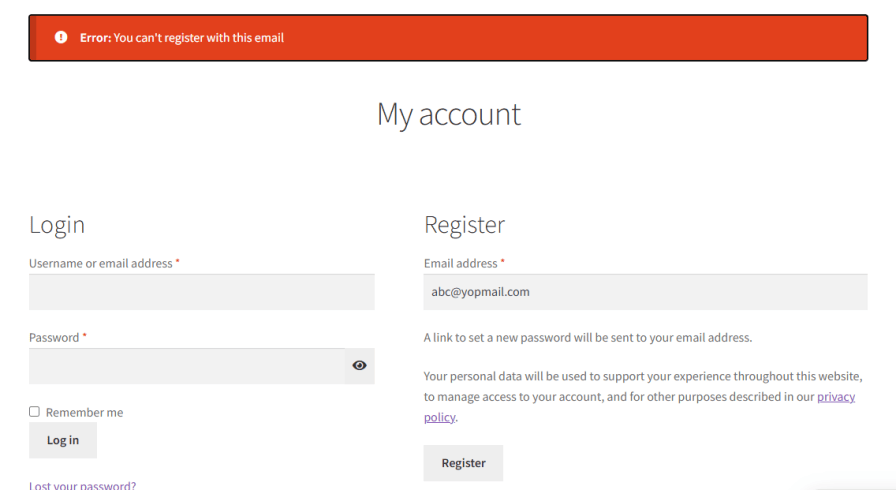
Every fraud case is different. Sometimes you need to stop a specific person, and other times you need to restrict entire regions or address patterns. Blacklist for WooCommerce lets you define precise blocking rules using one or more of the following criteria.
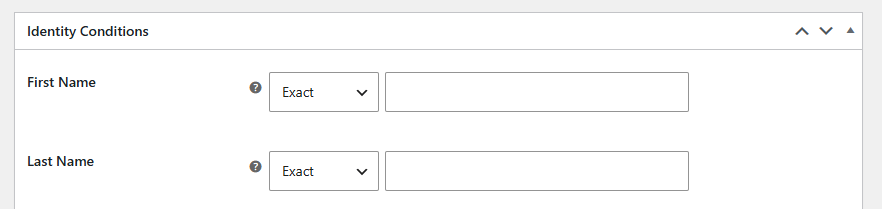
Target individuals by first name, last name, or a combination of both for more precise matching. Choose how closely a name has to match: exact, contains, starts with, ends with, or wildcard, so you can catch variations while reducing false positives that could catch legitimate customers with similar names.
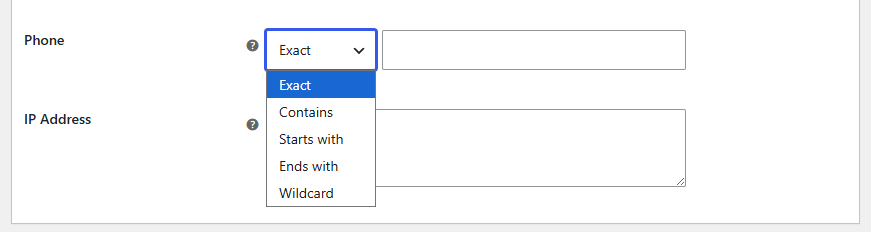
Some buyers swap emails and names but reuse the same phone number. Add specific numbers to your blocklist to catch these cases and stop suspicious orders before they go through.
Prevent the same source from making repeated purchase attempts. Blocking by IP is particularly effective against automated bots, scripted attacks, and users who create multiple accounts to bypass other restrictions.

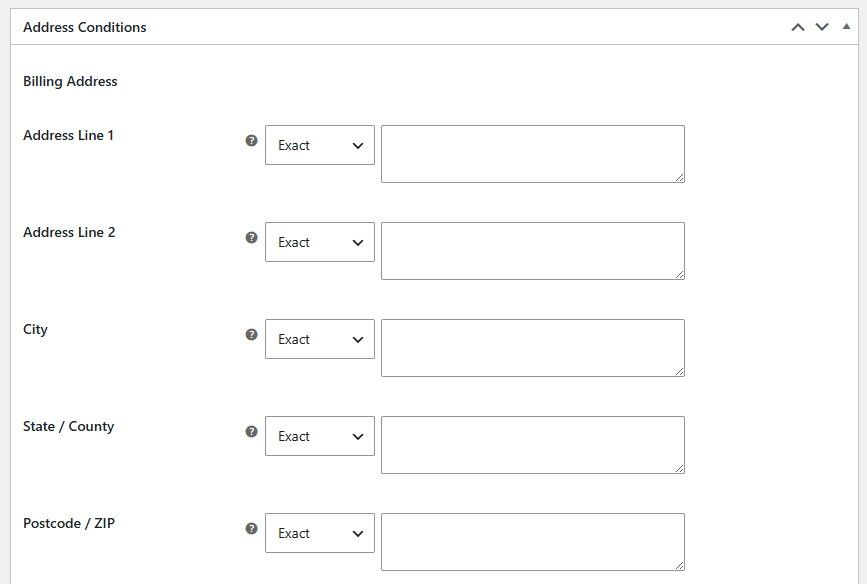
Go beyond country-level rules and block by address line, city, state or county, and postcode, for both billing and shipping addresses. Each field supports the same flexible match types: exact, contains, starts with, ends with, or wildcard, so you can target a specific address or a broader pattern.
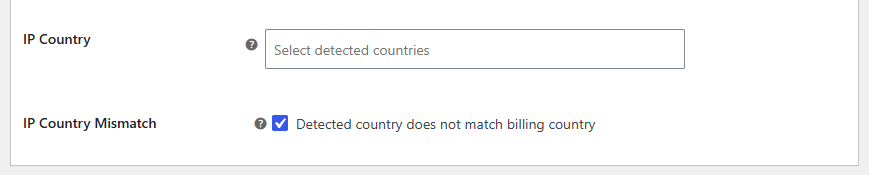
Restrict orders originating from, or shipping to, high-risk or unsupported regions. Ideal for merchants who have identified specific countries as consistent sources of chargebacks, fraudulent activity, or logistics limitations.

Catch a common fraud signal automatically: when a customer’s IP-detected country doesn’t match the billing country they’ve entered. Restrict by IP-detected country on its own, or flag any order where the two don’t line up.
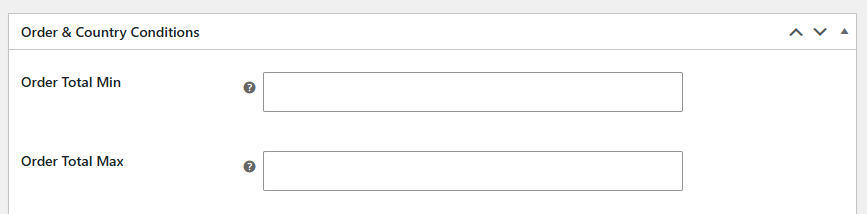
Set a minimum and maximum order total to block orders that fall outside your accepted range automatically. This is particularly useful for flagging unusually large orders that may indicate fraud, or suspiciously small orders that could be testing stolen payment details.
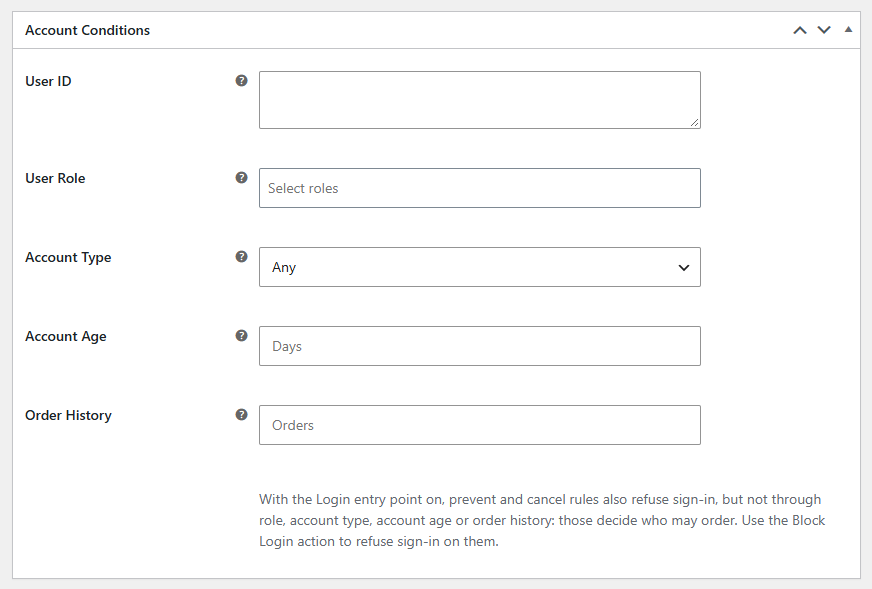
Some repeat offenders keep changing their email and phone number but come back with the same account. Restrict customers by user ID, user role, guest or registered account, account age, or order history, such as customers with several cancelled, refunded, or failed orders.
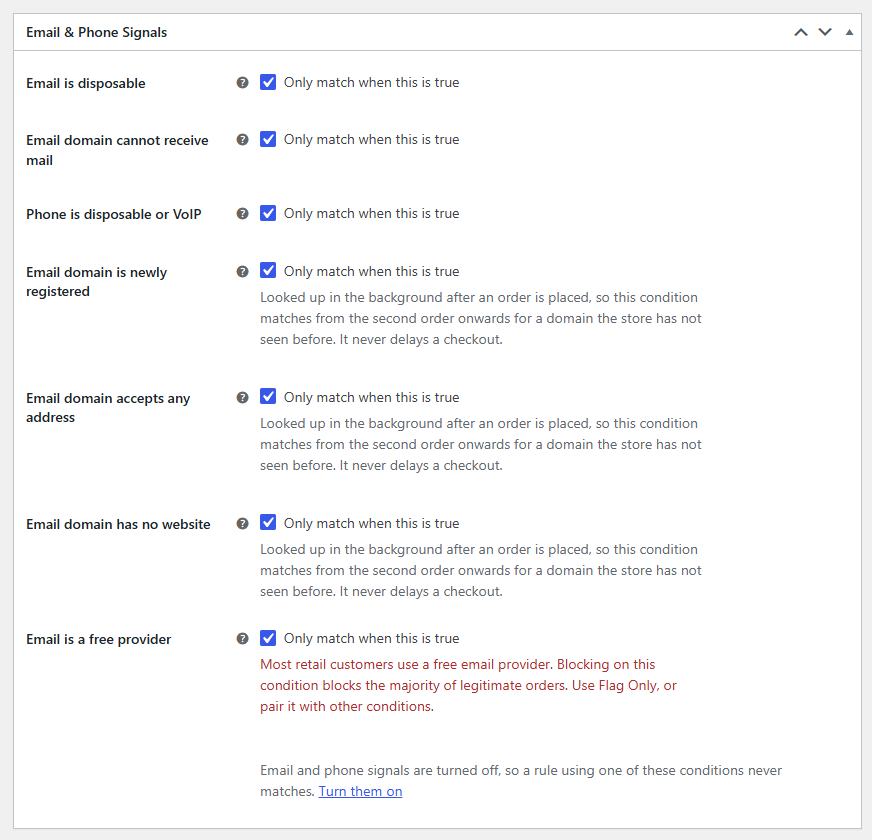
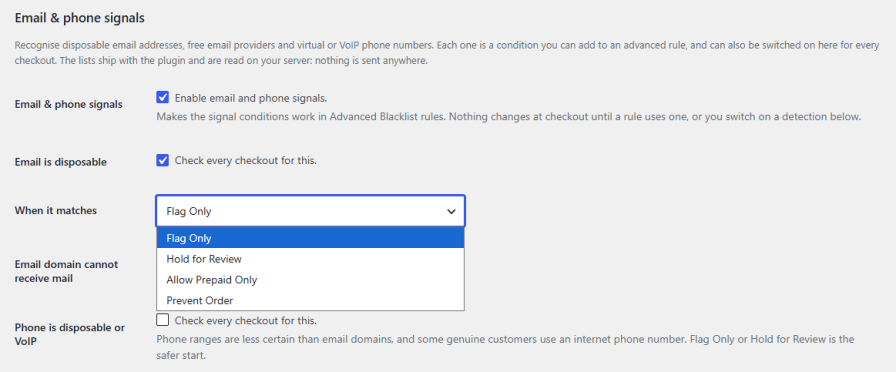
Add another layer of fraud prevention without building a list yourself. The plugin recognizes disposable email addresses, free email providers, email domains that cannot receive mail, newly registered domains, domains with no website, and virtual or VoIP phone numbers. Use each signal as a rule condition, or switch it on to check every checkout. The built-in lists come with the plugin, and you can add or remove entries to suit your store.
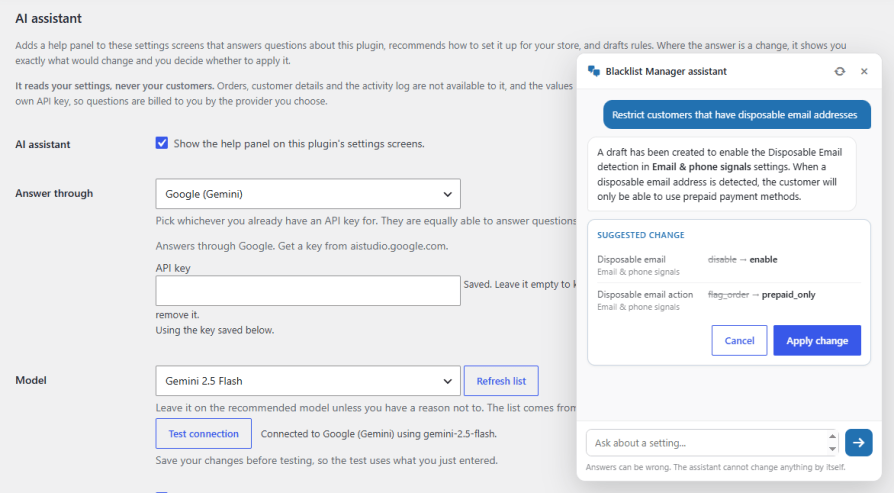
Add a help panel to the plugin’s settings that answers your questions, recommends a setup for your store, and drafts rules for you. Connect your own API key from Anthropic (Claude), OpenAI (GPT), or Google (Gemini). Every suggested change shows the current and proposed value, and nothing is applied until you accept it. The assistant only reads your settings, never your orders or customer details, and you can set hourly and monthly limits to keep costs in check.
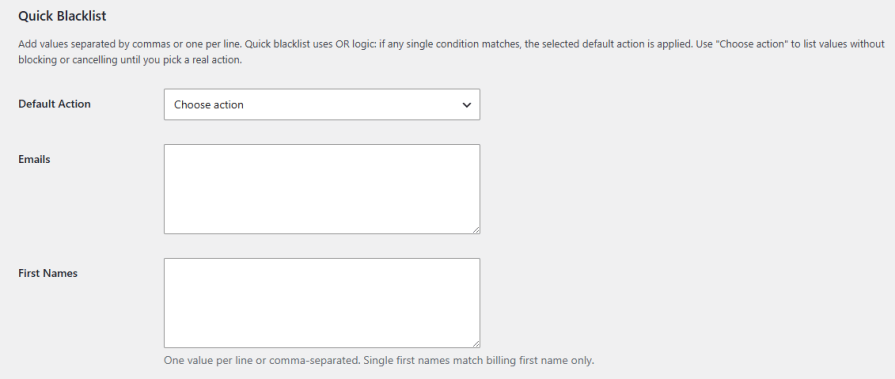
Add a list of emails, names, phone numbers, IP addresses, or countries separated by commas or one per line, pick a single default action, and you’re done. Quick Blacklist uses OR logic, meaning if any one value matches, the action is applied immediately, making it the fastest way to block a known list of bad actors.
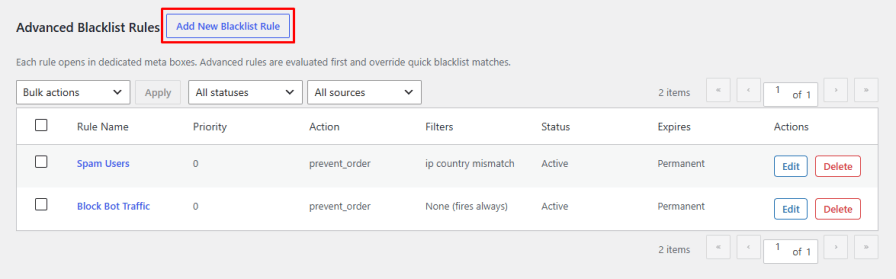
Build precise blacklist rules that combine multiple conditions at once: name, email, phone, IP, address, country, order total, account details, and email or phone signals, each with its own match type, including regex. Give every rule a name, a priority, a status toggle, an action, and its own custom customer-facing error message. Advanced rules are evaluated first and override any Quick Blacklist matches, so you stay in control when the two overlap.
Not every suspicious order needs to be refused. Soft actions give you a gentler form of fraud prevention by letting the order through while keeping you in control. Hold it for review until you approve or reject it, flag it with a label only you can see in the orders list, hide specific payment methods, or allow prepaid payments only so cash on delivery, cheque, and bank transfer are removed. Soft rules only apply when no blocking rule matches, so your existing blocks always come first.
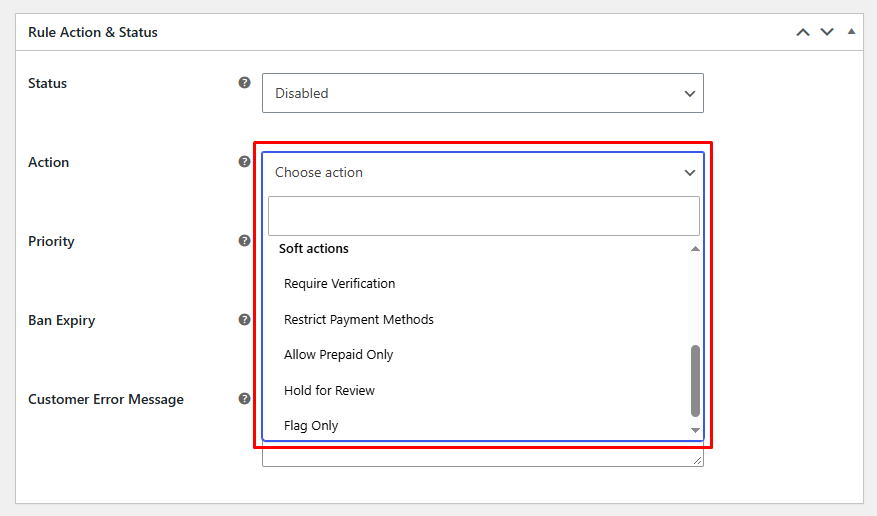
When an order looks risky but may still be genuine, ask the customer to prove it. Send a one-time code to their email address or show a reCAPTCHA check before the order is accepted. Set the code length, expiry time, and number of tries, and choose whether the order is held or let through if the check cannot be completed. Customers who pass can be added to the whitelist automatically for a set number of days.
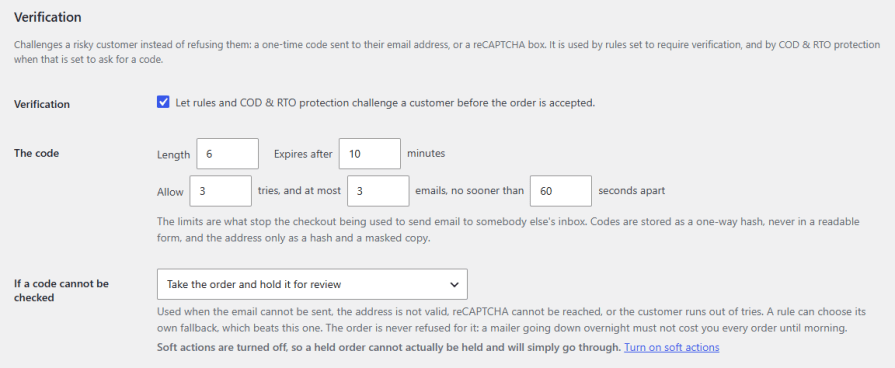
Not every block needs to be forever. Choose a permanent ban, or set an automatic expiry of 7 days, 30 days, 90 days, 1 year, or a custom date, so a customer’s restriction lifts on its own once the ban period ends.
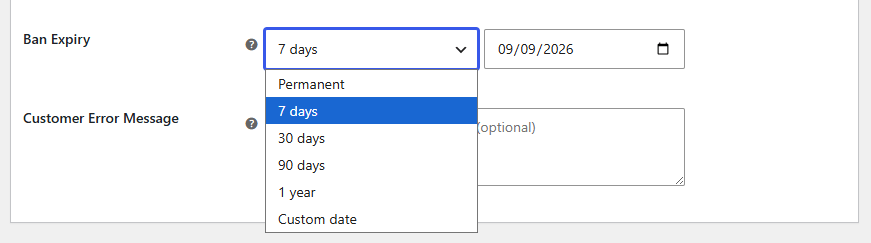
Stop chasing repeat problem customers by hand. Set thresholds for failed orders, cancelled orders, refunded orders, refused deliveries, or blocked attempts from the same IP within a chosen time window, and the plugin writes a blacklist rule automatically once a customer crosses that threshold. Choose which identifier to block on, email, phone, or IP, along with the action and ban duration for each trigger. Whitelisted customers are never caught by automatic rules.
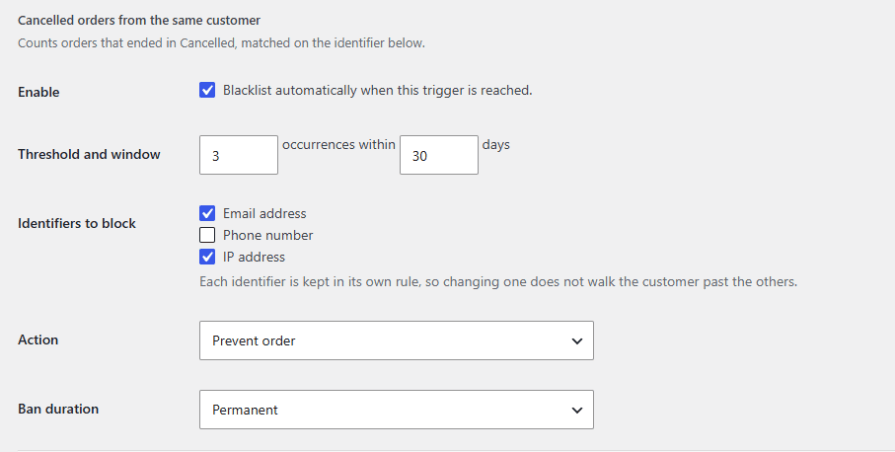
Some fraud attacks use a run of valid email addresses that no blacklist could list in advance, such as abc-attack234@ and abc-attack754@, or user1@, user2@, and user3@, placed minutes apart. The plugin watches the checkout for these patterns and can flag, hold, or prevent the order once your threshold is reached. It can also create a temporary wildcard rule to block the rest of the run and email you the addresses involved.
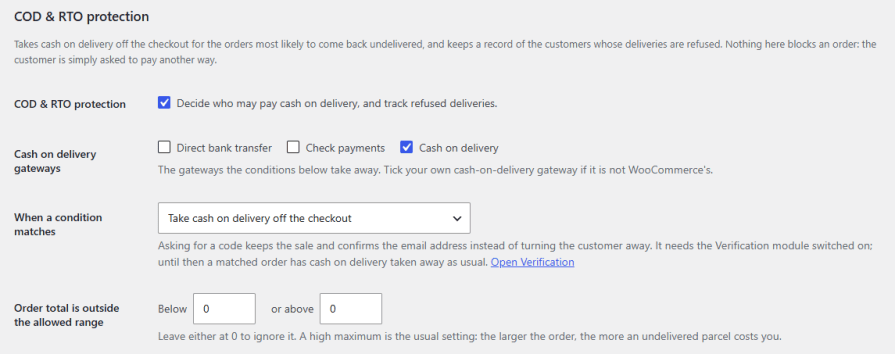
Cash on delivery orders that come back undelivered cost you shipping both ways. Take cash on delivery off the checkout for the orders most likely to be refused, based on order total, guest or first-time buyers, past refused deliveries, high-risk countries, regions, cities, or postcodes, and restricted products or categories. Instead of removing it, you can also ask the customer to confirm their email with a code. Charge an optional cash on delivery fee, and track refused deliveries by order status or mark them by hand.
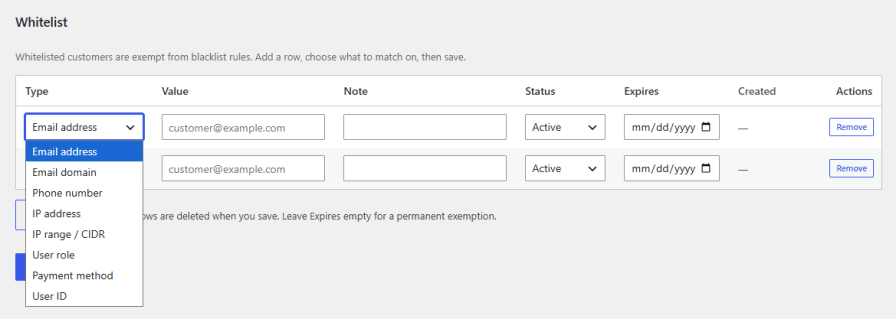
Exempt customers you trust from your blacklist rules entirely. Add entries by email address, email domain, phone number, IP address or IP range, user role, payment method, or user ID, with an optional note and expiry date for temporary exemptions. Choose whether your whitelist overrides every rule action, or only exempts customers from having their order prevented, while still allowing cancel and registration-block rules to apply.
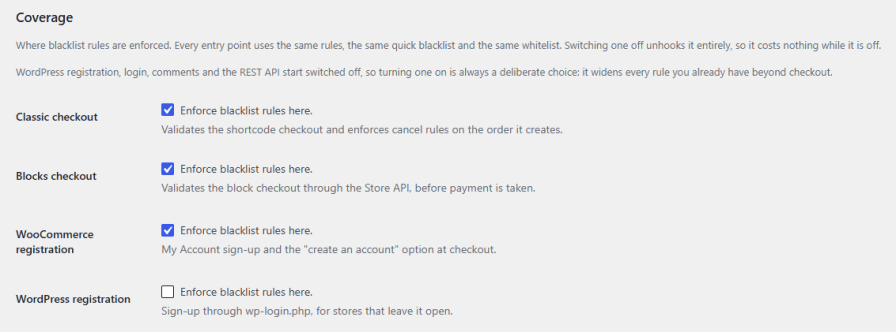
Decide exactly which parts of your store your rules apply to. Every entry point shares the same rules, Quick Blacklist, and whitelist, so there’s nothing extra to configure per location. Cover classic and block checkout, WooCommerce and WordPress registration, login attempts, comments and product reviews, and orders created through the REST API. Anything beyond checkout starts switched off, so extending enforcement further is always a deliberate choice, and store managers are never locked out of their own site by their own rules.
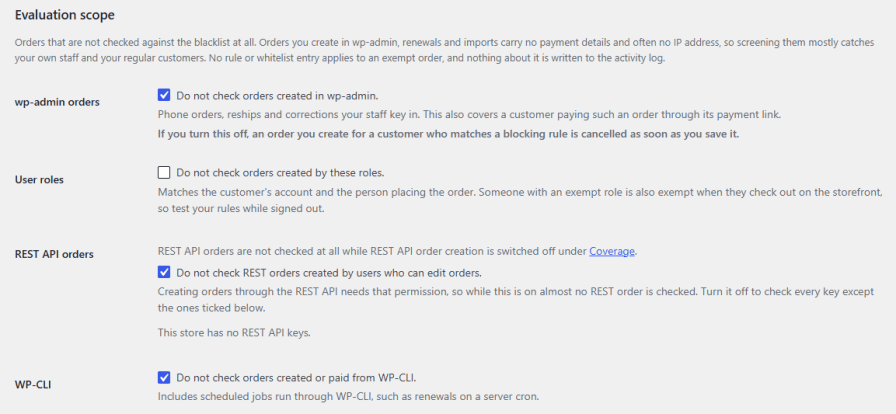
Orders your staff creates in wp-admin, subscription renewals, WP-CLI jobs, and imports usually carry no payment details, so screening them mostly catches your own team and regular customers. Exclude these sources from blacklist checks, along with selected user roles and signed-in customers with enough completed orders, so your rules focus on real storefront orders.
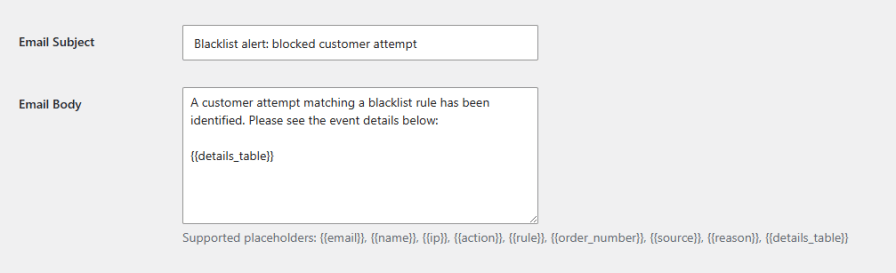
Stay informed the moment a rule fires. Enable admin email notifications and customize the subject line and body using placeholders for the customer’s email, name, IP, the action taken, the matched rule, order number, and more, so every alert tells you exactly what happened and why. You can also get an email when an order is held for review, or a suspicious address pattern is detected.
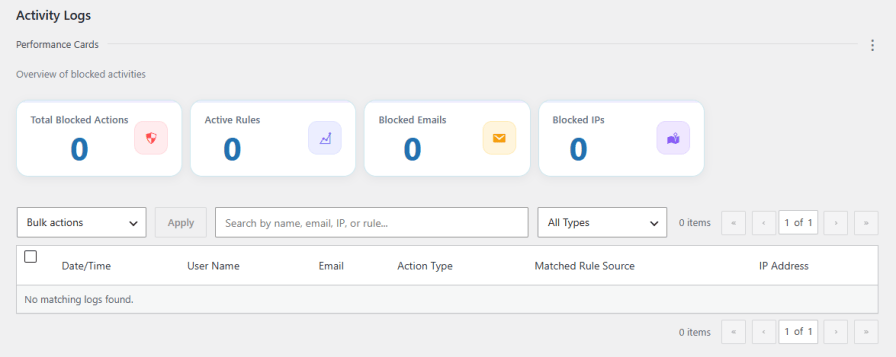
Get a real-time overview of every blocked action from a single dashboard. Track total blocked actions, active rules, blocked emails, and blocked IPs at a glance. Dig deeper with a detailed activity log that records the date, name, email, action type, matched rule, and IP address for every blocked event, with search, filters, and bulk actions to quickly spot repeat offenders and refine your blocking strategy over time.
Yes. Bans can be set as permanent or temporary, with expiry options from 7 days up to a year, or a custom date, so the restriction lifts automatically once the ban period ends.
It can do both. Automatic Blacklisting lets you set thresholds for failed, cancelled, refunded, or refused delivery orders, or repeated blocked attempts from the same IP, and writes a blacklist rule automatically once a customer crosses that threshold.
Yes. Every rule lets you choose the action triggered on a match: prevent the order, cancel it, block registration, or block login.
Yes. Add trusted customers to the whitelist by email, phone, IP, IP range, user role, payment method, or user ID, and they'll be exempt from your blacklist rules.
You control that. Checkout and registration are covered from the start, and you can optionally extend enforcement to login attempts, comments, product reviews, and orders created through the REST API.
Yes. The plugin can flag or block orders where the country detected from a customer's IP address doesn't match the billing country they entered, a common fraud signal.
Yes. Along with blacklisting, it includes fraud prevention tools such as email and phone signals, address pattern detection, email and reCAPTCHA verification, soft actions like hold for review, and cash on delivery protection, so you can use it as an all-in-one anti-fraud plugin for WooCommerce.
Yes. With soft actions turned on, a rule can hold the order for review, flag it in your orders list, restrict payment methods, or allow prepaid payments only, so a genuine customer is never turned away by mistake.
No. The assistant only reads your plugin settings. Orders, customer details, and the activity log are never shared, and values inside your rules are hidden before anything is sent.
Categories
Extension information
Quality Checks
Countries







