

Active installs
300
Subscription includes
Support
Bulk Category Editor for WooCommerce is built for store owners who manage large or complex category structures and want full control — without repetitive manual work.
Instead of editing categories and product assignments one by one, you work in a structured, table-based interface that lets you manage categories, move products in bulk, and build advanced frontend filters efficiently.
Whether you’re organizing a growing catalog or maintaining a large store, Bulk Category Editor helps you stay organized, consistent, and in control.
Managing hundreds or thousands of categories doesn’t have to be chaotic.
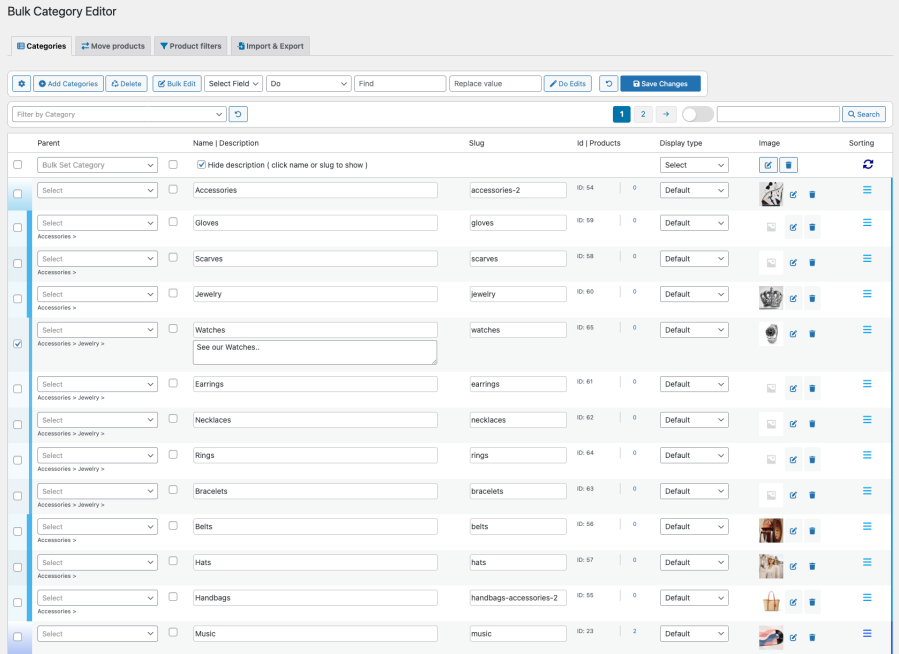
Bulk Category Editor gives you a clear overview of your entire category structure, allowing you to edit names, descriptions, slugs, images, and hierarchy efficiently — all from one interface.
Color-coded subcategories and inline editing make even complex category trees easy to manage.
Discover how easy it is to manage your WooCommerce store with the Bulk Category Editor. Watch these quick tutorials to see it in action:
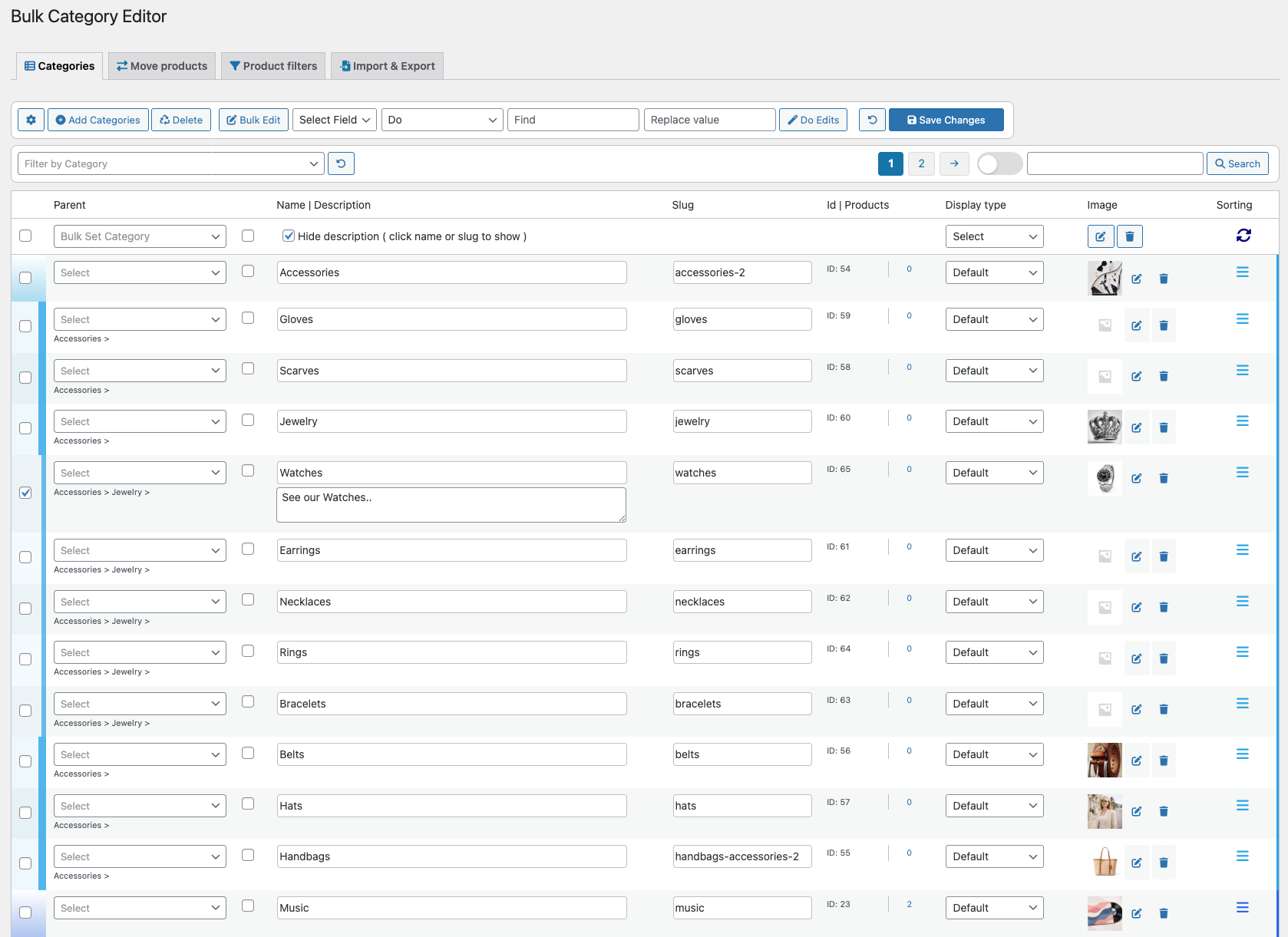
Edit category titles, descriptions, slugs, images, and hierarchy directly in the table.
Perfect for stores with deep or frequently changing category structures.
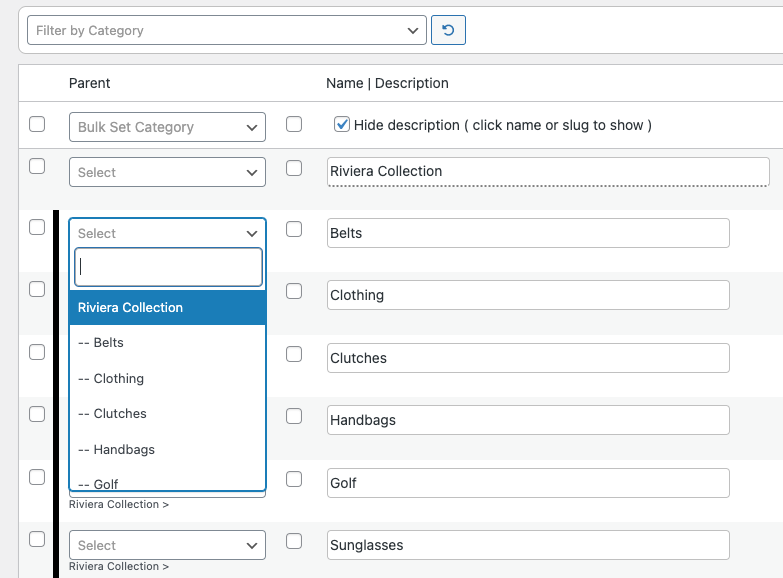
Each category includes a built-in filter to quickly find and assign parent categories.
This reduces friction when working with large category trees.

Reorder your categories visually using drag and drop.

Create categories individually or in bulk.
Perfect for rapid catalog expansion.

The Move Products tab lets you manage product-category relationships efficiently.
This turns product categorization from a repetitive task into a fast, controlled process.

Create advanced product filters for your shop pages — directly from the plugin.
Fully compatible with themes, widgets, and page builders like Elementor.
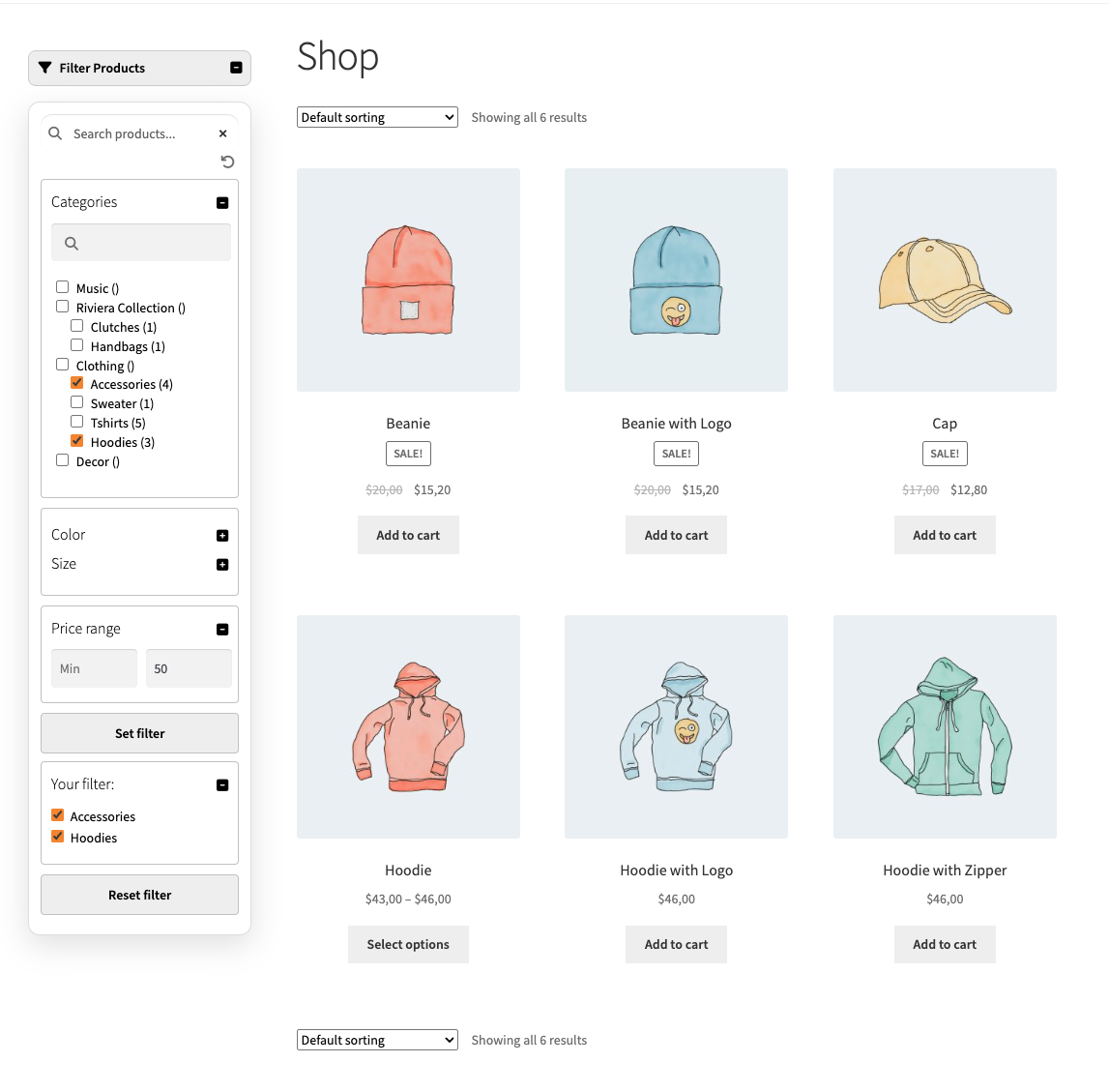
Filters can be shown:
You decide how customers browse your store.

Synchronize categories across multiple WooCommerce stores.
Ideal for agencies, multi-store setups, and migrations.
No. Bulk Category Editor is built for store owners and managers. If you’re comfortable using WooCommerce, you can manage categories, products, and filters without any coding.
Yes. You can bulk edit category names, descriptions, slugs, images, hierarchy, and order directly from a structured table view.
Yes. The Move Products tab allows you to add, replace, or remove categories for many products at once, with clear visibility and control.
Yes. Bulk Category Editor includes a Product Filters tab where you can build category and attribute filters and place them anywhere using shortcodes.
Yes. Bulk Category Editor is designed for stores with large or complex category structures and frequent catalog changes.
Categories
Extension information
Quality Checks
Works with
Countries










