

Subscription includes
Support
Every WooCommerce store absorbs costs that never show up in the price tag. Payment processing charges, packaging, oversized shipping, gift wrapping, regional delivery premiums- they all quietly eat into your margin on every single order. Advanced Extra Fees and Charges gives you a clean, structured way to pass those costs back to the order, without inflating prices or hardcoding a workaround that breaks with every update.
Charge fees at the product, payment gateway, order, or shipping level, using fixed amounts, percentages, or a fully custom dynamic formula. Target exactly who pays with over twenty condition attributes, from location and user role to cart contents and coupon usage, so fees apply only where they should.
And fees don’t have to work against the customer experience. With a built-in waiver bar, customers can see exactly how close they are to having a fee removed, turning what used to be a checkout surprise into a reason to add one more item to the cart.
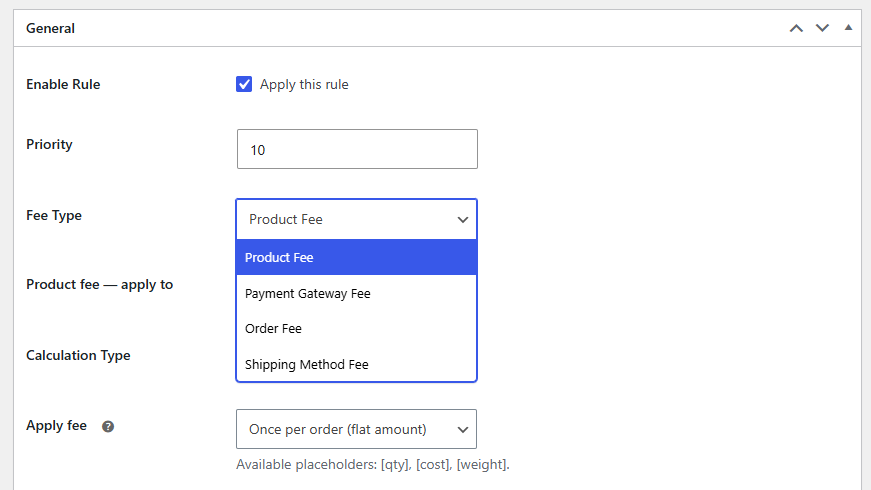
Add fees at four points in the purchase journey: products, payment gateways, orders, or shipping methods. Product fees show upfront on the product page and carry through to cart, checkout, and order confirmation. Payment gateway fees apply the moment a gateway is selected, useful for passing on processing costs or nudging customers toward cheaper options. Order fees can trigger on subtotal, item count, coupon use, or location, while shipping fees attach extra cost to express or oversized deliveries.
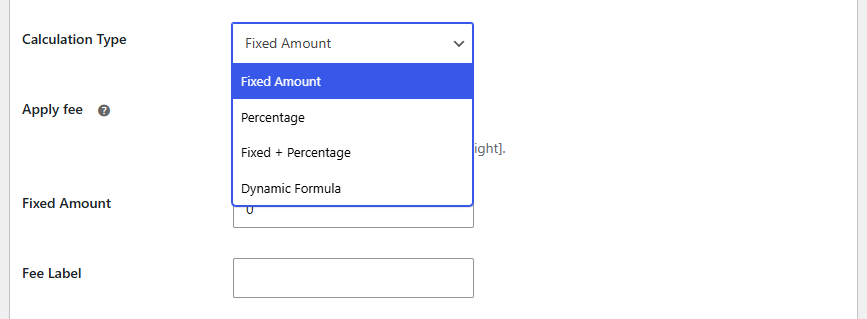
Configure every fee using Fixed Amount, Percentage, Fixed + Percentage, or a Dynamic Formula. The Dynamic Formula option supports custom expressions built from placeholders for quantity, cost, and weight, giving you complete control over how complex fees are computed rather than being limited to flat or percentage-only pricing.
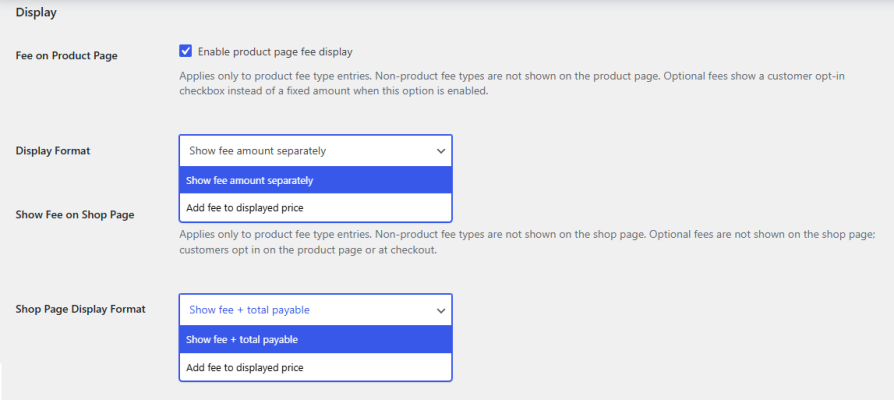
Choose whether fees appear on the product page and shop page, and how they’re shown. Display the fee as a separate line item next to the price, or add it directly into the displayed price for a single combined amount. The same choice is available separately for the shop page, so you can keep pricing consistent across your store.
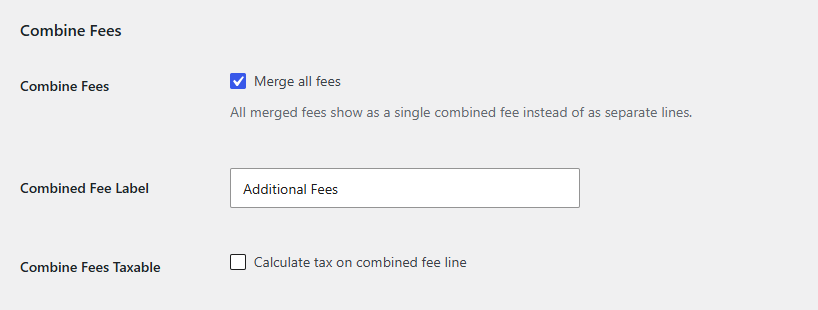
When multiple fees apply to the same order, merge them into one consolidated line item on the cart and checkout pages instead of listing each fee separately. This keeps the order summary clean and easy to read, even when several fee rules are active at once.
Display a progress bar that shows customers how close they are to having a fee waived. Set the waiver threshold by cart subtotal, line item count, total quantity, or quantity within specific products, categories, or tags, then choose whether the full fee or just a portion is waived once the threshold is met. It’s a built-in incentive for customers to add more to their cart.
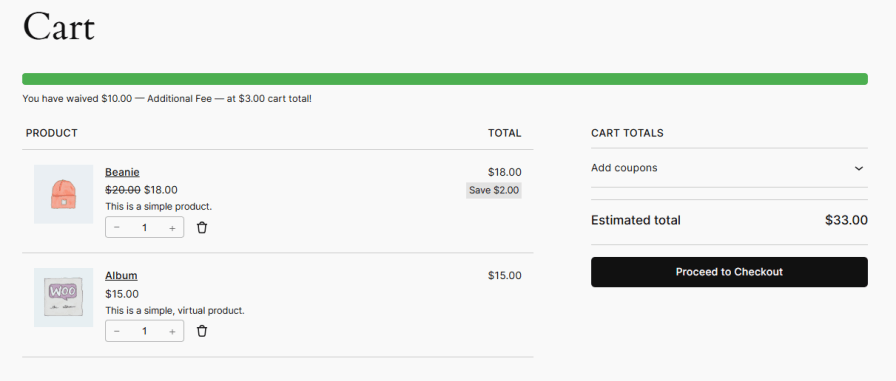
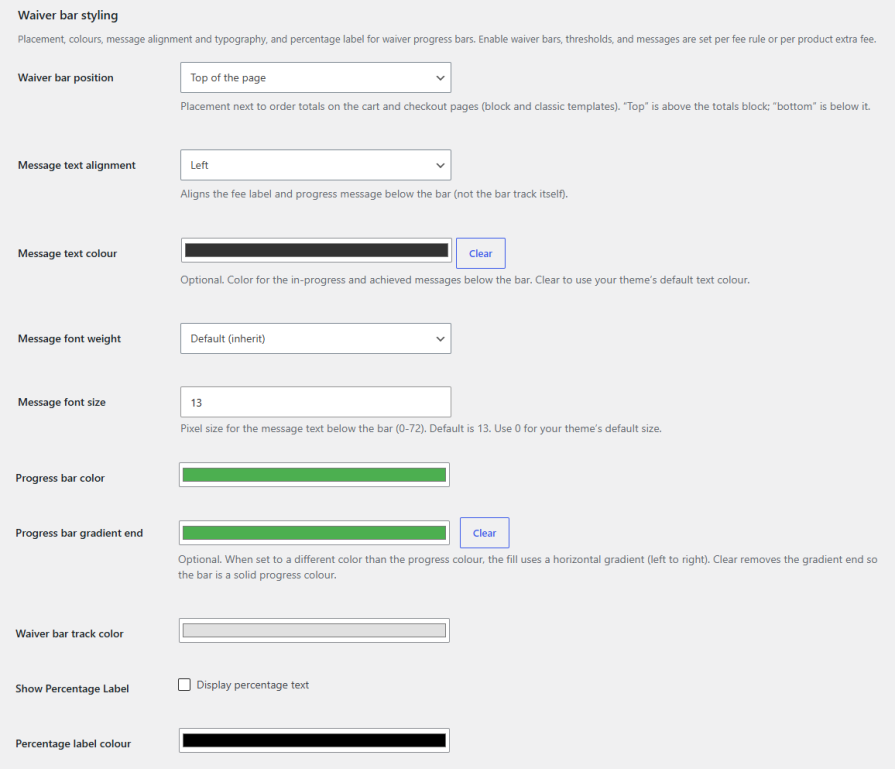
Control the position, colors, typography, and percentage label of the waiver bar to match your store’s branding, including progress color with optional gradient and track color. Set custom in-progress and achieved messages using placeholders for the remaining amount, target amount, fee amount, waived amount, and fee name, all of which update in real time as the customer shops.
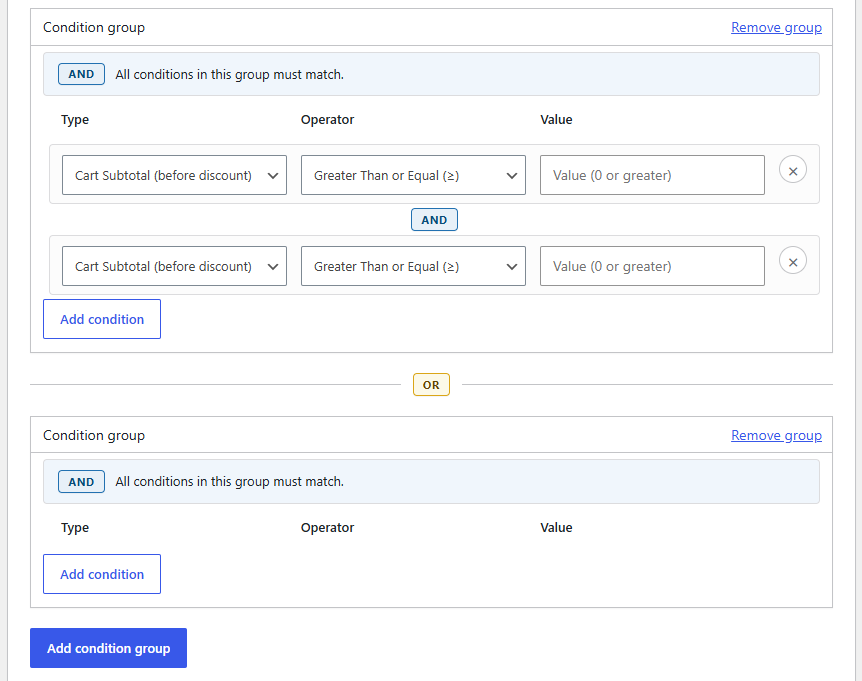
Build complex fee rules using grouped conditions with AND and OR logic, evaluated across more than twenty attributes including country, state, postcode, shipping zone, product, SKU, category, tag, quantity, subtotal, weight, attribute, coupon, shipping class, specific user, and user role. Apply fees exactly where they should apply, and nowhere else.
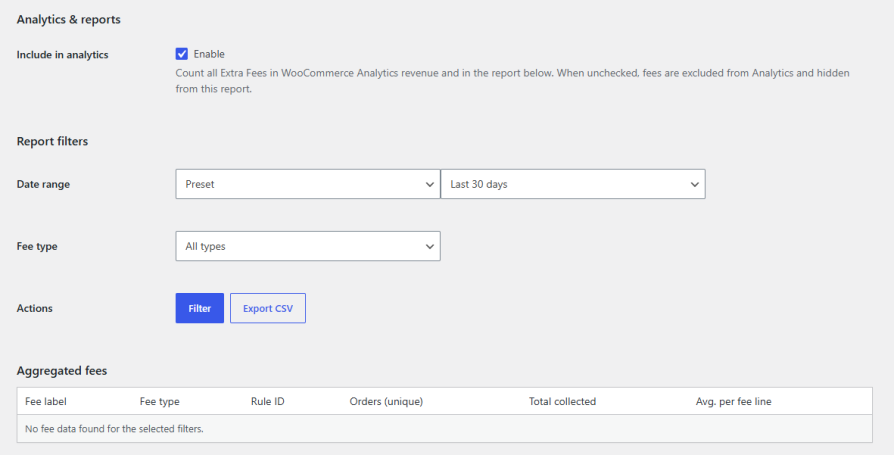
Track how much revenue your fees are generating with a built-in reports tab. Include fees in WooCommerce Analytics with a single toggle, or exclude them entirely if you’d rather keep them out of your revenue reports. Filter results by date range or fee type, then view aggregated totals by fee label, including unique orders, total collected, and average amount per fee line, or export the data to CSV.
You can target fees by all products, selected products, categories, or tags. Combined with over twenty condition attributes like location, user role, cart contents, and coupon usage, fees apply only where you want them to.
Four methods: Fixed Amount, Percentage, Fixed + Percentage, and Dynamic Formula. The Dynamic Formula option uses placeholders for quantity, cost, and weight, so you can build custom expressions instead of relying on flat or percentage-only pricing.
You can merge all applicable fees into a single consolidated line item on the cart and checkout pages, keeping the order summary clean even when several fee rules are active at once.
The waiver bar shows customers how close they are to having a fee waived, based on a threshold you set using cart subtotal, line item count, total quantity, or quantity within specific products, categories, or tags. You can also control its position, colors, typography, and progress messaging to match your store's branding.
Yes. A built-in reports tab lets you track fee revenue, filter by date range or fee type, and view totals by fee label, including unique orders, total collected, and average amount per fee line. You can also include or exclude fees from WooCommerce Analytics and export data to CSV.
Extension information
Quality Checks
Countries







