

Subscription includes
Support
Multi Locations Inventory Management gives store owners full control over stock spread across several physical locations. Create warehouses or stores in a hierarchy, similar to WordPress categories, and track stock, pricing, and status separately for each one.
Customers can view where a product is available and select their preferred location on the product page, or you can run the plugin entirely from the backend and assign locations to orders yourself. Either way, stock updates automatically as orders come in, so every location stays accurate.
Beyond location tracking, the plugin covers the full supply chain. Add suppliers, raise purchase orders, and update stock automatically the moment an order is marked as received. A built-in analytics dashboard then shows revenue, margin, and demand forecasts broken down by location.
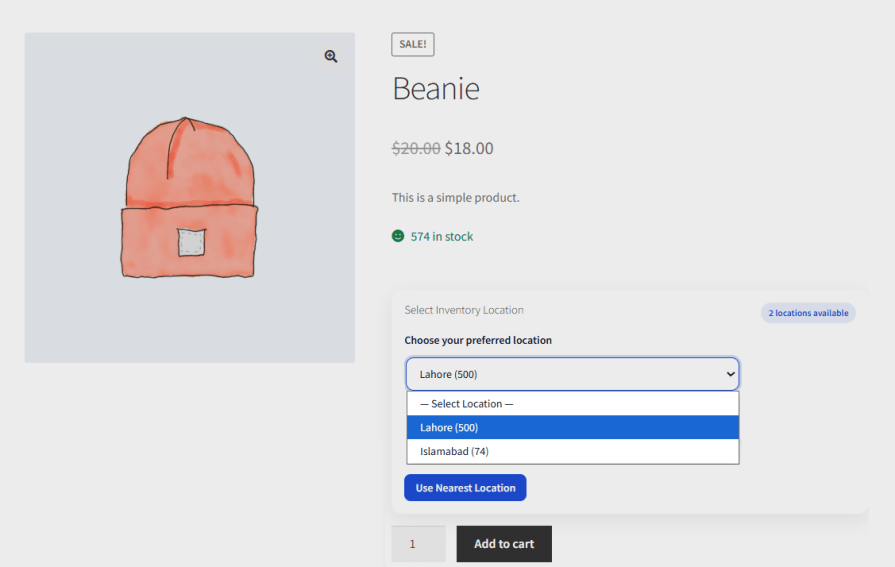
Show customers which locations carry a product directly on the single product page. Display the selector as a dropdown or radio buttons, add a heading or label, and style the field with a custom border, background color, and font size to match your store.
Assign Inventory at the Product Level
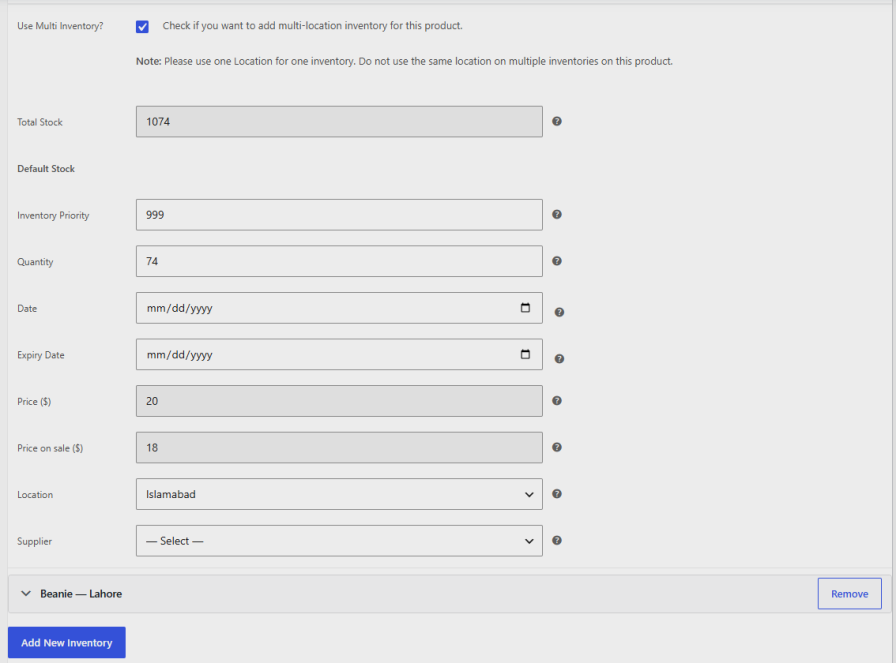
Enable multi inventory management for WooCommerce on any product to assign it to one or more locations directly from the product edit screen. Set the priority, quantity, price, sale price, expiry date, location, and supplier for each inventory entry, and add as many locations as the product needs. Stock set here syncs with the Manage Stock table, so you can fine-tune individual products first and manage everything else from the global settings.
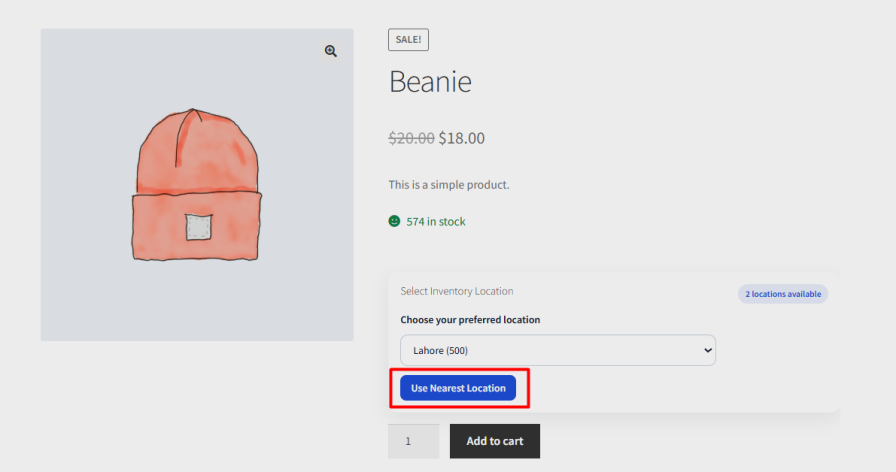
Add a “Use Nearest Location” button so customers can find their closest stock point using their browser’s geolocation, without searching through a list manually.
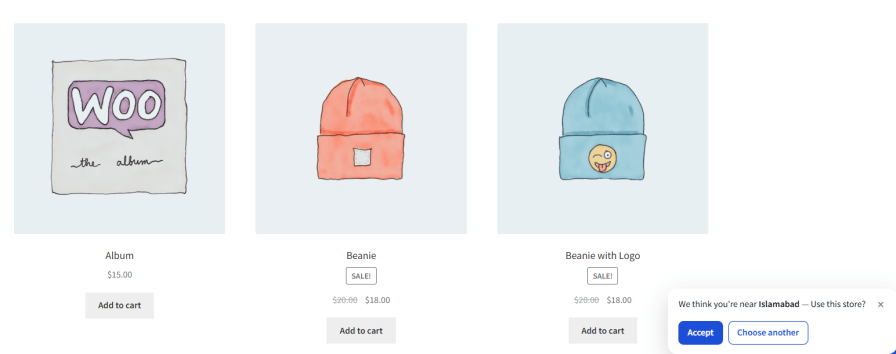
Help new visitors land on the right store without any effort. On a customer’s first visit, when no store is chosen yet, the plugin requests browser geolocation and suggests the nearest location. Customers can accept the suggestion or open the store picker, and an existing choice is never overridden.
Let visitors pick their store from anywhere on the site with a storefront location popup. A floating trigger button appears in the corner you choose, and you can add a Select Store item to your menus to open the same popup. Match the button and popup accent colors to your brand.
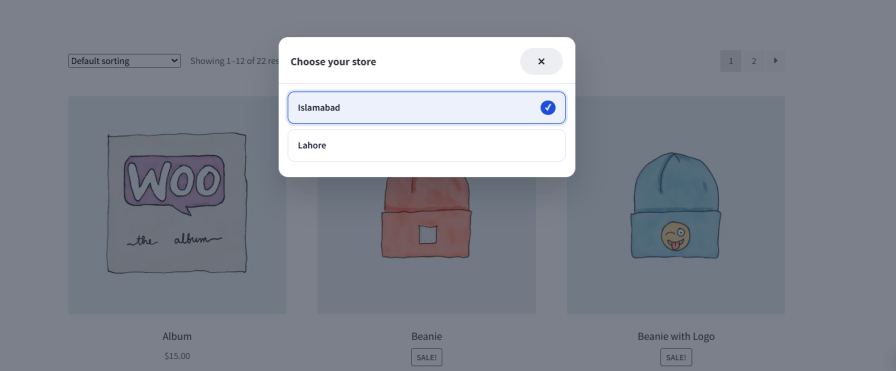
Place the [ext_mim_store_selector] shortcode in any page, post, or widget to show a button that opens the store picker. Change the button text with the optional label attribute, and set the button background and text colors to fit your design.

Multi locations inventory management for WooCommerce enables you to create as many inventory locations as your business needs, from individual stores to regional warehouses, and organize them in a hierarchy when useful. Set a manager name, email, phone, and address for each location, and enter geolocation details to support the nearest location feature.

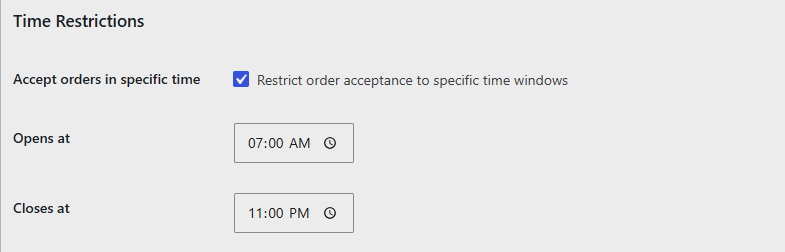
Limit customers to a predefined location, or set time windows during which a specific location accepts orders. Assign separate shipping zones, shipping methods, and payment methods to each location as well.
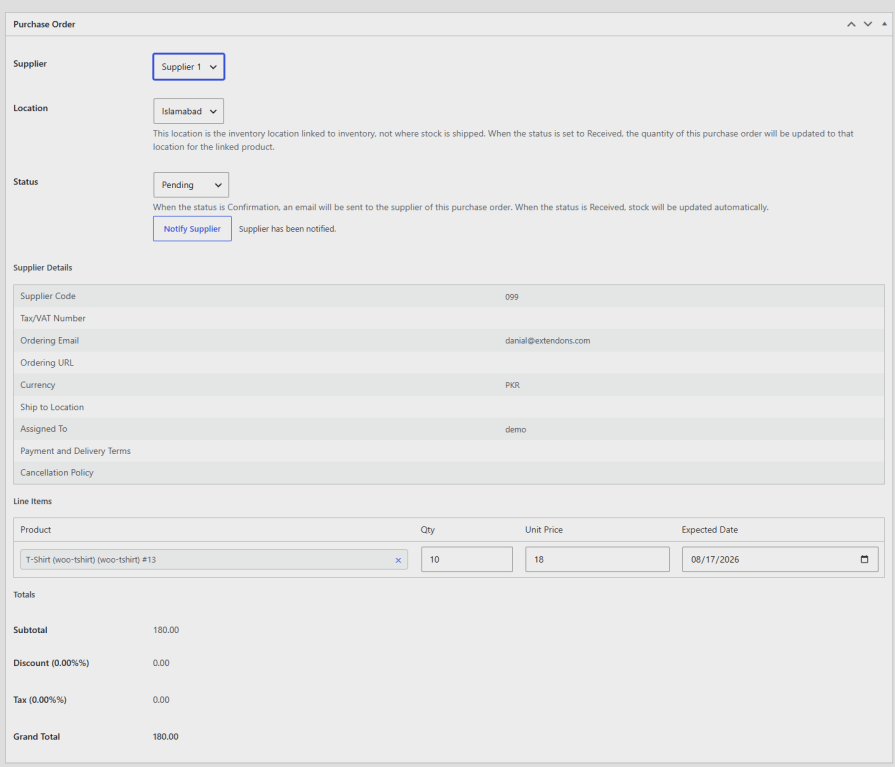
Add multiple suppliers with their contact details, ordering email, website, billing currency, and warehouse address. Set a default discount, tax rate, lead time, and cancellation policy per supplier.

Create purchase orders against a supplier and location, and notify the supplier by email directly from the order with multi inventory for WooCommerce. Once an order is marked as received, the plugin updates stock at the linked location automatically.
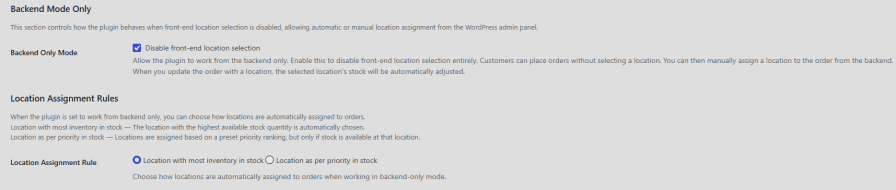
Disable front-end location selection and let customers place orders without choosing a location themselves. Assign a location to each order manually from the backend, or let the plugin auto-assign it based on the location with the most stock or a preset priority ranking.
Hide products that are out of stock across all or selected locations on the shop and archive pages. Add a location filter widget alongside WooCommerce’s default shop filters so customers can browse stock available at a specific location.

Once a store is selected, display its name, stock availability, and price under each product on shop and category pages. Availability is color-coded with your stock status colors, so customers can spot what is ready to order at a glance.
Multi inventory management for WooCommerce enables you to view and edit stock quantity, price, sale price, low stock threshold, and backorder settings for every product and location in one table. Filter by SKU, product name, category, and switch between an all-locations view and individual location tabs. Click the history icon on any row to see that product’s stock change log.
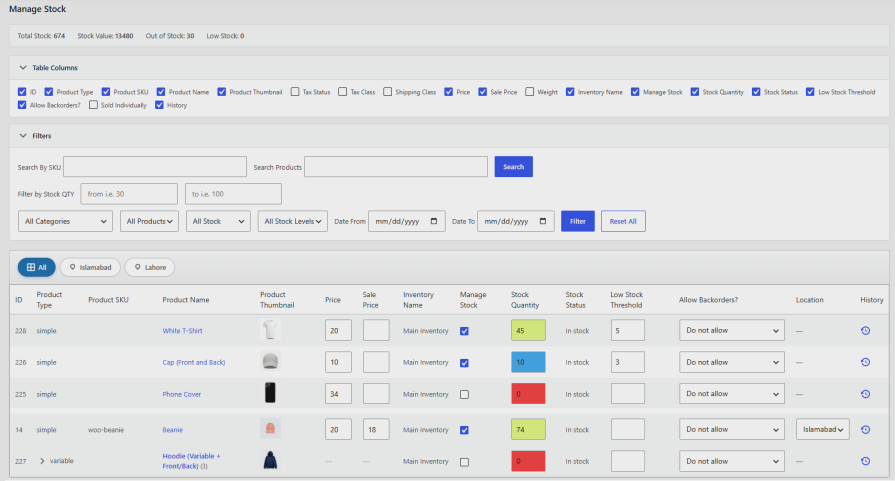
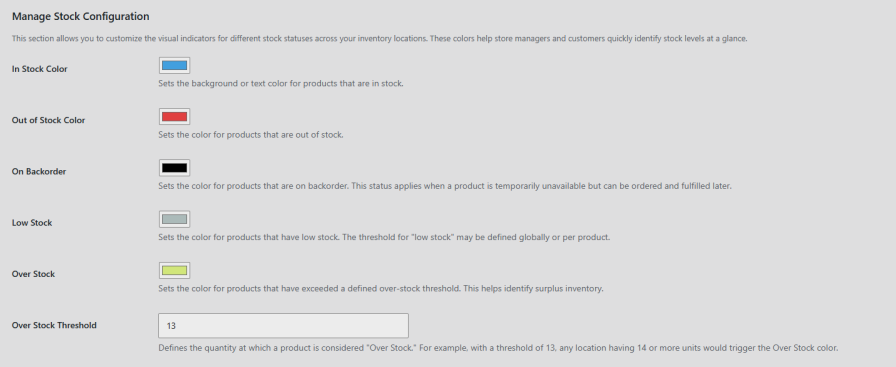
Set a distinct color for in stock, out of stock, backorder, low stock, and over stock statuses so store managers can scan inventory levels at a glance. Define an over stock threshold to flag surplus inventory automatically.
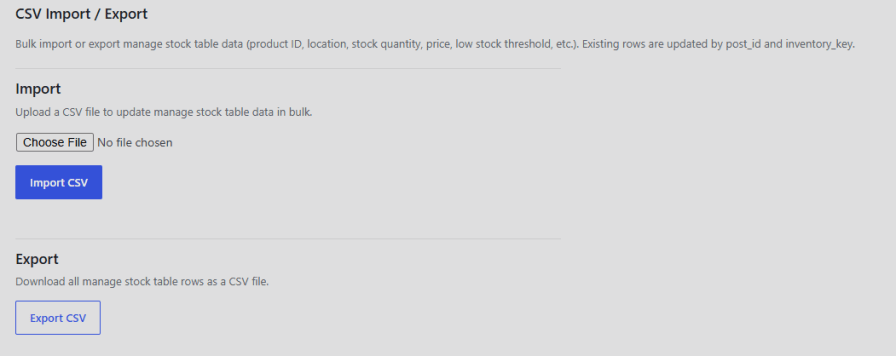
Multistore inventory management for WooCommerce allows you to bulk update the stock quantity, price, and low stock threshold across locations by uploading a CSV file. Existing rows update automatically by matching product and location. Export all current stock data to a CSV file at any time.
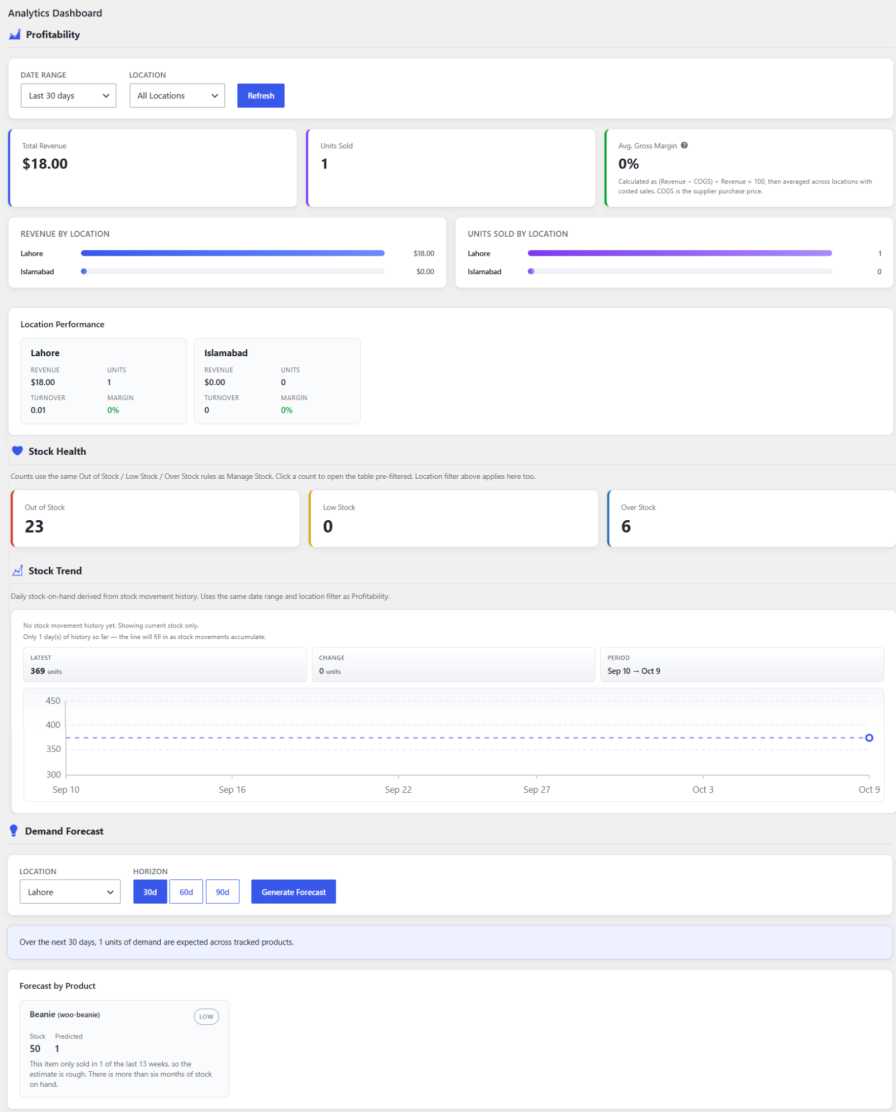
View total revenue, units sold, and average gross margin for a selected date range and location with multi inventory for WooCommerce. Compare revenue and units sold across locations, and review turnover and margin per location individually. Generate a demand forecast by product based on historical sales consistency.
Yes, Multi Locations Inventory Management lets you assign stock, price, and status to a single product across as many locations as you need.
Yes, you can display available locations on the single product page as a dropdown or radio buttons, and hide any location that is out of stock.
Yes, marking a purchase order as received automatically updates the stock quantity at the linked location.
Yes, Backend Mode Only lets you disable front-end location selection and assign locations to orders manually or automatically from the admin panel.
Yes, you can import stock quantity, price, and low stock threshold in bulk using a CSV file, or export your current stock data at any time.
Yes, the Analytics Dashboard shows revenue, units sold, and gross margin per location, along with a demand forecast by product.
Extension information
Quality Checks
Countries







