

Product comparison
Subscription includes
Support
The AI Dynamic Pricing and Discount for WooCommerce plugin provides a high-performance solution to automate your store’s sales strategy and maximize revenue. You can deploy six powerful discount modes, including Amount-Based, Quantity-Based, Category-Specific, Dynamic Cart, Sequential Purchase, and Offer Free Product deals. These tools help you increase average order value (AOV) and items per order by rewarding bulk buys and targeted product combinations during specific date ranges.Quantity-Based Discount
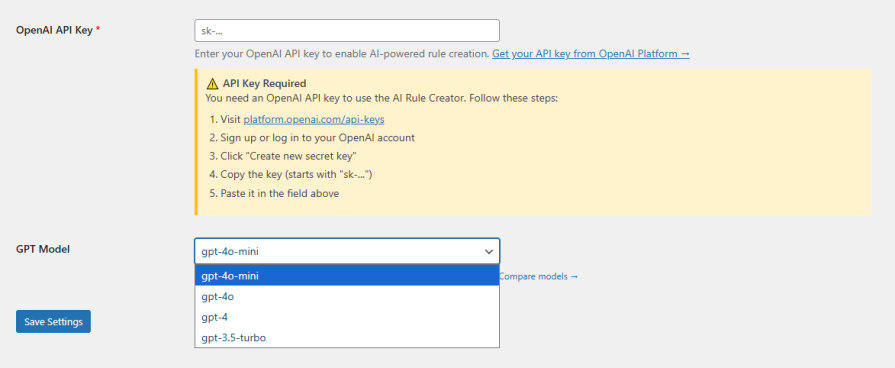
The AI Rule Creator simplifies your workflow by using OpenAI to analyze your store’s sales history, customer behavior, and stock levels. Simply select a business goal, such as Clear Inventory, Increase Revenue, or run a Flash Sale, and let the AI generate data-driven pricing rules. This eliminates manual guesswork and ensures your pricing stays optimized for growth based on real store data.
Increase revenue and average order value with AI-powered pricing strategies that automatically optimize discounts to align with your store goals and data.
Easily manage B2B and wholesale customers with flexible pricing rules that allow you to offer tailored discounts and bulk pricing for different customer segments.
Encourage bulk purchases with intelligent quantity-based and tiered pricing that rewards customers for buying more.
Maximize conversions with cart-based discounts that adjust dynamically based on cart contents, quantities, and order value.
Boost sales using engaging BOGO offers and free gifts that incentivize higher spending and improve product discovery.
Simplify your workflow with AI-powered rule creation that eliminates manual guesswork and ensures optimized pricing.
Improve inventory control by strategically discounting slow-moving products and clearing stock efficiently.
Create AI-powered discount rules with the AI-Based Dynamic Pricing and Discount for WooCommerce plugin. Save time and utilize AI to create smart and data-driven rules for offering discounts. Choose the right goal for your discount offer, like revenue growth or stock clearance, and let AI create discount rules by analyzing your store’s data on sales and customer behavior. This way, you can offer discounts based on real-time data with a higher chance of success.
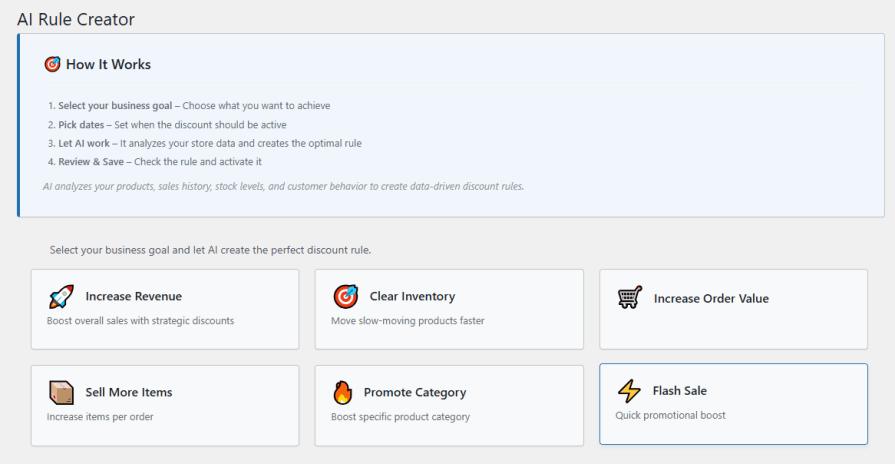
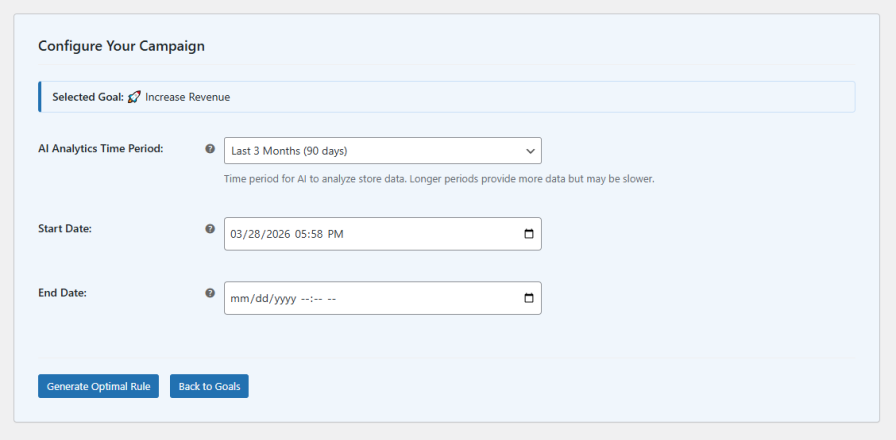
The AI Dynamic Pricing and Discount plugin for WooCommerce allows you to create discount rules by using AI. You can choose the right gaol for your business and let AI create the optimized discount rule. AI will analyze your store’s previous data including sales, customer behavior, and stock to create discount rules. You can create rules based on the following goals:
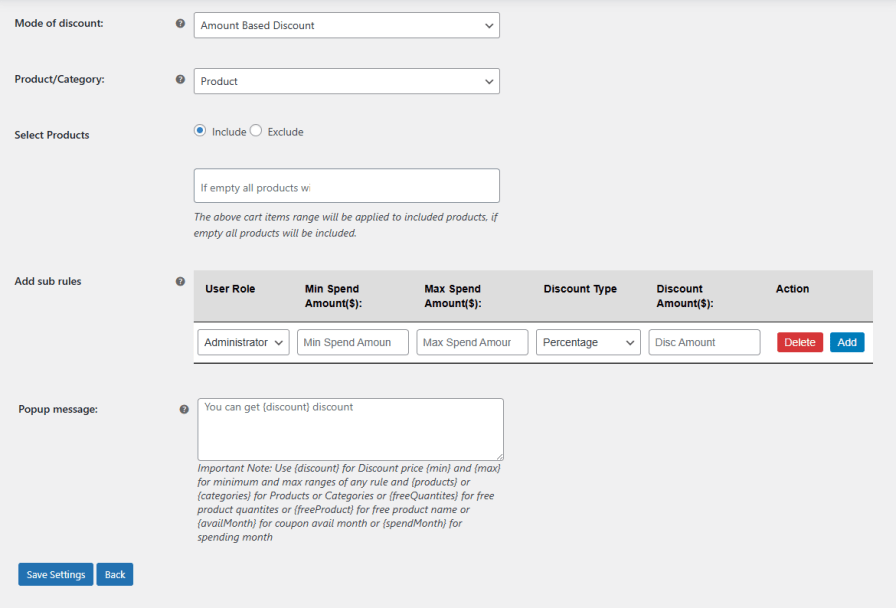
Create discount offers based on the order amount. The Dyanmic Pricing and Discount plugin for WooCommerce allows store owners to configure discounts based on the order amount with minimum and maximum limits. Set the start and end date and specific product to include or exclude from the rule. You can select specific user roles, min/max spend amount to avail discount, discount type (fixed or percenatge), and discount amount.
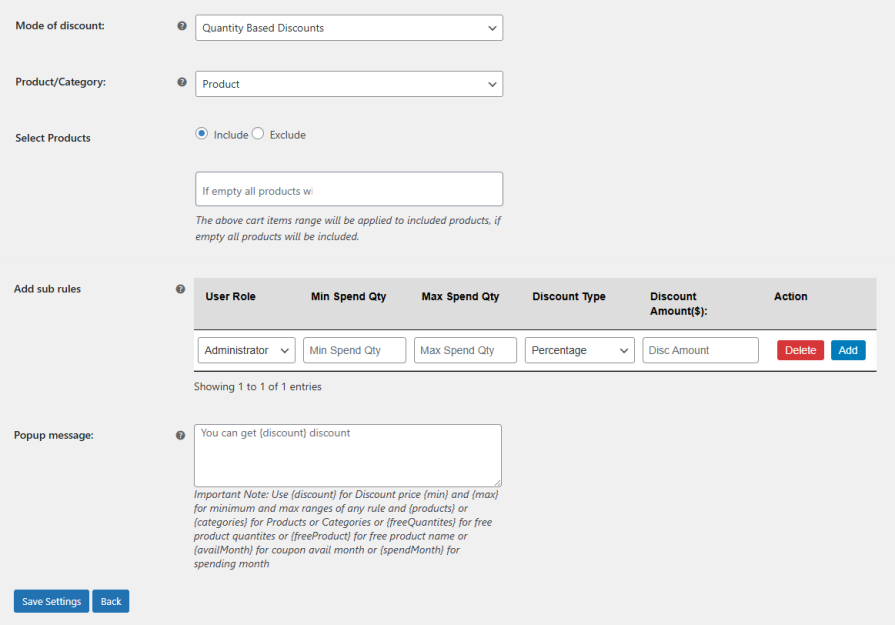
Create simple and effective discounts based on how many items a customer buys. Set minimum and maximum quantity limits to control when the discount applies. You can choose specific products, user roles, and set start and end dates for each offer. Apply either fixed or percentage discounts to encourage customers to buy more and increase overall sales.
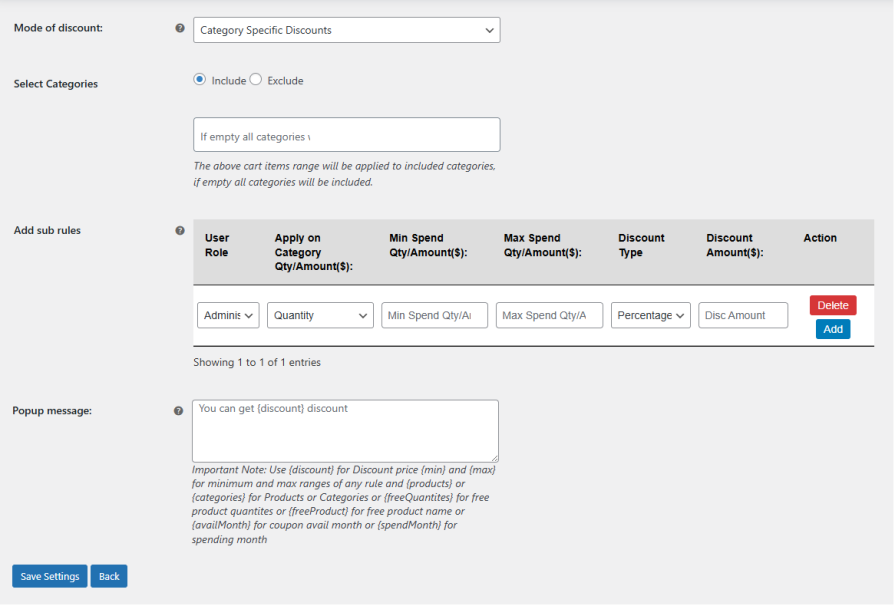
Easily set up discounts for selected product categories to promote targeted sales. Control who gets the offer by applying it to specific user roles. You can trigger discounts based on category quantity or total amount, with options to set minimum and maximum spend limits. Choose between fixed or percentage discounts and define the discount value to create flexible, category-based promotions that drive more focused sales.
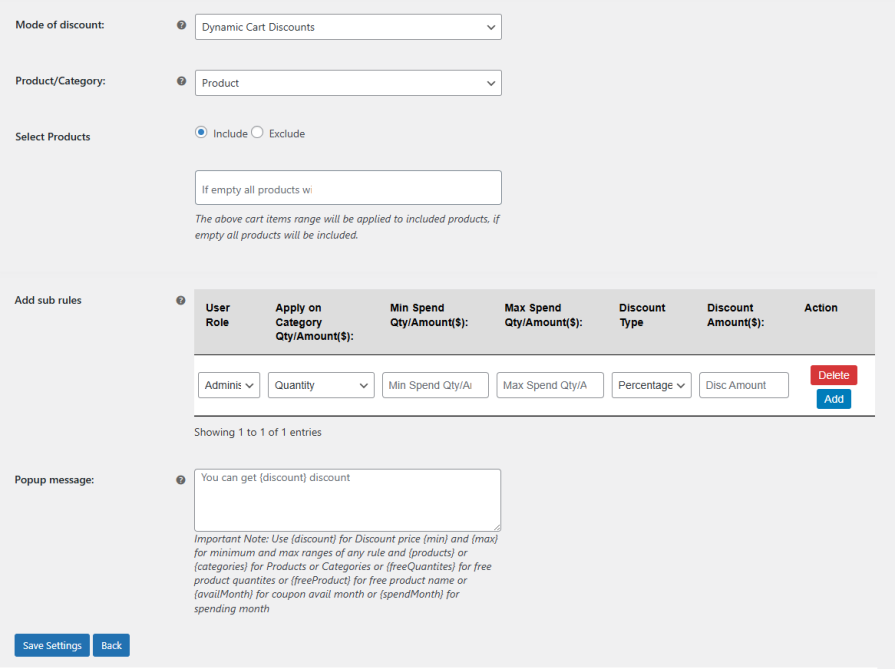
Create flexible discount rules that apply automatically based on what customers add to their cart. You can trigger discounts using category quantity or cart amount, and set minimum and maximum limits to control when the offer is applied. Target specific user roles, choose between fixed or percentage discounts, and define the discount value to create highly customized cart-level promotions that boost conversions and order value.
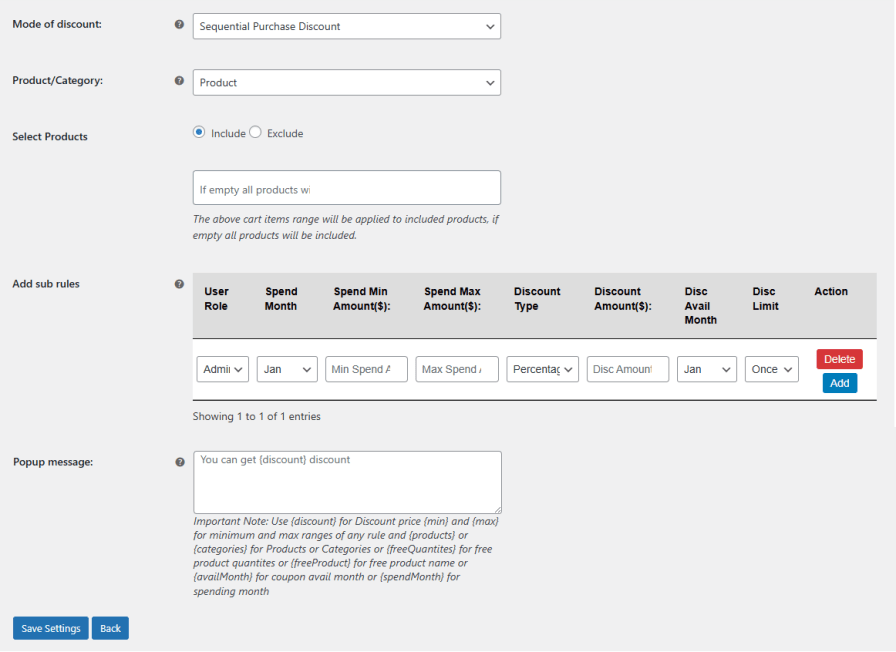
Reward repeat customers by offering discounts based on their purchase activity over time. Set monthly spending conditions with minimum and maximum limits to qualify for discounts. You can target specific user roles, choose between fixed or percentage discounts, and define how long the offer is available along with usage limits. This helps you encourage consistent buying behavior and build long-term customer loyalty.
Increase customer engagement by rewarding purchases with free products or BOGO deals. Set conditions based on user roles and define which product will be offered as a free gift. You can control the offer by setting minimum and maximum purchase quantities, along with the quantity of free items given, to create attractive promotions that encourage higher spending and boost conversions. Drive more sales with compelling, value-driven offers.
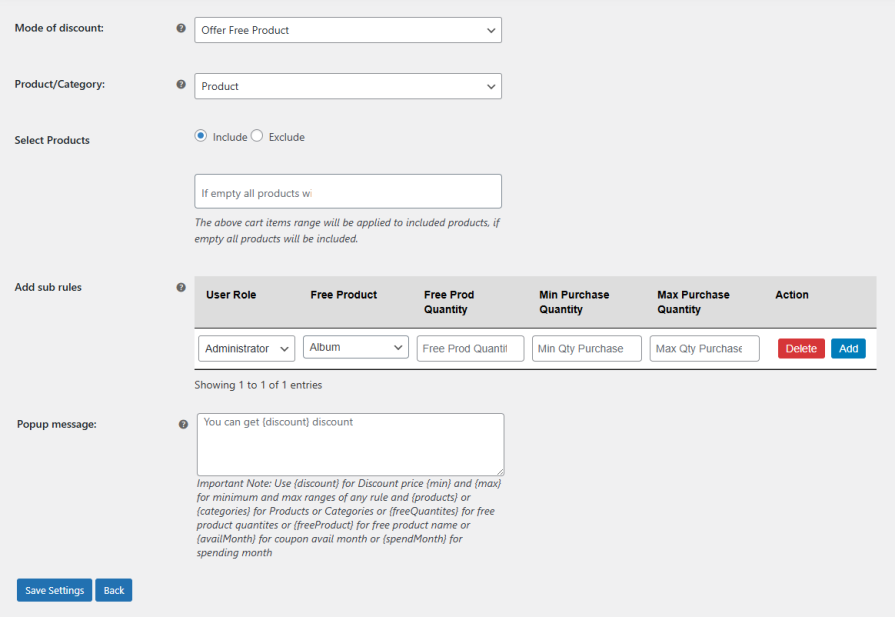
Use a pop-up to clearly inform customers about available discount offers and how to qualify for them. Customize the look by adjusting background colors, fonts, and button styles to match your store. You can also display all active discount rules and explain how customers can take advantage of each offer, helping improve engagement and conversions.
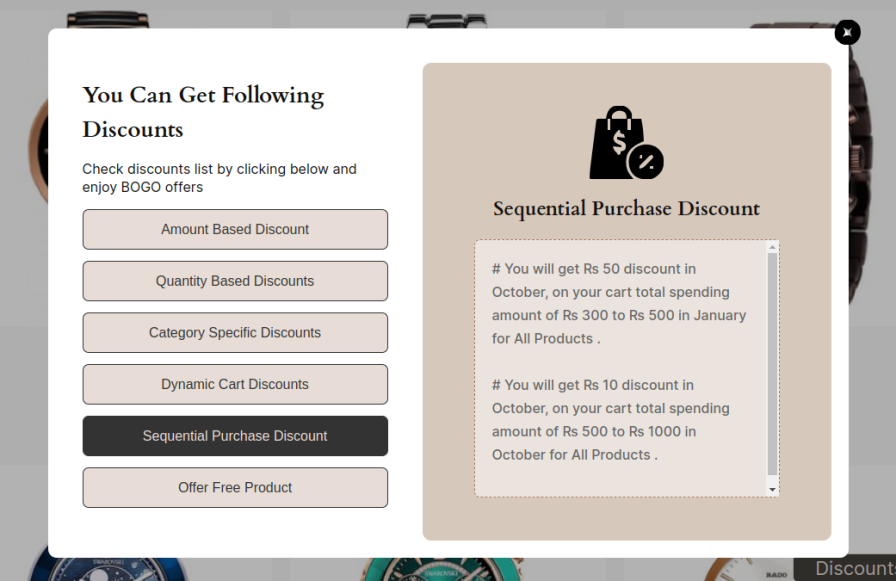
Use a customizable pop-up to celebrate when customers qualify for a discount or special offer. Add personalized messages and adjust the design with your store’s colors, fonts, and styles to create a consistent experience. This helps you notify customers about their rewards and encourages them to continue shopping and take advantage of more offers.
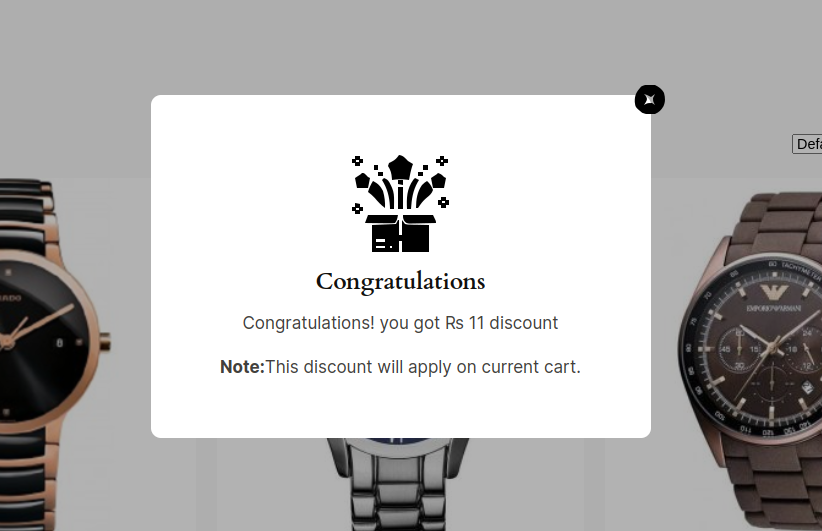
Display a convenient discount widget so customers can quickly view all available offers in one place. Customize the widget and button by changing text, colors, and font sizes to match your store’s design. This makes it easy for customers to discover discounts and take advantage of the best deals, improving engagement and conversions.
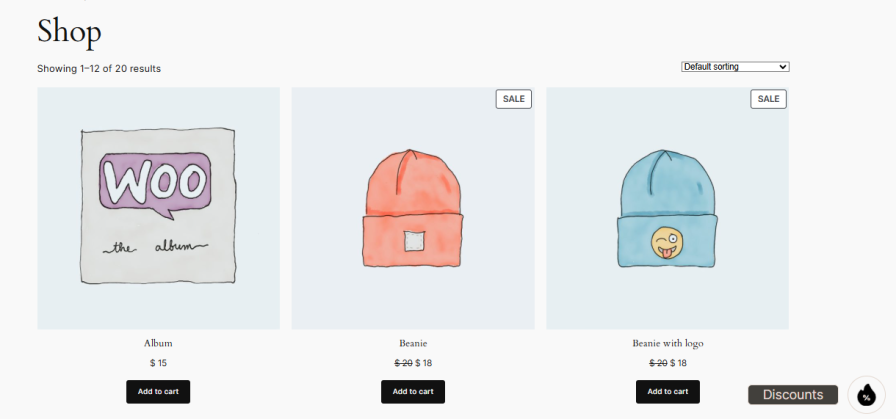
The AI Rule Creator automates pricing by using OpenAI to analyze your store’s sales history, stock levels, and customer behavior. Simply select a business goal—like clearing inventory or increasing revenue—and the AI generates data-driven discount rules. This eliminates manual guesswork and ensures your strategy is always optimized for growth.
You can choose from six specific business goals: Increase Revenue, Clear Inventory, Increase Order Value (AOV), Sell More Items, Promote Category, and Flash Sale. Once a goal is selected, the AI evaluates your real-time store data to create rules that specifically target that objective, such as discounting slow-moving stock or rewarding higher cart totals.
The plugin offers six powerful discount modes: Amount-Based, Quantity-Based, Category-Specific, Dynamic Cart, Sequential Purchase, and Offer Free Product. These modes allow you to create everything from simple tiered pricing and bulk discounts to complex BOGO deals and loyalty rewards based on a customer's monthly spending or purchase history.
Yes, every discount rule includes precision scheduling with dedicated Start Date and End Date fields. This allows you to automate your promotional calendar in advance, ensuring that flash sales, holiday discounts, or category promotions activate and expire exactly when you intend without manual intervention.
Customers can discover deals through three interactive elements: a Rule Pop-up that explains how to qualify for offers, a Discount Widget Button that lists all active deals in one place, and an automated Congratulations Pop-up. All elements are fully customizable, allowing you to match the colors, fonts, and text to your brand.
Absolutely. Using the Offer Free Product mode, you can configure diverse "Buy X Get Y" deals. Examples include "Buy 2 of X and get 1 of Y free," or category-wide rules where buying a specific quantity of items from a certain category triggers a free reward or multiple gifts.
The plugin integrates with your OpenAI API key and supports several advanced models, including GPT-4o, GPT-4o-mini, GPT-4, and GPT-3.5-turbo. You can choose the specific model and the AI Analytics Time Period (the duration of historical data the AI should scan) to balance processing speed with data depth.
Categories
Extension information
Quality Checks
Countries







